



Windows 11 activation is one of those topics that feels “solved” until you’re the one responsible for deploying endpoints at scale, maintaining compliance evidence, supporting hardware repairs, and keeping users productive when activation suddenly flips to not activated after a motherboard replacement or a reimage. In modern estates—hybrid identity, Autopilot provisioning, cloud management, and mixed procurement channels—activation is less about typing a key and more about understanding which activation model is in play, what it is bound to, and how it behaves across the device lifecycle.
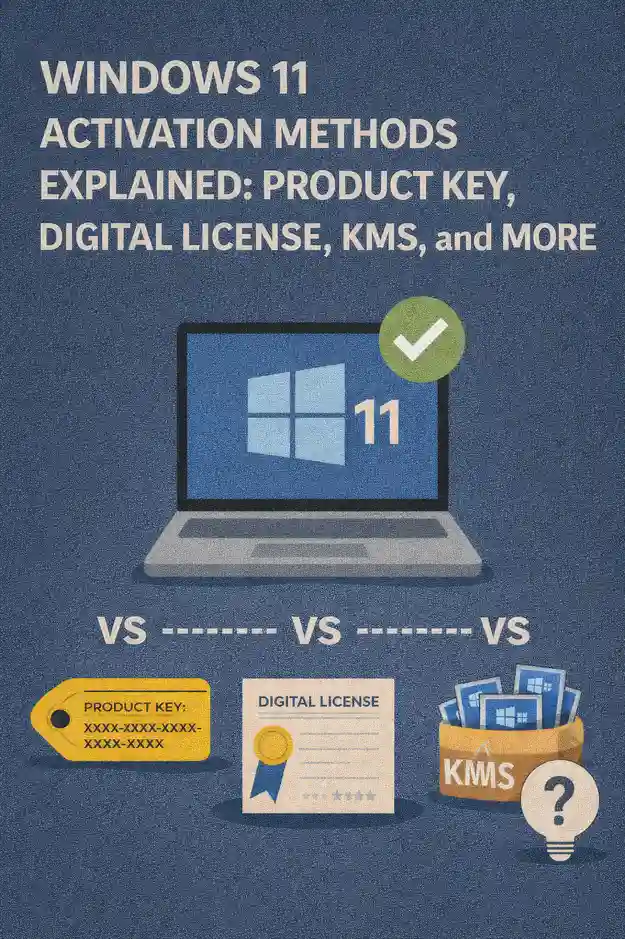
This article explains the major Windows 11 activation methods IT professionals encounter: traditional product keys, digital licenses, OEM embedded activation, KMS, MAK, subscription-based activation, and key supporting concepts like edition rights, hardware identity, and the activation troubleshooting signals that matter in enterprise operations.
Why activation is an IT operations issue, not just a setup step
Activation is often treated as a one-time setup checkbox, but operationally it’s a continuous state tied to device identity, licensing entitlement, and the way Windows was deployed. Activation impacts user experience, support tickets, compliance posture, and even automation workflows—especially in environments that frequently reimage, replace devices, or shift endpoints between roles.
Activation methods also intersect with security and governance. You want predictable outcomes when devices are repaired, when users are off network for long periods, when VDI or shared device models are in use, and when you need to demonstrate that your deployment method is aligned with your entitlements.
A quick mental model: what Windows 11 activation “binds” to
Most activation methods bind Windows to one of three anchors:
Key-based entitlement (a product key or a volume key), hardware identity (a device’s unique hardware profile), or organizational entitlement (activation granted because the device/user is part of a licensed organization under a specific program). Many real-world deployments blend these anchors. For example, OEM activation is hardware-bound, but your management strategy may rely on organization-driven provisioning and automated reimaging.
Activation with a product key
Product key activation is the most familiar method. A product key is a unique alphanumeric code used to prove entitlement and activate Windows. IT professionals see product keys in small businesses, one-off purchases, break-glass scenarios, and environments that haven’t standardized on volume activation.
Where product keys appear in enterprise reality
Keys appear in multiple forms: retail keys bought separately, OEM keys embedded by manufacturers, and volume keys issued under licensing programs. The operational difference is less about the format and more about the governance model behind the key: who owns it, how it can be reused, and how you prevent accidental leakage into documentation, scripts, or imaging tools.
Pros and constraints for IT teams
Product key activation can be straightforward for a small number of devices. The constraints show up at scale: key management becomes a security and process problem, reimaging can re-trigger activation events, and support teams may end up troubleshooting activation on a per-device basis rather than relying on standardized activation infrastructure.
Digital license activation
A digital license (sometimes referred to as a digital entitlement) is an activation method where Windows can activate without manually entering a product key on the device. Activation is associated with a device’s hardware identity and, in some cases, with an account context used during activation.
What digital license means operationally
When a device has a recognized entitlement, Windows 11 can reactivate automatically after reinstall—assuming the edition matches the entitlement and the hardware identity hasn’t changed beyond what the activation service will tolerate. This is why many devices appear to “just activate” after a wipe and reinstall, even when no one typed a key.
For IT teams, digital licensing reduces the need for manual key handling and can streamline reimaging workflows on eligible devices. The downside is that it can create confusion in mixed estates: a device might activate automatically, but that doesn’t necessarily mean your organization has documented proof of entitlement in the way your compliance processes require.
Hardware changes and digital license behavior
Digital license activation is sensitive to major hardware identity changes. Motherboard replacements are the classic trigger. When a device’s identity changes significantly, Windows may treat it as a new device, and the previous entitlement association may not apply cleanly. From a support perspective, your process should include capturing the repair event, validating activation post-repair, and knowing which escalation path is appropriate based on how the device was originally licensed.
OEM activation and embedded keys
OEM activation is the default for many business laptops and desktops. Manufacturers often embed a Windows key in device firmware, and Windows setup can read it automatically. This is one reason a freshly installed OS can activate without user input.
Why OEM activation matters to deployment strategy
OEM activation can be excellent for standardized fleets purchased through consistent channels. It reduces friction during deployment and supports “wipe and reload” workflows where the device returns to a known-good state without key entry.
The constraints appear when devices are repurposed, when motherboards are replaced, or when the organization expects licenses to be transferable. OEM licensing is generally designed to remain with the original device for its lifecycle, which makes asset tracking and disposal processes important for compliance.
KMS activation
Key Management Service (KMS) is a volume activation method designed for organizations. Instead of each device activating individually with a unique key, devices activate against a KMS host within the organization. This model supports scale and reduces the overhead of managing individual product keys across large fleets.
How KMS behaves in the field
KMS activation is typically time-bound and requires periodic renewal. Devices activate by reaching your KMS infrastructure and then must check back periodically to remain activated. This is usually invisible when devices are on corporate networks regularly.
The operational challenge shows up with remote users, long-term off-network devices, and devices that rarely connect to corporate resources. IT teams need to understand how long devices can go without renewal before activation status changes, and how to support users when that happens.
Common KMS troubleshooting patterns
KMS issues often look like connectivity, DNS discovery, firewall rules, or misalignment between the Windows edition and the key type in use. Another frequent category is imaging mistakes: a golden image built with the wrong activation configuration can create mass activation failures that only appear later, when devices are off-site or reimaged.
Mature environments treat KMS as a monitored service. If activation is a dependency, the KMS host should be operationally managed like any other enterprise service with visibility, documentation, and change control.
MAK activation
Multiple Activation Key (MAK) is another volume activation approach. A MAK key allows a defined number of activations. Unlike KMS, MAK activation is typically a one-time activation per device (with reactivation possible depending on circumstances and policy).
When MAK makes sense
MAK can be appropriate for devices that rarely connect to corporate networks, isolated environments, or certain controlled deployment scenarios. It avoids the ongoing renewal requirement of KMS, which can be helpful for field devices, lab systems, or secured segments where KMS access is impractical.
The operational cost of MAK
MAK requires careful key security and tracking. Reimaging devices repeatedly can consume activations if processes are not aligned with licensing governance. For IT teams, the risk is not only running out of activations, but also losing visibility into where the MAK key was used and whether the environment remains compliant across refresh cycles.
Subscription-based activation and enterprise identity alignment
In modern enterprises, Windows licensing can be tied to organizational subscriptions and identity. In these scenarios, activation and edition rights may depend on the user or device meeting specific criteria—such as being joined to organizational identity and managed under policy. This model is designed for organizations that treat Windows as part of a broader managed endpoint stack rather than a standalone OS purchase.
For IT professionals, the takeaway is that activation may be influenced by identity state, management enrollment, and the user context. When a device changes ownership, moves between tenants, or shifts management platforms, activation behavior can change in ways that look mysterious unless you account for that entitlement chain.
Edition alignment: a hidden cause of activation failures
A surprisingly common activation failure is edition mismatch. A device may have entitlement for one edition, while your image deploys another. The result is a device that installs successfully but won’t activate cleanly. This shows up when standard images are used across different hardware SKUs, when procurement mixes editions unintentionally, or when device roles change and someone assumes “Windows is Windows.”
Enterprise imaging should include controls that ensure the edition deployed matches the entitlement path intended for that device category. That one control can prevent a large class of activation tickets that otherwise get misdiagnosed as networking or key problems.
Virtualization, VDI, and shared device models
Virtual desktops, pooled VDI, and shared workstations add another dimension: activation can be affected by how the environment is licensed, whether the OS is persistent or non-persistent, and how identities rotate. Even on physical shared devices, repeated profile changes and reimaging cycles can surface activation edge cases.
For IT professionals, the key is to treat activation as part of the architecture rather than an afterthought. If your endpoint strategy includes non-persistent images or frequent resets, you want an activation model that is designed for repeatability and centralized governance.
Activation signals and where to look during troubleshooting
When activation fails, the temptation is to immediately search for a key or retry activation. A faster operational approach is to identify which activation method the device is expected to use, then validate the dependencies for that method.
Useful troubleshooting patterns include verifying the device’s edition, confirming whether the device is expected to activate via OEM/digital entitlement or via volume activation, checking whether the device is on-network or has access to the activation infrastructure it relies on, and reviewing recent lifecycle events like reimages or hardware changes.
It’s also worth maintaining a “known-good” activation baseline for each device class in your fleet. If you can compare a problematic device to a working device with the same model, image, and entitlement path, you reduce guesswork and shorten resolution time.
Security and governance considerations
Activation is part of licensing governance, and governance is part of security. Loose key handling can become a leakage risk. Over-sharing keys in scripts, ticketing systems, or documentation can create compliance exposure. In volume environments, treating activation infrastructure as a monitored service reduces operational surprises and prevents avoidable downtime during mass deployments.
Strong governance also means aligning activation methods with how devices are actually used. A remote-first organization will experience more KMS renewal friction than an on-prem-centric one. A high-churn lab environment might burn through activations if MAK is handled casually. A mixed procurement environment will see more edition mismatch unless imaging processes enforce consistency.
Choosing the right activation method for your environment
The “best” activation method is the one that matches your operational reality. If you manage a small number of endpoints and need occasional portability, product key activation and digital entitlements can be workable—assuming you track purchases and lifecycle events carefully. If you operate a standardized fleet purchased through major manufacturers, OEM activation can be frictionless and dependable across reimages. If you manage a large organization with frequent deployments and compliance requirements, volume activation methods and centralized governance typically produce the most predictable outcomes.
For many IT teams, the real win is consistency. Standardize your procurement and imaging approach so each device class has one primary activation path. Document the exceptions explicitly. When activation paths are standardized, troubleshooting becomes a process rather than a mystery, and compliance becomes routine rather than reactive.
Key takeaways for IT professionals
Windows 11 activation is not a single mechanism; it’s a set of models that bind entitlement to keys, hardware identity, or organizational context. Product keys are familiar but hard to manage at scale. Digital licenses reduce manual key handling but can be opaque in mixed estates. OEM activation is excellent for standardized hardware lifecycles. KMS is designed for centralized, scalable environments but depends on periodic renewal and reliable connectivity. MAK works well for devices that can’t regularly reach activation infrastructure but demands strict key governance.
Treat activation as part of endpoint lifecycle design. Align your chosen activation method with how devices are deployed, repaired, reimaged, and managed day-to-day. When that alignment is intentional, activation stops being a recurring fire drill and becomes an invisible, reliable component of a well-run Windows 11 estate.


 12985
12985  IT Pro






















