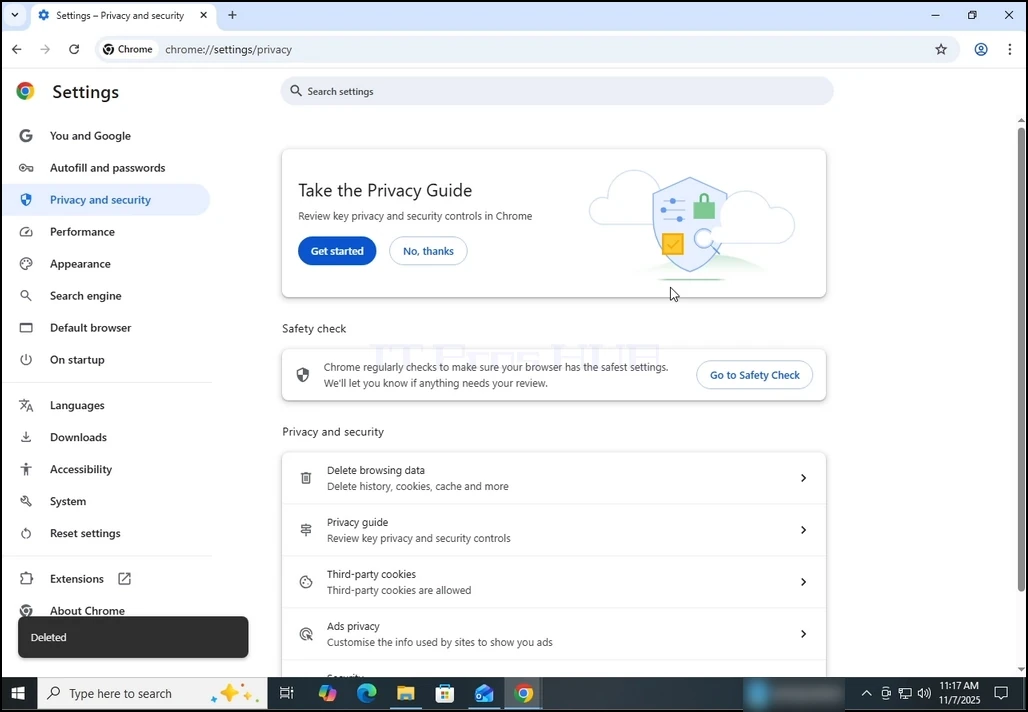
1. Open Chrome browser

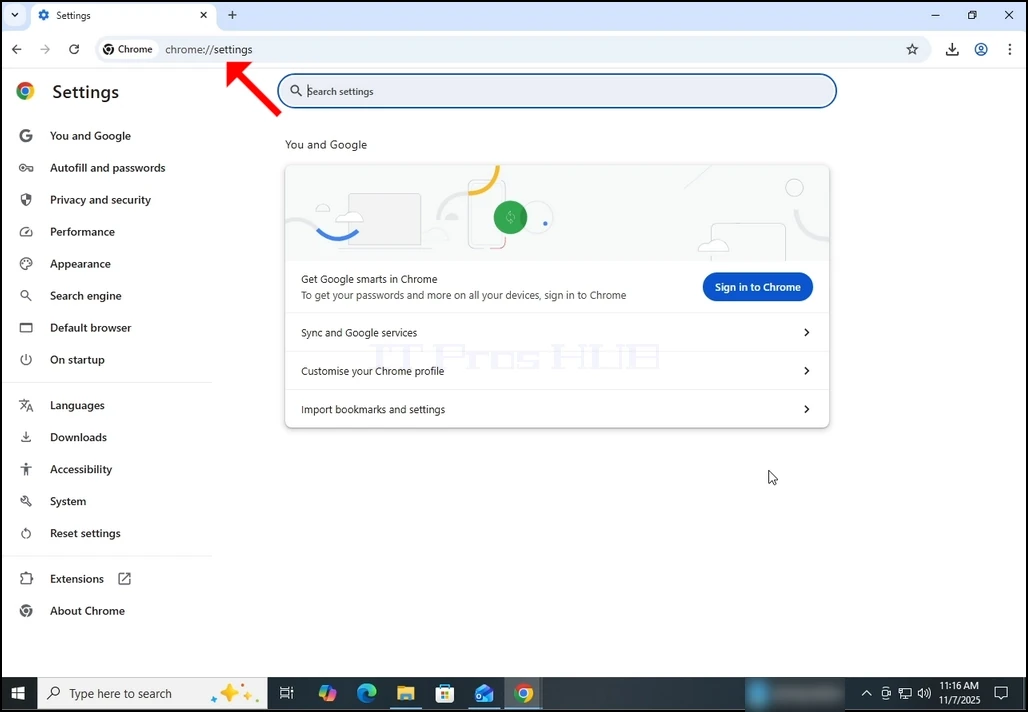
2. In Chrome's address bar, type the following address:
chrome://settings
and hit the ENTER key. Wait for the Chrome settings window to appear.
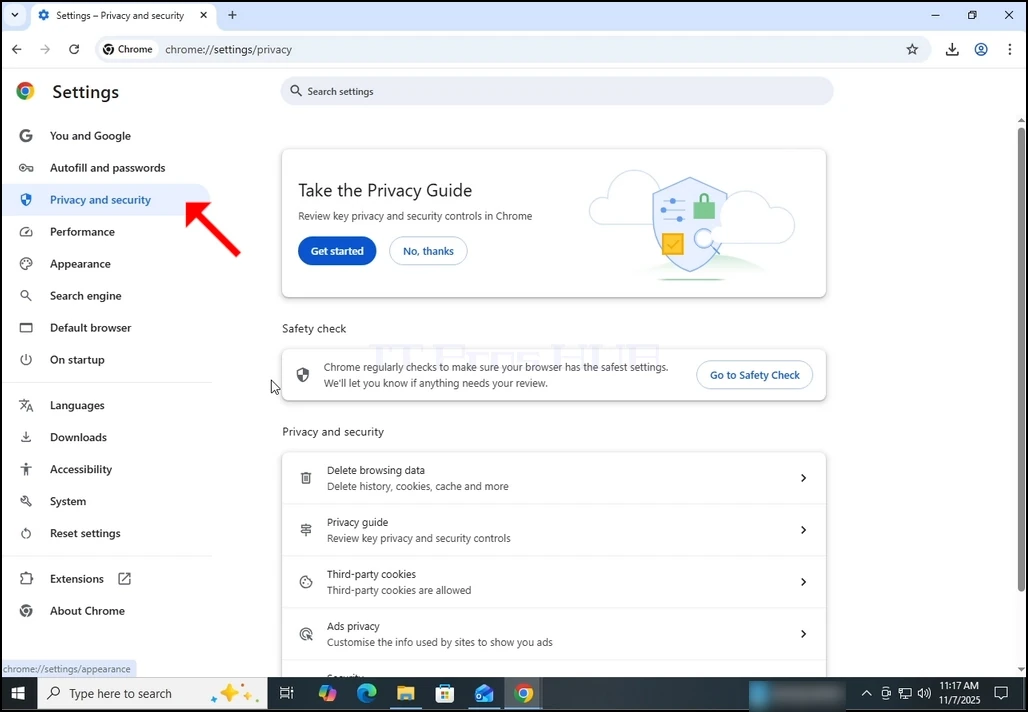
3. On the left pane, go to Privacy and Security and click on it:
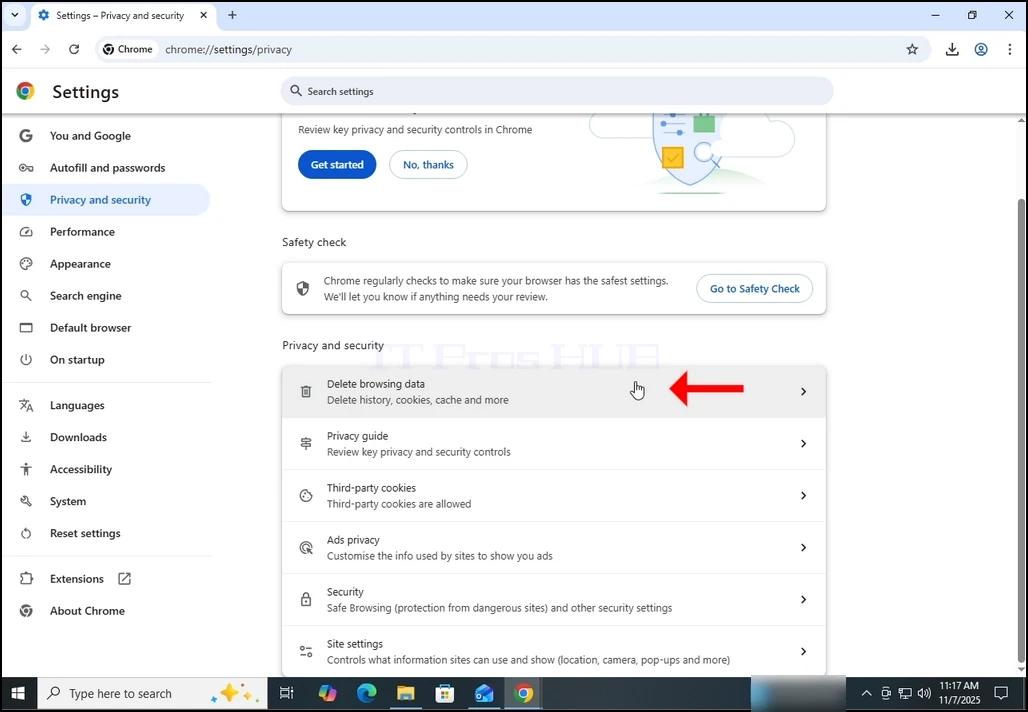
4. Now, on the right pane, go to Delete browsing data and click on it. Wait for the Delete browsing data window to appear :
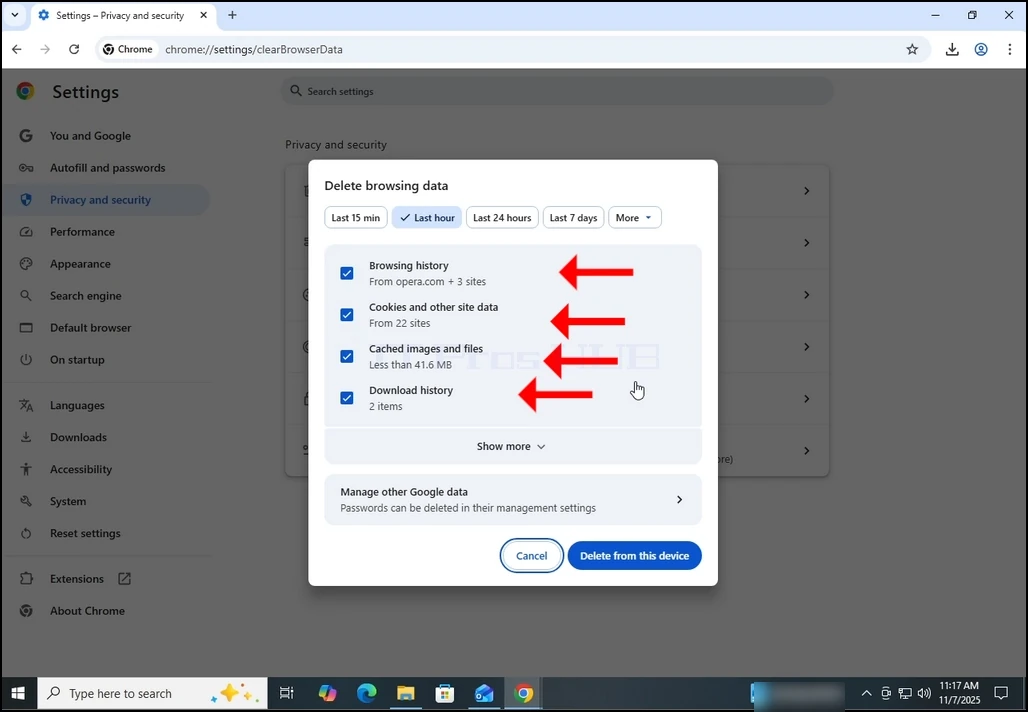
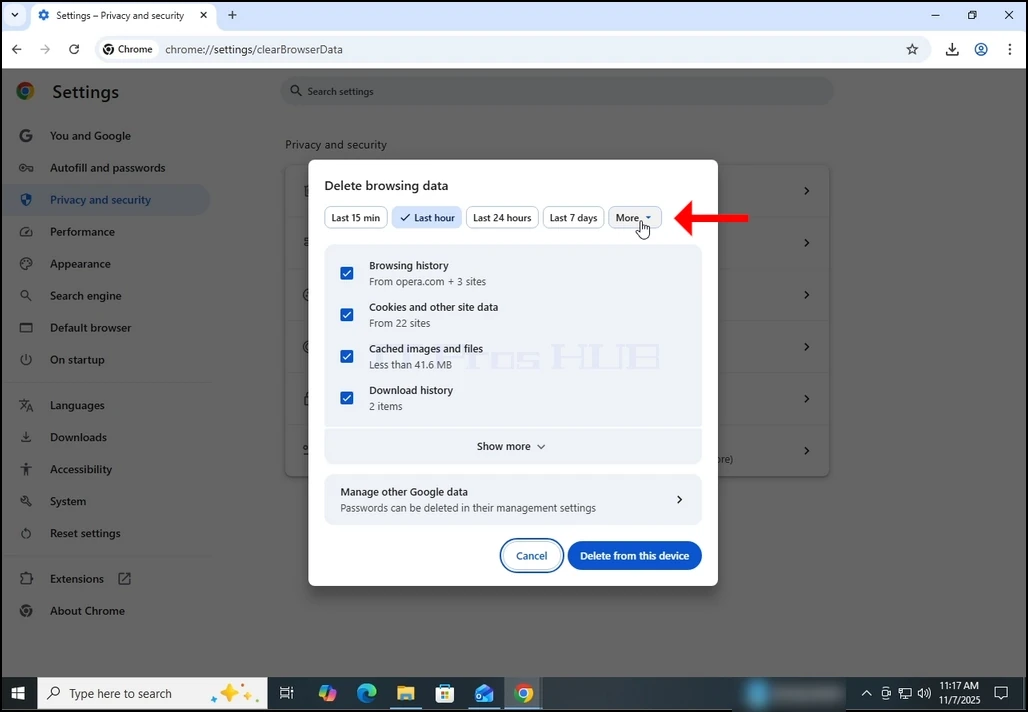
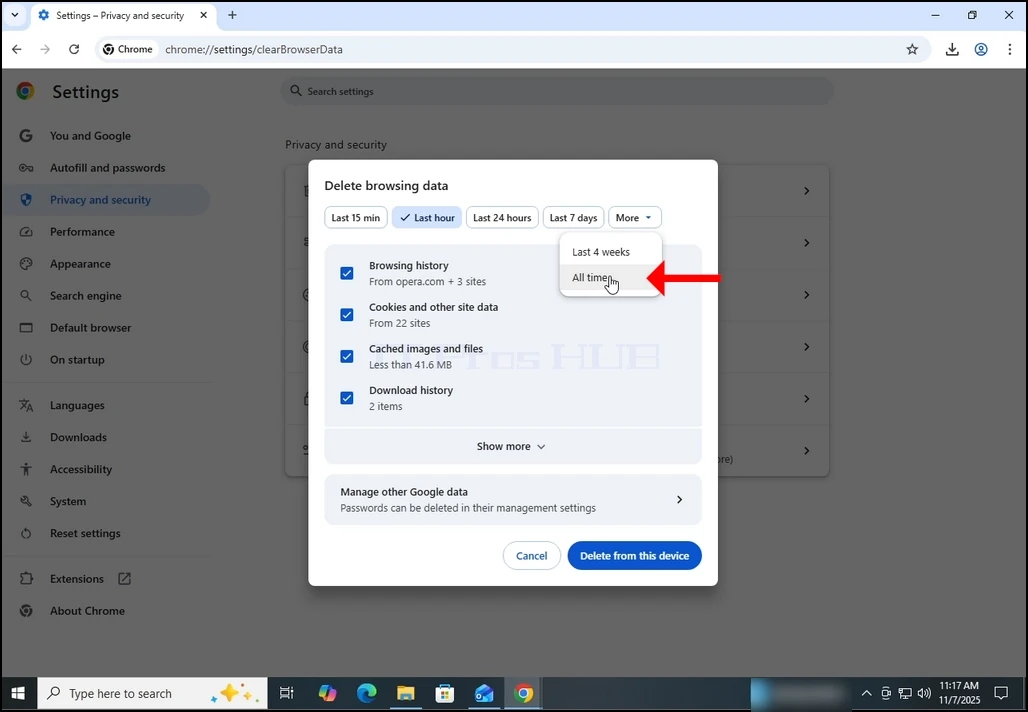
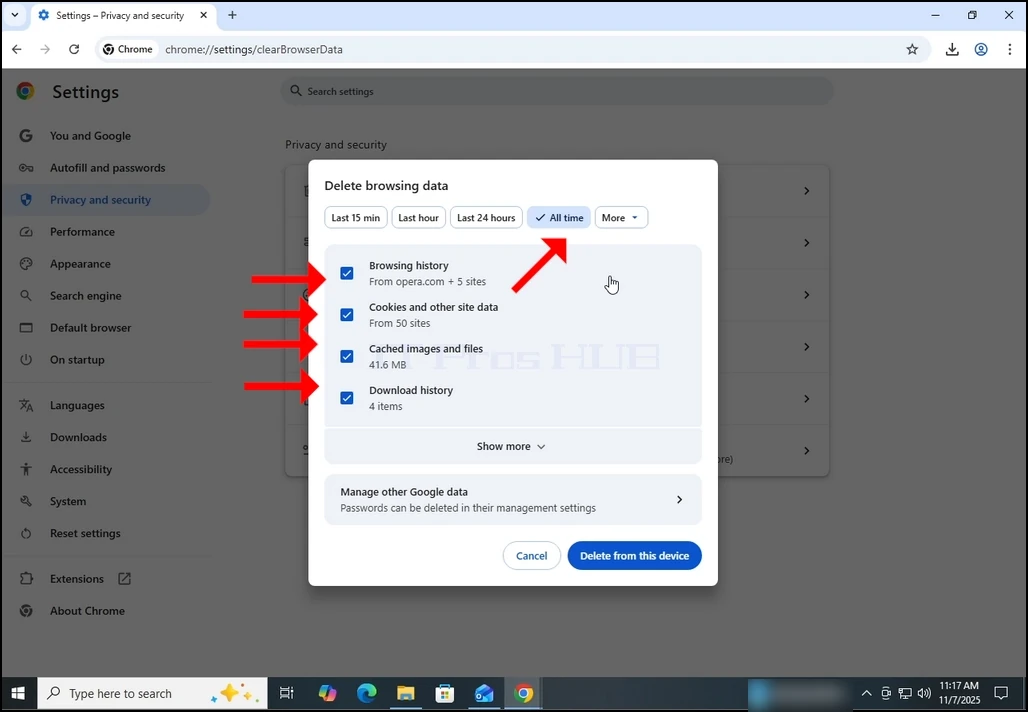
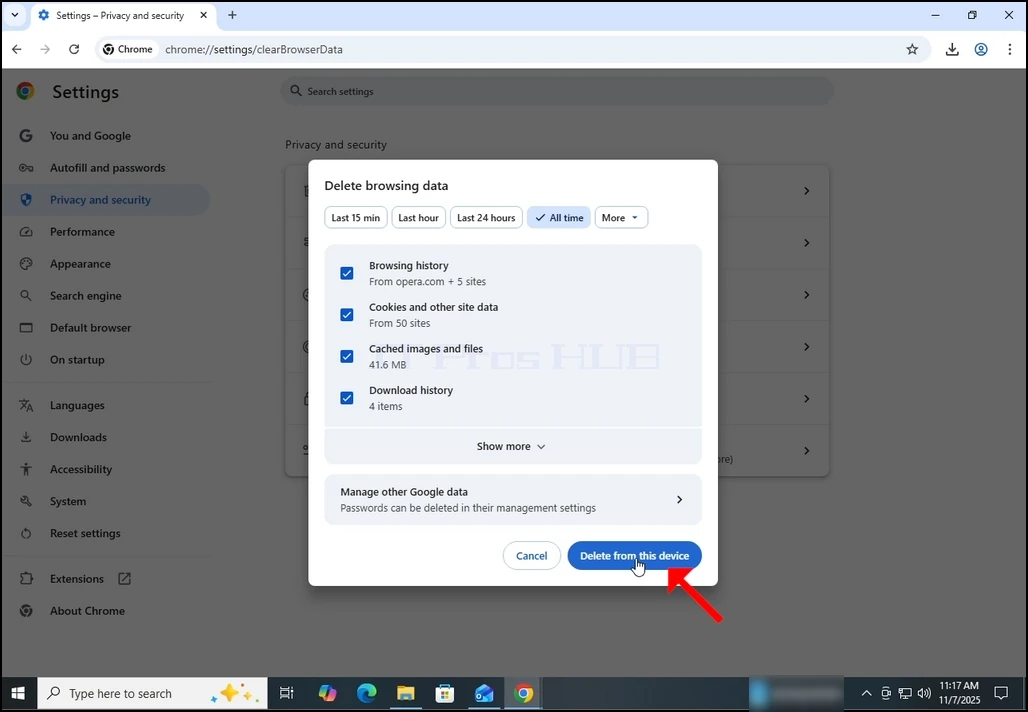
5. After the Delete browsing data window appears, mark ALL of the 4 options:
- Browsing history
- Cookies and other site data
- Cached images and files
- Download history
9. Wait for the data to be deleted:
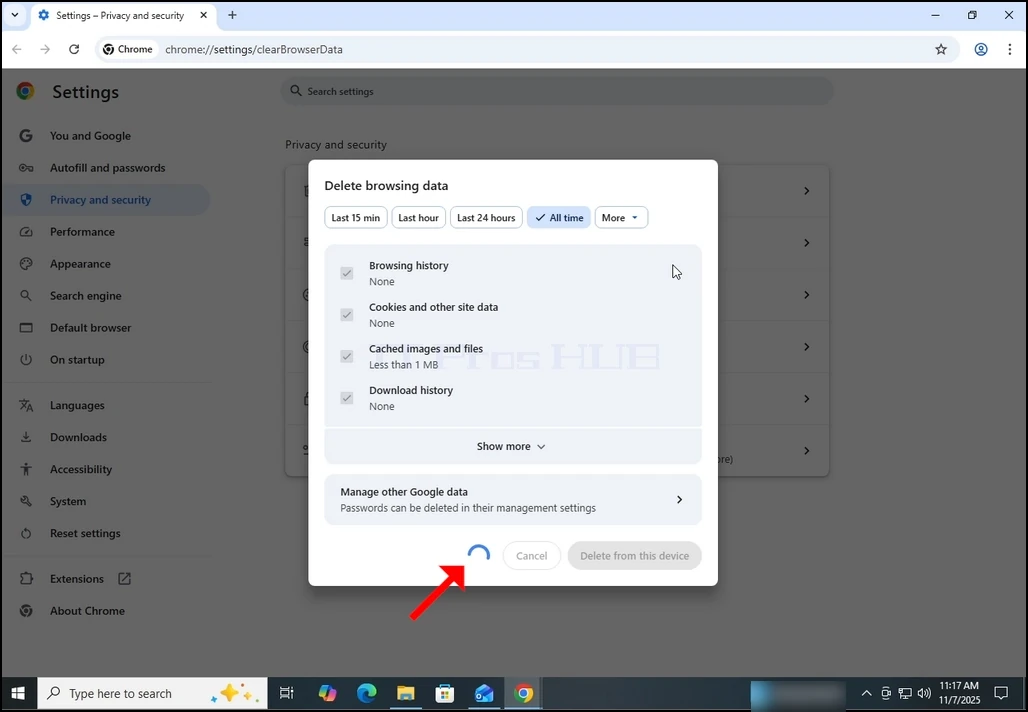
10. Once done, the Delete browsing data window will close itself: