



- Details
- Written by: IT Pro
- Category: Blog
- Hits: 3379
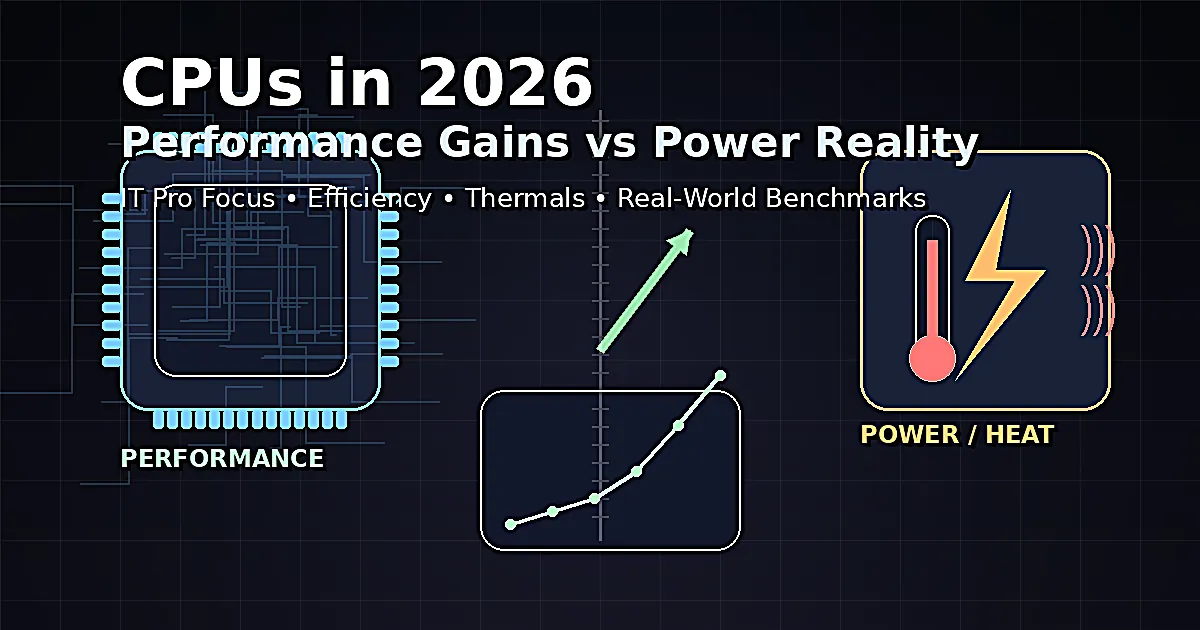
CPUs in 2026: Performance Gains vs Power Reality
For IT professionals, “faster CPUs” is rarely the whole story. In 2026, the conversation is less about whether a new processor can top a benchmark chart and more about whether that performance is repeatable inside your real-world constraints: rack power budgets, office thermals, laptop battery targets, compliance requirements, and fleet manageability.
The 2026 CPU landscape is defined by a constant trade: more throughput per socket and better responsiveness per core, but also more complexity in how performance is delivered and sustained. Boost clocks, opportunistic turbo, hybrid cores, advanced power states, and aggressive platform-level tuning can deliver impressive peaks—yet your users and workloads live in the sustained middle, not the marketing spike.
The New Baseline: More Cores, Smarter Scheduling, and Wider Workloads
CPU improvements in 2026 are less about a single “magic” architectural leap and more about stacking many smaller gains that add up in modern environments. Core counts and thread capacity continue to rise, but the practical value depends on the software stack: licensing models, thread scaling, and how well workloads are partitioned. For virtualization, containers, CI pipelines, and multi-tenant services, the steady expansion of core resources remains a clear win. For legacy line-of-business apps and certain VDI patterns, the benefit still hinges on per-core performance and latency.
Scheduling and topology awareness have become first-class considerations. Hybrid and asymmetric designs can be very efficient when the operating system and hypervisor place work intelligently. When they don’t, IT teams can see confusing symptoms: uneven performance across VMs, “fast sometimes” user experience, or thermal throttling that only appears under specific mixed loads. In 2026, performance engineering increasingly includes validating how threads land, not just how fast a single thread can run.
Meanwhile, CPU workloads are broader than they used to be. Even if the headline trend is “AI everywhere,” many of the day-to-day CPU cycles are still spent on encryption, compression, data parsing, web serving, observability agents, endpoint security, and the overhead of orchestration. The modern CPU is asked to do everything at once, and the gains that matter most to IT are often the “boring” ones: lower tail latency under load, better throughput at capped power, and fewer regressions across diverse software.
Peak Performance vs Sustained Performance: The Metric That Actually Pays Your Bills
Most CPU reviews still highlight peak boost numbers and short-duration benchmarks. For IT operations, the more revealing metric is sustained performance under realistic constraints. A CPU that hits a spectacular turbo clock for seconds but retreats sharply as heat and power limits kick in might look great in a graph and disappoint in a production deployment—especially in dense racks, edge cabinets, or thin-and-light laptops.
Sustained performance depends on the whole platform: motherboard power delivery, BIOS defaults, cooling capacity, chassis airflow, ambient temperature, and the policies enforced by firmware and the OS. In many 2026 systems, you can “buy” extra performance by relaxing limits—at the cost of heat, fan noise, energy, and sometimes reliability margins. That trade might be acceptable for a workstation rendering job, but it’s often unacceptable for a fleet of laptops meant to stay quiet, or for servers where power is shared across a rack and the data center is already at its limit.
IT teams should treat sustained performance as an SLA question: what throughput can you hold for hours at your organization’s allowed power envelope? Evaluating CPUs through that lens often changes the “winner” compared to a pure peak-performance shootout.
Performance-per-Watt Is the Real Competition
In 2026, the most important battleground is not raw speed—it’s performance-per-watt. This matters everywhere:
In the data center, power and cooling are capital constraints. If your facility is power-limited, the question becomes: can this CPU deliver more useful work per watt at the power cap you must obey? When power is the ceiling, efficiency determines how many services you can run, how dense you can pack, and how much headroom you have for peak periods.
On the client side, performance-per-watt is directly felt as battery life, acoustics, and user experience consistency. A laptop that stays in an efficient band longer is often “faster” for real tasks because it maintains responsiveness without thermal collapse. The 2026 reality is that many users value stability more than bursts: the machine that feels quick at 9 AM should still feel quick at 3 PM.
Performance-per-watt is also a budgeting story. Even if energy cost per kWh fluctuates, consumption adds up quickly at scale. A modest efficiency improvement multiplied across thousands of endpoints or hundreds of servers becomes a significant operational savings—often larger than the purchase price delta between CPU tiers.
Power Reality: Turbo Policies, PL Limits, and the BIOS “Arms Race”
In 2026, many systems ship with aggressive default firmware settings designed to maximize benchmark results. That doesn’t mean they’re wrong, but it does mean you must know what you’re deploying. Two identical CPUs can behave very differently depending on BIOS power targets, boost duration limits, thermal targets, and fan curves.
For IT pros, this turns CPU performance into a governance issue. If you procure from multiple OEMs, you may be buying inconsistent performance behavior unless you standardize power policies. If you refresh a fleet and keep the same CPU model but change the platform, you can still see changes in sustained performance because the new chassis and firmware push the silicon differently.
The practical approach is to define power profiles the same way you define security baselines. Decide which systems should prioritize efficiency and acoustics (most user laptops), which should prioritize sustained performance at a defined cap (most servers), and which should be allowed to run “unleashed” (select workstations). Then validate that OEM defaults match your intent—or override them.
Thermals and Density: Cooling Is Now Part of the CPU Spec
CPU selection in 2026 is inseparable from thermal design. A CPU with excellent theoretical performance can deliver mediocre results in a constrained chassis or a crowded rack. Conversely, a slightly lower-tier CPU in a better thermal environment can outperform its “faster” sibling because it sustains its clocks.
This is especially visible in edge deployments. Edge cabinets often have poor airflow, higher ambient temperatures, and limited noise tolerance. If your environment runs hot, you can’t rely on turbo behavior; you must plan around sustained clocks and thermal throttling thresholds. The same applies to dense virtualization hosts where other components—NICs, SSDs, GPUs—also dump heat into the same airflow path.
IT teams that treat cooling as an afterthought often end up overbuying CPUs to compensate for throttling. The more cost-effective move is frequently to invest in better airflow, more predictable fan policies, and validated thermal headroom—then run CPUs at a stable, efficient point.
The Client Side in 2026: Responsiveness, Battery, and “Quiet Fast”
For enterprise endpoints, the core questions are changing. Many knowledge workers don’t need maximum throughput; they need reliable responsiveness: fast wake, snappy multitasking, stable video calls, and smooth browser-heavy workflows. In 2026, CPUs often deliver plenty of peak performance for these tasks, so the deciding factor becomes how the system behaves under the constant background load of security agents, sync clients, browser tabs, and collaboration tools.
“Quiet fast” has become a real usability metric. Users increasingly judge a laptop by whether it stays cool and quiet while doing normal work. A CPU that is efficient at moderate power can make a device feel premium and dependable, while a CPU that needs high power to feel quick can turn every meeting into a fan-noise event.
Battery life remains an operational advantage, not just a comfort feature. Fewer mid-day charges mean less reliance on unpredictable power access, fewer battery cycles, and fewer support complaints. For fleets, that stability reduces friction and lowers helpdesk noise—an underrated benefit.
Servers in 2026: The Socket Is a Budget Line
On the server side, the CPU is increasingly a budgeting unit. A “bigger” CPU is not automatically better if it pushes you into power or cooling constraints that reduce overall density. Many organizations now design for a target watts-per-rack and choose CPU configurations that maximize throughput within that envelope.
Virtualization and container platforms reward predictable capacity. If you can hold stable performance at a defined cap, you can plan consolidation ratios, failover headroom, and capacity forecasts with more confidence. When a platform is tuned for aggressive bursts and frequent throttling, you get unpredictable behavior—leading to conservative sizing and wasted capacity.
Another 2026 reality is that “CPU performance” includes the ecosystem: memory bandwidth and latency, PCIe lane availability, and the ability to attach accelerators or high-speed storage without bottlenecks. Many workloads that look CPU-bound are actually memory- or IO-constrained. The right CPU is the one that matches the whole platform needs, not the one with the highest single metric.
Power Capping as a Strategy, Not a Compromise
Power capping used to sound like a concession. In 2026, it’s often a best practice. Running CPUs at a slightly lower power limit can improve efficiency dramatically while reducing heat, fan noise, and throttling events. The result can be more consistent throughput and better user experience.
In servers, power capping enables higher density and smoother peak handling. Instead of having a few nodes spike unpredictably and trip facility constraints, you maintain predictable power draw across the fleet. In laptops, reasonable power caps can prevent the “fast-then-hot-then-slow” cycle that makes devices feel inconsistent.
The key is to treat power limits as tunable policy. Benchmark at your intended cap. Validate performance under the real workload mix. Then standardize profiles across devices so capacity planning and user experience are predictable.
Security, Patches, and Microcode: The Hidden Variable in Performance
CPU performance in 2026 isn’t just silicon. Firmware updates, microcode, and security mitigations can shift behavior. Most organizations rightly prioritize security and stability, but it’s important to remember that performance baselines may move over time. A platform that was tuned for maximum throughput could behave differently after a firmware update that changes boosting behavior, thermal response, or security defaults.
The operational approach is to baseline performance the same way you baseline security posture. Maintain a known-good configuration set, document power and thermal policies, and measure sustained performance after major BIOS/microcode changes. This prevents surprise regressions and avoids endless “it feels slower” tickets after routine updates.
How to Evaluate a 2026 CPU Purchase Like an IT Pro
The smartest CPU evaluations in 2026 are scenario-driven rather than benchmark-driven. Instead of asking “Which CPU is fastest?” ask questions that map to your operational reality:
Does this CPU deliver strong performance at the power limit we can actually afford? Can it sustain that performance in our typical ambient temperatures and chassis constraints? How consistent is latency under mixed loads, background agents, and real multitasking? Does the platform provide the memory and IO characteristics we need for our workload mix? Can we standardize power and thermal policies across vendors to avoid surprises?
For endpoints, include battery and acoustics in acceptance testing, not just throughput. For servers, validate at rack density and under realistic consolidation. For both, prioritize predictability over spikes. A CPU that behaves consistently under policy is easier to support, easier to forecast, and often cheaper to run.
Where the Gains Are Real in 2026
The most dependable improvements tend to show up in multi-threaded throughput, better efficiency at moderate power, and smoother performance under mixed workloads. Many platforms deliver noticeable gains in “time to usable” for real tasks: faster builds, quicker scans, smoother virtualization density, and less stutter when multiple services are active.
In other words, 2026 CPU gains are real—but they are often earned through intelligent power management and platform design, not just higher clocks. When you deploy with policies that match your environment, you see the improvements. When you deploy on autopilot and rely on aggressive defaults, you may simply trade electricity and heat for short peaks.
Where the Hype Still Lives
The hype is usually in the assumption that peak performance equals better experience. In many environments, the best CPU isn’t the one that posts the highest spike; it’s the one that stays in its efficient band and keeps delivering steady results. Another hype zone is oversimplifying CPU choice to a single headline metric—core count, turbo clock, or a synthetic score—without considering the platform and the workload constraints.
IT professionals can cut through the hype by focusing on policy, consistency, and measurable outcomes: fewer stalled builds, better consolidation, fewer throttling events, quieter fleets, and stable capacity forecasts.
The Bottom Line: 2026 CPUs Are Better—But Power Sets the Rules
CPUs in 2026 are undeniably more capable. They offer higher throughput, smarter task handling, and improved efficiency when configured well. But power and thermals increasingly define what you actually receive in production. For IT pros, the winning strategy is to treat CPU performance as a managed resource, not a fixed attribute.
If you evaluate CPUs by sustained performance at your real power limits, standardize platform policies, and validate behavior under your workload mix, you’ll see the genuine gains 2026 has to offer. If you chase peaks and ignore the power reality, you’ll spend more on electricity, fight more throttling, and still wonder why the “fastest” CPU doesn’t feel fast when it matters.
- Details
- Written by: IT Pro
- Category: Blog
- Hits: 3905
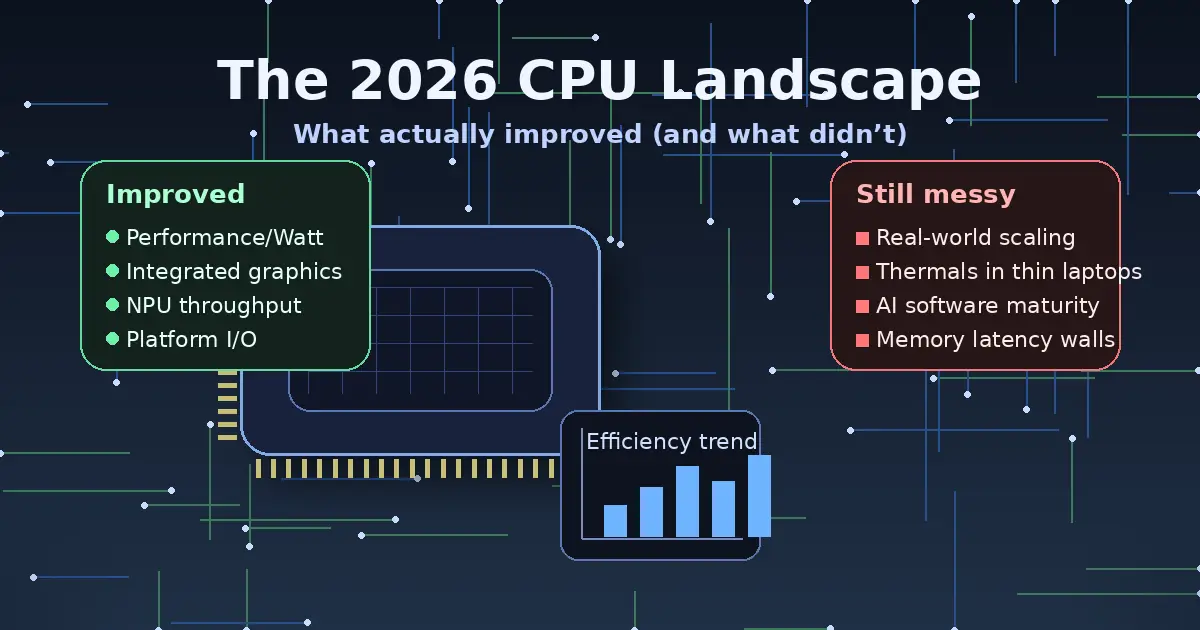
The 2026 CPU Landscape: What Actually Improved (and What Didn’t)
For IT professionals, “new CPU generation” rarely means “everything got faster.” In 2026, the story is even more nuanced: gains are real, but they’re uneven, workload-dependent, and often tied to platform decisions (memory, firmware, OS scheduler, power targets) as much as raw silicon. What improved most is not a single benchmark number—it’s the balance between performance, efficiency, integrated acceleration, and deployability across client and server fleets.
This article breaks down what actually moved forward in 2026, what stayed stubbornly the same, and how to turn the noise into practical procurement and rollout decisions—without betting your budget on marketing slides.
The Defining Theme: Efficiency and “Good Enough” Performance
In many orgs, the most meaningful CPU improvement in 2026 isn’t peak throughput—it’s how much work you can do inside a given power envelope, thermal design, and acoustic target. That matters everywhere: dense racks fighting power caps, branch-office mini PCs that can’t be loud, VDI hosts where watts translate into cooling costs, and laptops where battery life is the difference between “productive” and “tethered.”
Vendors are positioning new client platforms around efficiency plus integrated acceleration. Intel, for example, is explicitly framing its latest mobile platform around combining prior-gen strengths (power efficiency and class-leading performance) while pushing integrated GPU and AI throughput, including “platform TOPS” claims for AI acceleration. :contentReference[oaicite:0]{index=0}
For IT, the practical implication is simple: the best 2026 CPU for your environment is often the one that hits your performance target at lower sustained power—not the one that wins a short-duration burst benchmark.
What Improved: Integrated Acceleration Became a Real Deployment Variable
Integrated acceleration used to be a nice-to-have outside of niche endpoints. In 2026, it’s now a procurement line item. Three accelerators drive most of the change:
- iGPU capability: Stronger integrated graphics can reduce the need for entry discrete GPUs in certain laptop and thin-client profiles, and it can improve responsiveness in GPU-assisted desktop apps (browsers, collaboration, light content work).
- NPU presence and throughput: “AI PC” requirements increasingly map to specific NPU performance tiers, especially on Windows device programs and vendor-certified configurations.
- Platform-level AI throughput marketing: Vendors are now talking about whole-system AI capacity (CPU+GPU+NPU), not just a single block—useful, but easy to misinterpret without workload context.
On the Intel side, Panther Lake is being pitched as an AI PC platform built on Intel 18A, with claims around higher CPU and graphics performance versus prior generation and a focus on balanced “XPU” acceleration including substantial “platform TOPS.” :contentReference[oaicite:1]{index=1}
On the AMD side, the 3D V-Cache “X3D” approach continues to deliver targeted gains—primarily gaming and certain latency-sensitive patterns—yet even there, the improvements can be incremental generation-to-generation rather than transformational. AMD’s Ryzen 7 9850X3D, for example, is being presented as a modest uplift versus its predecessor, driven largely by higher clocks, with availability targeted for early 2026. :contentReference[oaicite:2]{index=2}
The IT takeaway: integrated acceleration is not automatically “free performance.” It changes the device selection calculus—especially for laptop fleets—and it changes your software governance (drivers, kernel/OS support, security policy for on-device inference, and the telemetry you’ll want to collect).
What Improved: Roadmaps Clarified the Next Transition Points
Roadmaps matter to IT because they determine socket churn, platform lifecycle, and whether you should standardize now or wait for a cleaner transition window. Two roadmap signals are especially relevant in 2026:
- Desktop refresh cycles: If a “refresh” is mostly binning and clocks, it may be a safer, lower-risk deployment step—but less exciting per dollar.
- Socket/platform changes: If the next major generation demands a new socket or platform requirements, your upgrade path may split between “extend” and “replace.”
Intel has publicly discussed an Arrow Lake refresh in 2026 and a subsequent Nova Lake timeframe later in 2026, including acknowledgement that the desktop lineup has gaps to fill. :contentReference[oaicite:3]{index=3}
AMD has also pointed to Zen 6 timing in 2026 as part of its forward roadmap communication. :contentReference[oaicite:4]{index=4}
This doesn’t tell you what to buy by itself—but it does tell you where the “platform fault lines” are likely to be (refresh vs. new platform), which is exactly what you need for budgeting and fleet planning.
What Improved: Server CPUs Continued to Diversify (and Not Just in x86)
The data center CPU conversation is no longer purely “Intel vs AMD.” Arm-based server CPUs and heterogeneous CPU+GPU platforms are increasingly part of planning—especially for cloud-native workloads, scale-out services, and AI-adjacent infrastructure.
Arm itself has been vocal about its ambitions in the data center CPU market, tying growth expectations to AI servers and hyperscale adoption. :contentReference[oaicite:5]{index=5}
NVIDIA’s Grace CPU messaging frames Arm-based CPU deployment as a foundation for next-generation data centers, including tight coupling with GPUs for accelerated computing scenarios. :contentReference[oaicite:6]{index=6}
On the x86 server front, AMD’s next-gen EPYC direction has been appearing prominently in CES 2026 coverage, including “Venice” references tied to Zen 6 positioning in the server roadmap discussions. :contentReference[oaicite:7]{index=7}
For IT architects, the improvement here is choice. You can now plausibly map different CPU families to different workload classes—without treating non-default architectures as experimental science projects. But that flexibility comes with a cost: validation, toolchain awareness, observability parity, and vendor support contracts must keep pace.
What Didn’t Improve: “Universal” Performance Gains Are Still a Myth
Even in 2026, there is no such thing as a CPU generation that boosts every workload equally. Why?
- Memory behavior dominates many real systems: If your workload is cache-miss heavy, I/O-heavy, or stalls on memory latency, core IPC gains won’t translate linearly.
- Scheduling and topology matter: Hybrid core designs and chiplet topologies can deliver excellent throughput—but they can also create new “gotchas” if the OS scheduler, BIOS settings, or application thread model isn’t friendly.
- Power limits cap sustained performance: Short benchmark bursts do not represent sustained compile jobs, long ETL runs, or all-day VDI density.
The result is familiar: some teams see a dramatic improvement (often those with acceleration-friendly or frequency-sensitive workloads), while others see “nice but not necessary.” That is not a failure of the hardware—it’s a reminder to benchmark what you actually run.
What Didn’t Improve: Complexity and Fragmentation Got Worse
CPU selection used to be: cores, clocks, maybe cache. In 2026, it’s also:
- NPU tiers and “AI PC” compliance requirements
- iGPU class and driver maturity
- Memory type/limits and platform certification lists
- Firmware cadence and security patch posture
- Remote management capabilities and device identity tooling
- Virtualization feature parity across SKUs
This is the part that doesn’t get better with each generation. More capability means more combinations, more edge cases, and more ways for two “similar” devices to behave differently. That complexity becomes operational debt if you don’t standardize aggressively or enforce configuration baselines.
What Didn’t Improve: Cost-per-Upgrade Is Still Hard to Justify Without a Trigger
In many environments, CPU refreshes happen because of a trigger, not because of curiosity:
- Windows lifecycle milestones and endpoint security policy changes
- Application upgrades that raise baseline requirements
- Energy/cooling constraints that force efficiency improvements
- VDI density goals or consolidation initiatives
- Developer productivity targets (build times, local test cycles)
- New AI/ML workflows moving to the edge
Without a trigger, the “what’s new” story often fails the CFO test. And even when the silicon is better, the platform cost (memory, motherboard, laptop design, support contracts) can dominate the business case.
The Practical 2026 Reality: You’re Buying a Platform, Not Just a CPU
A CPU is now inseparable from the platform around it. In 2026, three platform factors are disproportionately important:
Firmware quality and cadence
Microcode updates, firmware fixes, and platform stability still make or break real deployments. If your vendor’s BIOS cadence is slow, your “fast new CPU” may become your “slow incident response.”
Driver stack maturity
The moment your environment relies on iGPU/NPU capability, driver behavior becomes a production concern. That includes GPU driver regressions, NPU runtime updates, and OS feature updates that alter scheduling and power behavior.
Power management behavior under enterprise controls
Many orgs deploy endpoint security, device management policies, and power profiles that inadvertently cap or distort performance. A platform that looks great on a review bench might behave differently under your actual MDM baseline.
How to Evaluate 2026 CPUs Like an IT Pro
If you want a CPU refresh plan that survives contact with reality, build your evaluation around repeatable workload classes and measurable outcomes.
Define workload buckets that reflect your org
- Knowledge worker: collaboration, browser-heavy SaaS, light productivity, moderate multitasking
- Power user: large spreadsheets, BI tooling, heavier multitasking, light creative work
- Dev/DevOps: local builds, containers, test automation, IDE indexing, occasional VM use
- Engineering/content: media pipelines, CAD-adjacent tasks, GPU-assisted apps
- Server/general purpose: virtualization, web services, databases, internal platforms
- AI-adjacent edge: on-device inference, transcription, summarization, vision features in workflows
Measure what you actually pay for
- Time-to-complete for critical tasks (build time, export time, query time)
- Performance-per-watt under sustained loads
- Thermal throttling frequency in your real device chassis
- Battery life under your standard app mix and security tools
- VDI density (users per host) at acceptable latency
Test with production-like controls enabled
Benchmarking on a clean image is useful, but your rollout will include EDR, encryption, device compliance, VPN, SSO agents, and policy controls. Measure with those enabled—because those are the conditions your users live in.
Where 2026 Upgrades Usually Make Sense
CPU refresh projects in 2026 tend to pay off most in these scenarios:
- Laptop fleets hitting a battery/thermals wall: better efficiency and platform tuning can yield immediate productivity improvements.
- Developer teams: reductions in build/test cycles compound daily and can be easier to justify than abstract benchmark wins.
- VDI or consolidation efforts: perf-per-watt and density improvements can reduce host counts or delay data center expansion.
- AI workflow rollout at the edge: if you truly need on-device acceleration (policy, privacy, offline), NPU tiers become tangible value.
In contrast, upgrades tend to be harder to justify when the environment is primarily memory-latency bound, storage-limited, or bottlenecked by network/service dependencies rather than local compute.
Where 2026 Upgrades Often Disappoint
These are the common traps that make “new CPU” feel underwhelming:
- Buying for peak benchmarks instead of sustained behavior
- Ignoring platform and firmware quality
- Assuming AI acceleration helps workloads that are not AI-shaped
- Overlooking memory configuration and storage constraints
- Skipping pilot groups and jumping straight to a broad standard
If your “new CPU rollout” becomes a helpdesk spike, it’s usually because the platform variables were not treated as first-class requirements.
A 2026 CPU Procurement Checklist for IT Teams
Use this to keep the conversation grounded when vendors, stakeholders, and power users all want different things.
- Workload fit: Which internal tasks get faster, and by how much, measured on your apps?
- Sustained performance: Does performance hold after 10–20 minutes, or does it collapse under power limits?
- Fleet manageability: BIOS/firmware update process, remote management, and vendor support maturity.
- Driver stability: Especially for iGPU and NPU-dependent features.
- Security posture: Patch cadence, platform security features, and how updates are delivered.
- Lifecycle clarity: Socket/platform roadmap, refresh timing, and whether a near-term transition is likely. :contentReference[oaicite:8]{index=8}
- Total cost: Memory, storage, docking, warranties, and the operational cost of supporting multiple platforms.
Bottom Line: 2026 Is About Targeted Wins, Not Universal Leaps
The 2026 CPU landscape is better than the “nothing changed” narrative—but it’s also not a blanket revolution. Real improvements show up most clearly in efficiency, integrated acceleration, and better-aligned platforms for modern endpoints. At the same time, complexity, cost justification, and workload variance remain stubbornly unchanged.
The winning strategy for IT in 2026 is to treat CPU selection as a platform decision, benchmark what your org truly runs, and standardize around a small set of validated configurations. If you do that, the improvements are real—and they compound across supportability, energy usage, and user productivity.
- Details
- Written by: IT Pro
- Category: Blog
- Hits: 6971
For most consumers, “latest iPhone Pro” is an automatic upgrade. For IT professionals, it is a procurement and lifecycle decision that has to be justified in terms of performance, security, manageability, and real-world user benefit. The iPhone 17 Pro and iPhone 17 Pro Max are positioned as Apple’s most advanced phones to date, with a new A19 Pro system-on-chip, a redesigned “plateau” camera island, upgraded telephoto optics, and a reworked thermal system.:contentReference[oaicite:0]{index=0}
This article looks at these devices from an IT perspective: what genuinely changes your deployment calculus, what is largely marketing polish, and in which scenarios the 17 Pro line is actually worth the premium over standard iPhone 17 or previous-generation hardware.
Where the 17 Pro Line Sits in Apple’s 2025 Stack
Apple’s 2025 lineup centers on iPhone 17 as the “for most people” device, with iPhone 17 Pro and Pro Max aimed at creators, professionals, and power users, alongside the ultra-thin iPhone Air and more budget-oriented 16-series models.:contentReference[oaicite:1]{index=1}
iPhone 17 Pro keeps a 6.3-inch Super Retina XDR OLED panel, while iPhone 17 Pro Max stretches to 6.9 inches, both with ProMotion up to 120 Hz, always-on capability, and up to 3000-nit outdoor brightness.:contentReference[oaicite:2]{index=2} They are the models to consider when your users need the best cameras, the longest battery life, and the most powerful silicon Apple currently offers.
Design, Materials, and Thermal Changes: Not Just Cosmetic
The 17 Pro line moves to a half-aluminum, half Ceramic Shield back and a new unibody frame that integrates a vapor chamber directly into the chassis.:contentReference[oaicite:3]{index=3} The goal is better durability and significantly improved sustained performance by spreading heat more efficiently away from the A19 Pro SoC during long workloads like 3D gaming, AR, or heavy video capture. Apple claims up to roughly forty percent better sustained performance compared to the previous Pro generation thanks to the redesigned cooling system.:contentReference[oaicite:4]{index=4}
From an IT standpoint, this matters less for email and collaboration, and more for:
• Field teams using AR or 3D visualization tools for extended sessions.
• Power users who keep multiple GPU-heavy dashboards and BI apps open.
• Video and photo teams who record long clips or shoot in ProRes/Log formats.
Display and Form Factor: Familiar, but Maximized
The displays themselves are an evolution rather than a revolution: high-density OLED, ProMotion, always-on, excellent color accuracy, and very high HDR and outdoor brightness.:contentReference[oaicite:5]{index=5} For IT, the key questions are ergonomics and use-case fit.
iPhone 17 Pro is the more balanced device for most staff: easier one-handed use, lighter to carry, but still large enough for dashboards, code review, and remote desktop sessions. iPhone 17 Pro Max, with its 6.9-inch panel, is effectively a small tablet in a phone form factor: ideal for executives, designers, and anyone who spends long stretches working on the device itself rather than using it as a companion to a laptop.:contentReference[oaicite:6]{index=6}
A19 Pro, RAM, and Performance: What Changes for Workloads
Both iPhone 17 Pro and Pro Max use the A19 Pro system-on-chip, built around high-performance CPU cores, an upgraded GPU, and a significantly enhanced Neural Engine.:contentReference[oaicite:7]{index=7} Apple pairs this with 12 GB of RAM, aligning the Pro iPhones more closely with high-end Android devices in terms of memory headroom.:contentReference[oaicite:8]{index=8}
In practice this means:
• Better multitasking across heavy apps (browser tabs, EDR agents, BI tools, collaboration suites).
• Smoother on-device AI tasks, particularly those touching large local context (transcription, summarization, image analysis).
• Higher sustained performance, thanks to the new vapor chamber, before thermal throttling becomes visible.
Benchmark differences versus non-Pro iPhone 17 are noticeable on paper, but many office workers will not saturate A19 Pro in day-to-day use. The benefit is most obvious for graphics-heavy, camera-heavy, or AI-heavy workflows, not for basic productivity apps.
Camera System: Plateau Optics vs Real-World Value
The camera system is the headline feature for the 17 Pro line. Apple has redesigned the camera “plateau” for the first time since the iPhone 11 Pro, with a wide horizontal bump housing three 48 MP rear cameras: wide, ultrawide, and a new 4× telephoto based on an updated tetraprism design.:contentReference[oaicite:9]{index=9}
The telephoto is particularly notable: a 48 MP sensor with a 4× optical tele and enough resolution to support an optical-quality 8× zoom through sensor cropping, yielding the longest practical telephoto reach on any iPhone to date.:contentReference[oaicite:10]{index=10}
For IT and enterprise, this matters if your teams:
• Capture detailed on-site evidence: construction, inspections, audits, engineering walkthroughs.
• Work in media, marketing, or documentation where phone footage is production-relevant.
• Rely on telephoto for events, conferences, or training where you cannot always be near the subject.
For simple document capture, whiteboards, or casual photos for ticketing systems, the older camera systems on standard iPhone 17 or earlier Pros are already more than adequate. In those environments, the 17 Pro camera stack is “nice to have,” not a mandatory upgrade.
Battery Life and Radio Stack: Mobility for Power Users
The Pro models integrate Apple’s N1 wireless networking chip along with Wi-Fi 7, Bluetooth 6, second-gen Ultra Wideband, and a Qualcomm X80 5G modem rather than Apple’s experimental in-house modem used on the iPhone Air.:contentReference[oaicite:11]{index=11} That combination aims at stable performance, wide band support, and good roaming behavior rather than aggressive experimentation at the modem level.
Battery life is one of the strongest arguments for the 17 Pro Max in particular. Independent testing places it among the top tier of phones for endurance, outlasting many competitors, while 17 Pro still improves on prior Pro generations.:contentReference[oaicite:12]{index=12} For IT this translates directly into fewer dead devices halfway through a long shift and more flexibility to run power-hungry apps without tethering users to wall chargers.
Security Features: Memory Integrity Enforcement and Platform Hardening
One of the less flashy but more important changes is the introduction of Memory Integrity Enforcement (MIE) on all A19 and A19 Pro devices, including the 17 Pro line. MIE combines secure allocators, enhanced memory tagging, and confidentiality enforcement to harden the kernel and dozens of userland processes against memory-safety exploits, specifically targeting high-end spyware and complex exploit chains.:contentReference[oaicite:13]{index=13}
For environments dealing with sensitive data, high-risk executives, or regulated workloads, this is a tangible security win. It will not eliminate the need for EDR, hardening, and user training, but it raises the baseline difficulty for persistent attackers in a way that is directly relevant to risk modeling.
Apple Intelligence and On-Device AI
iOS 26 positions the iPhone 17 family, and especially the Pro models, as first-class clients for Apple Intelligence features: multi-app natural-language requests, on-device summarization, rewriting, and privacy-preserving model execution that runs locally or offloads to private cloud when needed.:contentReference[oaicite:14]{index=14}
From an IT lens, the 17 Pro line gives you:
• More headroom for local inference, reducing dependence on external AI services where data residency is a concern.
• Better performance for assistive features integrated into your own apps (for example via on-device ML models).
• A likely longer support window for future AI capabilities that Apple has not yet shipped.
What Feels Like Hype More Than Substance
Not every talking point in the launch keynote translates into operational value for IT.
Some examples that skew toward marketing rather than hard requirements:
• Extreme telephoto ranges and “8× optical-quality zoom” will be overkill for most office users.
• Maximum 3000-nit outdoor brightness matters primarily for workers in very bright environments; indoors, any recent OLED iPhone is already more than bright enough.:contentReference[oaicite:15]{index=15}
• Aesthetic aspects of the plateau camera design or half-aluminum back rarely impact business value, aside from durability at the margins.
• Incremental GPU boosts beyond what is needed for your current apps may go largely unused until or unless you deploy graphics-heavy tools.
None of these are negatives; they simply mean that many headline features should not drive budget decisions unless they map directly to real user stories inside your organization.
What’s Actually Worth Paying For
The features that have clear, defensible value for IT and enterprise buyers include:
• A19 Pro with 12 GB RAM: more concurrency, smoother performance under monitoring, EDR, and heavy apps, and better future-proofing for AI workloads.:contentReference[oaicite:16]{index=16}
• Vapor-chamber cooling: more predictable performance curves over long sessions, which matters for AR, gaming-adjacent workloads, and intensive camera use.:contentReference[oaicite:17]{index=17}
• All-48 MP rear cameras with long-reach telephoto: higher-fidelity documentation and more flexibility for teams who truly rely on imaging in the field.:contentReference[oaicite:18]{index=18}
• MIE and platform security enhancements: meaningful hardening against sophisticated attacks, especially for high-risk users.:contentReference[oaicite:19]{index=19}
• Battery endurance on the Pro Max: real operational value for teams that spend the whole day away from chargers.:contentReference[oaicite:20]{index=20}
If these items align with your internal use cases, the Pro line is justifiable. If they do not, the standard iPhone 17 or discounted prior-gen hardware will almost certainly be sufficient.
Practical Procurement Guidance for IT Teams
For many organizations, a tiered strategy will deliver the best balance of cost and capability:
• Standard users: default to iPhone 17 or, where budgets are tighter, iPhone 16-series devices that are still fully supported by current iOS and Apple Intelligence.
• Power and creator roles: offer iPhone 17 Pro as the baseline where camera, performance, and AI headroom are clearly tied to productivity or output quality.
• Mobile-first and field-heavy roles who live on their phones: prioritize iPhone 17 Pro Max for its larger display and stronger battery life.
Ultimately, iPhone 17 Pro and Pro Max are excellent devices, but they are not magic. For IT, the question is not whether they are the “best” iPhones Apple makes, but whether the incremental gains in performance, imaging, security, and battery life align with concrete business requirements. Where they do, the premium is easy to defend. Where they do not, you are likely paying for hype and headroom that your users will never actually use.
- Details
- Written by: IT Pro
- Category: Blog
- Hits: 5717
For consumer tech headlines, “new iPhone” is usually enough. For IT professionals, the question is more specific: what has actually changed in a way that matters for deployment, security, support, and long-term TCO? With the iPhone 17 now positioned as Apple’s mainstream flagship and the iPhone 16 line moving into the previous-generation slot, it is time to look past marketing slogans and examine the concrete differences.
This article compares iPhone 17 and iPhone 16 from an IT and engineering perspective: silicon, thermal envelope, radios, display technology, camera stack, Apple Intelligence capabilities, manageability, and lifecycle planning. The focus is not on whether the 17 is “cooler”, but whether it is a materially better choice for your users and your fleet.
Lineup Positioning and Form Factors
iPhone 16 and 16 Plus launched in 2024 as Apple’s mainstream pair, with 6.1-inch and 6.7-inch OLED displays, A18 silicon, Wi-Fi 7, a dedicated Camera Control button, and the configurable Action button, all shipped initially with iOS 18 and built to support Apple Intelligence over time.:contentReference[oaicite:0]{index=0}
The 2025 cycle reshuffled that lineup. iPhone 17 now occupies the same “default flagship” slot that iPhone 16 previously held, but with a slightly larger 6.3-inch display and ProMotion, and it is sold alongside a thin iPhone Air and the higher-end iPhone 17 Pro and 17 Pro Max models.:contentReference[oaicite:1]{index=1} For IT, the key takeaway is simple: iPhone 17 is the new baseline for users who do not explicitly need Pro-class hardware, while iPhone 16 becomes the price-optimized option for fleets and cost-sensitive deployments.
Display: From 60 Hz to Full-Line ProMotion
One of the biggest technical deltas between iPhone 17 and iPhone 16 is the display subsystem. iPhone 16 and 16 Plus use 6.1-inch and 6.7-inch Super Retina XDR OLED panels at 60 Hz.:contentReference[oaicite:2]{index=2} They are perfectly adequate for office and field work, but they lag behind high-refresh competitors and Apple’s own Pro models when it comes to UI smoothness.
iPhone 17 moves to a 6.3-inch OLED with ProMotion, offering an adaptive refresh rate up to 120 Hz, along with always-on display support.:contentReference[oaicite:3]{index=3} For IT, this is more than cosmetic. Higher refresh improves perceived responsiveness, especially in graphics-heavy enterprise apps, complex dashboards, and remote-desktop clients. Always-on can also change how users triage notifications and glanceable information, which may affect battery usage profiles in the field.
Silicon and Performance: A18 vs A19
The iPhone 16 line is powered by the A18 SoC, designed to run Apple Intelligence workloads with a significantly faster Neural Engine than its predecessor.:contentReference[oaicite:4]{index=4} In practice, A18 already delivers more than enough performance for typical enterprise mobile workloads and most on-device AI features introduced with iOS 18 and later iOS 26 releases.:contentReference[oaicite:5]{index=5}
iPhone 17 steps up to the A19 chip, and the Pro line uses A19 Pro for even more GPU and Neural Engine headroom.:contentReference[oaicite:6]{index=6} For IT professionals, this matters if you:
• Plan to deploy heavy on-device AI workloads (for example, complex document summarization, local vision models, or offline transcription at scale).
• Run 3D-accelerated applications (CAD viewers, AR field-service tools, or GPU-optimized dashboards).
• Want the longest possible OS and feature runway for a 4–5 year replacement cycle.
For pure line-of-business apps and standard collaboration tools, A18 is far from obsolete. A19 is effectively about future-proofing and higher performance ceilings, not fixing any show-stopping bottlenecks in iPhone 16.
Camera System Changes That Matter for IT
iPhone 16 already brought a strong dual-camera setup with a 48 MP main sensor and an improved ultrawide, plus the new Camera Control hardware button for fast capture.:contentReference[oaicite:7]{index=7} For general enterprise use (documentation photos, whiteboard capture, on-site evidence, inventory), it is more than sufficient.
iPhone 17 significantly escalates the camera system for the non-Pro tier. The main camera remains 48 MP but gains an optical-quality 2× telephoto mode, and the ultrawide camera is also 48 MP, producing 24 MP photos by default with four times the resolution of iPhone 16’s ultrawide module.:contentReference[oaicite:8]{index=8} For IT, the impact is clearest in use-cases that lean on imaging quality:
• Field engineers documenting fine details (serial numbers, PCB traces, wiring runs).
• Insurance, construction, or facilities teams capturing wide-angle scenes with enough resolution for later zooming.
• Computer-vision workflows where higher-resolution source images improve model accuracy.
If your fleet primarily uses cameras for basic capture, iPhone 16’s system remains adequate. If imaging fidelity is a business requirement, iPhone 17 creates a strong technical argument for standardizing on the newer generation.
Connectivity, Buttons, and Physical Interface
Both generations include USB-C, 5G with Qualcomm modems, Wi-Fi 7, and support for dual eSIM in most markets.:contentReference[oaicite:9]{index=9} From a network policy and roaming perspective, there is no dramatic generational divide: both are modern radios with similar band coverage and throughput.
The most visible physical UI change actually arrived with iPhone 16 and is carried forward to iPhone 17: the Action button and the touch-sensitive Camera Control button on the side of the device.:contentReference[oaicite:10]{index=10} For IT, these can be standardized as workflow shortcuts:
• Launching a zero-trust VPN client.
• Triggering a line-of-business app for barcode/QR scanning.
• Starting a secure camera capture mode that auto-uploads to a managed backend.
Because both iPhone 16 and iPhone 17 share this hardware layer, you can design one button-driven workflow and deploy it across mixed fleets without special-casing by generation.
Apple Intelligence and Software Lifespan
iPhone 16 shipped with iOS 18 and is fully supported by later releases like iOS 26, which introduce a redesigned interface and expanded Apple Intelligence capabilities.:contentReference[oaicite:11]{index=11} iPhone 17 ships directly into that ecosystem, also targeting Apple Intelligence as a first-class workload with its A19 chip and upgraded Neural Engine.:contentReference[oaicite:12]{index=12}
For IT, the critical questions are:
• How long do you plan to keep each device in service?
• Are you planning to rely on Apple’s on-device intelligence for summarization, natural-language queries, or privacy-sensitive data processing?
Given Apple’s historical support window, iPhone 16 should remain OS-current for many years, but iPhone 17 will almost certainly be supported at least one major release longer. If you are aligning hardware refresh with a long-term AI strategy, that extra OS generation can be important.
Thermal Design, Battery Life, and Sustained Performance
iPhone 16 already improved thermal design with a re-worked internal layout and better heat dissipation, allowing higher sustained performance for workloads like gaming or intensive productivity apps.:contentReference[oaicite:13]{index=13}
iPhone 17 and especially the 17 Pro line refine this further with a new thermal design targeted at keeping A19 and A19 Pro under control during prolonged high-load scenarios, including camera use and AI workloads.:contentReference[oaicite:14]{index=14} For IT, this means fewer throttling-induced slowdowns during long remote sessions, AR usage, or continuous background processing.
In everyday mixed usage, both generations deliver “all-day” battery life. iPhone 17 adds incremental gains rather than a step change, but ProMotion can offset some of the extra efficiency by lowering refresh in static scenarios. From a fleet-management perspective, you should treat battery longevity as comparable and focus more on workload profiles than on headline milliamp-hour numbers.
Manageability, Security, and Fleet Integration
Because both iPhone 16 and iPhone 17 target the same current iOS baselines, their manageability story is nearly identical from an MDM and security-policy standpoint. Both support:
• Modern supervised-mode enrollment (including Automated Device Enrollment).
• eSIM-centric provisioning for mobile operators in many markets.
• The latest passkey, Secure Enclave, and hardware-backed keychain capabilities.
• The same App Store, VPP, and internal app distribution mechanisms.
Security posture is likewise comparable, assuming both generations are kept on the same iOS patch level. There are no major generation-specific security features that exist only on iPhone 17 at this stage; Apple tends to ship such changes at the platform level. The one practical difference is lifecycle: iPhone 17 will get security and feature updates longer than iPhone 16, so if you plan on running devices for five years or more, the newer hardware gives you more breathing room.
Cost, Lifecycle, and Deployment Strategy
With the arrival of iPhone 17, Apple has repositioned iPhone 16 as the “previous-gen value” option. That typically translates into lower street pricing from resellers and carriers, especially on volume contracts, while iPhone 17 sits at the mainstream flagship price point around USD 799 at launch.:contentReference[oaicite:15]{index=15}
A pragmatic strategy for many organizations will be tiered deployment:
• Knowledge workers, general office staff, and low-intensity field roles: iPhone 16 is usually sufficient and may significantly reduce per-seat hardware cost.
• Power users, creators, camera-heavy roles, and teams piloting on-device AI workflows: iPhone 17 brings tangible benefits in display smoothness, camera quality, and compute headroom.
• Executives or specialist roles: iPhone 17 Pro or Pro Max may be justified where camera, storage, or maximum performance are core to the job.
Should You Standardize on iPhone 17 or Keep Buying iPhone 16?
From an IT professional’s standpoint, the move from iPhone 16 to iPhone 17 is evolutionary but not trivial. The biggest real-world changes are:
• ProMotion and always-on display for better UX and data density.
• A19 silicon and improved thermals for long-term AI and performance headroom.
• A much more capable camera system on the non-Pro tier, with 48 MP ultrawide and better telephoto options.
• A slightly longer OS and security support horizon simply by virtue of being one generation newer.
If your current or planned workloads do not stress cameras, GPUs, or on-device AI, iPhone 16 remains a highly viable, modern platform that integrates cleanly with existing MDM and security controls. For organizations that want to lean into Apple Intelligence, extended lifecycle, and higher-fidelity imaging, iPhone 17 is the more future-proof standardization point.
In short: iPhone 17 is not a mandatory upgrade for every user, but it is a meaningful technical evolution over iPhone 16. The right decision for your environment will depend less on annual hype and more on your workload mix, lifecycle expectations, and budget envelope.
- Details
- Written by: IT Pro
- Category: Blog
- Hits: 6159
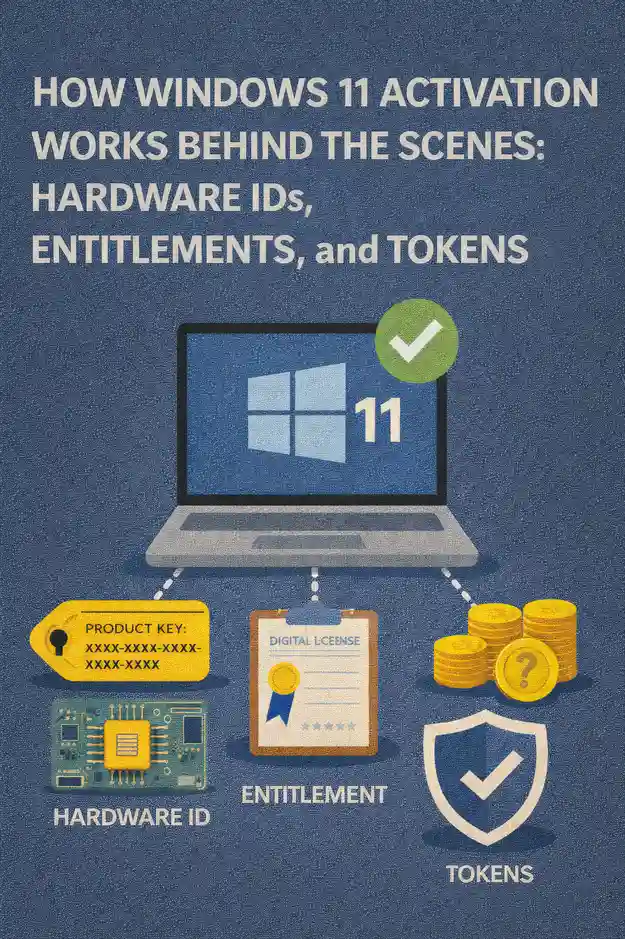
Windows 11 activation is often treated as a checkbox: activated or not. In real-world operations, it behaves more like an identity and trust system that ties an installed Windows edition to a specific device context, a licensing entitlement, and an activation channel. When activation breaks, it is rarely “random.” It is usually a predictable outcome of hardware changes, image drift, edition mismatch, tenant transitions, or an environment that cannot reliably reach the services it depends on.
This article looks at Windows 11 activation from the IT professional’s perspective: what the operating system is trying to prove, what Microsoft’s activation back end is likely validating, and why concepts like hardware IDs, entitlements, and tokens matter when you are deploying, rebuilding, or troubleshooting fleets at scale.
Activation as an identity check, not just a license prompt
The core idea behind activation is straightforward: Windows needs a durable way to determine whether a given installation is entitled to run on a given device. In the consumer world, that entitlement might be represented by a product key. In managed environments, it might be represented by volume activation, subscription rights, or OEM licensing baked into firmware. Either way, the system needs a verifiable signal that can survive routine events such as reimaging, driver updates, and disk replacement.
From an IT operations standpoint, activation behaves like a three-part handshake:
- Windows identifies the device context using hardware-derived characteristics.
- Windows identifies the entitlement source and checks it against the installed edition.
- Windows records the result in a local state, then renews or revalidates it depending on the activation channel.
Understanding those moving parts is what allows you to predict activation outcomes instead of reacting after users see “Activate Windows.”
Hardware IDs: the device fingerprint that activation can recognize
Windows activation relies on a hardware-based identity that is stable enough to recognize the same device across reinstalls, but not so fragile that routine maintenance causes constant reactivation. In plain terms, Windows computes a device fingerprint from multiple hardware characteristics and uses that fingerprint as the “this is the same machine” anchor.
IT pros typically observe the practical side of this in two ways. First, a clean reinstall on the same hardware often reactivates automatically once online. Second, certain hardware changes can trigger an activation challenge or require revalidation.
The motherboard and platform identity are usually the most influential factors, which is why motherboard replacement is one of the most common triggers for activation changes. Storage replacement is usually less impactful, because it is common and expected in device lifecycle events. Network interfaces, TPM state, and other platform components can contribute to the identity, but the key operational takeaway is simple: major platform changes can look like a new device.
In fleet management, treat hardware identity as part of your change control. If your depot replaces mainboards or performs platform swaps, you should plan for how entitlement will be reassociated, especially in environments where OEM rights are involved.
Entitlements: what Windows is “allowed” to run
An entitlement is the legal right for a device or user to run a specific Windows edition under a particular licensing program. Windows 11 activation needs to align the installed edition with an entitlement source. If those do not match, activation can fail even when a device appears to have a valid key somewhere in the chain.
Common entitlement sources include OEM licensing (shipped with the hardware), retail licensing (purchased per device), and volume or subscription licensing (assigned through organizational agreements). These sources behave differently operationally, which is why organizations standardize activation channels by device class.
The most frequent real-world entitlement problem is edition mismatch. A device entitled for Pro ends up running Enterprise, or a corporate image accidentally deploys Home. The activation infrastructure is effectively saying, “I can’t validate entitlement for this exact edition in this context.”
For IT professionals, the important mindset is to separate:
- Activation status, which is a technical state at a point in time
- License entitlement, which is a legal right derived from procurement or agreements
Your operational goal is to ensure these two stay aligned across deployments, upgrades, and rebuild cycles.
Product keys: how they behave in modern Windows 11 workflows
Product keys still matter, but they are not the entire story in Windows 11. Keys can be used to initiate activation, to change editions, or to establish an entitlement on first activation. After a legitimate activation occurs, the device may be able to reactivate without re-entering the key, depending on how the entitlement is stored and recognized.
From a deployment perspective, keys are often used in one of three ways:
In smaller environments, a unique key is manually applied per device. In larger environments, keys are applied through tooling as part of an imaging pipeline with controlled access. In volume scenarios, keys might be used primarily to enable a channel, while ongoing activation is handled by centralized services.
The IT risk with keys is not technical complexity, but operational leakage. If keys are exposed in scripts, images, or shared notes, you can end up with compliance issues and unpredictable activation failures later when consumption limits or usage patterns are violated.
Digital entitlement: why many reinstalls “just activate”
A commonly observed behavior is that Windows 11 can reinstall cleanly on the same hardware and activate without a key being typed in. That is typically the result of a previously established digital entitlement associated with the device’s hardware identity.
Think of this as Microsoft’s activation service remembering: “This hardware identity has already proven it is entitled to this edition.” When the device comes online after reinstall, Windows presents its device identity and requests activation. If the back end recognizes the identity and the request matches the stored entitlement, activation is granted quickly.
This is extremely convenient for IT, but it can create false confidence. Automatic reactivation does not always mean you are compliant if the entitlement source is unclear or if the device has moved between tenants, organizations, or licensing programs. The entitlement may exist, but it might not be the entitlement your organization is counting on.
Practical IT takeaway: track entitlement at the asset level, not only at the endpoint status level.
Tokens and licensing state: what Windows stores locally
Once activation succeeds, Windows maintains a local licensing state that allows the OS to operate without repeatedly prompting the user. In many activation channels, Windows also needs to periodically revalidate or renew that state.
The exact internal implementation is not something IT teams need to reverse engineer, but the behavior is operationally important: activation can be durable, yet still dependent on periodic checks. If a device is offline for long periods or cannot reach required endpoints, it may drift into a degraded state depending on the activation model.
This is why network conditions matter. Firewalls, TLS interception, broken proxies, time skew, or DNS problems can look like “Windows activation issues” because the OS cannot complete the back-end validation workflow. In reality, the licensing service is functioning as designed; the network path is not.
For enterprise environments, the most important “token concept” is renewal behavior. Some activation models are effectively perpetual once established on that device. Others expect periodic contact with organizational activation infrastructure. If your environment is remote-first, renewal behavior becomes a design constraint, not an afterthought.
Activation channels: why the same OS behaves differently across organizations
Windows 11 activation depends heavily on the activation channel used. In practice, IT pros encounter a few dominant patterns:
Consumer-like devices often activate through retail or OEM entitlements. Large enterprises often activate through centralized services such as KMS or directory-based activation, or through subscription-based rights tied to identity. Each channel defines how Windows proves entitlement, how long activation stays valid without renewal, and what kind of backend dependencies exist.
This is the reason “copying what worked on my laptop” fails in managed fleets. A method that is legal and stable for a retail device is not necessarily the right approach for VDI, shared workstations, labs, or offline environments.
The best operational practice is to define activation channels by device class:
- New OEM fleet devices with standard imaging
- Always-remote endpoints
- Domain-joined campus devices
- Shared machines, labs, and kiosks
- Virtual desktops and non-persistent pools
When you do that, activation becomes predictable, and troubleshooting becomes about validating the channel rather than guessing.
Why certain hardware changes trigger reactivation
Most activation trouble tickets that follow hardware service events come down to device identity. If the hardware fingerprint changes enough, the activation back end may treat the system as a different device. That can be perfectly reasonable behavior from a licensing standpoint, especially with OEM rights that are intended to stay with the original machine.
Common triggers in the field include platform swaps, motherboard replacement, and certain kinds of firmware-level changes that alter the platform identity. Drive replacement is usually safe, but it can still coincide with other changes that collectively push the device over a recognition threshold.
For IT asset management, the key is to align your repair processes with your entitlement strategy. If you routinely replace mainboards, you need a plan for how licensing is handled afterward, and how support teams verify that the resulting machine is properly entitled.
Imaging and provisioning: how activation fits into your deployment pipeline
Activation problems are often symptoms of deployment process problems. When imaging is inconsistent, you see edition drift, duplicated configuration states, and devices that activate in unexpected channels.
A healthy pipeline treats activation as a downstream validation, not an afterthought:
The image should install the intended edition. Provisioning should apply the correct policies and join state. The device should then activate using the intended channel with minimal manual intervention. Finally, your management and reporting systems should confirm the activation channel matches what you expect for that device class.
If you are modernizing deployment, this is also where identity matters. Devices that are Entra ID joined, hybrid joined, or purely domain joined can end up with different activation experiences depending on your licensing program and configuration. When provisioning is inconsistent, activation becomes another variable you are forced to debug.
Network, time, and trust: the hidden dependencies that break activation
Activation workflows depend on secure communication and reliable identity signals. That makes them sensitive to a few environment problems that otherwise go unnoticed:
Time skew is a classic culprit. If the system clock is far from correct, TLS connections and validation logic can fail. DNS issues can break service discovery. Proxies or SSL inspection can cause certificate validation failures. Overly restrictive egress rules can block required endpoints. And devices that roam between networks may show intermittent behavior that looks like randomness but is actually dependent on connectivity.
In troubleshooting, it is helpful to treat activation failures like any other identity-dependent transaction: validate time, validate name resolution, validate egress, and validate that the activation channel is correct for the device.
Edition alignment: the fastest way to prevent recurring activation tickets
Edition alignment is the simplest control with the biggest payoff. If your organization standardizes on Windows 11 Pro for baseline business devices and uses a defined path to Enterprise where entitled, your help desk avoids countless cases where activation fails because Windows is trying to validate rights that the device does not have.
Edition alignment also reduces confusion during upgrades. When Windows 10 devices are upgraded to Windows 11, any ambiguity in the underlying entitlement can show up immediately if the target edition does not match. The smoother your edition strategy, the smoother your upgrade program.
Operationally, edition alignment means:
- Your standard images install the correct edition by default.
- Edition changes are intentional and documented, not incidental results of a technician’s quick fix.
- Activation channels are mapped to editions, so endpoints do not “accidentally” land in the wrong channel.
A troubleshooting mindset that scales
When you need to resolve activation issues quickly across many endpoints, the winning approach is to narrow the problem using a few consistent questions:
Does the installed edition match the device’s entitlement? Has the hardware identity changed in a way that would affect recognition? Is the activation channel the one your organization intended for this device class? Can the device reach the required services or infrastructure without TLS, DNS, or time problems? Has the device moved between identity domains or tenants in a way that changes the entitlement source?
That mindset shifts activation from a “try random fixes” situation into a structured diagnosis that your help desk can follow and your engineering team can automate into compliance reporting.
Designing an activation strategy that stays compliant and supportable
The best Windows 11 activation strategies are boring. They minimize manual handling of keys, reduce the number of supported activation channels, and make outcomes predictable by device class. They also align activation state with auditable entitlement records, so “activated” is not your only proof of compliance.
A practical enterprise strategy typically includes clear rules:
New hardware uses OEM rights as the baseline, with a standardized image that preserves edition alignment. Enterprise entitlements are applied through defined programs, whether volume activation infrastructure or subscription-based rights. Remote-first devices use an approach designed for their connectivity reality. Virtual environments use licensing models that match their lifecycle, especially for pooled or non-persistent desktops.
When those rules are written down, enforced in deployment tooling, and validated in reporting, Windows 11 activation stops being a recurring problem and becomes a predictable part of your endpoint hygiene.


 11914
11914  IT Pro






















