



Im Jahr 2026 sind die meisten Client- und Edge-Plattformen nicht mehr "CPU-only" Maschinen mit einem Grafik-Add-on. Sie sind heterogene Compute-Stacks: eine Allzweck-CPU, eine hochparallele GPU und - jetzt allgemein - eine NPU, die für neuronale Netzwerk-Workloads entwickelt wurde. Für IT-Profis lautet die praktische Frage nicht, welcher Chip "am besten" ist, sondern welcher Chip welche Workloads ausführen sollte, wie sich diese Workloads über den Stack bewegen und welche Änderungen im Flottenmanagement, in der Sicherheit, bei der Fehlersuche und bei der Beschaffung aus dieser Realität resultieren.
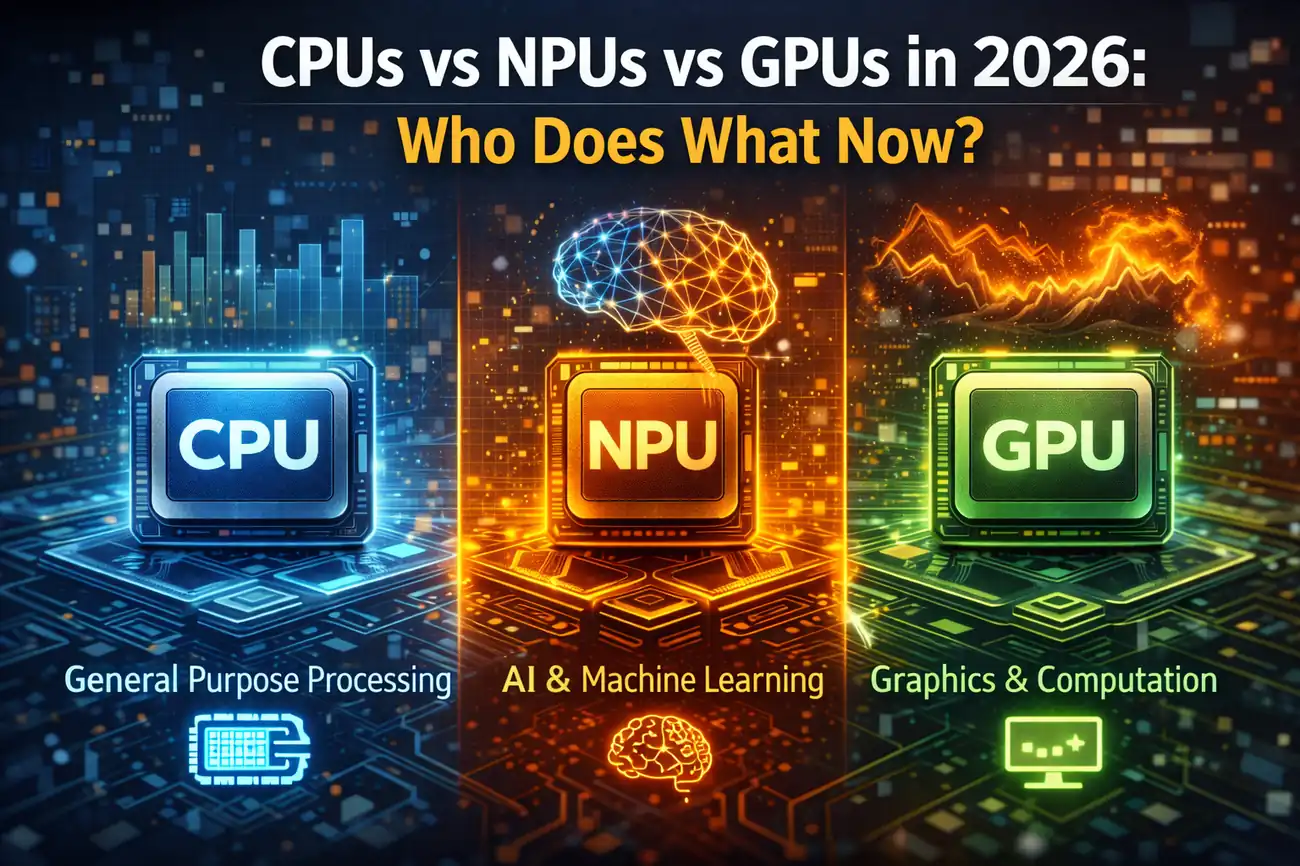
Die Kurzversion: CPUs orchestrieren noch immer das System und bewältigen gemischte, verzweigte Arbeiten. GPUs bleiben die Schwergewichts-Champions für Durchsatz, Grafik und viele Formen der parallelen Berechnung. NPUs sind zunehmend der Standard-Beschleunigungspfad für nachhaltige On-Device-Inferenz mit strengen Leistungs- und Latenzgrenzen - insbesondere wenn das Ziel darin besteht, KI-Funktionen immer einzuschalten, ohne Batterie oder Thermik zu verbrennen. Bei der längeren Version entscheiden Operationen, Treiber, Speicher und Softwarearchitektur, ob die Hardware tatsächlich liefert.
Warum sich dieses Gespräch bis 2026 geändert hat
Vor einem Jahrzehnt bedeutete "Compute" die CPU. Dann wurde GPU Compute Mainstream für Grafiken, Medienpipelines und allgemeine Beschleunigung. Jetzt wird erwartet, dass lokale KI-Funktionen - Transkription, Übersetzung, Bildverbesserung, Besprechungszusammenfassungen, Endpunktanalysen und UI-Unterstützung - kontinuierlich und privat auf Endpunkten ausgeführt werden. Diese Erwartung schiebt zwei konkurrierende Anforderungen in das gleiche Gerät: geringe Stromaufnahme während anhaltender Inferenz und hohe Burst-Leistung, wenn ein Benutzer sofortige Ergebnisse verlangt.
In der Praxis jonglieren Unternehmen mit drei Drucken gleichzeitig: Benutzer fordern eine KI-gestützte Produktivität, Sicherheitsteams drängen sensible Verarbeitung auf das Gerät und Finanzteams drängen auf serverseitige GPU-Ausgaben. Das Endergebnis ist eine klarere Arbeitsteilung zwischen CPU, GPU und NPU - plus mehr Komplexität in der Bereitstellungs- und Beobachtbarkeitsgeschichte.
Die CPU im Jahr 2026: Orchestrator, Generalist und Control Plane
Die CPU bleibt die Steuerungsebene des Systems. Es führt das Betriebssystem aus, plant die Arbeit, verwaltet den Speicher, verarbeitet Unterbrechungen und koordiniert I / O. Selbst wenn eine NPU oder GPU die Mathematik durchführt, ist die CPU normalerweise die Komponente, die Daten vorbereitet, Kernel versendet, Abhängigkeiten verwaltet und Nachbearbeitung durchführt. Die CPU ist auch immer noch der flexibelste Ort, um Workloads auszuführen, die unvorhersehbar und branchenschwer sind oder auf ein großes Ökosystem von Bibliotheken und Legacy-Code angewiesen sind.
Für IT-Profis zeigt sich die CPU-Relevanz an den Orten, die nie verschwunden sind: Virtualisierung, Endpoint-Sicherheitsagenten, Identitäts-Workflows, Business-Apps, Datenbanken (insbesondere kleine bis mittlere lokale Instanzen) und "Klebe" -Dienste. CPUs bleiben auch kritisch für Workloads, bei denen die Latenz eher vom Kontrollfluss als von rohen Arithmetik-Richtlinien-Engines, Parsern, Protokollstapeln, Kompression / Dekomprimierung in bestimmten Szenarien und vielen Echtzeit-Automatisierungsaufgaben dominiert wird.
CPUs fungieren auch zunehmend als „Kompatibilitätsschicht für KI-Features. Wenn das Modell nicht auf die NPU passt oder der Treiberstapel keinen Bediener unterstützt oder eine Sicherheitsrichtlinie die Beschleunigung blockiert, wird die CPU zum Rückfall. Das bedeutet, dass die CPU-Dimensionierung immer noch wichtig ist: Die CPU macht nicht weniger Arbeit; es macht andere Arbeit und es ist das Sicherheitsnetz.
Die GPU im Jahr 2026: Durchsatzmotor für Parallelismus und Medien
GPUs liefern weiterhin einen unübertroffenen Paralleldurchsatz. Sie bleiben die Standardwahl für Grafiken, Rendering und viele Compute-Workloads, die als große Chargen ähnlicher Operationen ausgedrückt werden können. In KI-Begriffen dominieren GPUs immer noch das Training und die groß angelegte Inferenz im Rechenzentrum, und sie bleiben auf Arbeitsplätzen für kreative Pipelines, Engineering-Simulationen und lokale KI-Experimente hoch relevant.
Beim Endpunkt geht es bei der GPU oft um Burst-Kapazität und eine breite Bedienerabdeckung. Wenn Sie ein Modell beschleunigen müssen, das groß ist, Betreiber verwendet, die von der NPU nicht unterstützt werden, oder von einer größeren Speicherbandbreite profitiert, sind GPUs häufig die praktische Antwort. Sie sind auch das Arbeitspferd für Videoverbesserungen, Echtzeiteffekte, Computer Vision-Pipelines und jeden Workflow, in dem Grafik und Berechnung miteinander verflochten sind.
Der Kompromiss ist Macht und Planungsstreitigkeiten. Eine GPU, die fantastisch ist, um Rahmen zu verschieben oder einen Batch-Job zu beschleunigen, kann auch die interaktive Reaktionsfähigkeit stören, wenn Treiber, Prioritäten oder thermische Budgets nicht sorgfältig gehandhabt werden. Aus diesem Grund ist GPU-Beschleunigung nicht einfach "einschalten": Es ist "einschalten mit Richtlinien, Überwachung und Leitplanken".
Die NPU im Jahr 2026: Effiziente Inferenz für Always-On AI
NPUs existieren, um neuronale Netzinferenz effizient auszuführen. Das Schlüsselwort ist Effizienz: nicht nur Geschwindigkeit, sondern Geschwindigkeit pro Watt, nachhaltige Leistung und vorhersehbare Latenz bei niedrigen Leistungsgrenzen. Dies gilt für mobile Geräte, Laptops und zunehmend für Desktops, bei denen Lärm-, Wärme- und Energiekosten betriebliche Probleme darstellen.
Die Workloads, die sauber auf NPUs abgebildet werden, sind in der Regel diejenigen, die Unternehmen ständig ausführen möchten: Hintergrundtranskription, Audioverbesserung, Kameraeffekte, lokales Sprachverständnis, On-Device-Klassifizierung und Endpunktanalyse, die von der Ausführung in der Nähe der Datenquelle profitieren. Wenn erwartet wird, dass eine Funktion "immer bereit" ist und die Batterie nicht entleert, ist die NPU das natürliche Ziel.
NPUs sind kein universeller Ersatz für GPUs. Sie neigen dazu, in Bezug auf Speicher, Bedienerunterstützung und Flexibilität eingeschränkter zu sein. Sie sind speziell gebaute Beschleuniger, und diese Spezialisierung ist genau der Grund, warum die IT ihre Grenzen verstehen muss: Ein NPU-freundliches Modell und eine Pipeline können in der Produktion unglaublich aussehen, während eine NPU-unfreundliche auf die CPU zurückgreifen und leise zu einem Leistungs- und Batterieproblem werden kann.
Wie "Wer macht was" in echten Workloads aussieht
Im Jahr 2026 folgen die meisten praktischen Bereitstellungen einigen wiederholbaren Mustern. Das Verständnis dieser Muster hilft bei Architekturentscheidungen, bei der Fehlersuche und bei der Festlegung von Erwartungen bei den Stakeholdern.
Muster: CPU Pre/Post, NPU oder GPU für die Core Inference
Viele KI-Pipelines sind nicht „nur das Modell. Sie umfassen Datenerfassung, Decodierung, Merkmalsextraktion, Normalisierung, Batching, Tokenisierung und Nachbearbeitung. Die CPU erledigt diese Schritte oft, weil sie Verzweigungslogik, Systemaufrufe oder verschiedene Bibliotheken beinhalten. Die dichte Mathematik des Modells läuft auf der NPU (für effiziente nachhaltige Inferenz) oder auf der GPU (für größere Modelle oder eine breitere Operatorabdeckung).
Für die IT bedeutet dies, dass Performance-Tuning End-to-End-Sichtbarkeit erfordert. Wenn Benutzer sich darüber beschweren, dass „AI langsam ist, kann der Engpass die CPU-seitige Tokenisierung, Speicher-I/O, Geräte-zu-Geräte-Kopien oder ein Fahrerrückfall sein - nicht der Beschleuniger selbst.
Muster: NPU für Background Features, GPU für Bursts, CPU für Fallback
Auf Laptops ist ein üblicher Ansatz: Halten Sie die Hintergrund-KI auf der NPU, damit das Gerät reaktionsschnell und energieeffizient bleibt; Verwenden Sie die GPU, wenn ein Benutzer eine hohe Arbeitslast auslöst, die vom Burst-Durchsatz profitiert; und verlassen Sie sich auf die CPU, wenn Richtlinien, Kompatibilität oder Ressourcenkonflikte die Beschleunigung blockieren. Dieser "gestufte Compute" -Ansatz ist operativ sinnvoll, erfordert jedoch eine klare Konfiguration und vernünftige Standardwerte.
Das operationelle Risiko ist ein stiller Fallback. Wenn die NPU ein Modell aufgrund nicht unterstützter Operatoren nicht ausführen kann, kann sie transparent auf die CPU zurückgreifen. Aus Sicht des Benutzers funktioniert die Funktion immer noch - nur mit schlechterer Batterielebensdauer und Wärme. Aus Sicht der IT wird dies zu einem flottenweiten Problem, das sich nur in der Telemetrie zeigt, wenn Sie die richtigen Signale sammeln.
Muster: GPU First für Pro Apps und lokale Experimente
Für Engineering-, Kreativ- und Data Science-Endpunkte bleibt die GPU oft die erste Wahl. Das Ökosystem für parallele Rechen- und Medienbeschleunigung ist ausgereift, und viele Pro-Tools sind auf die Ausführung von GPUs ausgerichtet. NPUs können immer noch eine Rolle für bestimmte Inferenzaufgaben spielen, aber die GPU ist die vorhersehbarste Option, wenn eine Workstation eine Vielzahl von Modellen und Pipelines ohne ständige Kompatibilitätsüberraschungen ausführen muss.
The Hidden Decider: Gedächtnis, nicht Compute
In der Praxis wird "welcher Prozessor dies ausführen soll" oft durch Speicherbeschränkungen entschieden. Der Beschleuniger, der mit dem geringsten Overhead auf die richtigen Daten zugreifen kann, gewinnt. Wenn sich Daten bereits im GPU-Speicher befinden, weil Sie das Rendern oder die Medienverarbeitung durchführen, kann das Ausführen von Rückschlüssen auf der GPU effizient sein. Wenn die Pipeline für NPU-freundliche Formate ausgelegt ist und das Modell bequem passt, kann die NPU deutlich energieeffizienter sein. Wenn Sie ständig Puffer zwischen CPU-RAM und Beschleunigerspeicher kopieren, können Sie die Vorteile der Beschleunigung verlieren.
IT-Teams sollten Speicherbewegungen als erstklassiges operatives Anliegen behandeln. Device-to-Device-Übertragungen, gepinnte Speichernutzung und Streitigkeiten zwischen Grafiken und Compute können eine "beschleunigte" Arbeitslast in einen Engpass verwandeln. Bei der Fehlersuche ist eine nützliche Denkweise: Die CPU plant, der Beschleuniger berechnet und das Speicher-Subsystem entscheidet, ob diese Berechnung tatsächlich mit Geschwindigkeit erreichbar ist.
Planung und QoS: Vermeidung des Tickets "Acceleration Broke My Laptop"
Ein allgemeiner Enterprise-Schmerzpunkt ist, wenn Beschleunigung die Benutzererfahrung verändert. Eine GPU-beschleunigte Hintergrundfunktion kann Zyklen aus interaktiven Grafiken stehlen. Ein KI-Job kann Thermik auslösen, die die Reaktionsfähigkeit des Gesamtsystems reduziert. Ein NPU-Job kann immer noch CPU-Spikes verursachen, wenn die Pipeline schlecht konzipiert ist. Die Lösung besteht nicht darin, Beschleunigungen zu vermeiden, sondern die Planungs- und QoS-Prinzipien konsequent anzuwenden.
In Unternehmen bedeutet dies: Definieren Sie Prioritäten für interaktive Workloads, erzwingen Sie Caps für Hintergrundschlussfolgerungen und legen Sie Richtlinien fest, die die Effizienz der Batterie begünstigen. Es bedeutet auch, das Verhalten von Anbietertreibern unter realen Workloads zu validieren, nicht nur unter synthetischen Benchmarks. Die beste Flottenerfahrung kommt von vorhersehbarer Planung, nicht von Spitzenzahlen.
Sicherheit und Governance: Wo KI läuft, verändert sich das Risikomodell
Das Verschieben von KI-Workloads zu Endpunkten kann die Datenbelastung reduzieren, führt jedoch zu neuen Governance-Fragen. Wenn Modelle lokal ausgeführt werden, muss die IT die Modellverteilung, Versionierung, Integrität und Rollback verwalten. Sie müssen auch verstehen, welche Telemetrie gesammelt wird, wo sie gespeichert wird und wie sie geschützt ist. Beschleuniger erschweren dies, da die Modellausführung möglicherweise auf Herstellerlaufzeiten und Treiber angewiesen ist, die über eine eigene Update-Kadenz und Sicherheitsposition verfügen.
Ein praktischer Governance-Ansatz behandelt Modelle wie Softwarepakete: signiert, versioniert, getestet und überwacht. Es behandelt auch Beschleunigungslaufzeiten wie kritische Abhängigkeiten: Sie validieren Updates, verfolgen CVEs und stellen sicher, dass die Durchsetzung von Richtlinien nicht versehentlich leistungsschädigende Rückschläge erzwingt, die neue Betriebsrisiken verursachen.
Virtualisierung, VDI und Remote Work: Beschleuniger verschwinden nicht
In virtualisierten Umgebungen bleibt CPU die Standardressource, aber Beschleuniger spielen zunehmend eine Rolle. Einige Organisationen schieben schwere Workloads zu zentralisierten GPUs für konsistente Leistung und einfachere Kontrolle. Andere schieben Rückschlüsse auf Endpunkte, um Rechenzentrumskosten und Latenz zu reduzieren. Viele enden hybrid: Inferenz auf dem Gerät, wenn möglich, mit zentralisierten GPU-Ressourcen für große Modelle, Schulungen oder spezielle Aufgaben.
Die operative Erkenntnis ist, dass Remote-Arbeit die Komplexität der Hardware nicht beseitigt - sie verlagert sie. Ihr Leistungsmodell muss Endpunktfunktionen, Virtualisierungs-Overhead und Netzwerkbeschränkungen berücksichtigen. Wenn Sie auf Remote-GPU-Beschleunigung angewiesen sind, benötigen Sie einen Plan für Anfechtung, Skalierung und Benutzerpriorisierung. Wenn Sie sich auf Endpunkt-NPUs verlassen, benötigen Sie einen Plan für Kompatibilität, Treiberreife und Telemetrie.
Beschaffung im Jahr 2026: Kauf der richtigen Mischung, nicht die größte Zahl
Beschaffungsgespräche verschieben sich von "welcher CPU-SKU" zu "welcher Plattformfähigkeit". Für Standard-Wissensarbeiter-Flotten sind die wichtigsten Unterscheidungsmerkmale oft: ob die NPU ausreichend für die Zielfunktionen des Unternehmens geeignet ist, ob die GPU über die grundlegende Anzeige- und Medienbeschleunigung hinaus benötigt wird und ob die CPU genügend Spielraum hat, um schmerzhafte Rückschläge zu vermeiden.
Für spezialisierte Rollen werden die Fragen spezifischer: Benötigen Engineering-Anwender GPU-Speicherkapazität für lokale Modelle? Brauchen Schöpfer stabile Treiber und Medienpipelines? Benötigen Sicherheitsteams On-Device-Analysen ohne ständige Netzwerkanrufe? In allen Fällen ergibt sich das beste Ergebnis aus der Zuordnung von Jobrollen zu Workload-Profilen und der anschließenden Validierung der Plattform unter repräsentativen Aufgaben.
Ein häufiger Fehler ist der Kauf von Spitzen-Benchmarks, während nachhaltiges Verhalten ignoriert wird. NPUs glänzen in anhaltender Inferenz unter engen Leistungsgrenzen. GPUs glänzen unter starken parallelen Workloads, können aber mit interaktiver Grafik und Thermik konkurrieren. CPUs glänzen als Generalisten, können aber zum stillen Engpass werden, wenn alles zurückfällt. Bei Flottenerfolg geht es um Balance.
Operationen und Beobachtbarkeit: Was zu messen ist, um gesund zu bleiben
Wenn Ihre Organisation KI-Funktionen umfassend einsetzt, müssen Sie schließlich Fragen beantworten wie: Welche Geräte beschleunigen richtig? Welche Modelle fallen auf die CPU zurück? Welche Treiberversionen korrelieren mit Performance-Regressionen? Welche Workloads verursachen thermische Drosselung? Welche Endpunkte verbrauchen eine abnormale Leistung während der "leeren" Zeit?
Das operative Ziel ist nicht die perfekte Sichtbarkeit in jedem Kernelaufruf. Ziel ist es, flottenweite Muster frühzeitig zu erkennen. Eine praktische Baseline besteht darin, die Beschleunigerauslastung auf einem groben Niveau, CPU-Auslastungsspitzen bei KI-Aufgaben, thermische Ereignisse, Batterieabflussanomalien und Latenzmetriken auf Anwendungsebene zu verfolgen. Wenn Benutzer Probleme melden, möchten Sie schnell "Modellverhalten", "Fahrerverhalten" und "Pipeline-Verhalten" unterscheiden.
Kompatibilität und Toolchains: Die Realität von "It Depends"
Ein Grund, warum dieses Thema im Jahr 2026 wichtig ist, ist, dass der Software-Stack nicht einheitlich ist. Verschiedene Hardwareplattformen zeigen unterschiedliche Beschleunigungspfade, und die Reife der Treiber und Laufzeiten variiert. NPUs können außergewöhnlich effizient sein, aber nur, wenn das Modell und die Betreiber unterstützt werden. GPUs können extrem leistungsfähig sein, aber nur, wenn die Stabilität und die Planung des Fahrers gut gehandhabt werden. CPUs bleiben universell, bieten aber oft die schlechteste Effizienz für nachhaltige KI-Workloads.
Für die Unternehmens-IT ist die Gewinnstrategie Konsistenz. Wenn möglich, standardisieren Sie einen begrenzten Satz von Gerätefamilien, validierte Treiberversionen und einen unterstützten Satz von KI-Funktionen und -Modellen. Dokumentieren Sie, welche Workloads voraussichtlich auf NPU vs. GPU vs CPU ausgeführt werden, und erstellen Sie Richtlinienkontrollen, die mit dieser Erwartung übereinstimmen, anstatt sie zu bekämpfen.
Praktische Anleitung: Wie man entscheidet, wo ein Workload ausgeführt werden soll
Bei der Entscheidung "CPU vs. NPU vs. GPU" funktioniert ein einfaches Entscheidungsrahmenwerk besser als Hype zu jagen. Wenn die Workload interaktiv, gemischt ist oder viel Verzweigungslogik und verschiedene Abhängigkeiten beinhaltet, ist die CPU normalerweise das richtige Zuhause - oder zumindest der Orchestrator. Wenn der Workload massiv, parallel oder grafisch / medial schwer ist, ist die GPU normalerweise die beste Option. Wenn der Workload eine nachhaltige Inferenz ist, die effizient und immer am Endpunkt verfügbar sein sollte, ist die NPU das natürliche Ziel - vorausgesetzt, Kompatibilität.
Der entscheidende Unternehmensschritt ist die Validierung. Führen Sie repräsentative Workloads auf Kandidatenplattformen aus, messen Sie Latenz und Leistung unter realistischen Bedingungen und achten Sie auf Ausfälle. Wenn Sie nicht zuverlässig sagen können, welcher Prozessor die Workload ausgeführt hat, können Sie sie nicht zuverlässig in großem Maßstab betreiben. Bauen Sie diese Klarheit in Ihre Tools und Ihre Support-Playbooks ein.
Was das bedeutet, vorwärts zu gehen
Die definierende Änderung im Jahr 2026 ist nicht, dass CPUs irrelevant wurden - es ist, dass Rechenspezialisierung normal wurde. CPUs betreiben das System und erledigen die unordentliche, allgemeine Arbeit. GPUs liefern einen geplatzten Durchsatz und versorgen die Parallelwelt von Grafiken, Medien und vielen Hochleistungsaufgaben. NPUs bringen effiziente, nachhaltige On-Device-Inferenz in den Mainstream. Die Gewinner sind die Organisationen, die dies als operative Realität betrachten: Sie ordnen Workloads absichtlich Prozessoren zu, standardisieren Plattformen, überwachen auf Fallbacks und erstellen Richtlinien, die die Benutzererfahrung schützen.
Wenn Sie die Frage als "Wer macht was jetzt?" formulieren, lautet die genaueste Antwort: CPUs koordinieren, GPUs beschleunigen breite parallele Workloads, NPUs handhaben effiziente Inferenz - und die IT besitzt die Integration, Governance und Beobachtbarkeit, die diese Abteilung tatsächlich in der Produktion funktionieren lassen.


 12985
12985  IT Pro






















