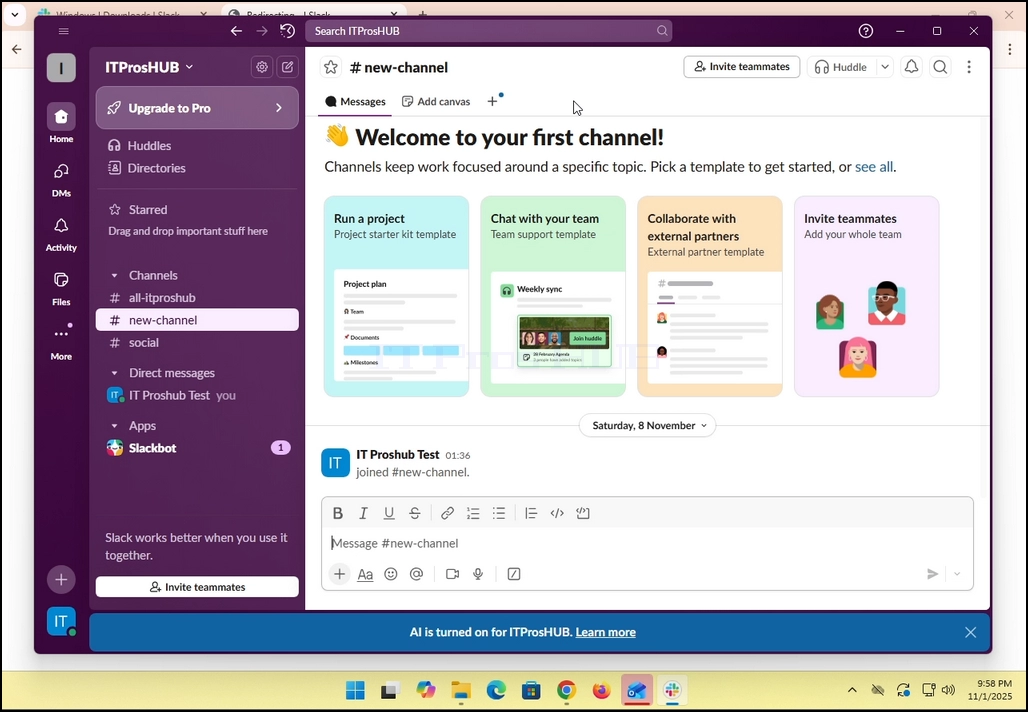
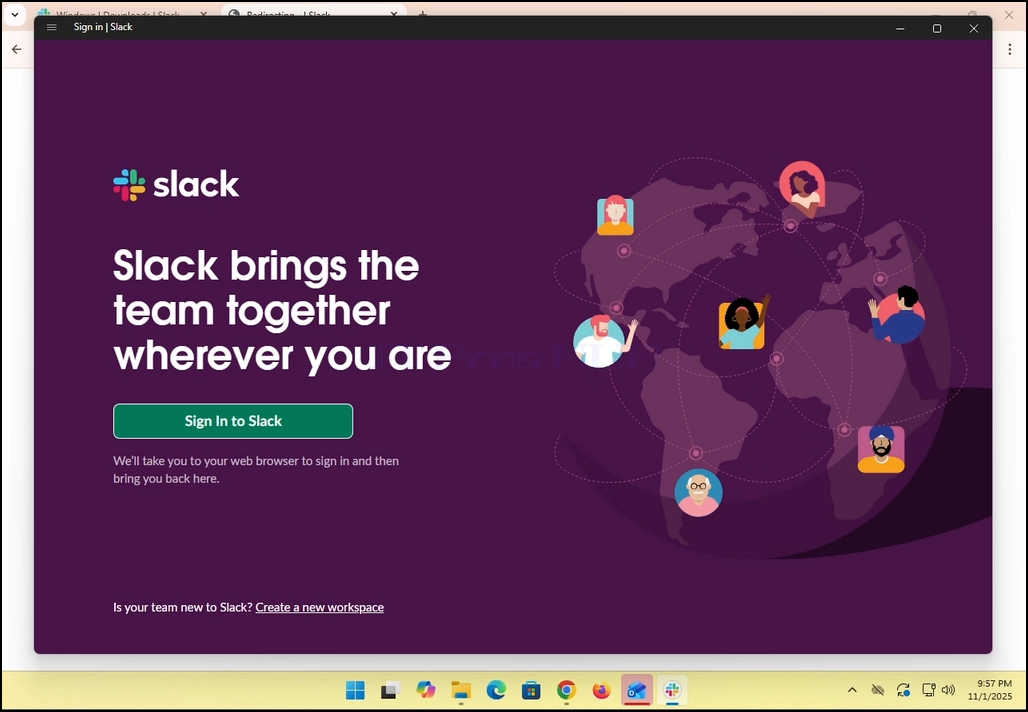
1. Open Slack. Stellen Sie sicher, dass Sie das Fenster unten sehen:
2. Klicken Sie auf den grünen Button mit dem Titel :Melden Sie sich bei Slack an.
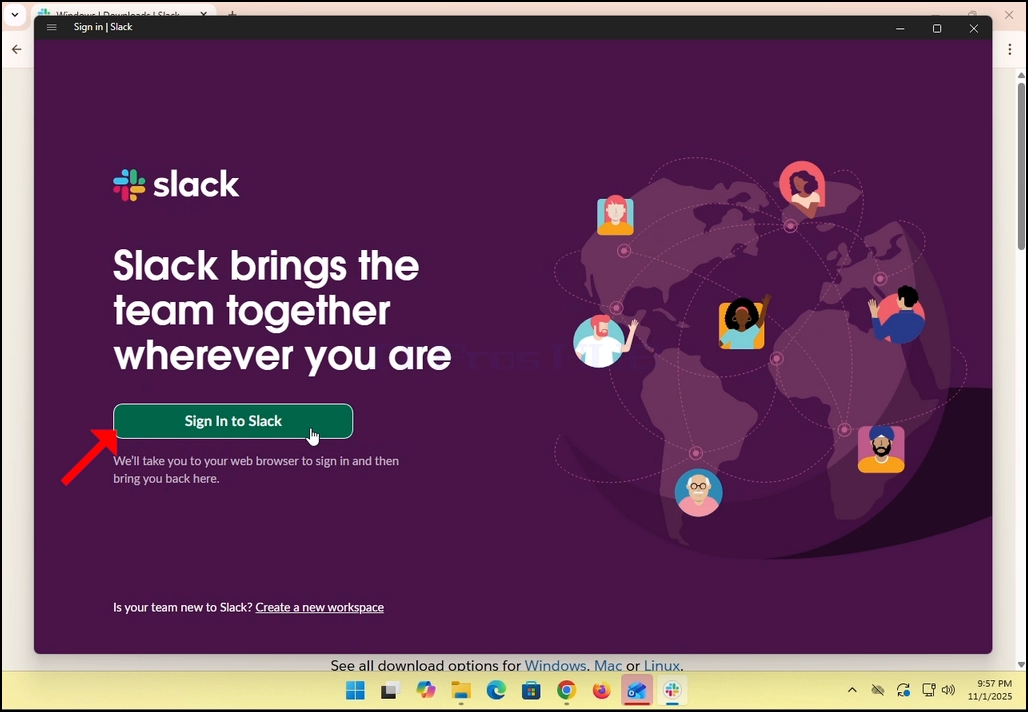
3. Slack leitet Sie zu einem Anmeldebildschirm in Ihrem Standardbrowser um. Im Falle dieses Artikels ist es Chrom.
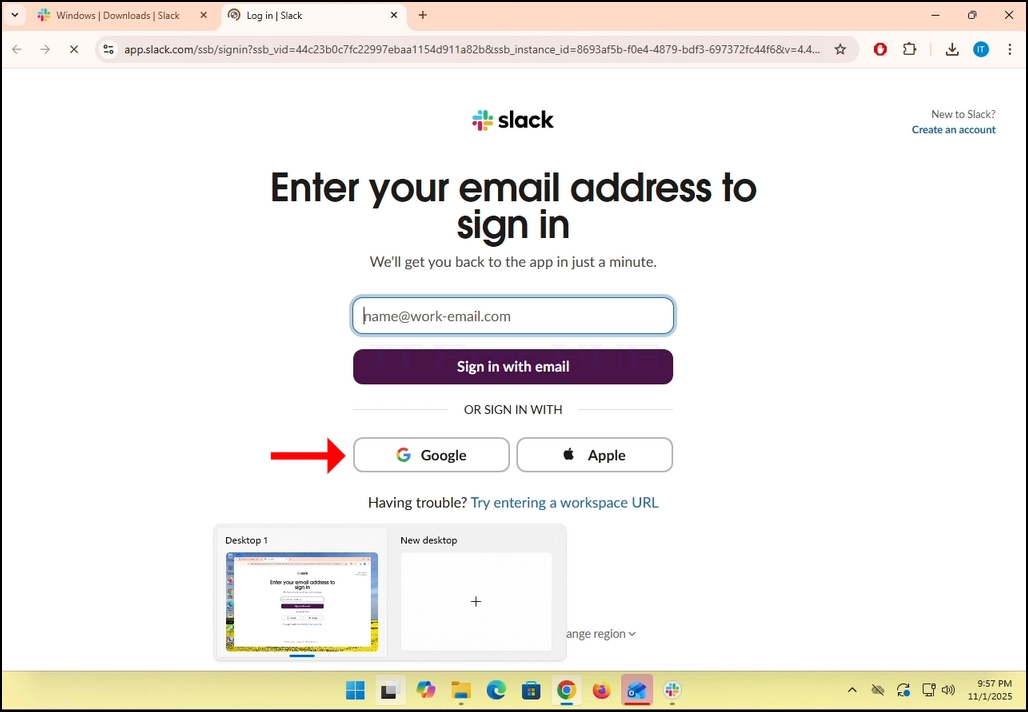
4. Wie Sie sehen können, Slack Möchte, dass Sie Ihre E-Mail-Adresse eingeben, um sich anzumelden. Wir verwenden unsere Gmail E-Mail-Adresse, um das zu tun.
- Klicken Sie auf Google Knopf und warten Sie, bis die Google Connector-Seite geladen wird.
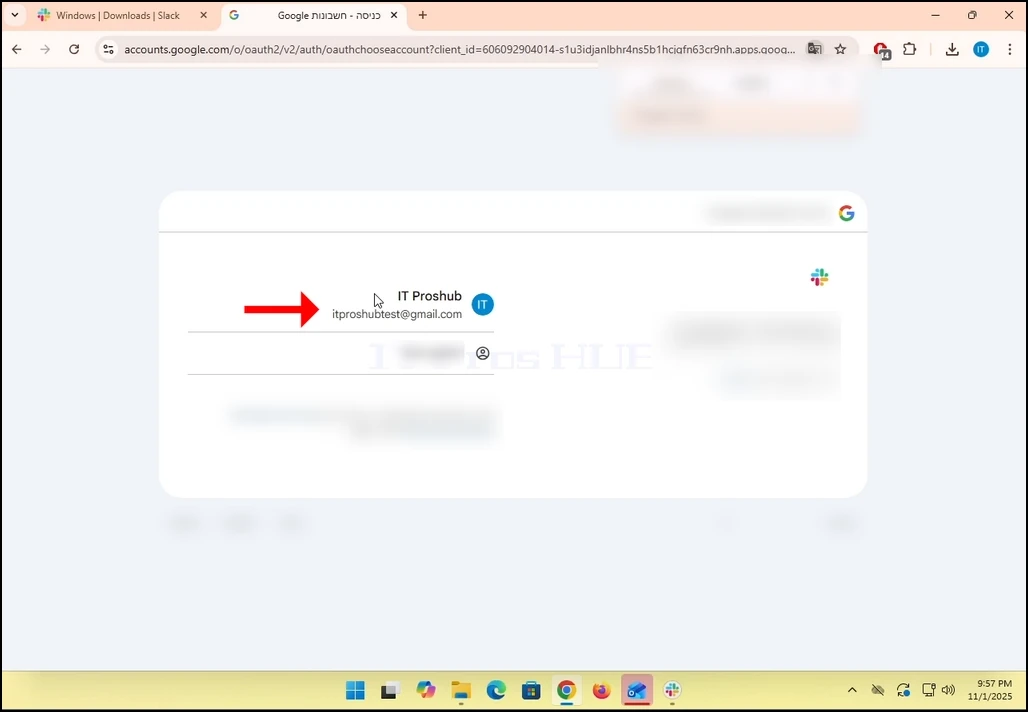
6. Wählen Sie auf der Google Connector-Seite Ihre Gmail-E-Mail-Adresse aus. Beachten Sie, dass im Falle dieses Artikels,
7. Wenn Sie nicht bei Chrome angemeldet sind oder einen anderen Browser verwenden, melden Sie sich einfach bei Ihrem Google-Konto an und wählen Sie dann dieses Konto, um fortzufahren.
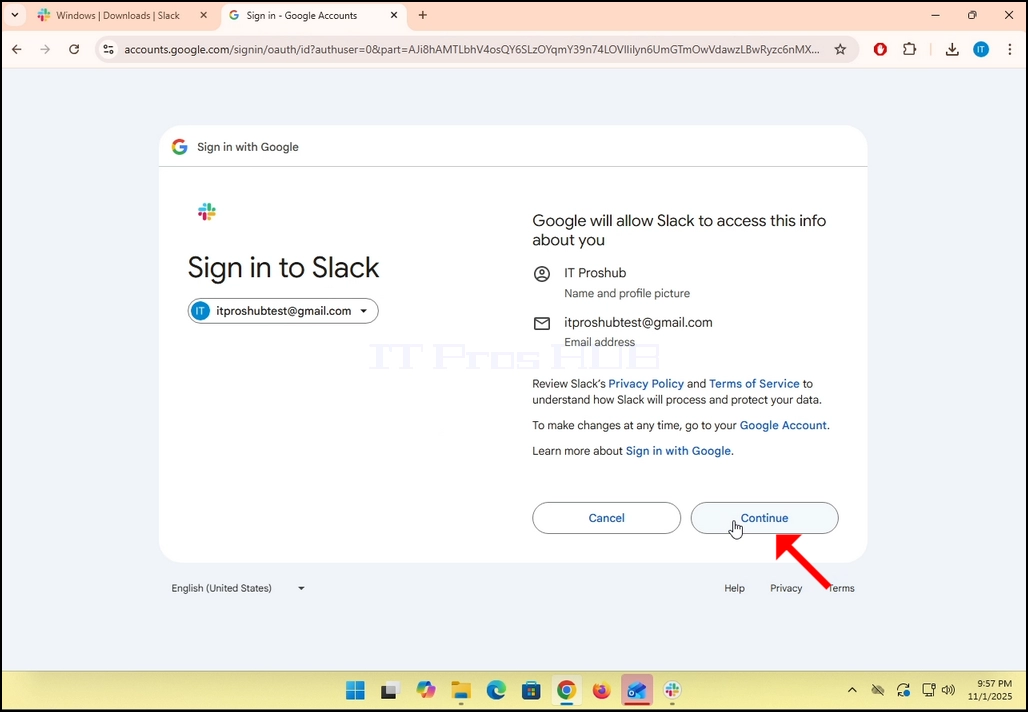
8. Nachdem Sie sich bei Google angemeldet und ausgewählt haben, klicken Sie auf Weiterfahren Knopf und warten Sie auf die nächste Seite zu laden.
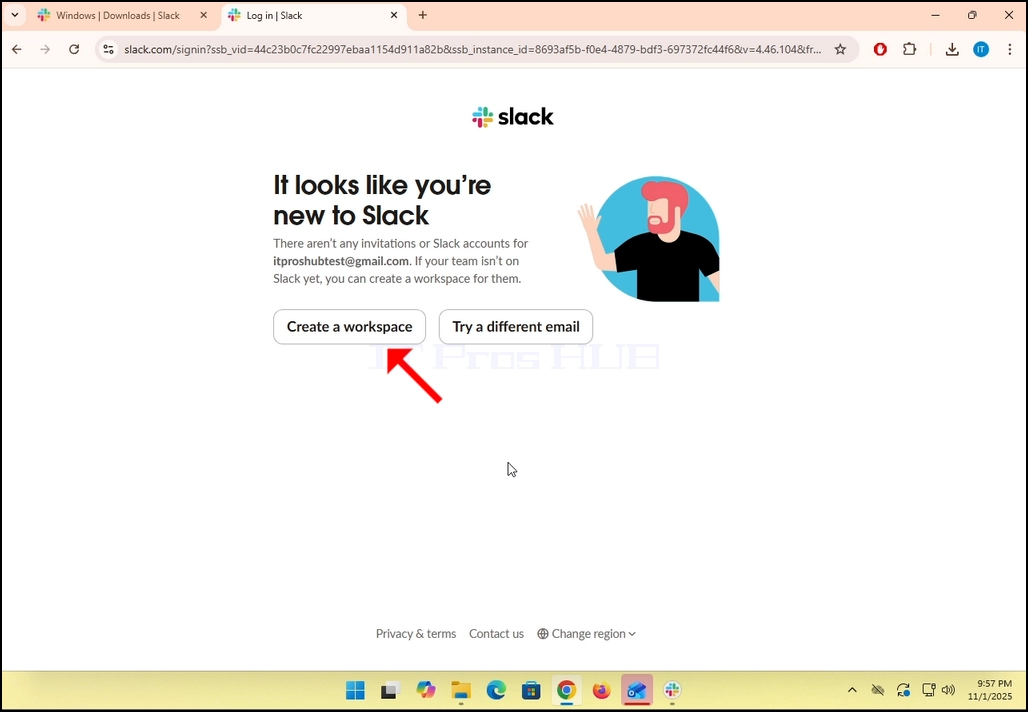
9. Wenn Sie bereits ein Slack-Konto unter dieser Gmail-E-Mail-Adresse haben, wird Slack Sie zu sich selbst umleiten. Wenn nicht, werden Sie aufgefordert, entweder einen Arbeitsbereich zu erstellen oder eine andere E-Mail auszuprobieren.
- Im Falle dieses Artikels wählen wir Erstellen Sie einen Workspace.
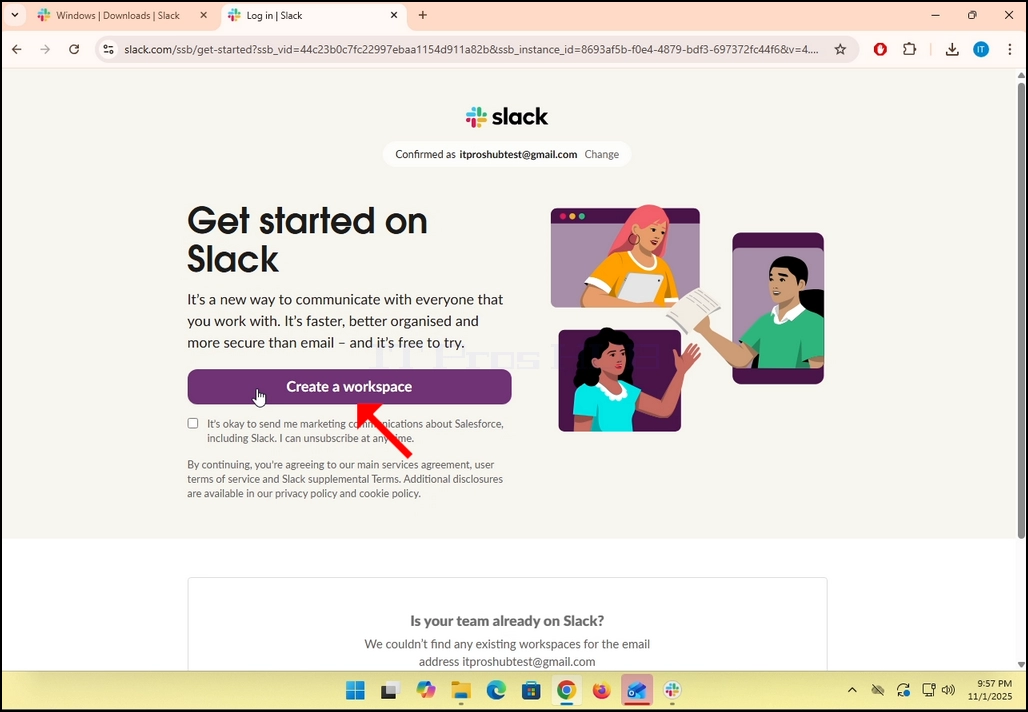
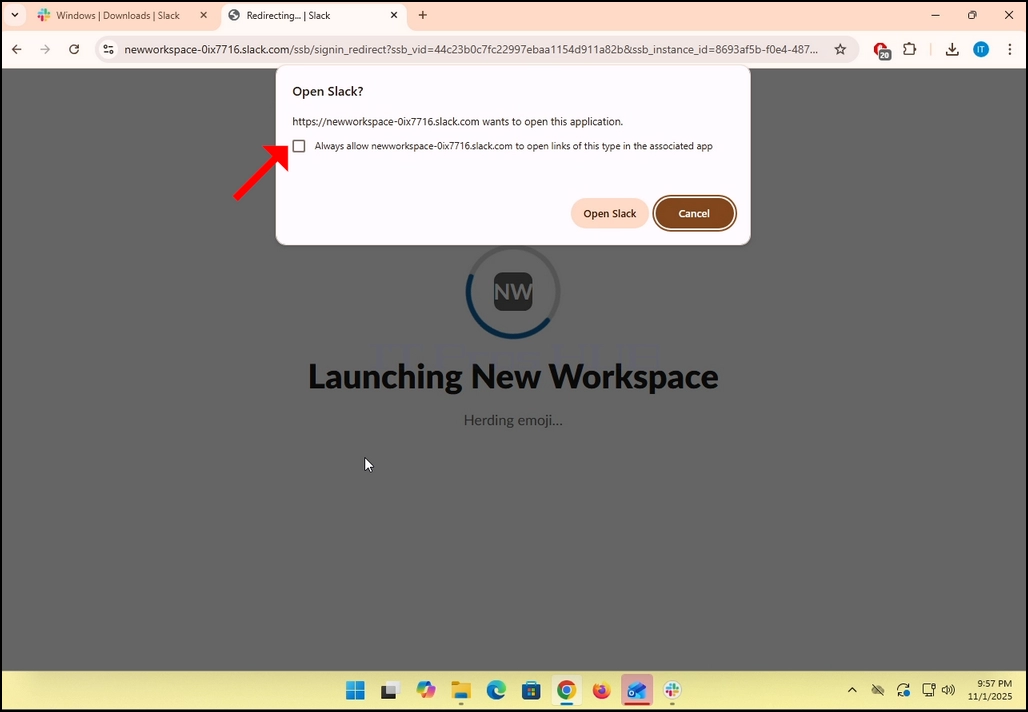
11. Einmal ausgewählt, werden wir zurück nach Slack geleitet. Stellen Sie sicher, dass Sie die „Erlauben Sie immer .....Links dieses Typs in der zugehörigen App zu öffnen und dann klicken Sie auf die Offener Slack Knopf.
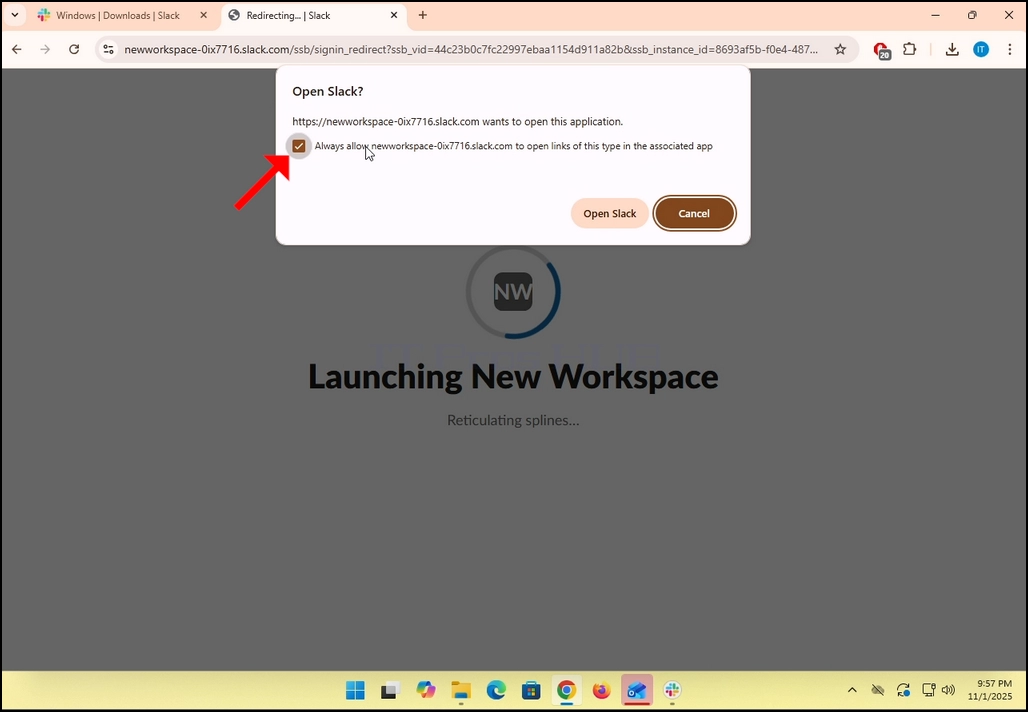
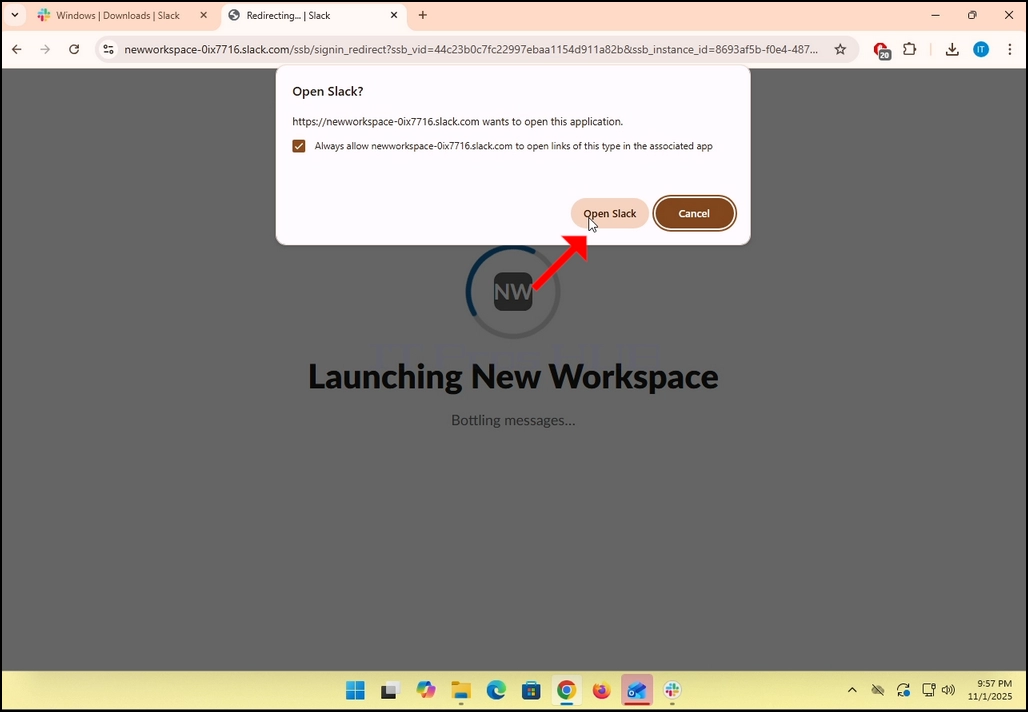
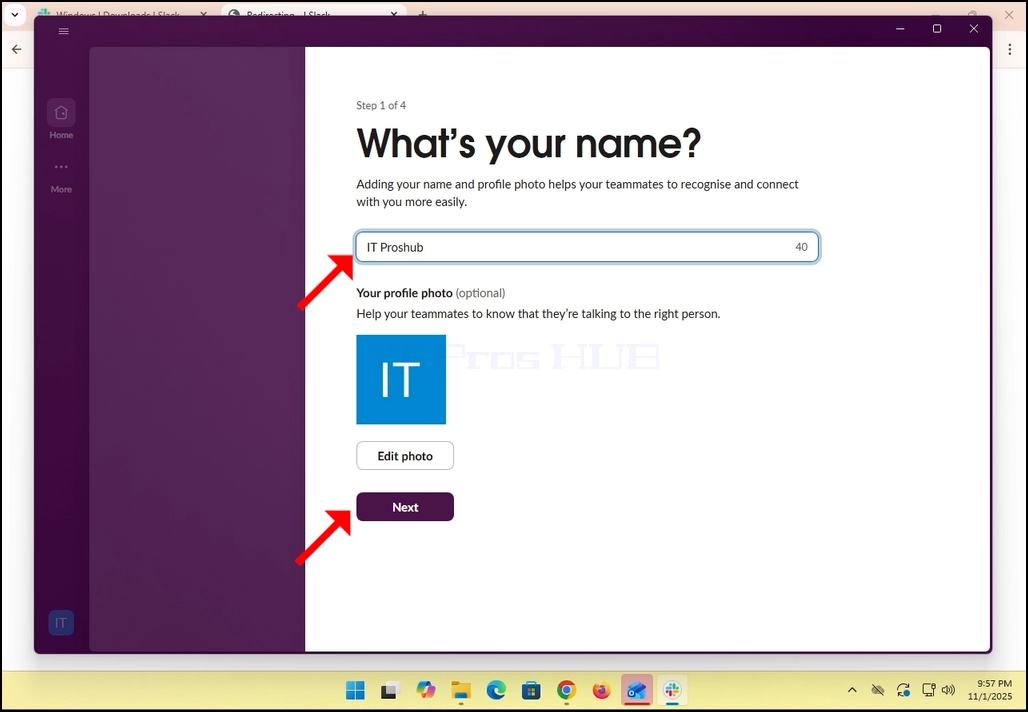
12. Wenn Sie bereits ein Konto bei Slack mit dieser Gmail-Adresse haben, sollten Sie Slacks GUI jetzt sehen, wenn nicht, wie in unserem Fall hier, werden Sie gebeten, einige grundlegende Details über sich selbst wie Name, Foto usw. einzugeben. Klicken Sie auf NEXT Knopf.
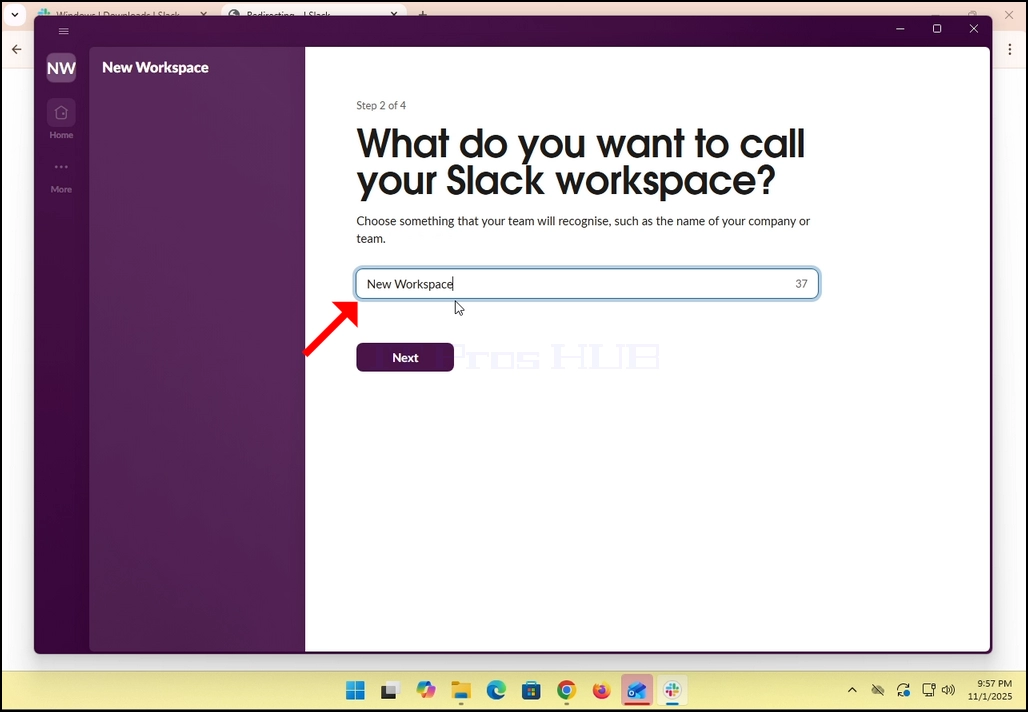
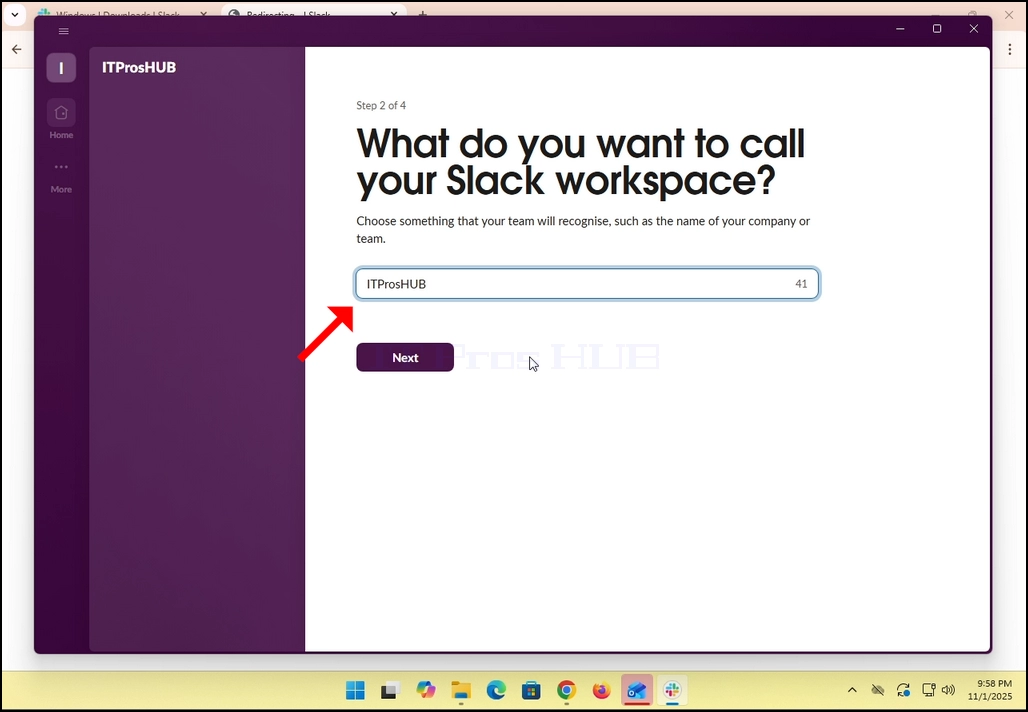
13. Benennen Sie den Arbeitsbereich und klicken Sie auf NEXT Knopf.
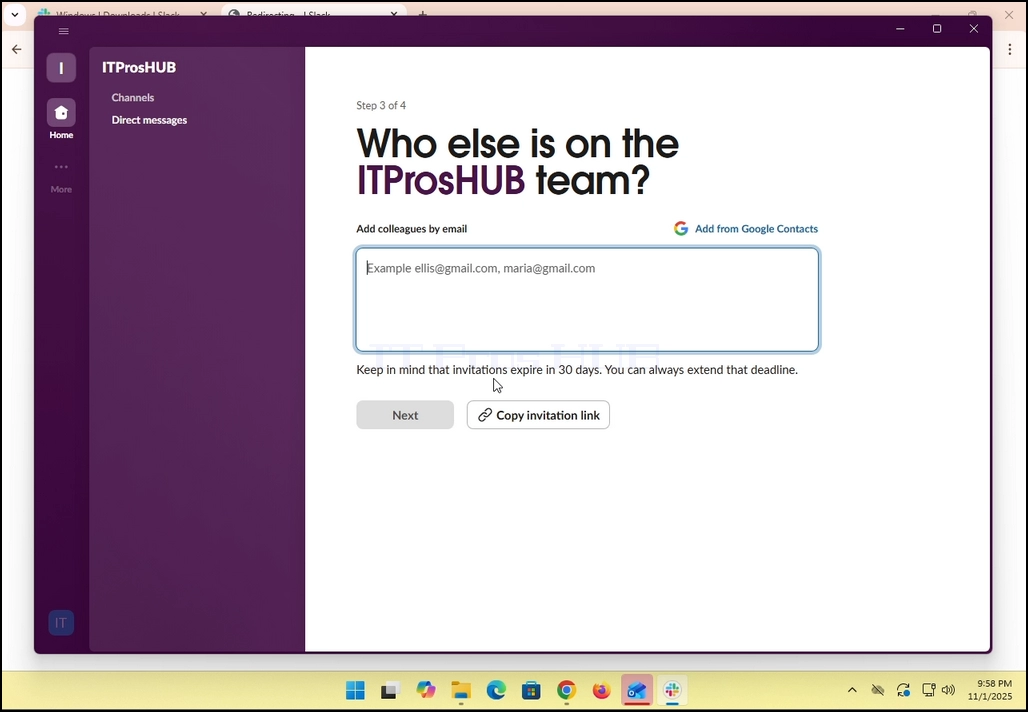
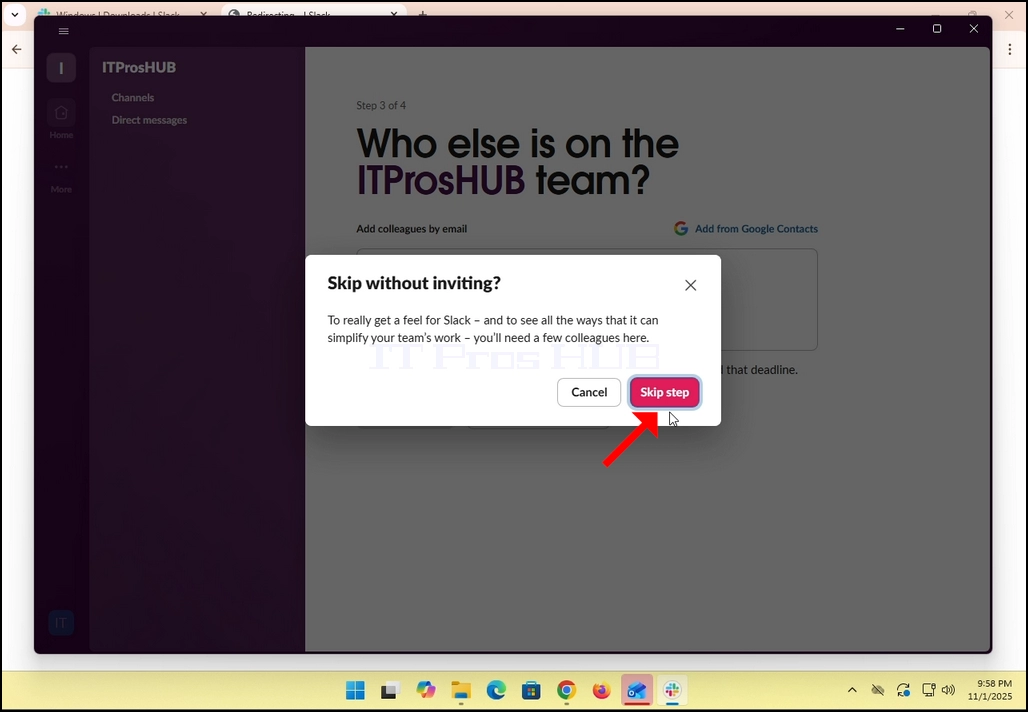
14. Im Falle dieses Artikels werden wir diesen Schritt überspringen, indem wir auf die Skip Diese Schrittoption.
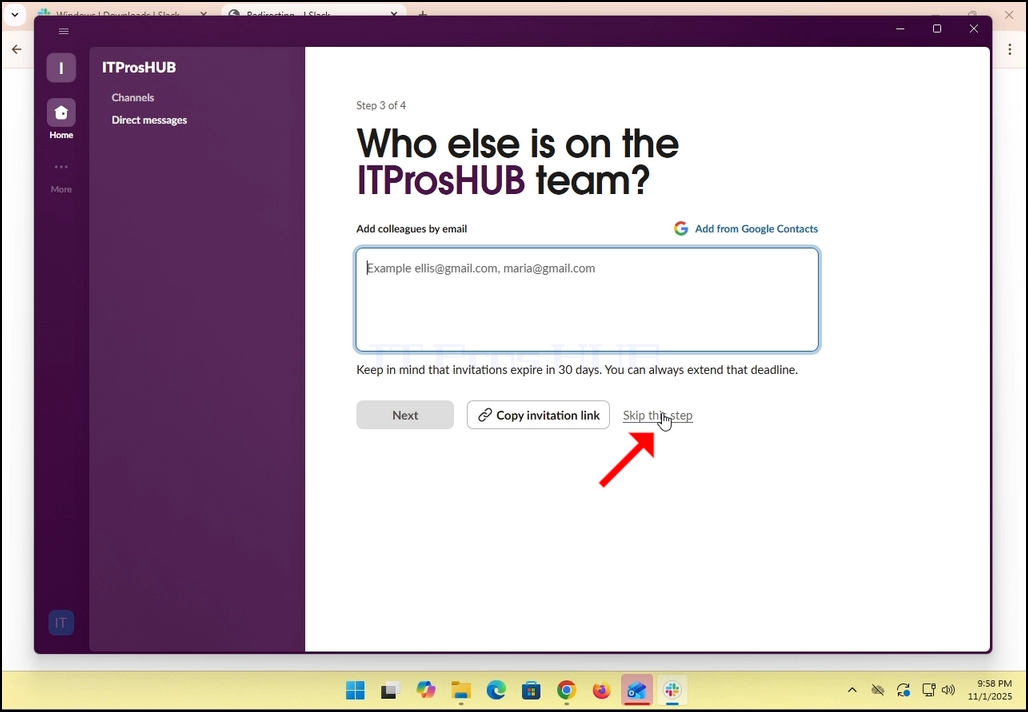
15. Klicken Sie auf Sprungstufe Taste
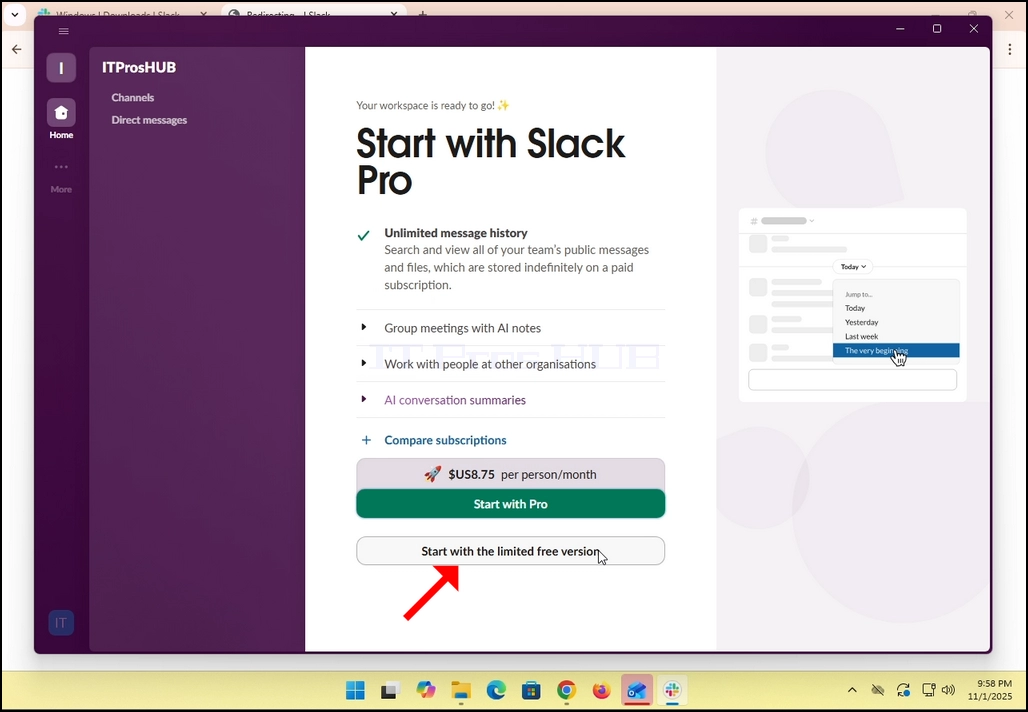
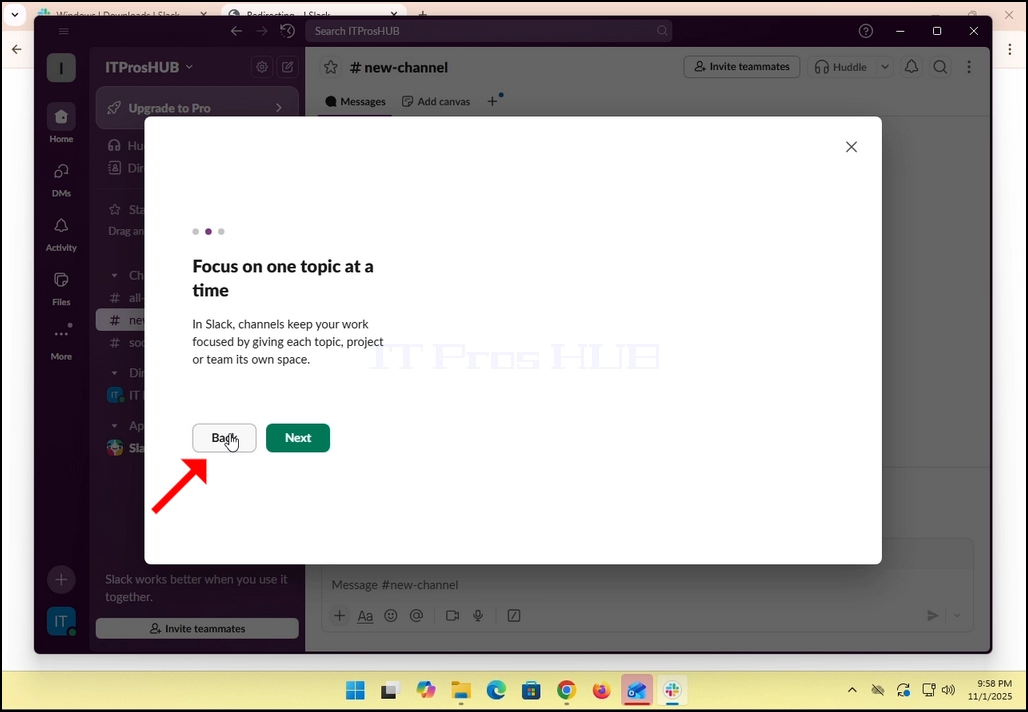
17. Alles getan! You Slack verwendet jetzt Ihr Gmail-E-Mail-Konto!