



Windows 11 activation is deceptively simple on the surface: a device is either activated or it isn’t. In real IT environments, activation is intertwined with procurement, imaging, device lifecycle management, tenant identity, hardware changes, and support workflows. The two most common activation experiences you’ll encounter on Windows 11 endpoints are digital license activation and product key activation. They are related, sometimes overlap, and frequently get conflated by end users and even technicians. Understanding the differences is essential when you’re standardizing deployment, troubleshooting activation failures, or auditing compliance.
This article focuses on practical, IT-facing guidance: how each activation method works at a high level, what changes (and what doesn’t) during reimages and hardware swaps, how to plan around common failure modes, and how to keep records and processes clean in mixed fleets.
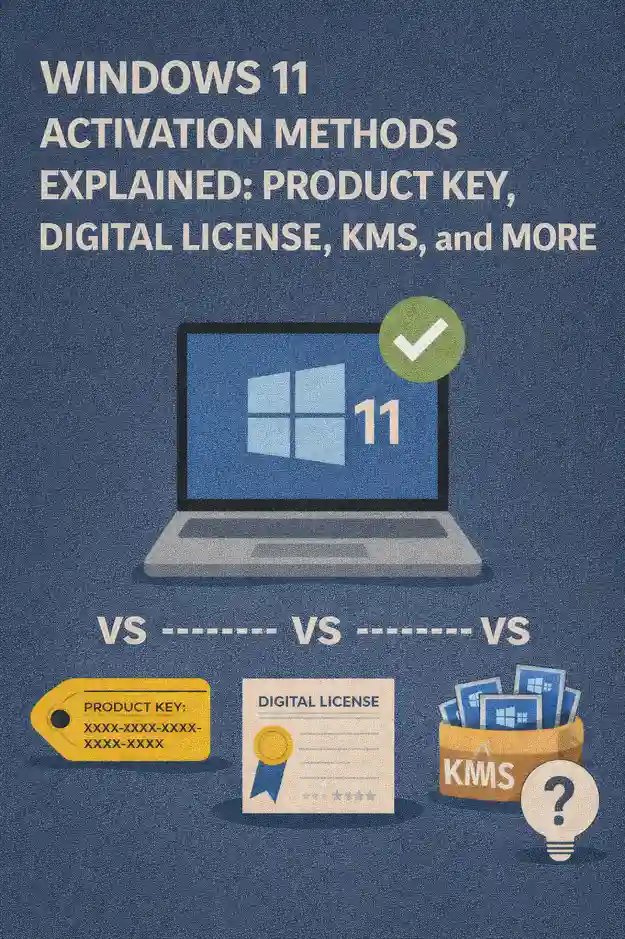
Activation Concepts That Matter in the Real World
Before comparing digital licenses and product keys, it helps to separate three things that are often mixed together: the license entitlement (what your organization is allowed to use), the activation mechanism (how Windows confirms it), and the edition (Home/Pro/Enterprise/Education) that’s actually installed.
In many organizations, the entitlement comes from a purchase channel or agreement, but the activation mechanism can vary by device class, vendor, and deployment model. A single PC might have an OEM key embedded in firmware, a retail key entered by a technician, and later be upgraded via subscription activation or KMS/MAK in an enterprise context. Windows generally tries to “do the right thing” automatically, which is great for end users, but it can complicate root-cause analysis when something breaks.
Digital license and product key activation are not mutually exclusive. A product key can be used once to establish activation and later Windows may store an entitlement tied to hardware, enabling future automatic activation without re-entering the key. This is why IT teams sometimes “lose track” of which key was used where, or why a device still activates after a clean install even though no one typed a key.
What Windows 11 Digital License Activation Actually Means
A digital license (often referred to as “digital entitlement”) is activation that’s associated with the device, not with a key you have to manually re-enter each time. In practice, Windows uses a hardware-based identity and activation service records so that, after a clean install, the same device can typically activate automatically when it reaches the internet.
You’ll commonly see digital license behavior in these scenarios:
Devices shipped with Windows preinstalled from an OEM and later reinstalled with the same edition. Windows 10-to-11 upgrade paths where the device’s entitlement carries forward. Devices that were activated once via key or upgrade and now “remember” that activation through the activation service.
From an IT operations standpoint, the key advantage is speed and consistency during rebuilds. When you reimage a device and it has a valid entitlement for that edition, activation is largely hands-off. That reduces technician overhead, minimizes key handling risk, and improves the success rate for self-service rebuild scenarios.
The main operational caveat is that digital license activation is still dependent on edition alignment and a stable enough hardware identity. Major hardware changes can trigger a “new device” interpretation from the activation service, and mismatched editions can cause activation to fail even though the device “should” be entitled.
What Product Key Activation Means in Windows 11
A product key is a 25-character key used to activate Windows. In many environments, it serves as a direct input method: you enter a key and Windows attempts to activate that installation (typically online). Keys can come from different channels, such as retail, OEM, or volume licensing. The source matters because it influences reuse rights, transferability, and how keys should be tracked.
Product key activation is most visible in these situations:
You’re activating a standalone PC with a retail key. You’re correcting an edition mismatch and need to force the proper edition with a valid key. You’re using a MAK in a volume licensing scenario for devices that cannot use KMS or subscription activation. You’re dealing with refurbished or reallocated devices where the original OEM activation path is unclear.
The key-based model can be simple for one-off machines, but at scale it introduces handling, storage, and auditing requirements. Keys are sensitive assets. Even when your intent is fully legitimate, improper storage or overly-broad distribution of keys can lead to compliance risk and support headaches.
Digital License vs Product Key: What’s Different for IT Operations
The most practical difference is who has to do work, and when. Digital licenses reduce the need for manual intervention during rebuilds and refresh cycles, while product keys push more responsibility into the deployment workflow and documentation.
Digital license activation tends to be more “silent.” If the device is entitled and the edition matches, activation usually happens automatically after network connectivity is established. That makes it ideal for modern provisioning approaches, remote rebuilds, and scenarios where field technicians may not have secure access to licensing vaults.
Product key activation is explicit. That’s helpful when you need deterministic control, but it also means your process must account for key entry, key protection, and the possibility of keys being blocked, rate-limited, misapplied, or lost in documentation.
Another important difference is transfer and reuse expectations. Digital license behavior is typically device-bound in day-to-day operation, whereas a retail key may be transferable under certain conditions. OEM activation is usually tied to the original device, while volume activation has its own rules and tooling. Your compliance posture should be built around entitlement and agreement terms, not just what Windows happens to activate.
Imaging, Reimaging, and Autopilot-Style Provisioning Considerations
For IT pros, the “activation method” often surfaces during OS deployment. A clean Windows 11 installation might ask for a key, allow you to skip, or seemingly never ask at all. Those differences are usually driven by firmware keys, edition detection, and existing activation history.
With digital license scenarios, you can typically streamline deployment by skipping key entry and focusing on ensuring the correct edition is installed. Once the device is online, Windows activates automatically. This is particularly useful when your provisioning path involves zero-touch deployments or remote staging where you want to minimize secrets handling.
With product key scenarios, imaging must be more deliberate. You need a reliable way to associate a key (or a volume activation strategy) with a particular device or user group. If your task sequences or provisioning packages apply the wrong key or wrong edition, you can end up with activation failures that look like “Microsoft is down” but are actually self-inflicted configuration mismatches.
In mixed fleets, a practical approach is to standardize on an edition baseline and have a clear decision tree: devices that should activate via OEM/digital entitlement should be deployed in a way that allows automatic activation, while devices that require key-based activation should be segmented into a controlled workflow with auditing.
Hardware Changes and Motherboard Replacements
Hardware changes are where activation theory turns into real ticket volume. Digital license activation is commonly associated with a device identity. Significant changes—especially motherboard replacements—can cause Windows to interpret the machine as a different device for activation purposes.
In practical support terms, you should expect activation friction in these cases: a warranty motherboard swap by a vendor, an enthusiast-style rebuild where multiple components change, a device being reclassified through refurbishment where firmware keys or device identity attributes change.
Product keys can sometimes provide a more direct path to reactivation after a major hardware change, depending on the licensing channel and rights. However, relying on “we’ll just enter a key” is not a strategy unless your asset tracking and key management are mature and your licensing terms allow that usage.
Operationally, the strongest mitigation is documentation: record the original purchase channel and activation posture per device, and log major hardware events. If you treat motherboard swaps as “new devices” in your asset system, you can align IT process, vendor support, and compliance review without scrambling during an outage window.
Edition Mismatch: The Hidden Root Cause Behind “Not Activated”
Many activation incidents boil down to the wrong edition being installed. A device entitled for Windows 11 Pro will not behave the same way if it’s imaged with Home, and a machine expected to run Enterprise features may not activate correctly if it’s left on Pro without the correct enterprise entitlement path.
IT teams should treat edition control as a first-class deployment requirement. If you standardize on Pro for endpoints, ensure your media, task sequences, and configuration profiles reliably land on Pro. If you deploy Enterprise through an enterprise entitlement mechanism, validate that devices are correctly joined and licensed before you attempt to troubleshoot activation “symptoms.”
A useful support habit is to verify three things early in the ticket: the installed edition, the activation status message, and whether the device has a known entitlement path. This prevents time wasted on network checks and service restarts when the root cause is edition drift.
Security and Governance: Treat Keys Like Credentials
Product keys are often handled casually because they don’t look like passwords. In practice, they should be protected like credentials. A leaked key can lead to unauthorized activations, reputational risk, and compliance exposure. Even within a legitimate organization, overly-broad access can cause accidental key reuse or distribution beyond intended scope.
Digital license activation reduces the operational need to move keys around, which is inherently safer. You still need governance, but your process can be more device-centric: ensure entitlement is correct, keep edition consistent, and maintain asset records.
Practical governance guidelines for IT teams include: store keys in a secured vault or licensing system with access control, avoid embedding sensitive keys in scripts that are widely distributed, restrict who can view and export keys, document which teams can perform manual activation and under what circumstances, and include activation posture in device offboarding checklists.
Troubleshooting Patterns You’ll See in the Field
Activation issues in Windows 11 commonly present with vague, user-facing language: “Windows is not activated,” “Activation failed,” or “Something prevented us from activating Windows.” For IT pros, the goal is to identify whether the problem is entitlement, edition, identity, connectivity, or service-side behavior.
Digital license troubleshooting often starts with confirming that the device previously activated on that edition, then verifying network access and time synchronization. If the device has been rebuilt, ensure it’s installed with the same edition it was entitled to. If hardware changed, correlate the change with the activation onset.
Product key troubleshooting is frequently about correctness and legitimacy: is the key intended for this edition, is it from the correct channel for the organization’s usage, has the key been used excessively or mistakenly deployed to multiple devices, and is the device reaching activation endpoints without TLS interception or proxy breakage.
In both cases, it helps to avoid “random fixes” like repeated reinstalls. Instead, establish a consistent triage flow: confirm edition and build, confirm activation state and error category, confirm device identity changes and recent hardware events, confirm the intended entitlement path for that device class, then apply the appropriate remediation.
Policy and Compliance: Align Activation With Procurement Reality
Activation success does not automatically equal compliance. Windows may activate under conditions that appear valid on the endpoint, while your organization’s licensing terms may require specific documentation, assignment rules, or purchase records. IT and procurement should share a common vocabulary: device class, purchase channel, entitlement type, expected edition, and lifecycle state.
Digital licenses work best when asset records are strong. If devices are rotated between business units, refurbished, or reissued frequently, you want clean lineage: which device it was, what it shipped with, what was installed later, and what changed during repair.
Product keys work best when key management is strong. If you cannot confidently answer “which keys are assigned to which devices,” your environment can drift into chaos, especially after a few refresh cycles and staff turnover.
Recommended Practices for Mixed Windows 11 Fleets
Most organizations operate mixed fleets: OEM laptops, custom desktops, refurbished devices, lab machines, and VMs. The winning approach is not choosing one activation method universally, but creating predictable operational paths.
Standardize a primary endpoint edition and enforce it in your deployment tooling. When digital licenses are expected, avoid unnecessary key handling and focus on edition consistency and connectivity. When product keys are required, use a controlled workflow with auditing and least-privilege access.
Build a small internal knowledge base that maps your device categories to activation expectations, such as: corporate OEM laptops activate automatically after internet access, shared lab PCs follow a specific volume activation workflow, refurbished devices require validation of embedded firmware keys before redeployment, and special-use machines have a documented manual activation exception process.
Finally, train frontline support on the difference between entitlement and mechanism. When technicians know to ask, “What edition is installed and what is this device supposed to use for entitlement,” you reduce escalations and shorten resolution time.
When to Prefer Digital License Workflows
Digital license workflows are typically the better default when your devices are sourced through OEM channels or have stable entitlement history, and when you want rebuilds to be low-touch. They’re especially valuable in remote-first organizations, field environments, and any scenario where technicians should not be routinely handling activation secrets.
If your primary pain points are reimage speed, self-service rebuild reliability, or reducing key leakage risk, leaning into digital license activation patterns is usually the operational win. Your effort shifts from “handling keys” to “ensuring editions and policies are consistent.”
When Product Keys Still Make Sense
Product keys still matter in environments where you need explicit control, where devices are offline for extended periods, where volume activation is not feasible for certain systems, or where you’re dealing with edge cases like specialized hardware refreshes and warranty board swaps.
They also matter when correcting deployment mistakes. If a system ends up on the wrong edition or has lost its expected entitlement path, a proper key can be the cleanest way to get it back into compliance—provided you have the right key and the right rights to use it.
Closing Guidance for IT Pros
The practical takeaway is straightforward: treat digital license activation as your “automatic entitlement” path for eligible devices, and treat product keys as controlled assets used intentionally for specific workflows. Most activation incidents can be prevented by disciplined edition management, reliable device records, and clear internal rules about when keys may be used.
When you standardize those basics, Windows 11 activation becomes what it should be: a background system state that rarely interrupts deployment, rebuilds, or the user experience—rather than a recurring source of last-minute tickets during refresh season.


 12977
12977  IT Pro






















