



The 2026 CPU Landscape: What Actually Improved (and What Didn’t)
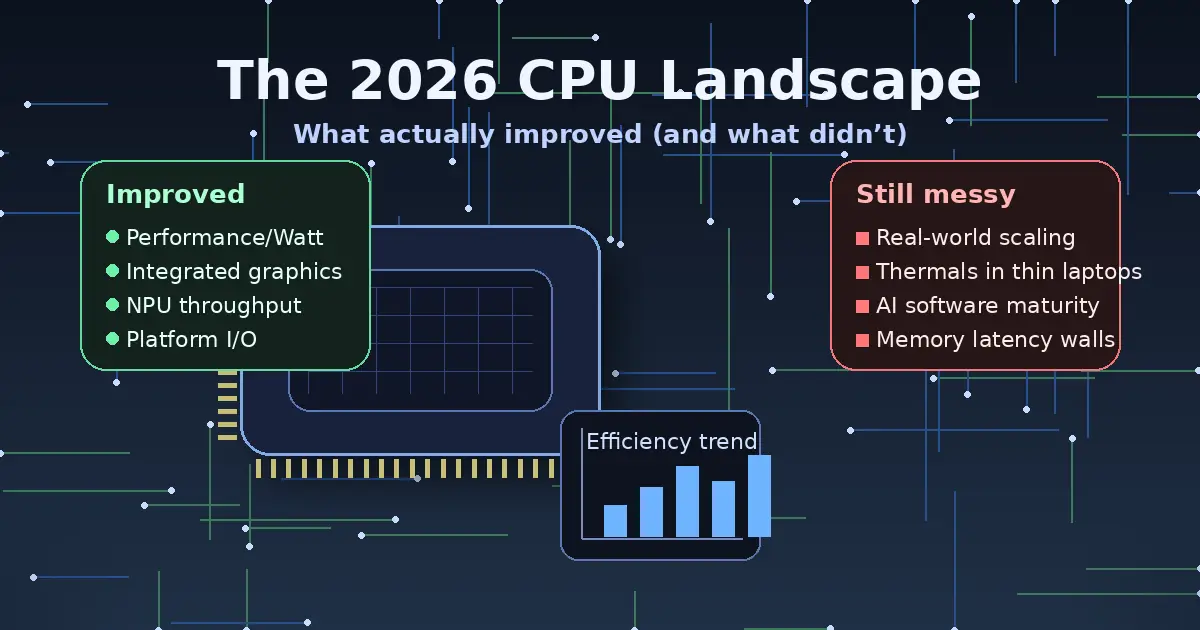
For IT professionals, “new CPU generation” rarely means “everything got faster.” In 2026, the story is even more nuanced: gains are real, but they’re uneven, workload-dependent, and often tied to platform decisions (memory, firmware, OS scheduler, power targets) as much as raw silicon. What improved most is not a single benchmark number—it’s the balance between performance, efficiency, integrated acceleration, and deployability across client and server fleets.
This article breaks down what actually moved forward in 2026, what stayed stubbornly the same, and how to turn the noise into practical procurement and rollout decisions—without betting your budget on marketing slides.
The Defining Theme: Efficiency and “Good Enough” Performance
In many orgs, the most meaningful CPU improvement in 2026 isn’t peak throughput—it’s how much work you can do inside a given power envelope, thermal design, and acoustic target. That matters everywhere: dense racks fighting power caps, branch-office mini PCs that can’t be loud, VDI hosts where watts translate into cooling costs, and laptops where battery life is the difference between “productive” and “tethered.”
Vendors are positioning new client platforms around efficiency plus integrated acceleration. Intel, for example, is explicitly framing its latest mobile platform around combining prior-gen strengths (power efficiency and class-leading performance) while pushing integrated GPU and AI throughput, including “platform TOPS” claims for AI acceleration. :contentReference[oaicite:0]{index=0}
For IT, the practical implication is simple: the best 2026 CPU for your environment is often the one that hits your performance target at lower sustained power—not the one that wins a short-duration burst benchmark.
What Improved: Integrated Acceleration Became a Real Deployment Variable
Integrated acceleration used to be a nice-to-have outside of niche endpoints. In 2026, it’s now a procurement line item. Three accelerators drive most of the change:
- iGPU capability: Stronger integrated graphics can reduce the need for entry discrete GPUs in certain laptop and thin-client profiles, and it can improve responsiveness in GPU-assisted desktop apps (browsers, collaboration, light content work).
- NPU presence and throughput: “AI PC” requirements increasingly map to specific NPU performance tiers, especially on Windows device programs and vendor-certified configurations.
- Platform-level AI throughput marketing: Vendors are now talking about whole-system AI capacity (CPU+GPU+NPU), not just a single block—useful, but easy to misinterpret without workload context.
On the Intel side, Panther Lake is being pitched as an AI PC platform built on Intel 18A, with claims around higher CPU and graphics performance versus prior generation and a focus on balanced “XPU” acceleration including substantial “platform TOPS.” :contentReference[oaicite:1]{index=1}
On the AMD side, the 3D V-Cache “X3D” approach continues to deliver targeted gains—primarily gaming and certain latency-sensitive patterns—yet even there, the improvements can be incremental generation-to-generation rather than transformational. AMD’s Ryzen 7 9850X3D, for example, is being presented as a modest uplift versus its predecessor, driven largely by higher clocks, with availability targeted for early 2026. :contentReference[oaicite:2]{index=2}
The IT takeaway: integrated acceleration is not automatically “free performance.” It changes the device selection calculus—especially for laptop fleets—and it changes your software governance (drivers, kernel/OS support, security policy for on-device inference, and the telemetry you’ll want to collect).
What Improved: Roadmaps Clarified the Next Transition Points
Roadmaps matter to IT because they determine socket churn, platform lifecycle, and whether you should standardize now or wait for a cleaner transition window. Two roadmap signals are especially relevant in 2026:
- Desktop refresh cycles: If a “refresh” is mostly binning and clocks, it may be a safer, lower-risk deployment step—but less exciting per dollar.
- Socket/platform changes: If the next major generation demands a new socket or platform requirements, your upgrade path may split between “extend” and “replace.”
Intel has publicly discussed an Arrow Lake refresh in 2026 and a subsequent Nova Lake timeframe later in 2026, including acknowledgement that the desktop lineup has gaps to fill. :contentReference[oaicite:3]{index=3}
AMD has also pointed to Zen 6 timing in 2026 as part of its forward roadmap communication. :contentReference[oaicite:4]{index=4}
This doesn’t tell you what to buy by itself—but it does tell you where the “platform fault lines” are likely to be (refresh vs. new platform), which is exactly what you need for budgeting and fleet planning.
What Improved: Server CPUs Continued to Diversify (and Not Just in x86)
The data center CPU conversation is no longer purely “Intel vs AMD.” Arm-based server CPUs and heterogeneous CPU+GPU platforms are increasingly part of planning—especially for cloud-native workloads, scale-out services, and AI-adjacent infrastructure.
Arm itself has been vocal about its ambitions in the data center CPU market, tying growth expectations to AI servers and hyperscale adoption. :contentReference[oaicite:5]{index=5}
NVIDIA’s Grace CPU messaging frames Arm-based CPU deployment as a foundation for next-generation data centers, including tight coupling with GPUs for accelerated computing scenarios. :contentReference[oaicite:6]{index=6}
On the x86 server front, AMD’s next-gen EPYC direction has been appearing prominently in CES 2026 coverage, including “Venice” references tied to Zen 6 positioning in the server roadmap discussions. :contentReference[oaicite:7]{index=7}
For IT architects, the improvement here is choice. You can now plausibly map different CPU families to different workload classes—without treating non-default architectures as experimental science projects. But that flexibility comes with a cost: validation, toolchain awareness, observability parity, and vendor support contracts must keep pace.
What Didn’t Improve: “Universal” Performance Gains Are Still a Myth
Even in 2026, there is no such thing as a CPU generation that boosts every workload equally. Why?
- Memory behavior dominates many real systems: If your workload is cache-miss heavy, I/O-heavy, or stalls on memory latency, core IPC gains won’t translate linearly.
- Scheduling and topology matter: Hybrid core designs and chiplet topologies can deliver excellent throughput—but they can also create new “gotchas” if the OS scheduler, BIOS settings, or application thread model isn’t friendly.
- Power limits cap sustained performance: Short benchmark bursts do not represent sustained compile jobs, long ETL runs, or all-day VDI density.
The result is familiar: some teams see a dramatic improvement (often those with acceleration-friendly or frequency-sensitive workloads), while others see “nice but not necessary.” That is not a failure of the hardware—it’s a reminder to benchmark what you actually run.
What Didn’t Improve: Complexity and Fragmentation Got Worse
CPU selection used to be: cores, clocks, maybe cache. In 2026, it’s also:
- NPU tiers and “AI PC” compliance requirements
- iGPU class and driver maturity
- Memory type/limits and platform certification lists
- Firmware cadence and security patch posture
- Remote management capabilities and device identity tooling
- Virtualization feature parity across SKUs
This is the part that doesn’t get better with each generation. More capability means more combinations, more edge cases, and more ways for two “similar” devices to behave differently. That complexity becomes operational debt if you don’t standardize aggressively or enforce configuration baselines.
What Didn’t Improve: Cost-per-Upgrade Is Still Hard to Justify Without a Trigger
In many environments, CPU refreshes happen because of a trigger, not because of curiosity:
- Windows lifecycle milestones and endpoint security policy changes
- Application upgrades that raise baseline requirements
- Energy/cooling constraints that force efficiency improvements
- VDI density goals or consolidation initiatives
- Developer productivity targets (build times, local test cycles)
- New AI/ML workflows moving to the edge
Without a trigger, the “what’s new” story often fails the CFO test. And even when the silicon is better, the platform cost (memory, motherboard, laptop design, support contracts) can dominate the business case.
The Practical 2026 Reality: You’re Buying a Platform, Not Just a CPU
A CPU is now inseparable from the platform around it. In 2026, three platform factors are disproportionately important:
Firmware quality and cadence
Microcode updates, firmware fixes, and platform stability still make or break real deployments. If your vendor’s BIOS cadence is slow, your “fast new CPU” may become your “slow incident response.”
Driver stack maturity
The moment your environment relies on iGPU/NPU capability, driver behavior becomes a production concern. That includes GPU driver regressions, NPU runtime updates, and OS feature updates that alter scheduling and power behavior.
Power management behavior under enterprise controls
Many orgs deploy endpoint security, device management policies, and power profiles that inadvertently cap or distort performance. A platform that looks great on a review bench might behave differently under your actual MDM baseline.
How to Evaluate 2026 CPUs Like an IT Pro
If you want a CPU refresh plan that survives contact with reality, build your evaluation around repeatable workload classes and measurable outcomes.
Define workload buckets that reflect your org
- Knowledge worker: collaboration, browser-heavy SaaS, light productivity, moderate multitasking
- Power user: large spreadsheets, BI tooling, heavier multitasking, light creative work
- Dev/DevOps: local builds, containers, test automation, IDE indexing, occasional VM use
- Engineering/content: media pipelines, CAD-adjacent tasks, GPU-assisted apps
- Server/general purpose: virtualization, web services, databases, internal platforms
- AI-adjacent edge: on-device inference, transcription, summarization, vision features in workflows
Measure what you actually pay for
- Time-to-complete for critical tasks (build time, export time, query time)
- Performance-per-watt under sustained loads
- Thermal throttling frequency in your real device chassis
- Battery life under your standard app mix and security tools
- VDI density (users per host) at acceptable latency
Test with production-like controls enabled
Benchmarking on a clean image is useful, but your rollout will include EDR, encryption, device compliance, VPN, SSO agents, and policy controls. Measure with those enabled—because those are the conditions your users live in.
Where 2026 Upgrades Usually Make Sense
CPU refresh projects in 2026 tend to pay off most in these scenarios:
- Laptop fleets hitting a battery/thermals wall: better efficiency and platform tuning can yield immediate productivity improvements.
- Developer teams: reductions in build/test cycles compound daily and can be easier to justify than abstract benchmark wins.
- VDI or consolidation efforts: perf-per-watt and density improvements can reduce host counts or delay data center expansion.
- AI workflow rollout at the edge: if you truly need on-device acceleration (policy, privacy, offline), NPU tiers become tangible value.
In contrast, upgrades tend to be harder to justify when the environment is primarily memory-latency bound, storage-limited, or bottlenecked by network/service dependencies rather than local compute.
Where 2026 Upgrades Often Disappoint
These are the common traps that make “new CPU” feel underwhelming:
- Buying for peak benchmarks instead of sustained behavior
- Ignoring platform and firmware quality
- Assuming AI acceleration helps workloads that are not AI-shaped
- Overlooking memory configuration and storage constraints
- Skipping pilot groups and jumping straight to a broad standard
If your “new CPU rollout” becomes a helpdesk spike, it’s usually because the platform variables were not treated as first-class requirements.
A 2026 CPU Procurement Checklist for IT Teams
Use this to keep the conversation grounded when vendors, stakeholders, and power users all want different things.
- Workload fit: Which internal tasks get faster, and by how much, measured on your apps?
- Sustained performance: Does performance hold after 10–20 minutes, or does it collapse under power limits?
- Fleet manageability: BIOS/firmware update process, remote management, and vendor support maturity.
- Driver stability: Especially for iGPU and NPU-dependent features.
- Security posture: Patch cadence, platform security features, and how updates are delivered.
- Lifecycle clarity: Socket/platform roadmap, refresh timing, and whether a near-term transition is likely. :contentReference[oaicite:8]{index=8}
- Total cost: Memory, storage, docking, warranties, and the operational cost of supporting multiple platforms.
Bottom Line: 2026 Is About Targeted Wins, Not Universal Leaps
The 2026 CPU landscape is better than the “nothing changed” narrative—but it’s also not a blanket revolution. Real improvements show up most clearly in efficiency, integrated acceleration, and better-aligned platforms for modern endpoints. At the same time, complexity, cost justification, and workload variance remain stubbornly unchanged.
The winning strategy for IT in 2026 is to treat CPU selection as a platform decision, benchmark what your org truly runs, and standardize around a small set of validated configurations. If you do that, the improvements are real—and they compound across supportability, energy usage, and user productivity.


 12994
12994  IT Pro






















