



- Детаљи
- Аутор: IT Pro
- Категорија: Blog
- Прегледа: 3518
Gaming in 2026 is no longer a simple “PC vs console” discussion. For IT professionals, the more relevant question is where the compute happens, where the content lives, and how reliably the experience can be delivered across wildly different networks and devices. The average user now sees gaming as an ecosystem: a library, a social graph, a save state, and a performance expectation that follows them from living-room TV to handheld to laptop to phone.
Cloud gaming didn’t “replace” local gaming, and local gaming didn’t “win” the war. What emerged is an expectation of choice. Users want the flexibility to stream when it’s convenient, install locally when quality matters, and combine both when the situation calls for it. For IT, that translates to a multi-modal workload: interactive video at scale, low-latency input paths, content delivery and caching, identity and entitlement systems, device management, and a constant negotiation between bandwidth, latency, power draw, and cost.

What “Preference” Really Means in 2026
When someone says they “prefer” cloud or local gaming, they rarely mean ideology. They mean the sum of their lived constraints. Preference in 2026 is shaped by internet quality, household congestion, data caps, subscription fatigue, the availability of a high-end GPU, noise and heat tolerance, and how much friction it takes to start playing. Users prefer what works reliably and predictably in their specific context.
This is why you’ll see the same person stream a session on a hotel Wi-Fi one day and install a 120GB title locally the next. The user’s preference is not a permanent identity; it’s a decision engine. The winning platforms are the ones that understand those decision triggers and reduce the penalties of switching modes.
Cloud Gaming in 2026: Where It Works—and Why People Choose It
Cloud gaming in 2026 is at its best when users want instant access and hardware independence. For many, the attraction is simple: no downloads, no patches, no storage management, and no expensive upgrades. A game becomes an “app-like” experience: click and play, even on modest devices.
From an IT perspective, the cloud model looks like a specialized form of remote desktop that must behave like a console. It’s not just video streaming; it’s an end-to-end system that includes controller input timing, encoder latency, adaptive bitrate, region routing, and session persistence. The moment any link in that chain stutters, users feel it as input lag, blur, or “why does this feel off?”
Users who gravitate to cloud gaming usually fall into a few patterns. Some are casual or time-limited players who value immediacy over absolute fidelity. Some are travelers or commuters who want access anywhere. Some are households that don’t want multiple high-end rigs. And some are simply tired of managing the operational overhead of modern titles: the patch cycles, driver quirks, shader compilation waits, and storage churn.
The cloud also appeals because it can flatten the “minimum spec” anxiety. When games push rendering techniques that would otherwise demand new GPUs, a streaming tier can offer access—assuming the network holds. In 2026, that trade remains the defining tension: cloud gaming is brilliant when connectivity is stable and sufficiently low-latency, and frustrating when it’s not.

Consumer cloud gaming services
-
NVIDIA GeForce NOW (stream PC games you own from stores like Steam/Epic, etc.). NVIDIA+2NVIDIA+2
-
Xbox Cloud Gaming (Microsoft) (cloud play as part of the Xbox ecosystem / Game Pass). Xbox.com+1
-
PlayStation cloud streaming (Sony / PlayStation Plus Premium) (stream select titles on PS5 / Portal, etc.). PlayStation+2PlayStation+2
-
Amazon Luna (Amazon) (cloud gaming service with a rotating library and channel-style access). luna.amazon.com+1
-
Boosteroid (multi-device cloud gaming service, popular in Europe). boosteroid.com
-
Blacknut (subscription cloud gaming catalog across PC/mobile/Smart TV). Blacknut Cloud Gaming+1
-
Antstream Arcade (cloud-streamed retro catalog). Antstream+1
Local Gaming in 2026: Still the Gold Standard for Quality and Control
Local gaming remains the benchmark for responsiveness, visual stability, and configurability. Even as streaming improves, the physics of distance and congestion still matter. Competitive players, VR users, and anyone sensitive to latency continue to favor local compute. The same is true for users with inconsistent internet or those who want their experience to be independent of service availability.
Users also prefer local when they care about high refresh rates, high-resolution texture packs, modding, or niche peripherals. PC gaming in particular remains a “toolbox” culture. People expect granular control of settings, overlays, fan curves, reshade profiles, and capture pipelines. They want mods that transform games into platforms, and they want community content that can’t easily be validated or delivered through cloud-only stacks.
Local gaming also maps to a sense of ownership, even in a world dominated by digital entitlements. The psychological comfort of “it’s installed and it works offline” is a real preference driver. For IT, this comes with the familiar burdens: patch management, anti-cheat compatibility, driver regression risks, storage performance bottlenecks, and troubleshooting that ranges from corrupted installs to overlay conflicts.
In 2026, local gaming is less about rejecting cloud and more about choosing certainty. Users want predictable frame pacing, predictable latency, predictable image quality, and predictable availability. When the user cares deeply about the outcome, local remains the safer bet.
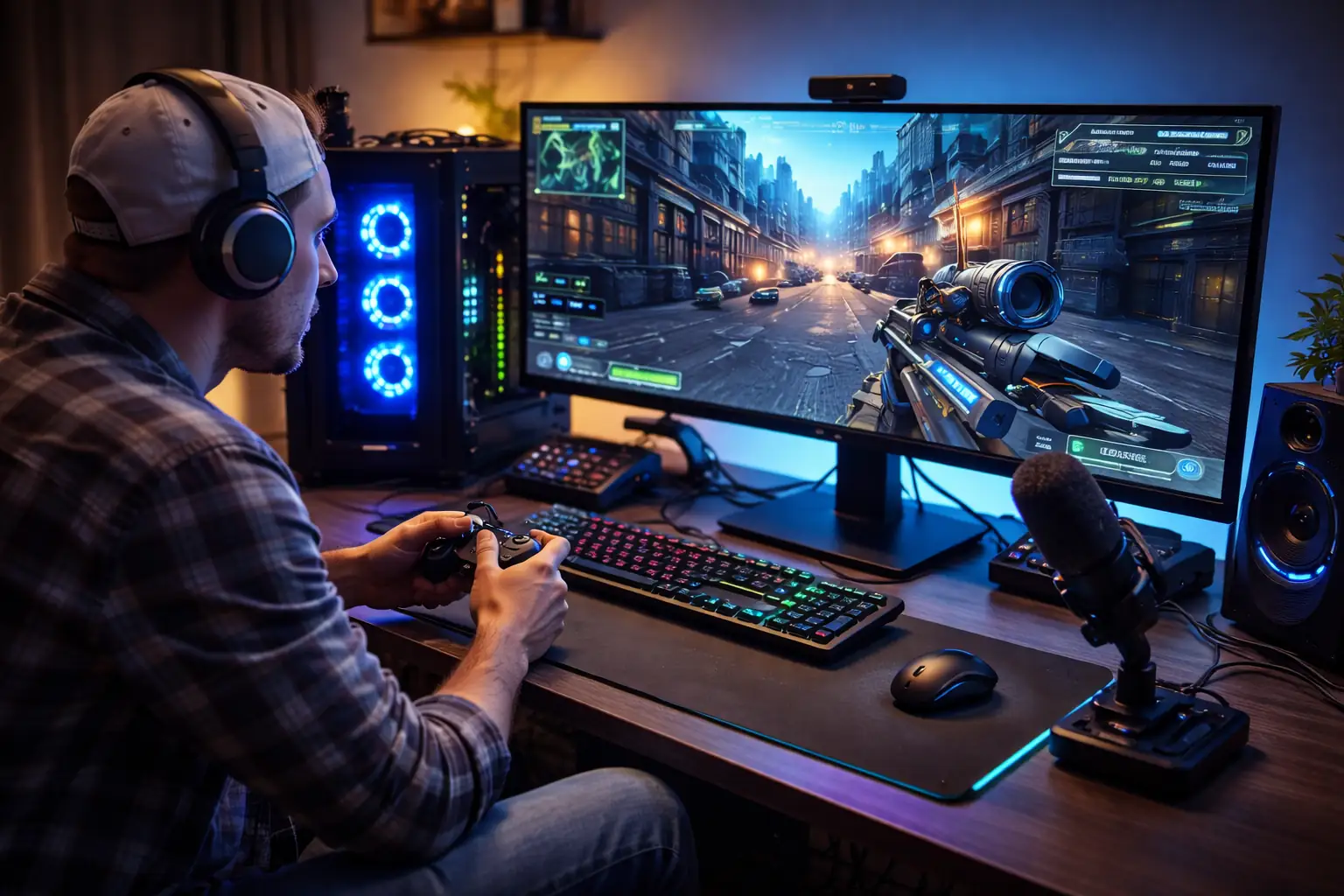
Here are solid vendors/options for local gaming:
PC gaming platforms (store + launcher)
-
Steam (Valve)
-
Epic Games Store
-
GOG (DRM-free)
-
EA app
-
Ubisoft Connect
-
Battle.net (Blizzard)
-
Microsoft Store / Xbox app (PC)
-
itch.io (indie)
Hybrid Gaming: The Quiet Default for Most People
Hybrid gaming is not a niche compromise; it has become the practical default. Hybrid means users move fluidly between streaming and local install depending on the game, the device, the network, and the moment. It can also mean partial streaming: streaming a game while a local install finishes, streaming a higher-quality version remotely while using a lower-power device, or using cloud compute for occasional play while keeping core favorites installed.
Users prefer hybrid because it reduces regret. If the cloud session is unstable, they can install. If storage is tight, they can stream. If they’re away from their main machine, they can resume from the cloud. Hybrid models give users options without forcing them to commit to a single infrastructure philosophy.
For IT professionals, hybrid is also the hardest to deliver well. It requires coherent identity, entitlement, saves, cross-progression, and device continuity. It demands consistent input behavior across devices, predictable matchmaking, and a library experience that doesn’t confuse users with multiple “versions” of the same title. It also raises the bar for observability: when a user reports “it feels laggy,” the root cause could be local thermals, Wi-Fi jitter, encoder settings, regional routing, or a background upload saturating upstream bandwidth.
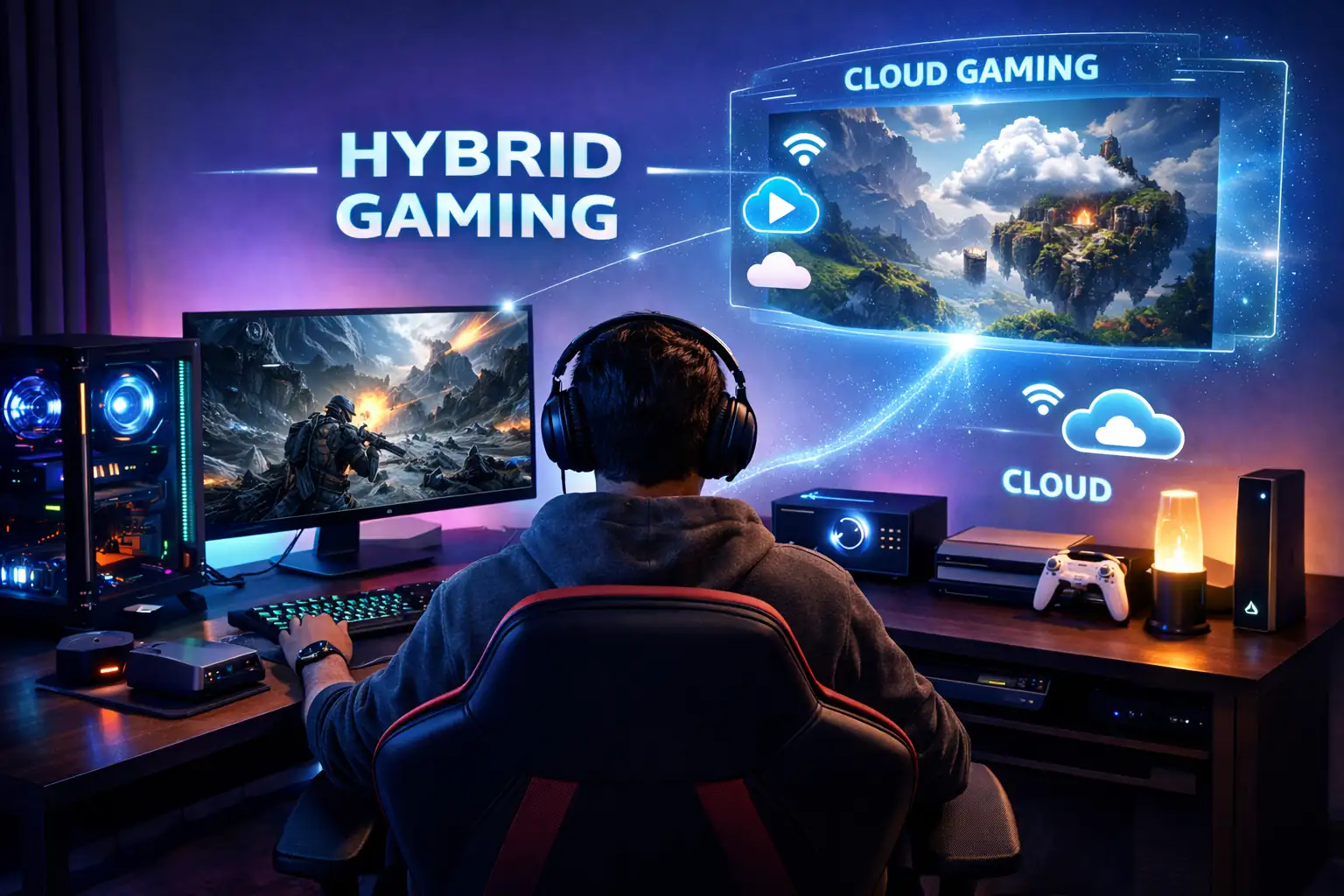
Hybrid gaming vendors in 2026: shortlist + what each is best for
NVIDIA GeForce NOW
-
Best for: “Play anywhere” without buying a gaming PC—stream demanding titles to a modest laptop, mini-PC, or handheld.
-
Why it’s hybrid: You can stream games you own on supported PC stores, while still keeping a local gaming setup at home for offline/low-latency sessions.
-
Great fit when: Your users bounce between home (local) and travel (cloud).
Amazon Luna
-
Best for: Simple, “turn it on and play” cloud sessions across devices, often with channel-style libraries.
-
Why it’s hybrid: Users often keep a console/PC for local play, but use Luna for instant access on secondary screens (living room stick, laptop, tablet).
-
Great fit when: Convenience matters more than maximum graphics settings.
Shadow PC (Cloud Gaming PC)
-
Best for: A full remote Windows gaming PC in the cloud—install mods, launchers, and non-streaming-friendly games (depending on your setup).
-
Why it’s hybrid: It’s essentially a second PC you can access anywhere; many gamers keep a local PC/console and use Shadow when away or when they need extra horsepower.
-
Great fit when: You want PC freedom (mods, launchers, settings) but not the upfront hardware cost.
Parsec
-
Best for: Low-latency streaming from your own PC (or a hosted machine) with a “feels local” remote-play experience.
-
Why it’s hybrid: The game still runs on your local rig (or your rented rig), but you can play it remotely from a lightweight device—best of both worlds.
-
Great fit when: You already own a gaming PC and want to extend it to a laptop, office PC, or another room.
The Real User Tradeoffs: Latency, Bandwidth, and Image Quality
The biggest differentiator between cloud and local gaming remains latency. Users don’t always describe it accurately, but they feel it. Input lag shows up as “sluggish,” “floaty,” or “it’s like I’m steering a boat.” Even when latency is technically acceptable, variability is what breaks immersion. Jitter and buffer swings can feel worse than a consistent, slightly higher delay.
Bandwidth is the second factor, but it’s not only about raw speed. Consistency matters more than peak throughput. A household can have a fast connection and still deliver poor game streaming if Wi-Fi is congested, upstream is saturated, or bufferbloat is uncontrolled. Users may not say “bufferbloat,” but they will say “it’s fine until someone starts a video call.”
Then there’s image quality. In 2026, users are increasingly sensitive to compression artifacts, especially on large TVs and high-resolution monitors. Fast motion, dark scenes, foliage, particle effects, and HUD text can expose video encoding limits. Many users tolerate some softness when streaming on a smaller device, but they expect local-level clarity on a big screen. This is one reason hybrid wins: users stream for convenience and install for “movie night” quality.
Cost, Subscriptions, and the “Value” Conversation
User preference is also shaped by economics. Cloud gaming often lands in a subscription bundle, which can feel like value—until the household accumulates too many subscriptions. By 2026, subscription fatigue is a measurable force. Users frequently ask themselves whether they should pay monthly for access or invest once in hardware that lasts for years.
Local gaming has a different cost curve: higher upfront spend, but potentially lower recurring cost. Yet local gaming also carries hidden expenses: storage upgrades, cooling solutions, power consumption, and the time cost of maintenance. Users who love tinkering may not mind. Users who just want to play often see it as friction.
Hybrid approaches can reduce the pain on both sides. Users might maintain a mid-range local machine and rely on cloud for the occasional “heavy” title. Or they might use cloud to try games and only install what becomes a long-term favorite. In both cases, preference is shaped by how visible and controllable the cost feels.
Device Diversity: Handheld PCs, TVs, Phones, and the New Entry Points
The 2026 gaming audience is distributed across more device classes than ever. TVs are better streaming endpoints. Phones are better controllers and displays than they used to be. Handheld PCs created a new “couch plus portability” category that can run locally but also benefits from streaming. Laptops continue to sit at the intersection of work and play, where users want performance without noise and heat.
Users often choose cloud gaming specifically because it makes more devices viable. A TV app and a controller can become a “console-like” setup with minimal hardware. For IT professionals, this means managing endpoint diversity: OS versions, controller compatibility layers, codec support, Wi-Fi chip quality, and the realities of consumer routers that were never optimized for latency-sensitive traffic.
Local gaming still thrives where users have a primary “anchor” device—typically a gaming PC or console. But even these users increasingly want continuity: start a session locally, continue on a smaller device, and maintain the same save and progression state. Hybrid isn’t just about compute; it’s about lifestyle.
Enterprise and Managed Environments: A Different Angle on Preference
While gaming is primarily consumer-driven, IT professionals often encounter it in managed or semi-managed contexts: campus networks, shared housing, hotels, co-working spaces, esports venues, and family environments where “home IT” resembles small business IT. In these environments, preference is often dictated by policy and network design rather than personal taste.
Cloud gaming can be a stress test for network QoS, peering, and Wi-Fi design. It’s a sustained, interactive stream that competes with conferencing and general streaming video, and it’s sensitive to upstream as well as downstream. Local gaming, by contrast, stresses patch distribution, content download peaks, and storage performance. Hybrid stresses everything, because the user might switch modes depending on conditions.
For IT pros supporting these environments, the goal is not to “pick a winner,” but to reduce user pain. That can mean better Wi-Fi coverage and channel planning, router settings that reduce bufferbloat, smarter traffic shaping, and reasonable policy decisions that don’t accidentally break controller pairing, NAT traversal, or UDP-heavy flows.
Security and Trust: What Users Assume, What IT Should Verify
Users rarely frame gaming choices as security choices, but the implications are real. Cloud gaming centralizes execution, which can reduce cheat surfaces on the client but also concentrates account value and identity risk. Local gaming keeps execution on the endpoint, which increases the importance of endpoint hygiene, driver integrity, and the safety of third-party tools and mods.
In 2026, users increasingly expect seamless sign-in across devices, which expands the blast radius of account compromise. Multi-factor authentication, session awareness, and device management become part of the gaming experience, whether users acknowledge it or not. Hybrid models raise the stakes further, because the same identity often unlocks cloud sessions, local installs, and cross-progression data.
IT professionals should view gaming platforms as large-scale identity providers plus content delivery networks plus real-time communications stacks. The user’s preference will follow whichever ecosystem feels safest while still being easy. Overly intrusive security can push users away; weak security can damage trust permanently.
Performance Troubleshooting in 2026: The New “It’s Laggy” Playbook
The phrase “it’s laggy” now spans multiple failure modes. For cloud gaming, you have to think in layers: last-mile Wi-Fi, router queueing behavior, ISP congestion, peering and regional routing, platform-side encoder and session load, and the decoding performance of the endpoint device. For local gaming, “laggy” can mean CPU scheduling, GPU saturation, VRAM pressure, thermal throttling, driver issues, background processes, or storage stalls.
Hybrid complicates everything because users may not realize they switched modes, or the platform might dynamically adjust quality and resolution behind the scenes. One of the most common user experiences in 2026 is “it was fine yesterday.” That often correlates with subtle changes: a new router firmware, a different Wi-Fi band selection, a new game patch, a driver update, or household usage patterns shifting.
For IT professionals, the practical approach is to isolate variables quickly. Test wired vs wireless. Check latency and jitter, not only speed. Identify upstream saturation. Verify NAT and firewall behavior. Confirm whether the session is cloud or local. Then look at endpoint performance counters and thermals. The tools differ, but the mindset is the same: reduce the system until the bottleneck reveals itself.
So What Do Users Prefer in 2026?
Most users prefer flexibility, even if they describe it as a preference for one mode. Cloud gaming is preferred when convenience, portability, and instant access matter more than absolute fidelity. Local gaming is preferred when performance, responsiveness, and control matter most. Hybrid is preferred because it reduces compromise and adapts to real life.
If there is a consistent “winner” in user preference, it’s not a platform type—it’s a promise. Users prefer the option that delivers a predictable experience with the least friction. They prefer the ecosystem that remembers their progress, respects their time, and works on the devices they already own. When those conditions are met, users are happy to mix cloud and local without thinking about it.
For IT professionals, the takeaway is that gaming in 2026 is a useful lens for modern computing trends. It exposes how far expectations have shifted: interactive workloads delivered over networks, identity-driven access, continuous patch pipelines, multi-device continuity, and real-time performance sensitivity. Supporting gaming-adjacent experiences—whether at home, in managed networks, or in product design—means designing for hybrid reality and minimizing the switching cost between modes.
The future of gaming is not a single destination. It’s a set of pathways. Users will keep choosing the path that fits the moment, and the most successful platforms will be the ones that make every path feel like the right one.
- Детаљи
- Аутор: IT Pro
- Категорија: Blog
- Прегледа: 5554
USB-C in 2026 is the closest the industry has ever come to a single physical port that can credibly handle charging, displays, storage, networking, peripherals, and even external GPUs. If you support end users, run conference rooms, standardize laptop fleets, or design desk setups at scale, you feel it every day: fewer proprietary power bricks, fewer random adapters, and far less “this cable only works on my machine.”
And yet it’s still “almost,” not “finally.” The connector is universal; the capability behind it is not. In enterprise terms, USB-C in 2026 is a standard form factor sitting on top of a matrix of optional features, negotiated power profiles, cable limitations, firmware quirks, and labeling that often tells you less than you’d like. The port has become a promise, but the fine print still matters.

USB-C Is the Connector, Not the Contract
The USB-C shape is now nearly everywhere—from laptops and phones to docks, monitors, KVMs, projectors, and power banks. But for IT professionals, the practical question is never “Does it have USB-C?” It’s: “What exactly can this USB-C port do, and under what conditions?”
A single USB-C receptacle can represent wildly different realities: basic USB 2.0 data rates, midrange USB 3.x, USB4 tunneling, DisplayPort Alt Mode, Thunderbolt compatibility, or “charging only” implementations that behave like a smart barrel jack. Two machines can look identical on the outside and behave completely differently when you plug in the same dock.
This is why “one port to rule them all” remains aspirational. The industry standardized the door, but not every room behind it is furnished.
The 2026 USB-C Stack: Data, Display, Power, and Tunneling
In day-to-day troubleshooting, it helps to think of USB-C as a negotiation layer that can carry multiple “contracts”: data protocols, display protocols, and power delivery profiles. The host and device negotiate what both sides support, and the cable can be the deciding factor even when both endpoints are capable.
In 2026, the mainstream stack looks like this:
- USB data for storage, peripherals, imaging devices, and general connectivity
- Display output via DisplayPort Alt Mode or tunneled display over USB4/Thunderbolt
- Power via USB Power Delivery (PD), often with PPS for fast charging behavior
- Tunneling (USB4 and Thunderbolt families) to carry high-speed PCIe and display alongside USB data
The practical takeaway: a “USB-C port problem” is often a data problem, a display problem, a power problem, or a tunneling/firmware problem masquerading as one.
USB4 Momentum and the Reality of “Optional Everything”
USB4 moved the industry forward by encouraging a more consistent “modern port” baseline, largely influenced by the Thunderbolt ecosystem. It also made multi-function USB-C ports more common in business laptops, where docking and monitor support are table stakes.
But USB4’s core issue for IT isn’t raw speed—it’s variability. Implementations differ in supported modes, maximum throughput, display routing, and how gracefully they handle edge cases (sleep/wake, hot-plug, multi-monitor topologies, and compatibility with older hubs). On paper, the bandwidth numbers look clean. In a real office, the failures show up as intermittent monitor flicker, Ethernet dropping on docks, webcams stuttering, or “works on the left port but not the right.”
If you’re building standards for a fleet, treat USB-C capabilities as a requirements document, not a marketing bullet: require the feature set you actually deploy—dual displays, wired Ethernet via dock, power delivery at a defined wattage, and a known minimum data rate for storage workflows.
Higher Bandwidth Arrives, but Your Cable Becomes the Bottleneck
As the industry pushes beyond the familiar 40Gbps era into higher-bandwidth USB-C generations, the cable becomes a first-class part of the architecture. This is uncomfortable for many environments because cable sourcing is usually “procurement cheap,” not “engineering correct.”
Passive vs active, certified vs “compatible,” e-marked vs not, and power rating vs data rating are no longer details for enthusiasts. They directly impact productivity when your helpdesk is fielding tickets like: “My dock charges but the monitor doesn’t light up,” or “This cable works for my phone but not for my laptop display.”
In 2026, cable governance matters. If you standardize one thing, standardize cables. Label them internally, purchase certified ones in bulk, and avoid mixing unknown cables into conference rooms where the troubleshooting cost dwarfs the savings.
Power Delivery in 2026: The End of the Barrel Jack Isn’t a Slogan Anymore
USB-C Power Delivery (PD) matured from “nice to have” into a practical replacement for proprietary charging in more categories. The significance for IT isn’t just convenience—it’s inventory simplification, fewer SKUs to stock, and easier hot-desk setups.
The big operational change is that USB-C charging is no longer limited to ultrabooks. Extended Power Range designs push USB-C toward workstation territory, changing how you plan docking and power at desks. You can see this trend in the accessory market: higher-wattage chargers, docks built to budget power intelligently, and devices that surface real-time power information so users can see what’s happening instead of guessing.
For IT, the practical questions become:
- What wattage do your standard laptop profiles actually need under sustained load?
- Do your docks negotiate stable power, or do they oscillate under load and cause battery drain complaints?
- Are you provisioning for “charges slowly” scenarios in shared spaces where users run heavy workloads?
- Do you have a cable standard that matches your power standard (because the weakest link wins)?
A modern USB-C environment needs power budgeting the same way Wi-Fi environments need RF planning. A desk that “has USB-C” is meaningless if it can’t supply stable power for the actual workload profile.
The EU Common Charger Effect: Procurement and Compliance Become Part of the Story
Regulations are now part of the USB-C reality. The EU’s common charger rules accelerated convergence by requiring USB-C charging for many device categories and extending requirements to laptops in 2026. Even for organizations outside the EU, the downstream impact is global: manufacturers tend to harmonize designs, and supply chains follow the largest regulated markets.
The result is that “USB-C as default” is no longer just a consumer expectation—it’s increasingly the baseline for corporate procurement, especially for organizations that operate across regions and don’t want divergent device portfolios.
For IT professionals, this is a rare win: you can justify standards and reduce adapter chaos with both operational arguments (less support burden) and compliance-driven market reality (vendors are moving this way regardless).
Displays Over USB-C: Where Most Helpdesk Time Still Goes
Display support is the most visible promise of USB-C—and still one of the most common friction points. Users expect “one cable to the monitor” to mean charging, display, and USB peripherals. Often it does. Sometimes it doesn’t.
The failures tend to cluster into a few predictable buckets:
- Port capability mismatch: the laptop’s USB-C port doesn’t support the required display mode.
- Cable limitation: the cable supports charging and USB 2.0 data but not the display/data mode needed.
- Dock firmware quirks: sleep/wake behavior or hot-plug events break multi-monitor routing.
- Bandwidth contention: high-resolution displays plus storage plus Ethernet can push a setup over the edge.
- Mixed standards: hubs, adapters, and monitors each implement slightly different assumptions.
The fix is rarely “reinstall the driver” and often “treat it like a negotiated system.” Standardize known-good docks, deploy tested monitor models, and keep firmware updates in your lifecycle plan. When you move to a new laptop generation, re-validate the dock fleet the same way you would re-validate a VPN client or endpoint protection agent.
Thunderbolt, USB4, and the Confusing Middle Ground
In 2026, Thunderbolt and USB4 live in an awkward but improving coexistence. Many business systems treat Thunderbolt-class capability as the premium tier for docking, external storage, and eGPU workflows, while USB4 brings more of that experience to a broader set of machines.
From an operations perspective, the key is consistency. If a subset of your users relies on high-performance external storage, multiple high-resolution displays, or specialized capture devices, you should specify a port capability tier and enforce it. Otherwise, you create a two-class support environment where the same dock works flawlessly for one department and fails for another.
“Almost” shows up here too: the connector is identical, and the user experience expectations are identical, but the capability set may not be.
Security and Risk: USB-C Expanded the Attack Surface
A universal port is also a universal ingress path. USB-C increased the number of devices that can connect at high capability: storage, network interfaces, video capture, debug tools, and docks that look harmless but behave like complex computers.
Security concerns in a USB-C world are less about one exotic vulnerability and more about breadth:
- Unknown USB devices in shared spaces
- Malicious “charging accessories” that aren’t just power delivery devices
- High-speed peripheral access that can bypass assumptions in older endpoint policies
- Firmware and dock update mechanisms that are inconsistently managed
Mature organizations treat USB-C like any other endpoint interface: device control policies, user education, and a known inventory of approved docks and adapters. If your environment uses high-capability tunneling ports, align your security posture with that reality.
Fleet Standardization: USB-C Is a Policy Opportunity
USB-C becomes a huge win when you operationalize it, not when you merely allow it. The difference between “we use USB-C” and “USB-C reduced our support burden” is governance.
Practical steps that pay off:
- Define a minimum port tier for new laptops (power, display support, and a baseline data capability).
- Standardize docks for each persona (general office, power users, creators, engineering).
- Standardize cables and physically label them by use case (desk, travel, conference rooms).
- Control firmware updates for docks where stability matters (especially multi-display setups).
- Document known-good topologies so first-line support can avoid blind trial-and-error.
When you do this well, “USB-C complexity” becomes an advantage: you can create modular, repeatable workspaces with fewer device-specific exceptions. Done poorly, the same flexibility becomes chaos—every desk a snowflake, every cable a mystery, every dock a debate.
Conference Rooms and Hot Desks: The Real “One Cable” Battlefield
The environments that benefit most from USB-C are also where it fails most visibly: shared spaces. In conference rooms and hot-desk areas, users arrive with a diversity of laptops and expectations. A reliable USB-C experience here can make an organization feel modern; an unreliable one makes every meeting start with five minutes of cable swapping.
The winning pattern in 2026 is to engineer for predictability:
- Use a known-good USB-C dock or hub designed for that room’s display topology
- Provide a single, high-quality, certified USB-C cable fixed to the desk
- Keep legacy adapters available, but treat them as exceptions—not the plan
- Prefer display paths and resolutions that are stable across operating systems
USB-C can absolutely deliver the “walk in, plug in, present” dream. The trick is treating it like infrastructure, not like a convenience accessory.
Why It’s Still “Almost”: The Three Things USB-C Didn’t Fully Solve
USB-C solved the connector mess. It did not fully solve capability transparency, cable clarity, or universal compatibility. Those remain the three reasons the industry is not yet at “one port to rule them all” in practice.
Capability transparency is still weak. Users can’t reliably tell whether a USB-C port supports the display mode they need or whether it’s a high-speed tunneling port. Even many IT teams end up relying on model-by-model documentation.
Cable clarity is still inconsistent. Many cables look identical, but their supported power and data modes differ dramatically. This is the root cause of many “it charges but…” tickets.
Universal compatibility is better than it used to be, but real-world combos still break: certain docks with certain laptops, certain monitors with certain hubs, certain sleep states with certain firmware revisions. Interoperability is a moving target, not a solved equation.
What to Expect Next: USB-C as a Platform, Not a Port
The most important shift in 2026 is conceptual: USB-C is no longer “a port choice.” It’s a platform decision. It influences how you design desks, how you stock spares, how you build conference rooms, and how you support hybrid work.
You’ll continue to see more devices that treat USB-C as their primary interface: monitors that behave like docks, docks that behave like power distribution units, and chargers that expose power telemetry so users understand what their setup is doing. The ecosystem is clearly moving toward transparency and higher capability, even if it isn’t perfectly uniform yet.
For IT professionals, the winning posture is pragmatic optimism: embrace USB-C as the default, but engineer guardrails around it. Standardize what matters, test your critical topologies, and treat cables and docks as managed assets rather than incidental accessories. Do that, and USB-C in 2026 delivers what it promised: fewer connectors, fewer exceptions, and a cleaner, more scalable end-user experience.
One port to rule them all? In many organizations, yes—most of the time. The “almost” is where IT earns its keep.
- Детаљи
- Аутор: IT Pro
- Категорија: Blog
- Прегледа: 4145
- Детаљи
- Аутор: IT Pro
- Категорија: Blog
- Прегледа: 4095
- Детаљи
- Аутор: IT Pro
- Категорија: Blog
- Прегледа: 3077
Laptop design in 2026 looks deceptively simple: thinner chassis, quieter fans, and longer battery life. Under the hood, though, the category has shifted in ways that matter a lot to IT teams. The “thin-and-light” race didn’t stop, but it matured. Vendors learned how to keep performance available without turning laptops into hand warmers, and they started treating on-device AI acceleration as a first-class platform feature rather than a marketing sticker.
For IT professionals, the practical question isn’t “Which laptop is the fastest?” It’s “Which laptop stays fast while managed, patched, encrypted, docked, on video calls, and running real workloads—without cooking itself or torching battery?” This article breaks down what actually changed in 2026 laptops and how to translate those changes into smarter standards, smoother deployments, and fewer support tickets.

Thin Isn’t the Point Anymore: The Chassis Became a Thermal System
In 2026, “thinner” is less about bragging rights and more about engineering efficiency. The best business laptops don’t chase the absolute thinnest profile at all costs. Instead, they treat the entire chassis—keyboard deck, bottom plate, hinge area, and even the display lid—as a managed thermal pathway.
You’ll see more emphasis on:
- Vapor chambers and improved heat spreaders that distribute hotspots instead of fighting them locally.
- Smarter fan curves tuned for “sustained quiet” rather than short bursts and abrupt ramping.
- Better intake/exhaust geometry that doesn’t collapse when the laptop sits on a soft surface.
- Thermal-aware power limits that maintain consistent performance for longer sessions (compiles, VMs, meetings, DLP scans) without oscillating.
Why it matters to IT: sustained, predictable performance reduces the “my laptop is slow” cycle that stems from thermal throttling, background security scans, and video conferencing happening at the same time. If you’ve ever watched a laptop spike, throttle, recover, then spike again while the user complains about “random lag,” you’ve seen the old approach.
Cooler by Design: Efficiency Beats Raw Wattage
The most meaningful cooling improvement in 2026 isn’t a new fan trick—it’s platform efficiency. CPUs, integrated GPUs, and memory subsystems increasingly deliver “good enough” throughput at lower power, which translates directly into lower heat.
From an IT standpoint, that means fewer extreme thermals under routine loads like:
- Multi-monitor docking with high refresh external displays
- Always-on VPN plus endpoint security plus browser-heavy workflows
- Teams/Zoom/Meet with background blur and noise suppression
- Local dev stacks and container workloads (especially when storage is active)
Efficiency also changes how you evaluate “performance.” A laptop that’s 10% faster for 30 seconds but then collapses into throttling isn’t better for enterprise work. In 2026, many platforms aim for flatter performance curves—less dramatic, more reliable.
The AI Shift: NPUs Move From Curiosity to Capacity Planning
In 2026, AI acceleration on laptops is no longer just about a single “assistant” feature. More workloads can opportunistically offload to on-device acceleration: transcription, noise reduction, camera framing, translation, image enhancement, semantic search, and lightweight inference used by business apps.
The key change for IT is that the NPU (and sometimes the iGPU) becomes part of your performance and power budget. When AI features run on the NPU, they often consume less CPU time and can be more power-efficient than doing the same work on general-purpose cores. That’s the upside.
The downside is governance: if you don’t control which AI features run, when they run, and what data they touch, you’ll see inconsistent user experiences and new compliance questions. In 2026, IT should treat “AI acceleration” the same way it treats “hardware video decode” or “encryption offload”—a capability that needs standards, testing, and policy.
Local AI vs Cloud AI: The Practical Tradeoffs IT Must Own
The conversation isn’t “local is better” or “cloud is better.” It’s workload-specific:
- Local AI can reduce latency, keep sensitive prompts/data on-device, and continue functioning offline. It can also lower recurring cloud costs for certain features.
- Cloud AI can be easier to update centrally, scales to larger models, and can offer stronger consistency across diverse hardware.
In 2026, many vendor stacks blend both: local inference for “ambient” features (audio/video enhancements, quick summaries, semantic indexing) and cloud for heavyweight reasoning or large context processing. IT’s job is to set boundaries:
- Which features are permitted on managed endpoints
- Which data classifications are allowed for AI processing
- What telemetry is collected and where it is stored
- How model updates are validated and rolled out
The most common failure mode is letting “AI defaults” roll into production without a policy review, then discovering that users can enable features that change data flow patterns.
Thinner, Still Repairable: The Quiet Return of Serviceability
A few years ago, thin laptops often meant soldered everything and fragile assembly. In 2026, vendors increasingly differentiate business models with serviceability—partly due to enterprise pressure, partly due to sustainability requirements, and partly because support costs are real.
You’ll still see thin devices with soldered RAM, but the better enterprise designs tend to improve:
- Tool-less or simplified bottom covers for faster access
- Replaceable SSDs as a baseline (with clearer thermal pads and shields)
- More modular keyboards/trackpads on business lines
- Better documentation and standardized part availability
For IT procurement, the “total cost” angle is obvious: quicker repairs, fewer depot shipments, and easier secure disposal of storage devices. If your environment requires drive retention, modular SSDs still matter.
Battery Life in 2026: Less About Max Hours, More About Predictability
Battery claims are still marketing-heavy, but the user experience is improving in a more meaningful way: modern platforms are getting better at “staying calm” in the background. Better idle efficiency, more intelligent scheduling, and AI offload can reduce the constant trickle drain that used to ruin real-world battery life.
What IT should watch:
- Battery health management features (charge caps, adaptive charging) for fleets that stay docked.
- Standby behavior (sleep reliability, wake triggers, VPN reconnection patterns).
- Dock-and-go usage where quick top-ups matter more than extreme endurance.
Predictability is the win: fewer “it was 80% and suddenly it died” incidents, fewer thermal-induced battery drains, and fewer users disabling security tools to “make it last longer.”
Displays and the IT Angle: Eyestrain, Power, Privacy
Laptop screens in 2026 are brighter, sharper, and more power-aware. Higher refresh rates and OLED options continue, but business procurement should focus on three practical angles: power draw, privacy, and usability under office lighting.
Consider:
- Power consumption at usable brightness rather than peak brightness specs.
- Privacy features (hardware privacy shutters, privacy filters) and how they impact image quality in meetings.
- Panel uniformity and PWM behavior if your org is sensitive to flicker complaints.
Also, multi-monitor setups remain the default for many roles. Ensure your standard can drive the typical dock configuration without pushing the system into a constant high-power state.
Ports, Docking, and the Reality of Modern Desks
“Thin” often means fewer ports, but 2026 laptops are generally more consistent about offering at least one high-bandwidth USB-C connection capable of charging, display output, and docking. The enterprise reality is still messy: multiple dock vendors, mixed monitors, and users who expect everything to “just work.”
For IT, standardization reduces pain more than any single port choice:
- Pick a dock strategy and validate it across your top laptop models.
- Validate firmware update processes for docks as well as laptops.
- Test edge cases like dual 4K displays, high refresh rates, and USB devices that need stable power.
Dock tickets tend to be “death by a thousand cuts.” In 2026, the best approach is fewer dock SKUs, tighter validation, and clearer end-user guidance.
Security in 2026 Laptops: Hardware Roots, Policy Reality
The security story continues to shift toward hardware-backed trust: secure boot chains, TPM-backed credential storage, virtualization-based security features, and platform support for stronger isolation. But none of this helps if performance is inconsistent or if end users circumvent controls.
What’s changing in practice:
- Better baseline performance under security, thanks to platform efficiency and smarter scheduling.
- More camera/mic privacy controls that reduce risk while improving user trust.
- More AI-driven security features that may analyze local activity patterns—useful, but policy-sensitive.
IT should align laptop standards with security standards: encryption on by default, consistent firmware update policy, and validated driver stacks. In 2026, a “fast laptop” that becomes unstable after updates is a liability, not a win.
Manageability: The Hidden Requirement That Decides the Fleet
The difference between a laptop that “looks good on paper” and a laptop that survives enterprise reality is manageability. In 2026, that means:
- Firmware and driver lifecycle clarity (how long updates are published, and how they’re distributed)
- Stable device identity for zero trust access and conditional policies
- Predictable sleep/wake behavior in the presence of VPN, EDR, and modern standby patterns
- Good telemetry without invasive telemetry (enough to troubleshoot, not so much that it creates governance risk)
“AI-accelerated” platforms also add a manageability layer: you may need to control AI feature toggles, model updates, and app permissions. If your endpoint management strategy is mature, this becomes a normal extension of policy-based configuration. If it isn’t, it becomes a shadow IT feature sprawl.
Performance Testing for IT: What to Measure Instead of Synthetic Scores
Synthetic benchmarks can be useful, but enterprise laptop pain points are usually about mixed workloads and background load. In 2026, a more realistic validation approach looks like:
- Meeting load + browser load: video call with background effects, multiple tabs, and screen sharing.
- EDR + encryption + patching: simulate update windows and scanning while users work.
- Dock stability tests: repeated dock/undock cycles, multi-monitor, USB peripherals.
- Thermal sustain: 20–40 minutes of real work (compiling, VM usage, large file operations), watching clocks, fan behavior, and chassis temps.
- Battery predictability: office day usage patterns, not “video loop” claims.
The goal is not to crown a winner; it’s to identify models that behave consistently under your org’s typical friction points.
The New Support Profile: Fewer Overheating Complaints, More “AI Settings” Questions
As thermals improve, some classic issues fade: fewer burned laps, fewer fans screaming in quiet offices, fewer laptops crashing under heat. But a new class of tickets emerges:
- “My camera looks weird” due to auto-framing, enhancement, or background processing.
- “My mic sounds different” due to noise suppression and voice isolation.
- “Search results changed” because semantic/local indexing is enabled.
- “Why is this summary wrong?” because AI-assisted features are probabilistic, not deterministic.
IT can reduce chaos by defining defaults and publishing simple guidance: what features exist, what they do, and what’s allowed for sensitive work. Treat AI features like any other productivity feature set—documented, tested, and supported.
Procurement Guidance: Building a 2026 Laptop Standard That Won’t Backfire
A solid 2026 laptop standard for business environments typically prioritizes consistency over extremes. If you’re building a shortlist, evaluate each candidate against criteria like:
- Sustained performance under enterprise load (security tools, conferencing, multitasking)
- Thermal behavior (throttling patterns, surface temperature, fan acoustics)
- Docking compatibility with your chosen dock strategy
- Serviceability aligned to your repair/asset lifecycle processes
- Battery predictability for your real usage patterns
- Manageability and update cadence (BIOS/firmware/driver)
- AI governance controls (feature toggles, app permissions, data handling boundaries)
If you support multiple roles, you can split standards into practical “profiles” without turning procurement into chaos:
- Knowledge Worker: efficient CPU/NPU, strong battery, good webcam/mic, solid docking.
- Power User / Developer: higher sustained CPU performance, more RAM, faster storage, thermal headroom.
- Mobile / Field: durability, sunlight-readable screen, strong connectivity, predictable sleep/wake.
- Creative / Engineering: GPU capability where needed, validated drivers, tested thermals.
The trick is keeping the number of supported models low while still matching workload reality.
Practical Rollout Tips for 2026 Hardware
The fastest way to turn “new laptop benefits” into “new laptop chaos” is rushing deployment. A disciplined rollout keeps the wins and avoids the surprises:
- Validate BIOS/firmware baselines and freeze a known-good version for initial rollout.
- Build a driver strategy that favors stability, not constant churn.
- Pre-test conferencing stacks with AI enhancements enabled and disabled.
- Document dock setups and publish a “known good” monitor + cable guidance.
- Define AI feature defaults through policy wherever possible.
- Run a pilot with users who represent real workloads and real complaints.
This turns 2026 laptops into what they’re supposed to be: boring in the best way—reliable, quiet, fast enough, and easy to support.
What “Thinner, Cooler, More AI-Accelerated” Really Means in 2026
The 2026 laptop story is not a single breakthrough; it’s the convergence of better efficiency, better thermals, and real AI offload. The outcome is a device that can carry enterprise security and modern collaboration loads with less drama. That’s a big deal for IT, because it reduces the friction that turns normal workdays into support queues.
If you take one idea into your next refresh cycle, let it be this: stop optimizing for peak specs and start optimizing for stability under reality. In 2026, the best laptops aren’t the ones that win a chart—they’re the ones that stay consistent, stay manageable, and stay cool while everything else in your environment keeps getting heavier.


 10545
10545  IT Pro






















