



- รายละเอียด
- เขียนโดย: IT Pro
- หมวด: How to Articles
- ฮิต: 5229
1. เปิดไมโครซอฟท์คํา

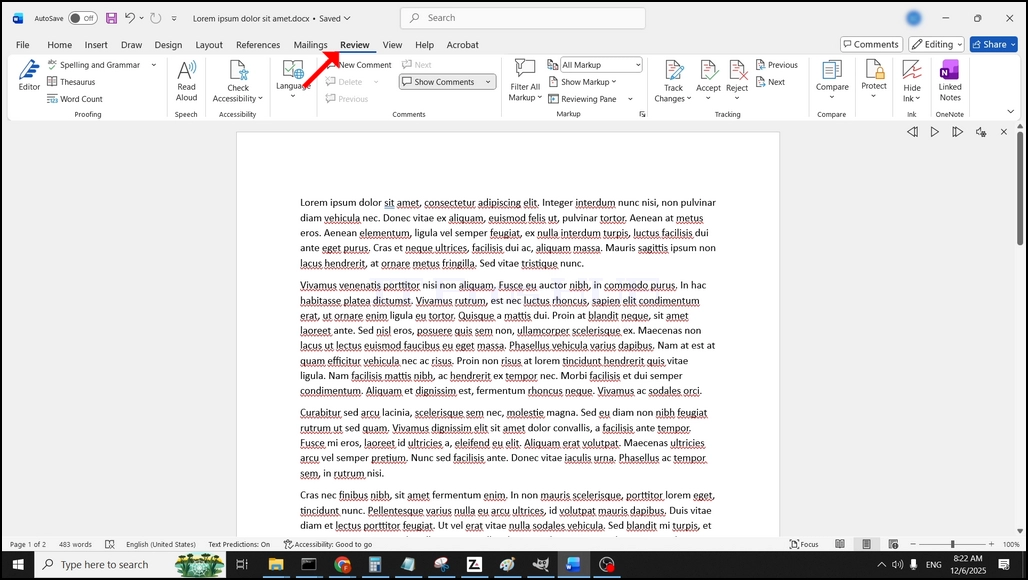
2. ในแถบเมนูบนสุด จากบ้านไปรีวิว:
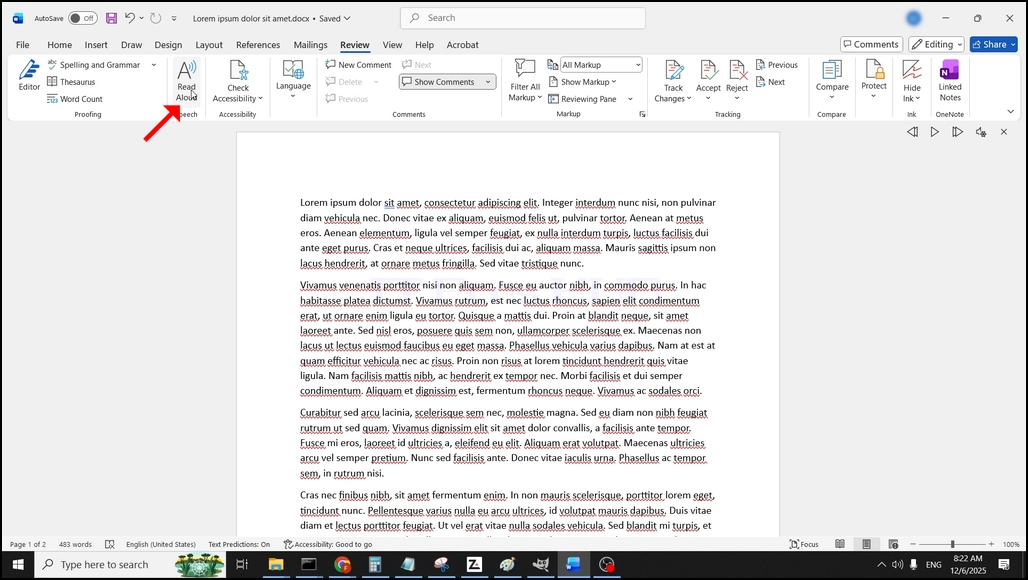
3. การทบทวนหา "ใหญ่"A"ไอคอนที่เขียนว่า"อ่าน Aloud"และคลิกบนมันเพื่อเปิดใช้งานข้อความ เพื่อแสดงความสามารถในการพูดของคํา:
- รายละเอียด
- เขียนโดย: IT Pro
- หมวด: How to Articles
- ฮิต: 5705
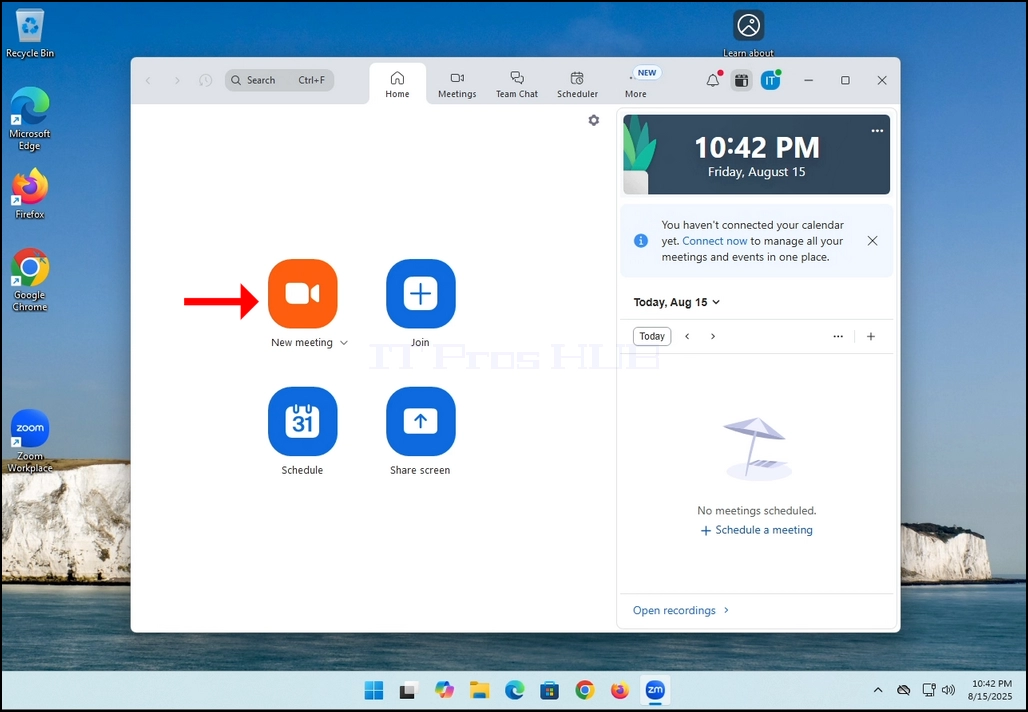
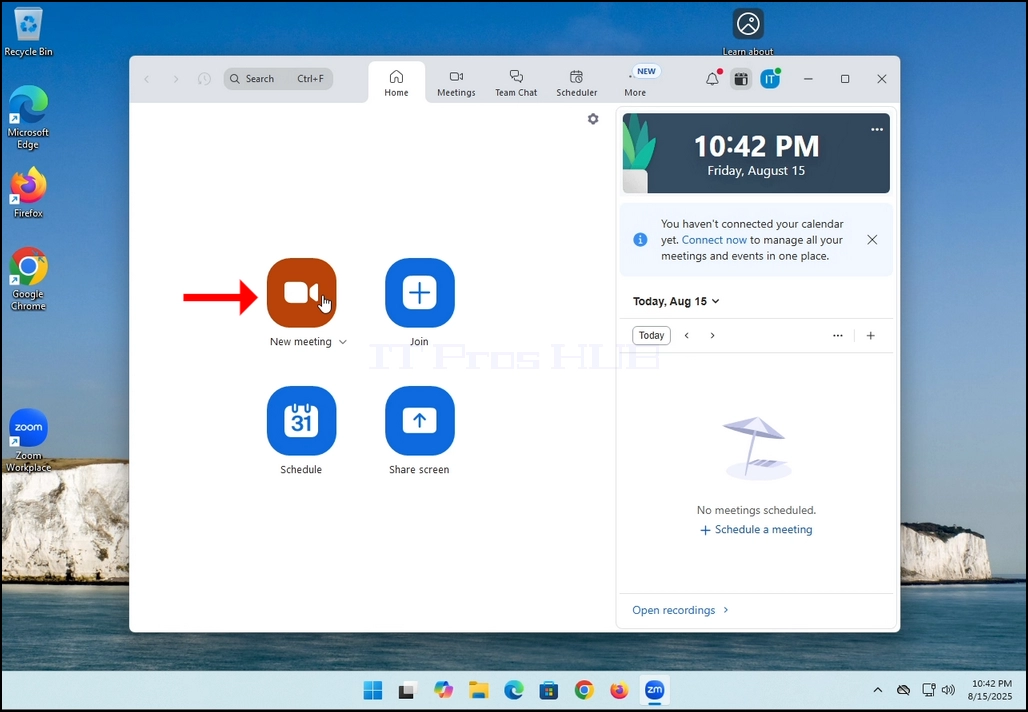
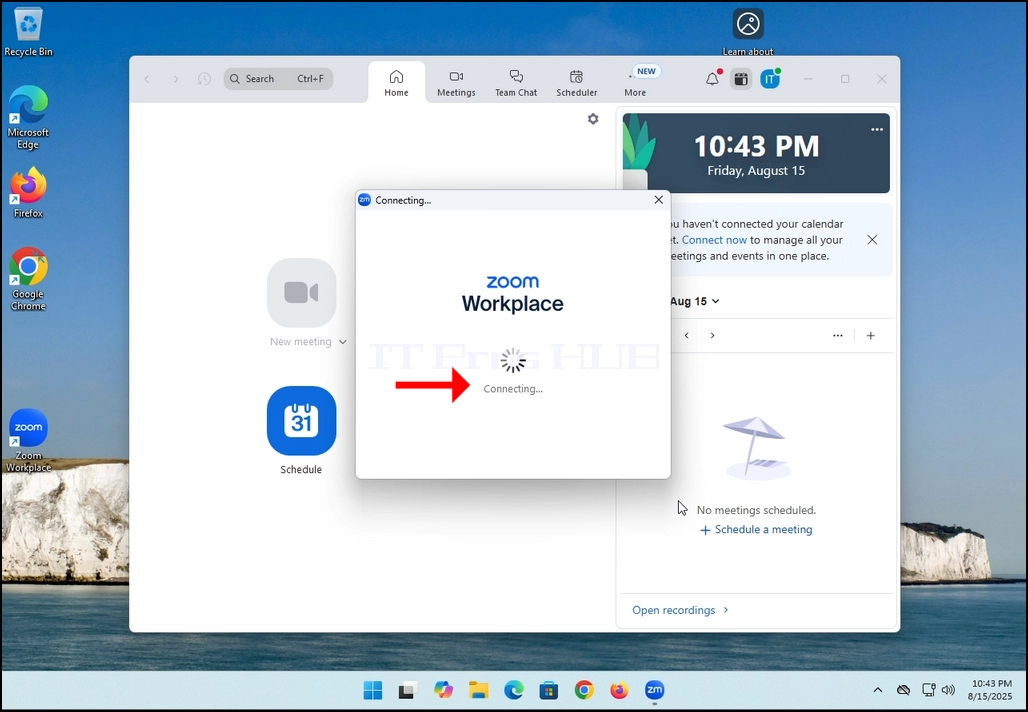
2. Once clicked, a new small window should appear. The window will show "connecting" and an animation progress circle.
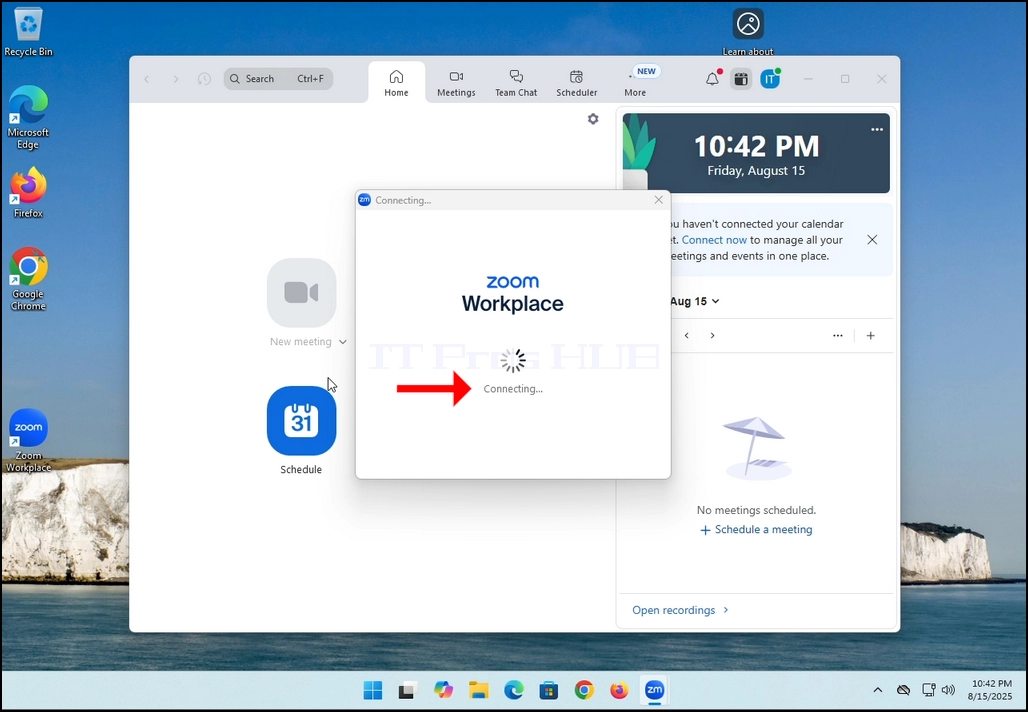
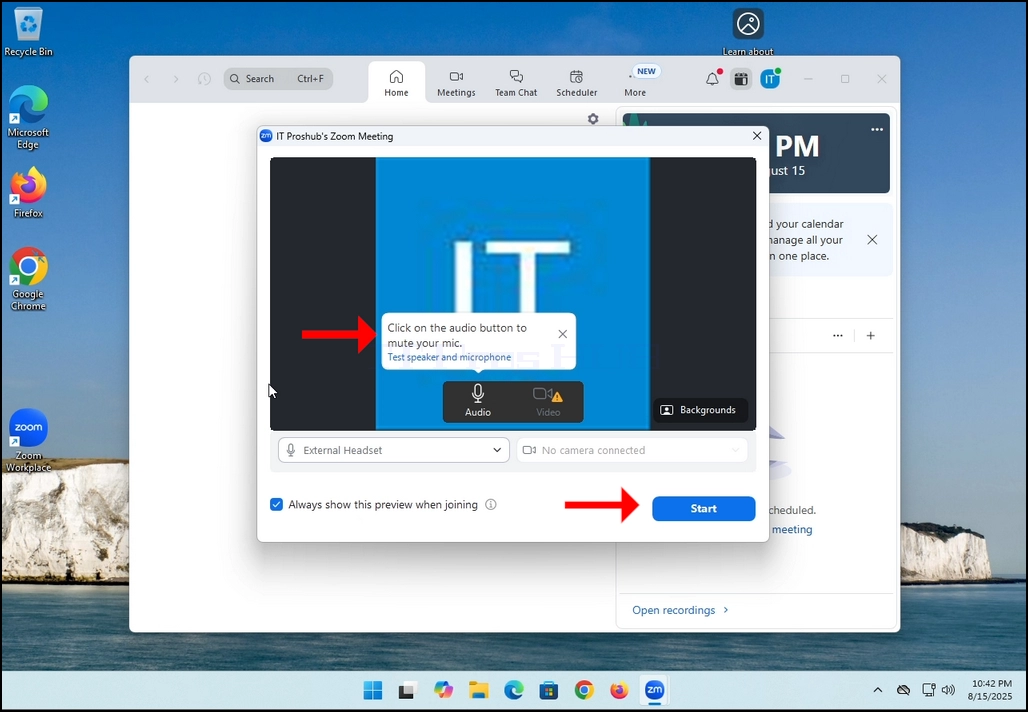
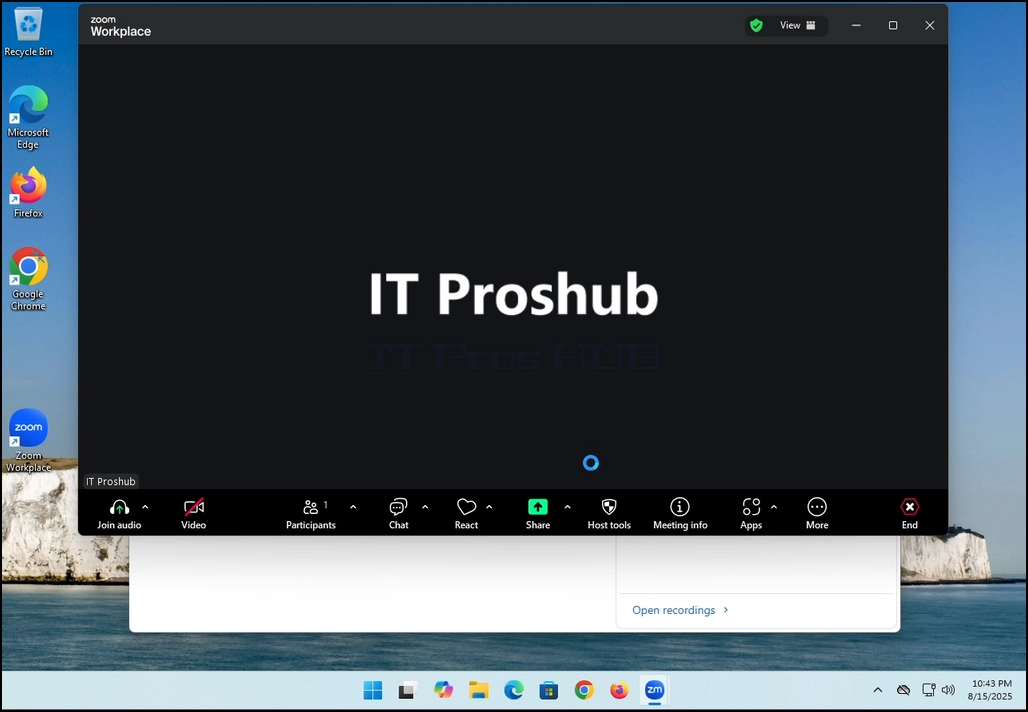
3. Once it's done loading, a new window will appear. Usually its title should say something along the lines of: "User's Zoom Meeting". In this article's case, it says "IT Proshub's Zoom Meeting" since the user that uses Zoom is called that way.
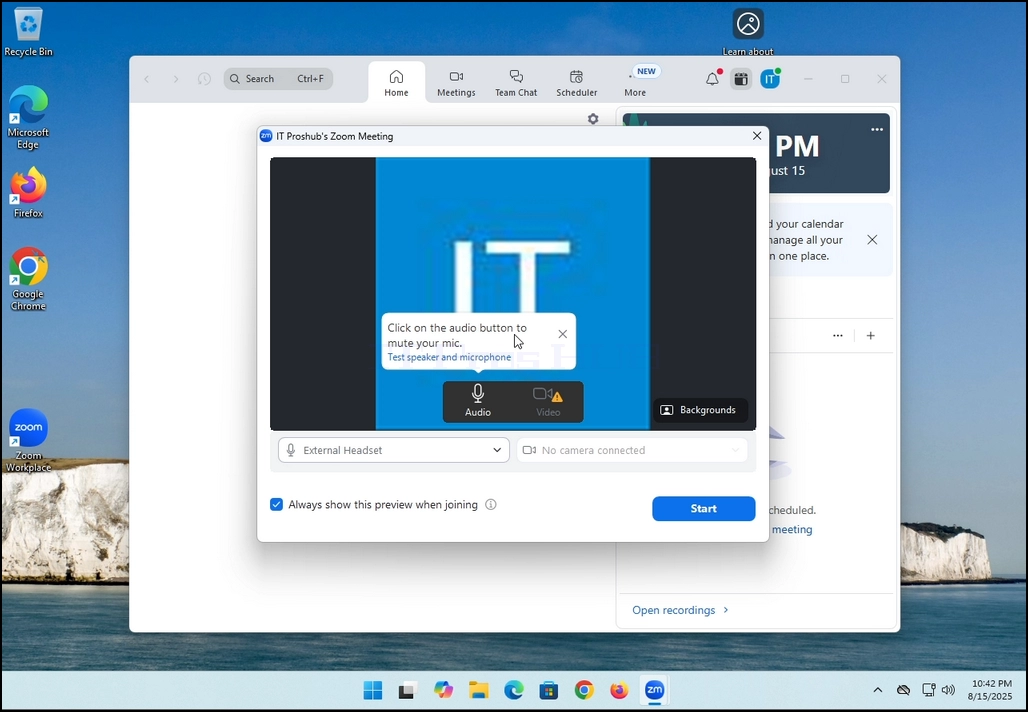
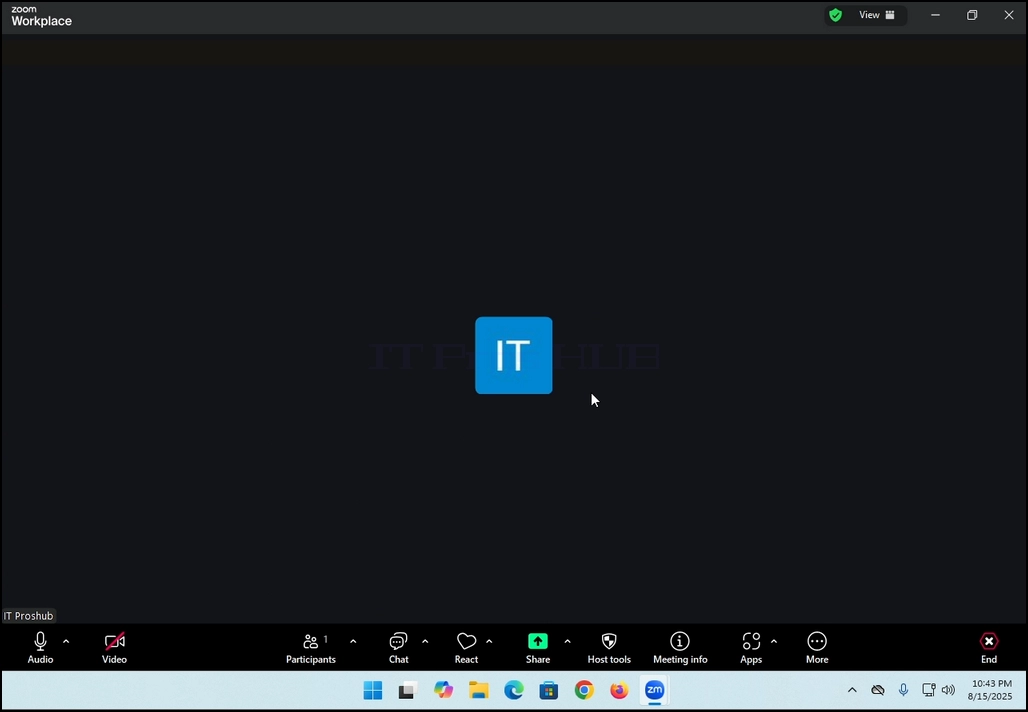
4. Here, you can mute your mic by clicking on the mic icon and you can also turn your camera off/on by clicking the Video icon.
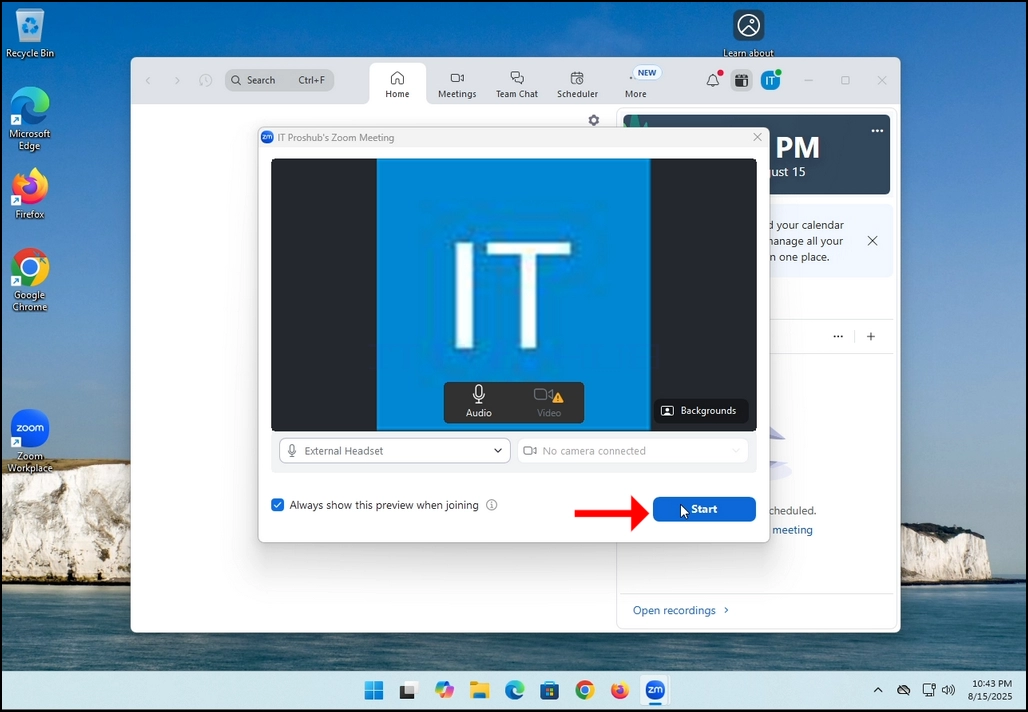
7. That's it! the new meeting is in progress. At this stage the meeting contains only the host which is IT Proshub in this article's case.
- รายละเอียด
- เขียนโดย: IT Pro
- หมวด: How to Articles
- ฮิต: 5402
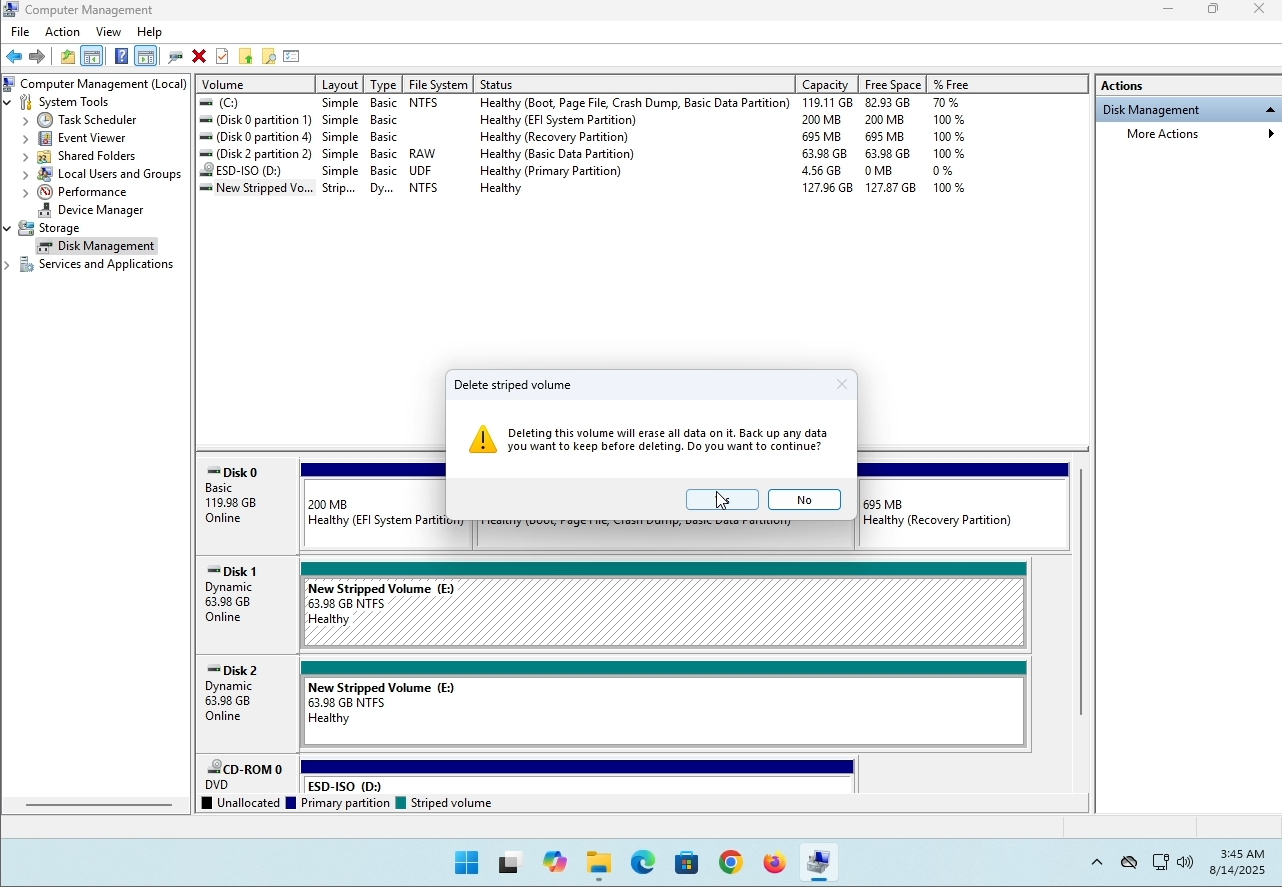
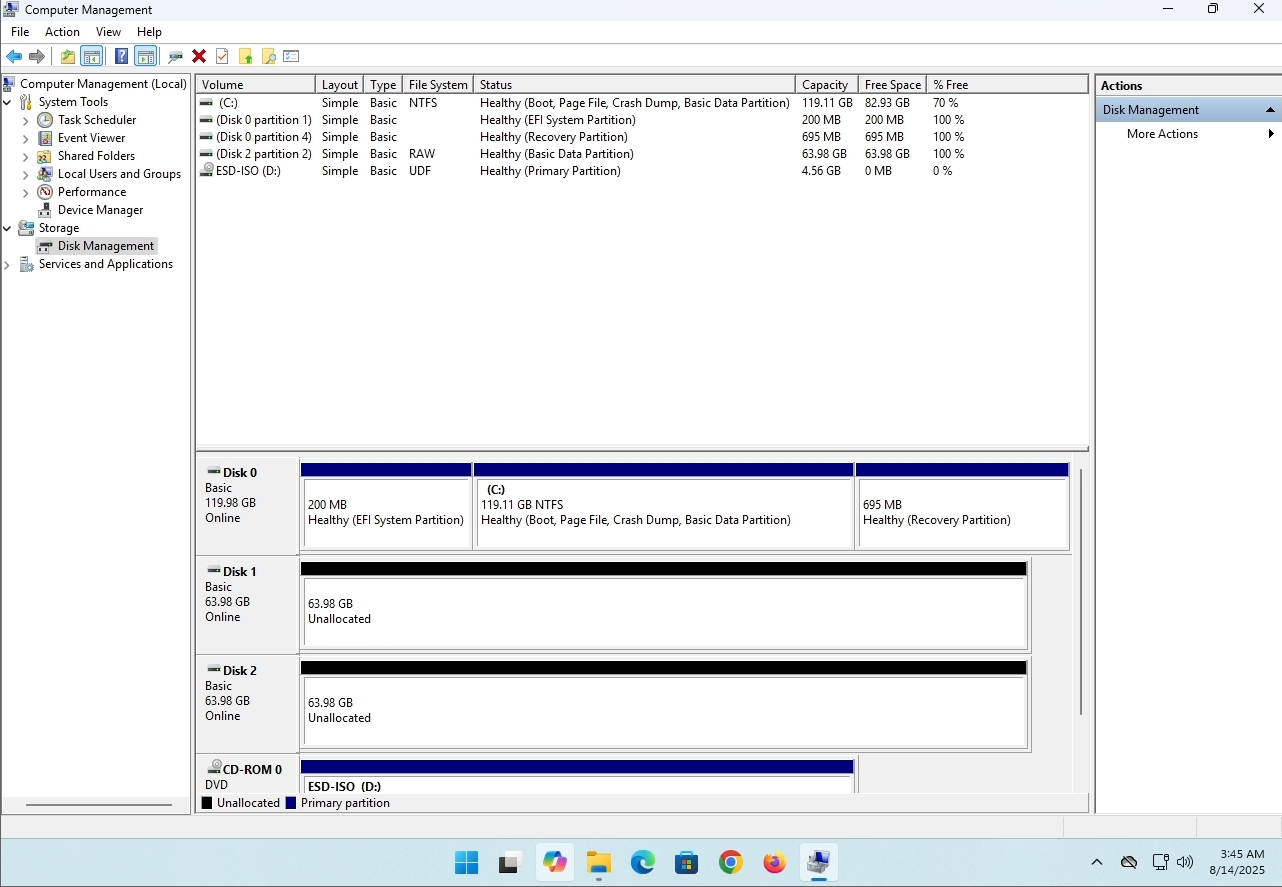
In this article we will demonstrate how to delete a stripped volume in Windows 11
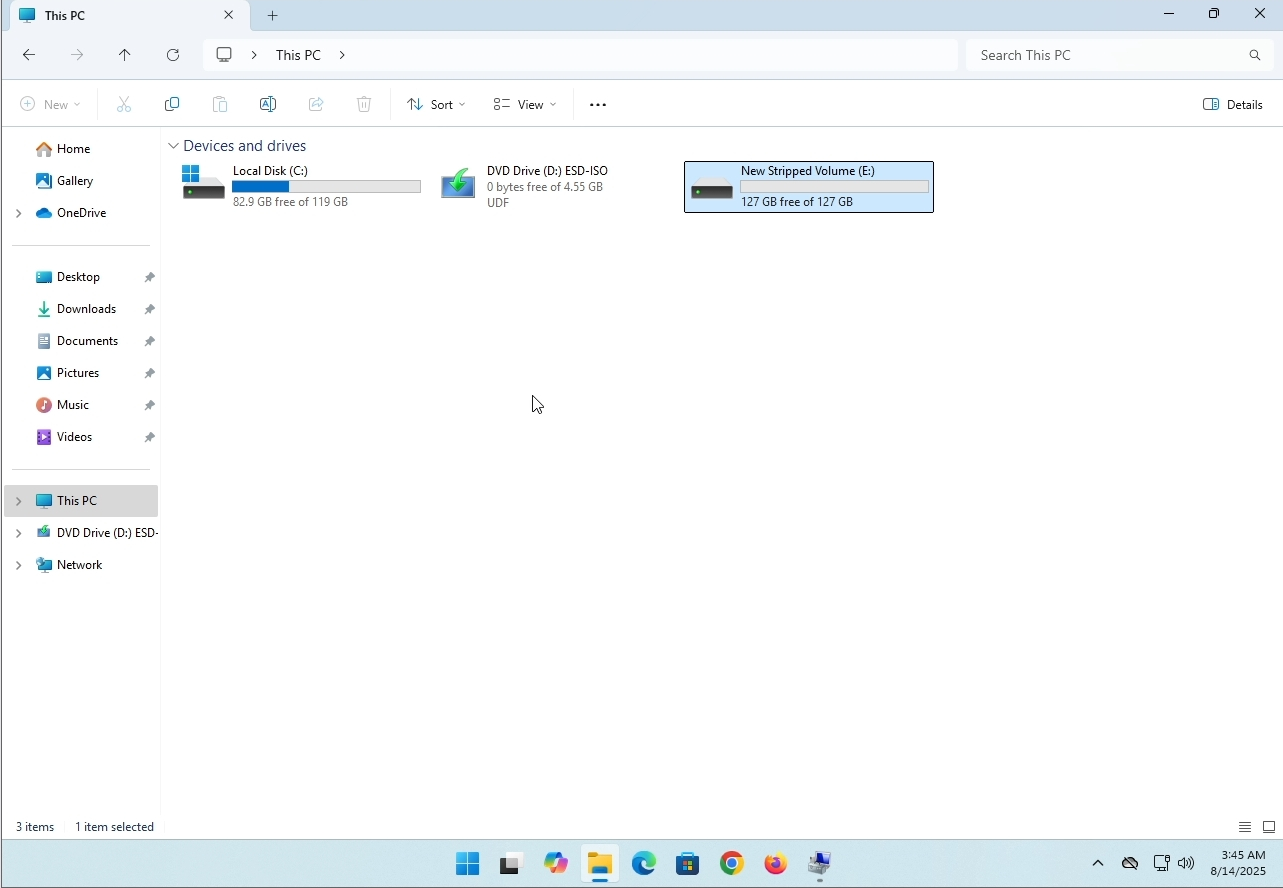
1. Make sure what is the stripped volume's drive letter is. In this case the drive letter is (E:):
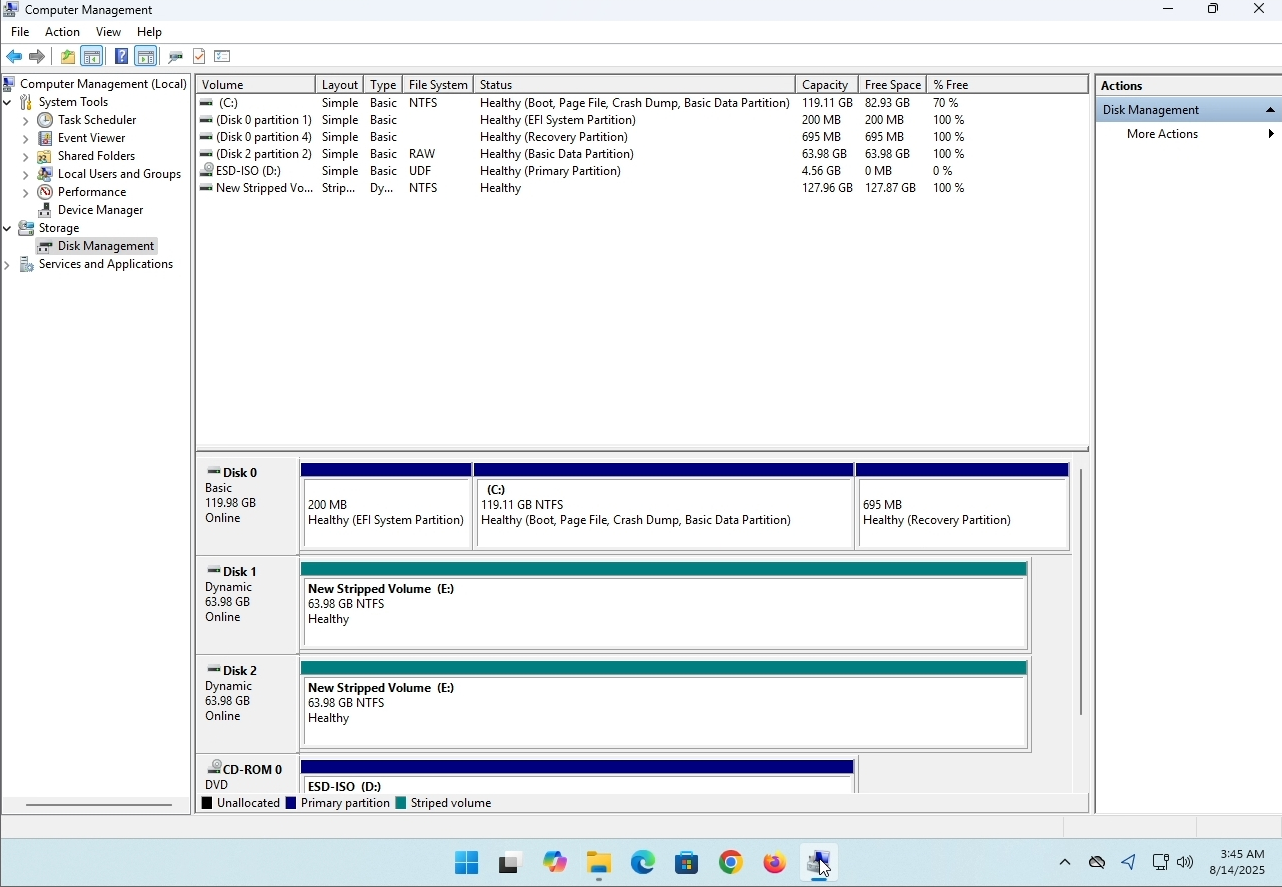
3. On the left pane. Look for Disk Management and click on it once.
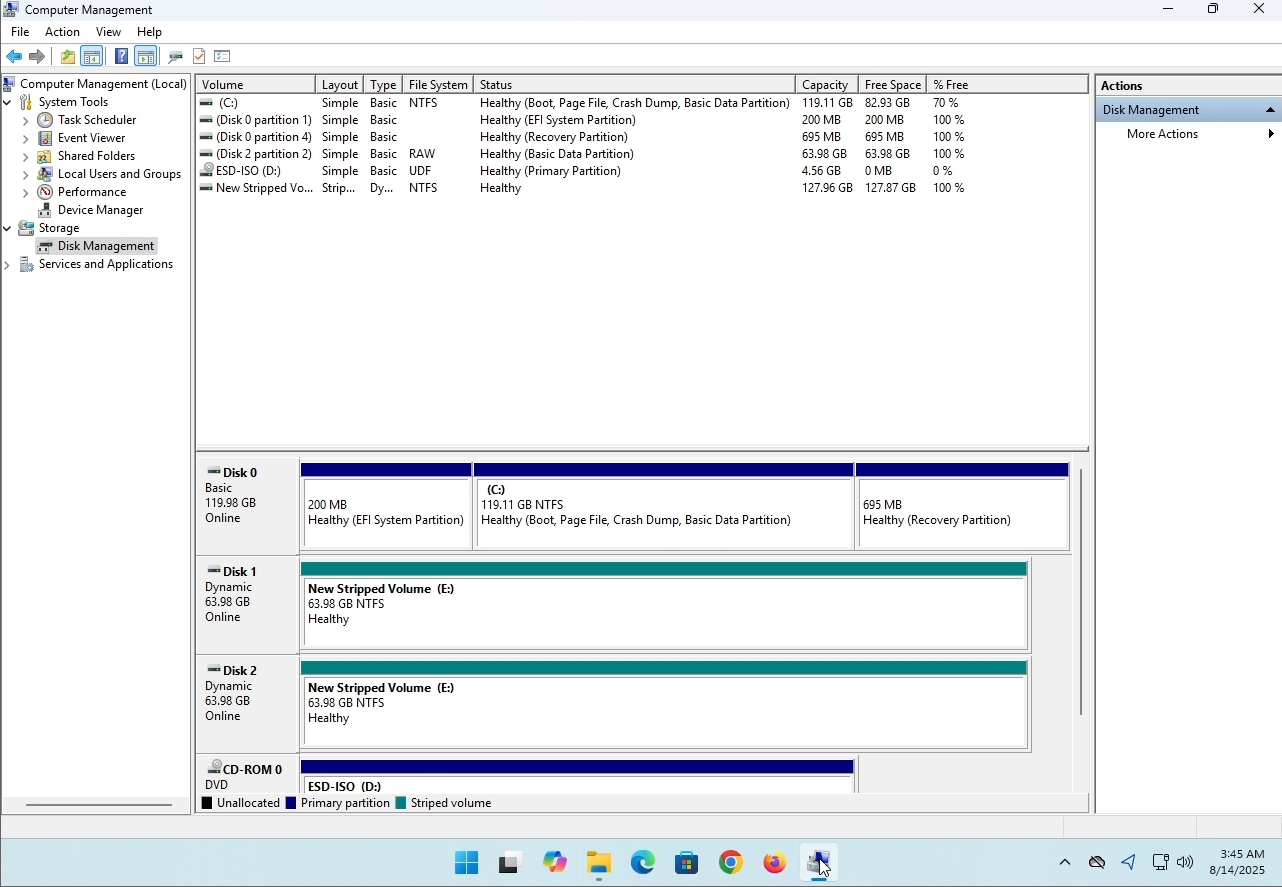
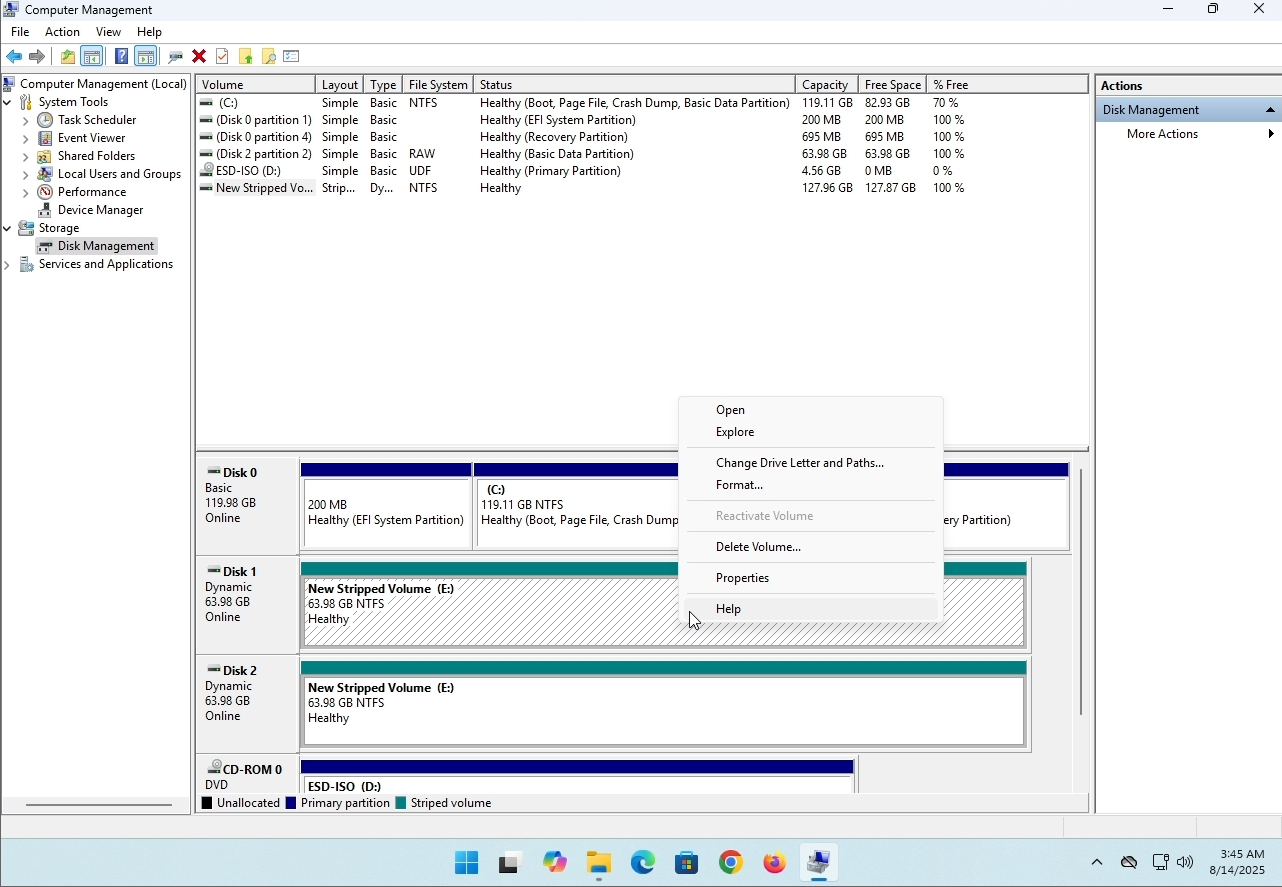
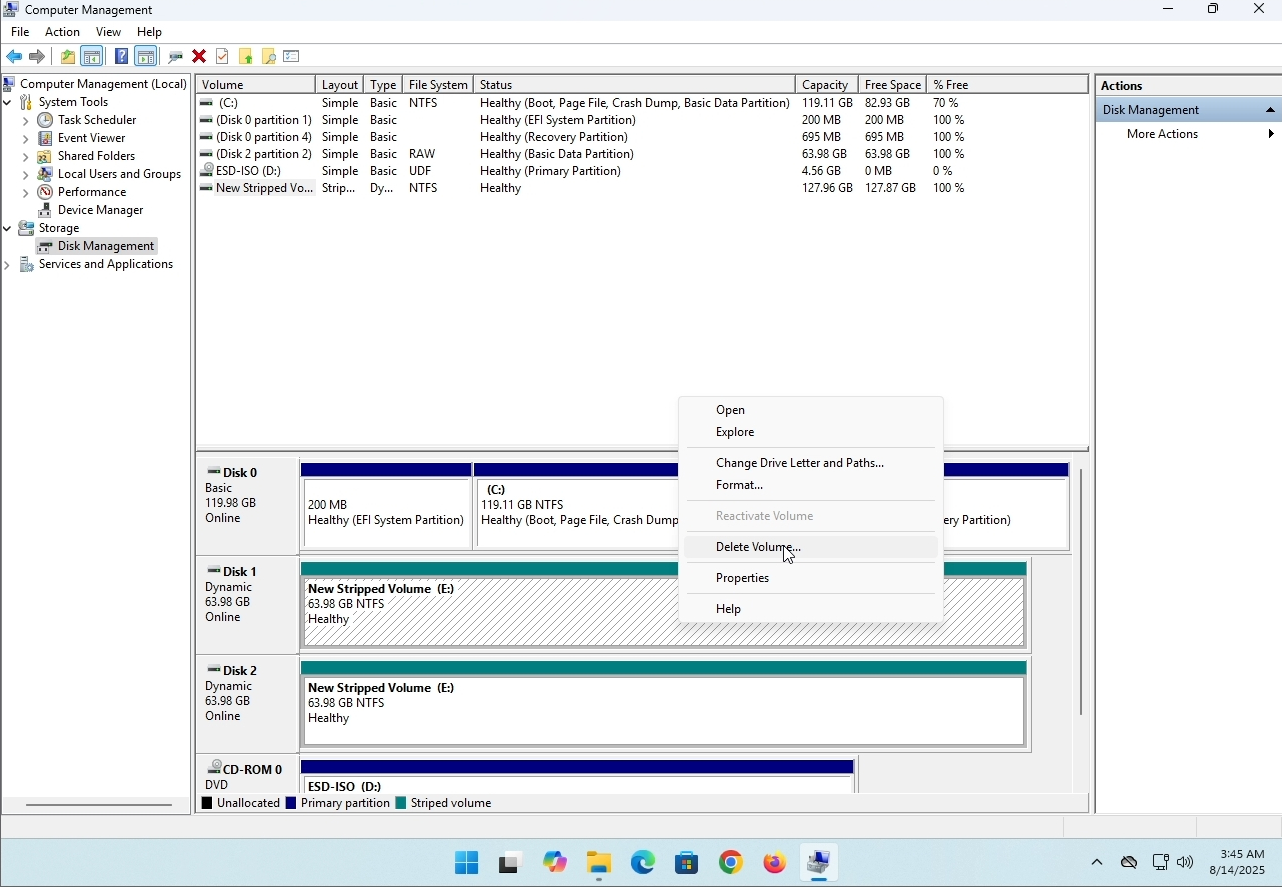
6. You will be shown a confirmation window. Click on Yes to confirm deleting the drive.
7. The drive is now deleted and the disks that were part of the stripped array are now unallocated.
- รายละเอียด
- เขียนโดย: IT Pro
- หมวด: How to Articles
- ฮิต: 8160
แนะนํา:
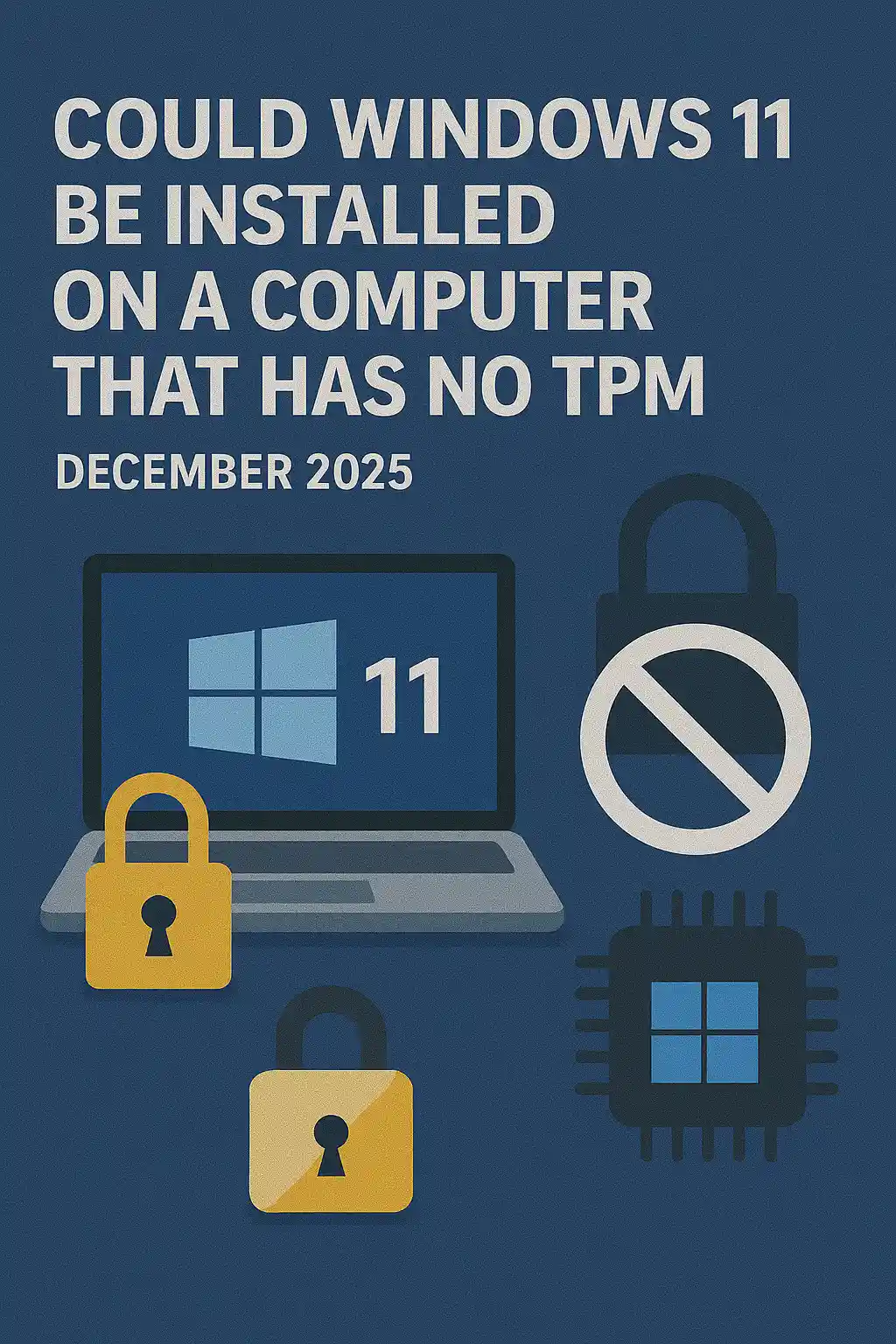
ใน บทความ นี้ เรา จะ ตรวจ สอบ ว่า จะ ติด ตั้ง วินโดวส์ 11 ไว้ บน คอมพิวเตอร์ ที่ ไม่ มี ที พี เอ็ม พี ได้ หรือ ไม่.
สรุป: ไม่.
Windows 11 ไม่สามารถติดตั้งบนคอมพิวเตอร์ได้ โดยไม่ต้องมีชิป TPM รุ่น 2. 2. 0 น้อยที่สุด
ต่อ ไป นี้ เป็น ตัว อย่าง ของ การ พยายาม ติด ตั้ง วินโดวส์ 11 บน คอมพิวเตอร์ แบบ นี้.
รุ่นของวินโดวส์ที่พยายามจะติดตั้งคือ 24H2
1 กําลังบูตเข้าสู่การติดตั้งวินโดวส์


2 กําลังตั้งค่าภาษา

3 กําลังปรับแต่งวิธีการติดตั้ง

4 เวทีคีย์โปรดักต์


5 เลือกวินโดวส์ 11 โปร


6 กําลังตรวจสอบระดับของ PC

7 บล็อก ☹

สรุป:
ไม่มากที่จะพูดที่นี่ เราต้องเห็นมันด้วยตาของเราเอง มี คํา บรรยาย สําคัญ เกี่ยว กับ เรื่อง นี้ และ ดู เหมือน ว่า เรื่อง นี้ มี น้ํา ใช้. ITHAL-ALL – Windows 11 ไม่สามารถติดตั้งบนคอมพิวเตอร์หรือระบบที่ไม่มี TPM รุ่น 2.0 ได้
นั่น ไม่ ได้ หมาย ความ ว่า วินโดวส์ 11 จะ อยู่ บน ระบบ ที่ กล่าว ถึง นี้ ไม่ ได้. สําหรับ ราย ละเอียด เพิ่ม เติม โปรด ดู บทความ ของ เรา เกี่ยว กับ เรื่อง นี้: httpsconfiritProsub.com/en/windows/can-wadows-11-un-on-com-no-tpm-top-at-debet-2025
- รายละเอียด
- เขียนโดย: IT Pro
- หมวด: How to Articles
- ฮิต: 7245
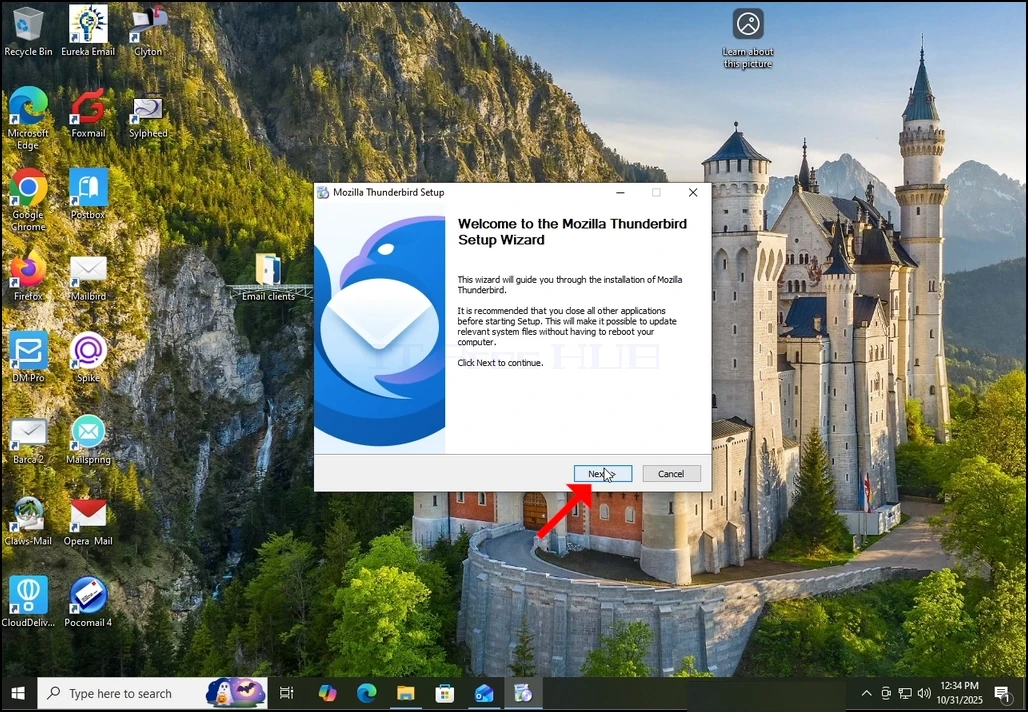
1. เริ่มการติดตั้งธันเดอร์เบิร์ดด้วยการคลิกแฟ้มการตั้งค่า
2. ในจอต้อนรับ คลิกถัดไป.
3. เลือกตัวเลือกมาตรฐาน แล้วคลิกถัดไป.
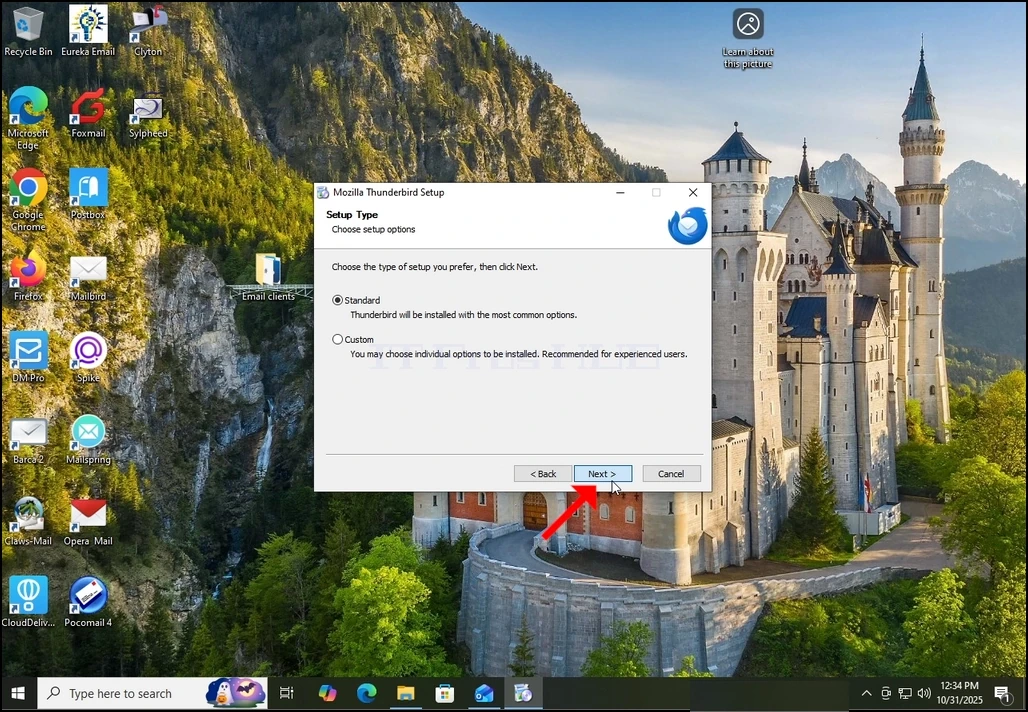
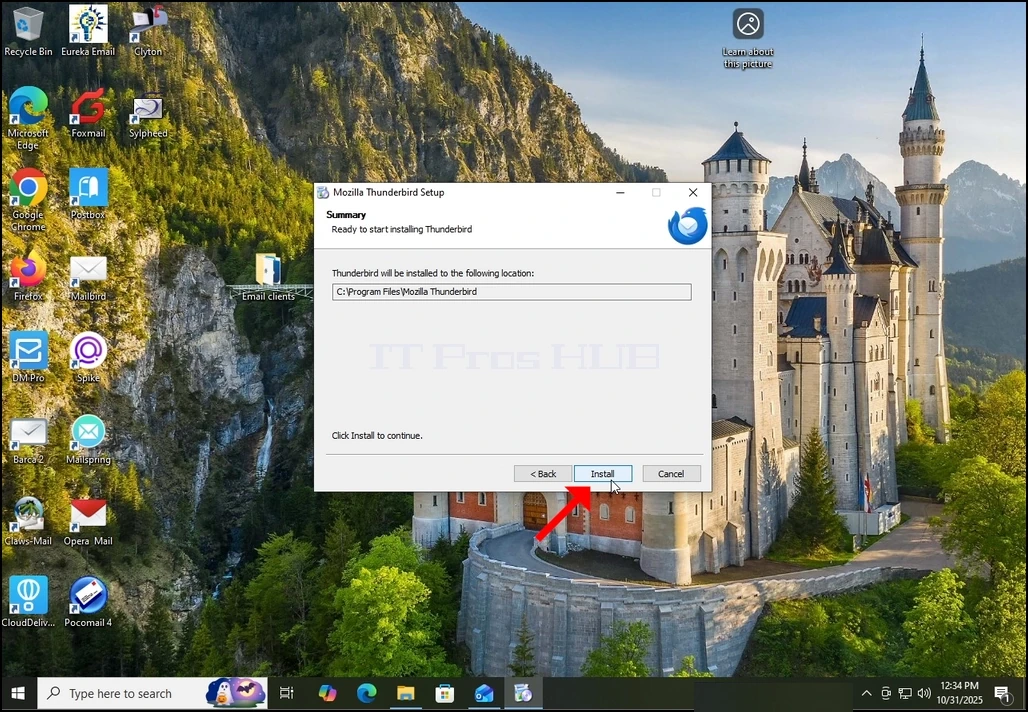
4. คลิกที่ปุ่ม ติดตั้ง
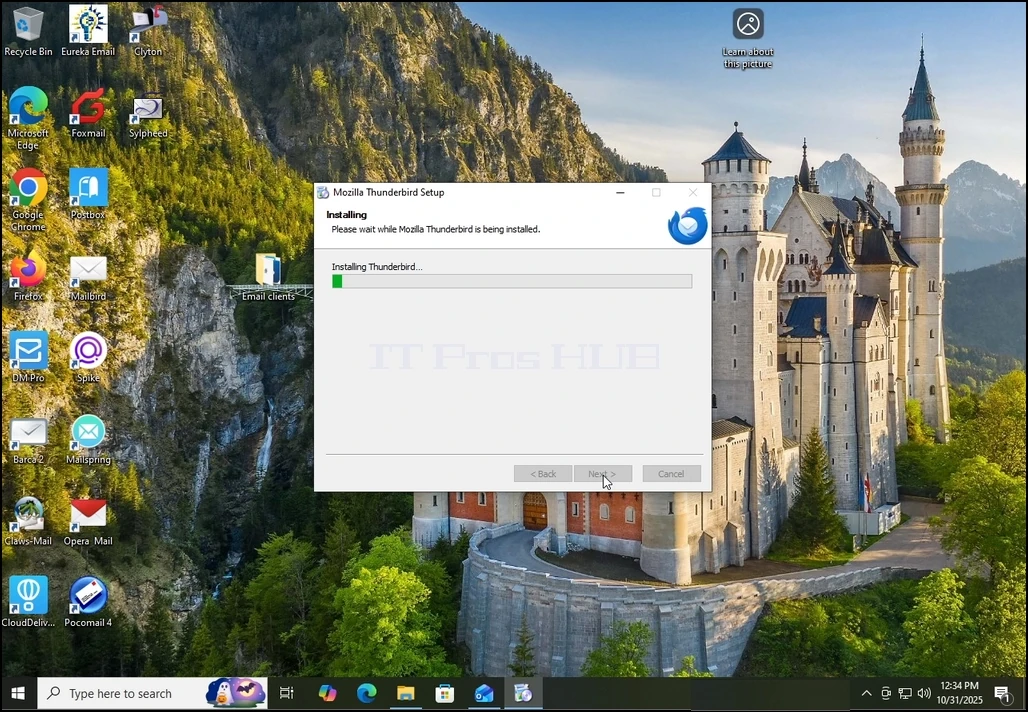
5. รอการติดตั้งเสร็จด้วยความอดทน
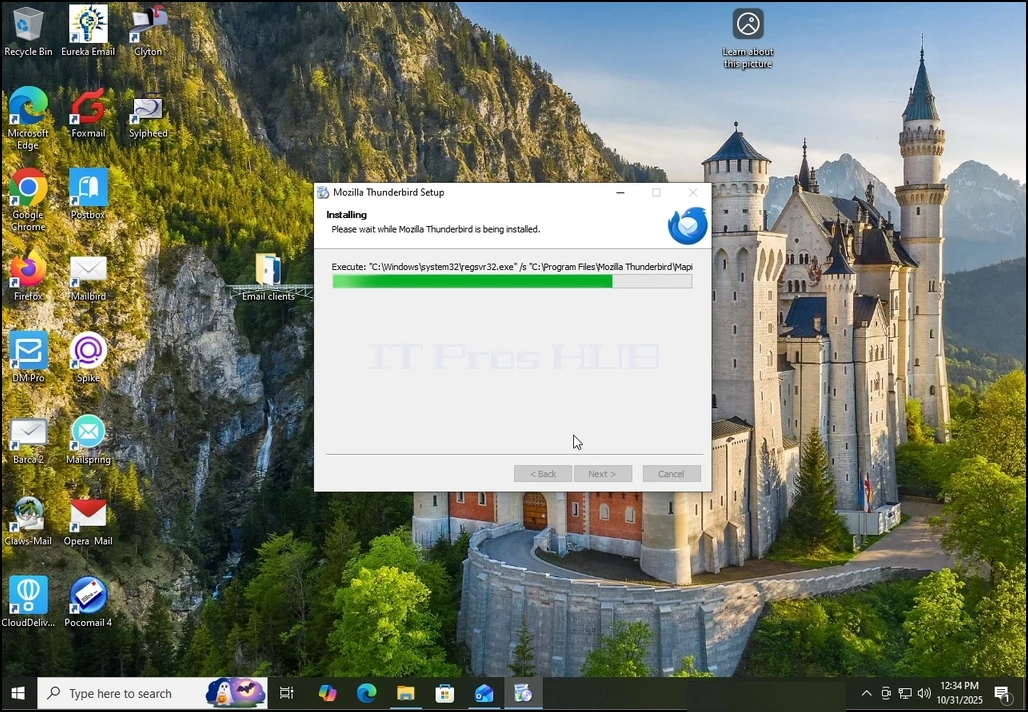
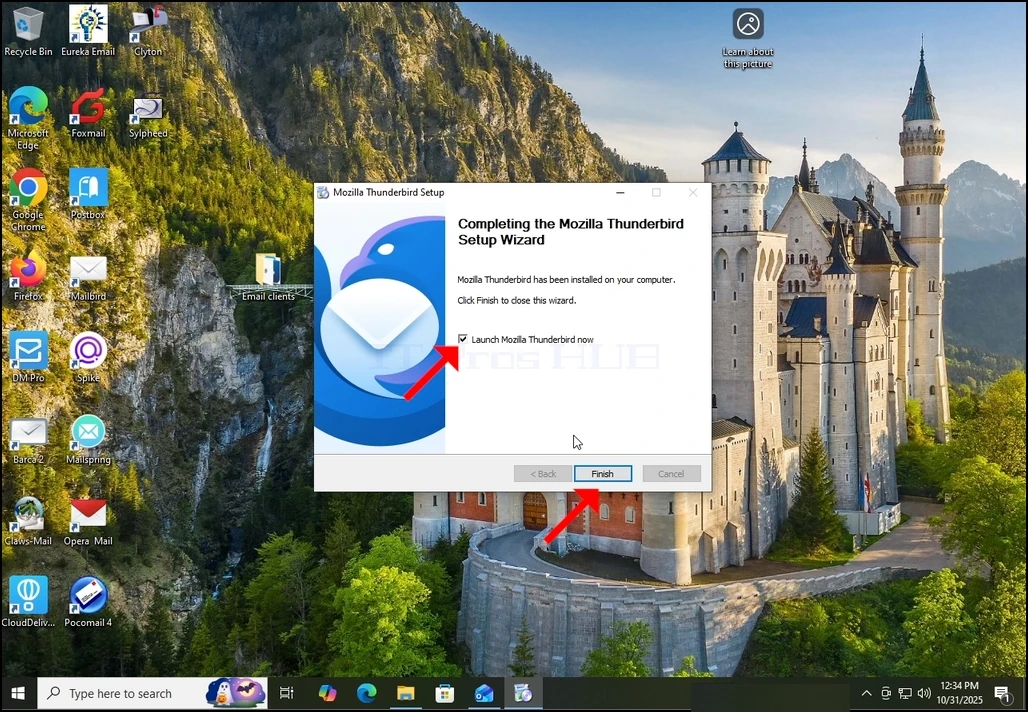
6. ปล่อยมอซซิลาธันเดอร์เบิร์ดเดี๋ยวนี้ ตัวเลือกและกดปุ่มเสร็จสิ้น
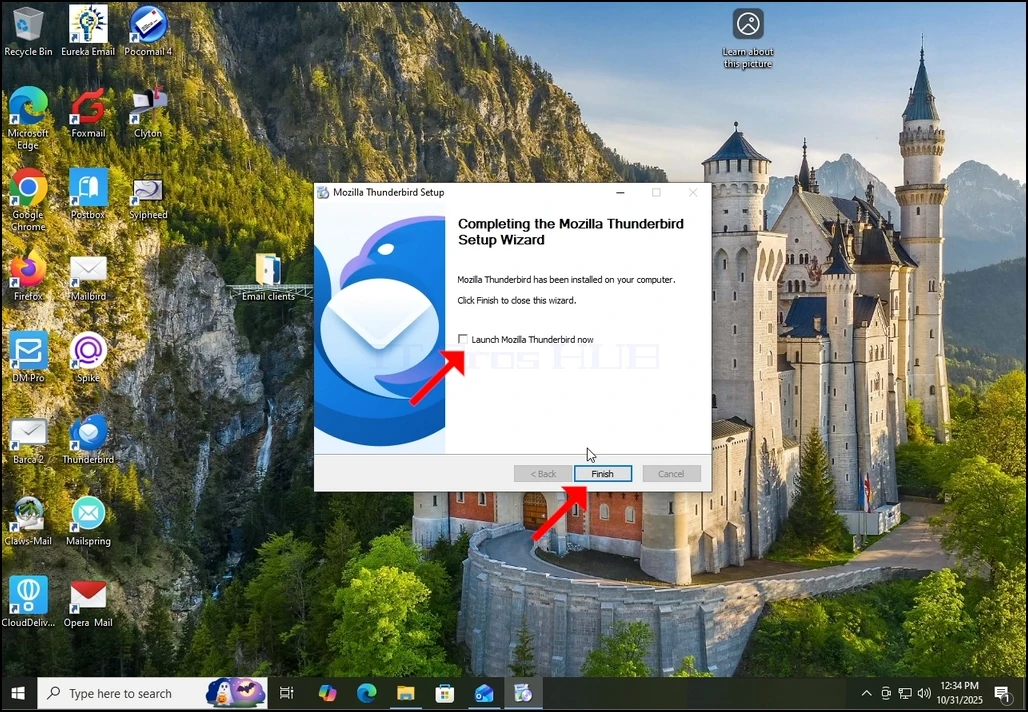
7. Mozilla ธันเดอร์เบิร์ดได้ติดตั้งแล้ว!