



Windows 11 activation is often treated as a checkbox: activated or not. In real-world operations, it behaves more like an identity and trust system that ties an installed Windows edition to a specific device context, a licensing entitlement, and an activation channel. When activation breaks, it is rarely “random.” It is usually a predictable outcome of hardware changes, image drift, edition mismatch, tenant transitions, or an environment that cannot reliably reach the services it depends on.
This article looks at Windows 11 activation from the IT professional’s perspective: what the operating system is trying to prove, what Microsoft’s activation back end is likely validating, and why concepts like hardware IDs, entitlements, and tokens matter when you are deploying, rebuilding, or troubleshooting fleets at scale.
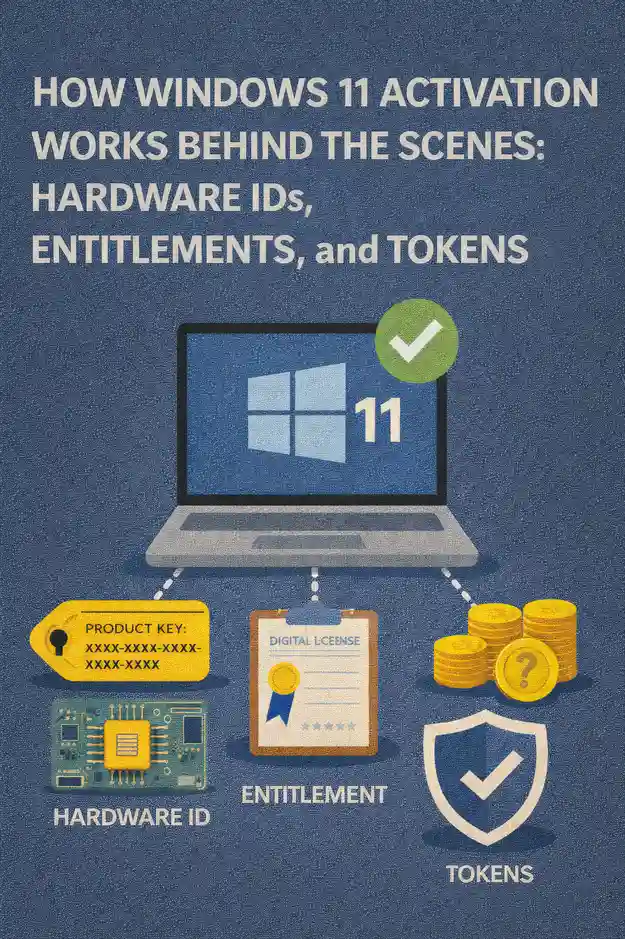
Activation as an identity check, not just a license prompt
The core idea behind activation is straightforward: Windows needs a durable way to determine whether a given installation is entitled to run on a given device. In the consumer world, that entitlement might be represented by a product key. In managed environments, it might be represented by volume activation, subscription rights, or OEM licensing baked into firmware. Either way, the system needs a verifiable signal that can survive routine events such as reimaging, driver updates, and disk replacement.
From an IT operations standpoint, activation behaves like a three-part handshake:
- Windows identifies the device context using hardware-derived characteristics.
- Windows identifies the entitlement source and checks it against the installed edition.
- Windows records the result in a local state, then renews or revalidates it depending on the activation channel.
Understanding those moving parts is what allows you to predict activation outcomes instead of reacting after users see “Activate Windows.”
Hardware IDs: the device fingerprint that activation can recognize
Windows activation relies on a hardware-based identity that is stable enough to recognize the same device across reinstalls, but not so fragile that routine maintenance causes constant reactivation. In plain terms, Windows computes a device fingerprint from multiple hardware characteristics and uses that fingerprint as the “this is the same machine” anchor.
IT pros typically observe the practical side of this in two ways. First, a clean reinstall on the same hardware often reactivates automatically once online. Second, certain hardware changes can trigger an activation challenge or require revalidation.
The motherboard and platform identity are usually the most influential factors, which is why motherboard replacement is one of the most common triggers for activation changes. Storage replacement is usually less impactful, because it is common and expected in device lifecycle events. Network interfaces, TPM state, and other platform components can contribute to the identity, but the key operational takeaway is simple: major platform changes can look like a new device.
In fleet management, treat hardware identity as part of your change control. If your depot replaces mainboards or performs platform swaps, you should plan for how entitlement will be reassociated, especially in environments where OEM rights are involved.
Entitlements: what Windows is “allowed” to run
An entitlement is the legal right for a device or user to run a specific Windows edition under a particular licensing program. Windows 11 activation needs to align the installed edition with an entitlement source. If those do not match, activation can fail even when a device appears to have a valid key somewhere in the chain.
Common entitlement sources include OEM licensing (shipped with the hardware), retail licensing (purchased per device), and volume or subscription licensing (assigned through organizational agreements). These sources behave differently operationally, which is why organizations standardize activation channels by device class.
The most frequent real-world entitlement problem is edition mismatch. A device entitled for Pro ends up running Enterprise, or a corporate image accidentally deploys Home. The activation infrastructure is effectively saying, “I can’t validate entitlement for this exact edition in this context.”
For IT professionals, the important mindset is to separate:
- Activation status, which is a technical state at a point in time
- License entitlement, which is a legal right derived from procurement or agreements
Your operational goal is to ensure these two stay aligned across deployments, upgrades, and rebuild cycles.
Product keys: how they behave in modern Windows 11 workflows
Product keys still matter, but they are not the entire story in Windows 11. Keys can be used to initiate activation, to change editions, or to establish an entitlement on first activation. After a legitimate activation occurs, the device may be able to reactivate without re-entering the key, depending on how the entitlement is stored and recognized.
From a deployment perspective, keys are often used in one of three ways:
In smaller environments, a unique key is manually applied per device. In larger environments, keys are applied through tooling as part of an imaging pipeline with controlled access. In volume scenarios, keys might be used primarily to enable a channel, while ongoing activation is handled by centralized services.
The IT risk with keys is not technical complexity, but operational leakage. If keys are exposed in scripts, images, or shared notes, you can end up with compliance issues and unpredictable activation failures later when consumption limits or usage patterns are violated.
Digital entitlement: why many reinstalls “just activate”
A commonly observed behavior is that Windows 11 can reinstall cleanly on the same hardware and activate without a key being typed in. That is typically the result of a previously established digital entitlement associated with the device’s hardware identity.
Think of this as Microsoft’s activation service remembering: “This hardware identity has already proven it is entitled to this edition.” When the device comes online after reinstall, Windows presents its device identity and requests activation. If the back end recognizes the identity and the request matches the stored entitlement, activation is granted quickly.
This is extremely convenient for IT, but it can create false confidence. Automatic reactivation does not always mean you are compliant if the entitlement source is unclear or if the device has moved between tenants, organizations, or licensing programs. The entitlement may exist, but it might not be the entitlement your organization is counting on.
Practical IT takeaway: track entitlement at the asset level, not only at the endpoint status level.
Tokens and licensing state: what Windows stores locally
Once activation succeeds, Windows maintains a local licensing state that allows the OS to operate without repeatedly prompting the user. In many activation channels, Windows also needs to periodically revalidate or renew that state.
The exact internal implementation is not something IT teams need to reverse engineer, but the behavior is operationally important: activation can be durable, yet still dependent on periodic checks. If a device is offline for long periods or cannot reach required endpoints, it may drift into a degraded state depending on the activation model.
This is why network conditions matter. Firewalls, TLS interception, broken proxies, time skew, or DNS problems can look like “Windows activation issues” because the OS cannot complete the back-end validation workflow. In reality, the licensing service is functioning as designed; the network path is not.
For enterprise environments, the most important “token concept” is renewal behavior. Some activation models are effectively perpetual once established on that device. Others expect periodic contact with organizational activation infrastructure. If your environment is remote-first, renewal behavior becomes a design constraint, not an afterthought.
Activation channels: why the same OS behaves differently across organizations
Windows 11 activation depends heavily on the activation channel used. In practice, IT pros encounter a few dominant patterns:
Consumer-like devices often activate through retail or OEM entitlements. Large enterprises often activate through centralized services such as KMS or directory-based activation, or through subscription-based rights tied to identity. Each channel defines how Windows proves entitlement, how long activation stays valid without renewal, and what kind of backend dependencies exist.
This is the reason “copying what worked on my laptop” fails in managed fleets. A method that is legal and stable for a retail device is not necessarily the right approach for VDI, shared workstations, labs, or offline environments.
The best operational practice is to define activation channels by device class:
- New OEM fleet devices with standard imaging
- Always-remote endpoints
- Domain-joined campus devices
- Shared machines, labs, and kiosks
- Virtual desktops and non-persistent pools
When you do that, activation becomes predictable, and troubleshooting becomes about validating the channel rather than guessing.
Why certain hardware changes trigger reactivation
Most activation trouble tickets that follow hardware service events come down to device identity. If the hardware fingerprint changes enough, the activation back end may treat the system as a different device. That can be perfectly reasonable behavior from a licensing standpoint, especially with OEM rights that are intended to stay with the original machine.
Common triggers in the field include platform swaps, motherboard replacement, and certain kinds of firmware-level changes that alter the platform identity. Drive replacement is usually safe, but it can still coincide with other changes that collectively push the device over a recognition threshold.
For IT asset management, the key is to align your repair processes with your entitlement strategy. If you routinely replace mainboards, you need a plan for how licensing is handled afterward, and how support teams verify that the resulting machine is properly entitled.
Imaging and provisioning: how activation fits into your deployment pipeline
Activation problems are often symptoms of deployment process problems. When imaging is inconsistent, you see edition drift, duplicated configuration states, and devices that activate in unexpected channels.
A healthy pipeline treats activation as a downstream validation, not an afterthought:
The image should install the intended edition. Provisioning should apply the correct policies and join state. The device should then activate using the intended channel with minimal manual intervention. Finally, your management and reporting systems should confirm the activation channel matches what you expect for that device class.
If you are modernizing deployment, this is also where identity matters. Devices that are Entra ID joined, hybrid joined, or purely domain joined can end up with different activation experiences depending on your licensing program and configuration. When provisioning is inconsistent, activation becomes another variable you are forced to debug.
Network, time, and trust: the hidden dependencies that break activation
Activation workflows depend on secure communication and reliable identity signals. That makes them sensitive to a few environment problems that otherwise go unnoticed:
Time skew is a classic culprit. If the system clock is far from correct, TLS connections and validation logic can fail. DNS issues can break service discovery. Proxies or SSL inspection can cause certificate validation failures. Overly restrictive egress rules can block required endpoints. And devices that roam between networks may show intermittent behavior that looks like randomness but is actually dependent on connectivity.
In troubleshooting, it is helpful to treat activation failures like any other identity-dependent transaction: validate time, validate name resolution, validate egress, and validate that the activation channel is correct for the device.
Edition alignment: the fastest way to prevent recurring activation tickets
Edition alignment is the simplest control with the biggest payoff. If your organization standardizes on Windows 11 Pro for baseline business devices and uses a defined path to Enterprise where entitled, your help desk avoids countless cases where activation fails because Windows is trying to validate rights that the device does not have.
Edition alignment also reduces confusion during upgrades. When Windows 10 devices are upgraded to Windows 11, any ambiguity in the underlying entitlement can show up immediately if the target edition does not match. The smoother your edition strategy, the smoother your upgrade program.
Operationally, edition alignment means:
- Your standard images install the correct edition by default.
- Edition changes are intentional and documented, not incidental results of a technician’s quick fix.
- Activation channels are mapped to editions, so endpoints do not “accidentally” land in the wrong channel.
A troubleshooting mindset that scales
When you need to resolve activation issues quickly across many endpoints, the winning approach is to narrow the problem using a few consistent questions:
Does the installed edition match the device’s entitlement? Has the hardware identity changed in a way that would affect recognition? Is the activation channel the one your organization intended for this device class? Can the device reach the required services or infrastructure without TLS, DNS, or time problems? Has the device moved between identity domains or tenants in a way that changes the entitlement source?
That mindset shifts activation from a “try random fixes” situation into a structured diagnosis that your help desk can follow and your engineering team can automate into compliance reporting.
Designing an activation strategy that stays compliant and supportable
The best Windows 11 activation strategies are boring. They minimize manual handling of keys, reduce the number of supported activation channels, and make outcomes predictable by device class. They also align activation state with auditable entitlement records, so “activated” is not your only proof of compliance.
A practical enterprise strategy typically includes clear rules:
New hardware uses OEM rights as the baseline, with a standardized image that preserves edition alignment. Enterprise entitlements are applied through defined programs, whether volume activation infrastructure or subscription-based rights. Remote-first devices use an approach designed for their connectivity reality. Virtual environments use licensing models that match their lifecycle, especially for pooled or non-persistent desktops.
When those rules are written down, enforced in deployment tooling, and validated in reporting, Windows 11 activation stops being a recurring problem and becomes a predictable part of your endpoint hygiene.


 12977
12977  IT Pro






















