



- التفاصيل
- كتب بواسطة: IT Pro
- المجموعة: How to Articles
- الزيارات: 5362
- التفاصيل
- كتب بواسطة: IT Pro
- المجموعة: How to Articles
- الزيارات: 5742
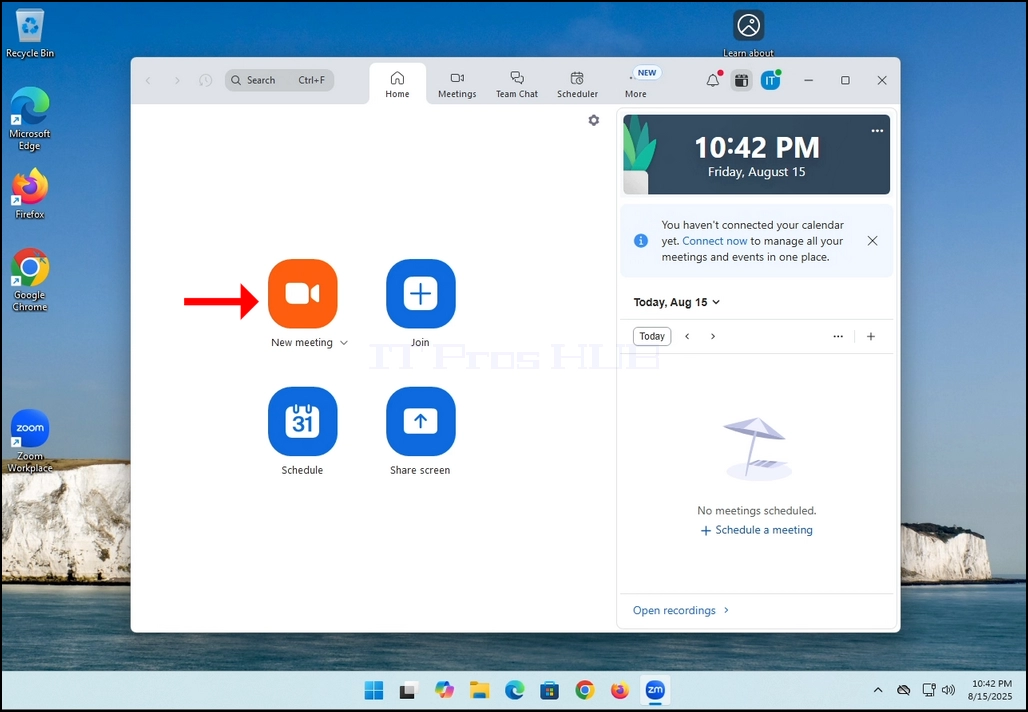
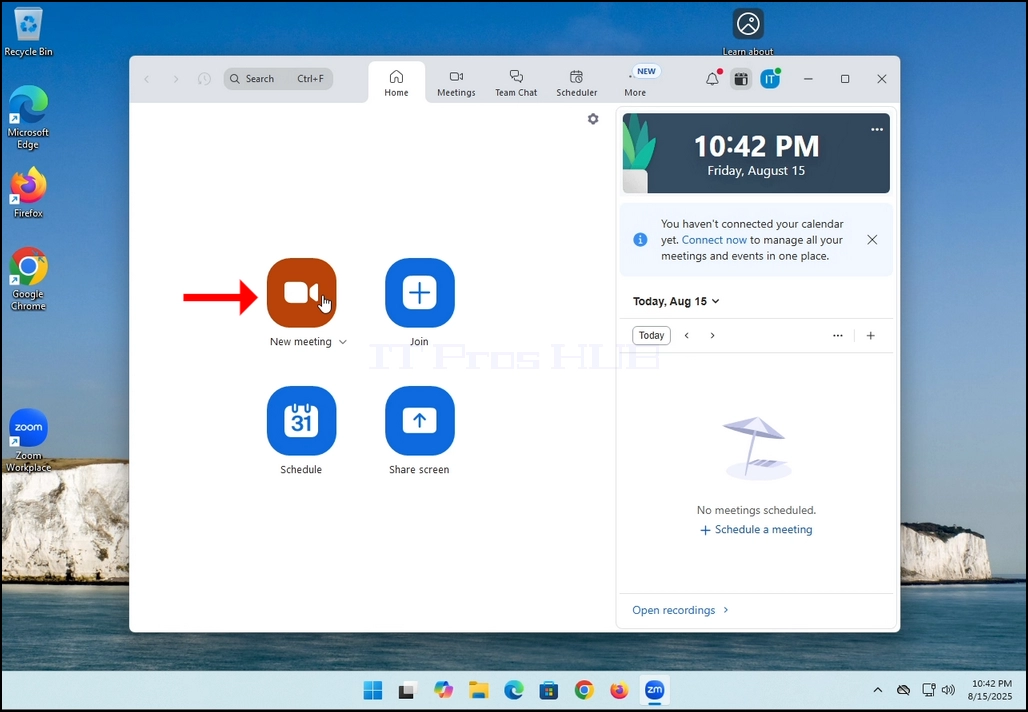
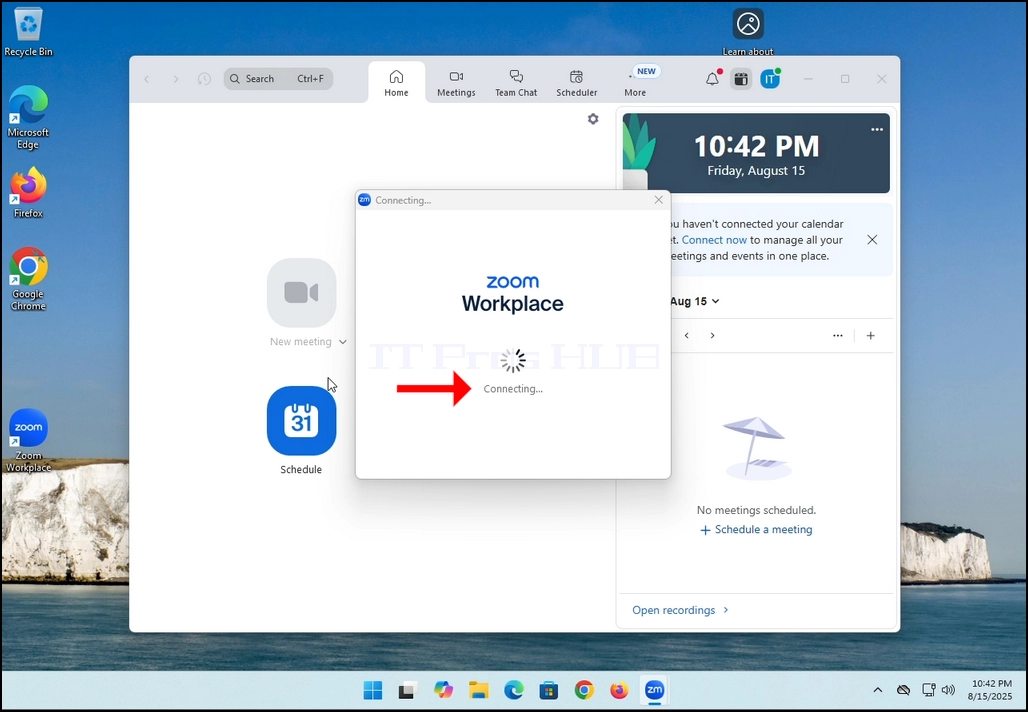
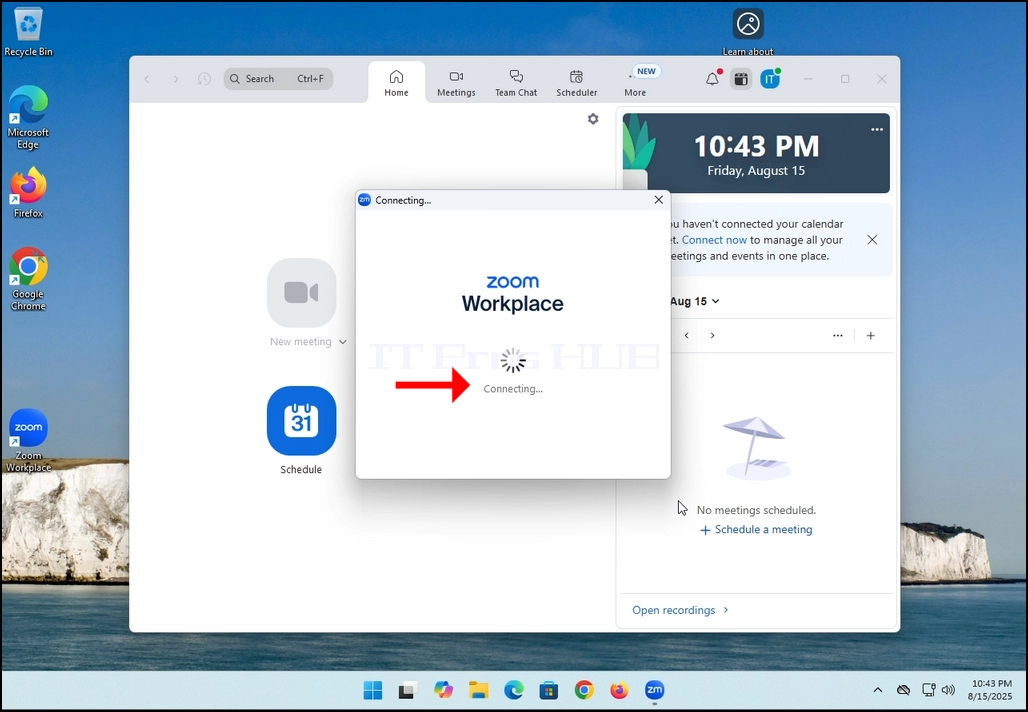
2. Once clicked, a new small window should appear. The window will show "connecting" and an animation progress circle.
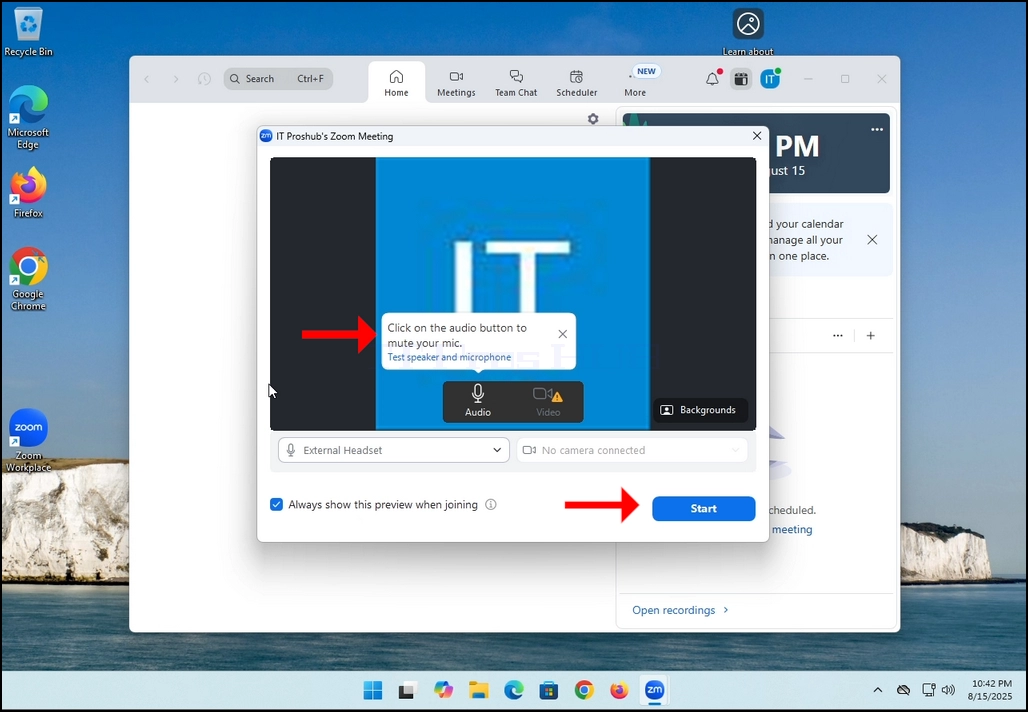
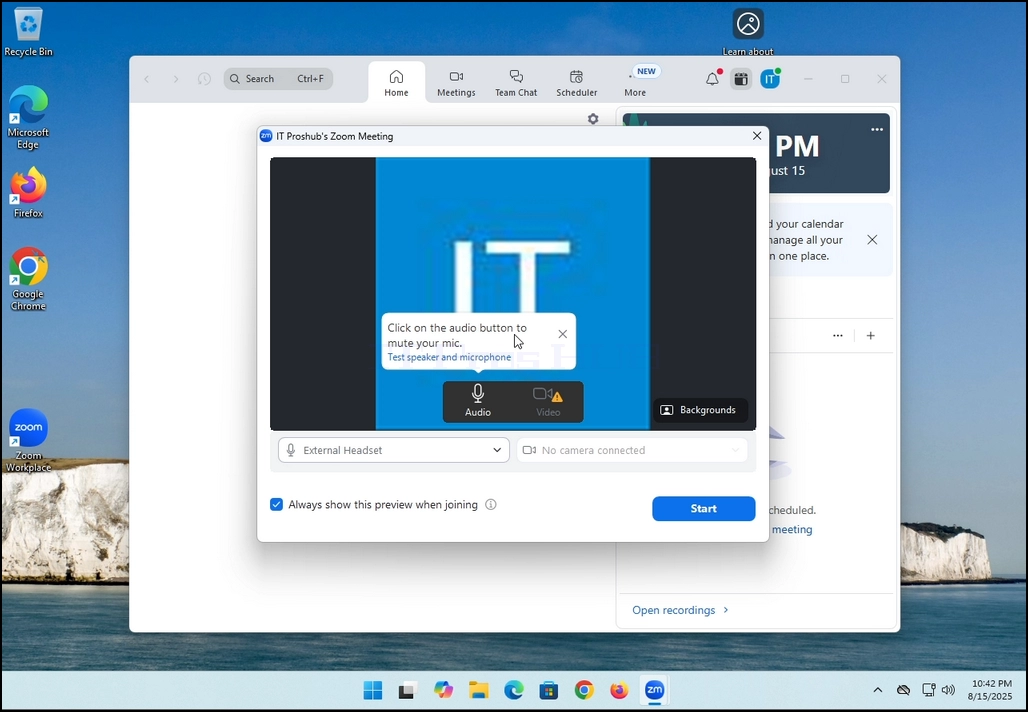
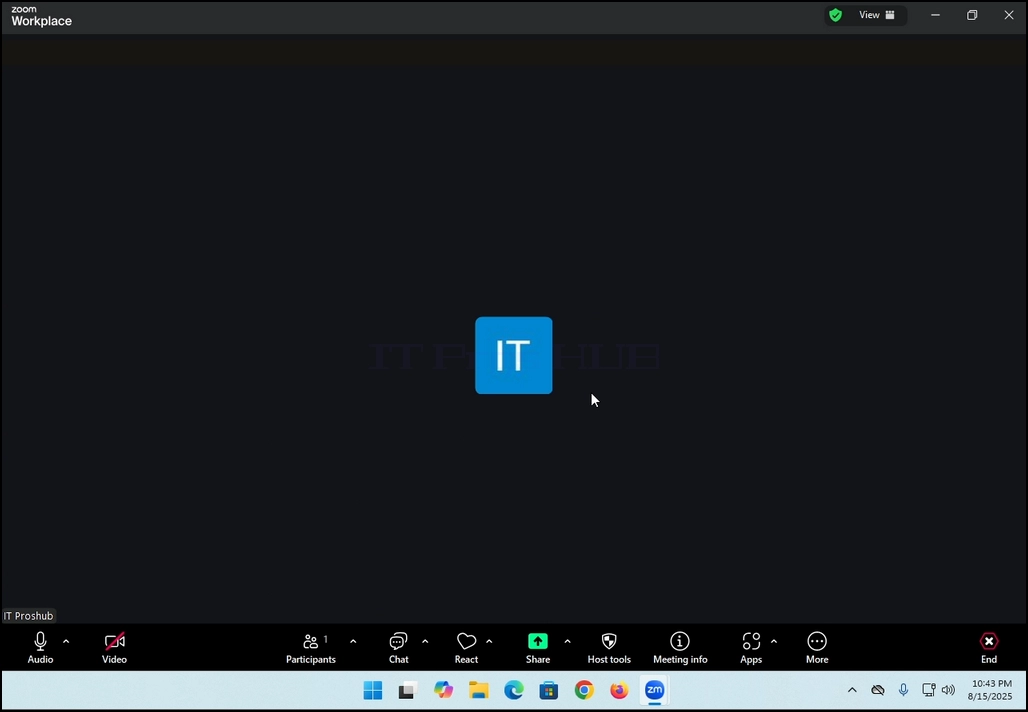
3. Once it's done loading, a new window will appear. Usually its title should say something along the lines of: "User's Zoom Meeting". In this article's case, it says "IT Proshub's Zoom Meeting" since the user that uses Zoom is called that way.
4. Here, you can mute your mic by clicking on the mic icon and you can also turn your camera off/on by clicking the Video icon.
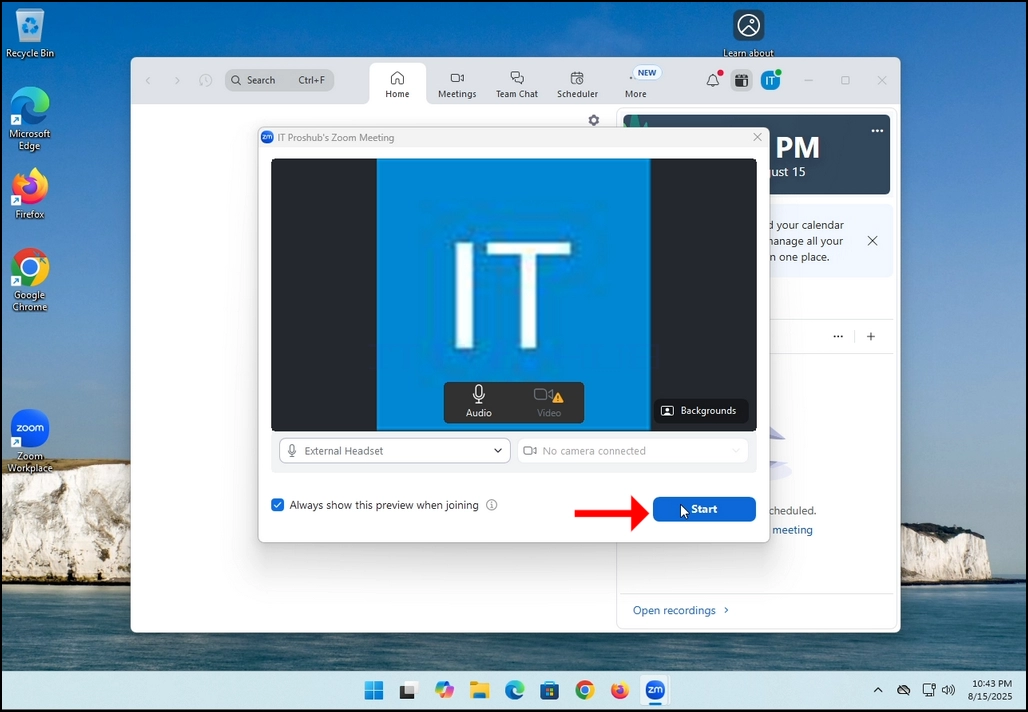
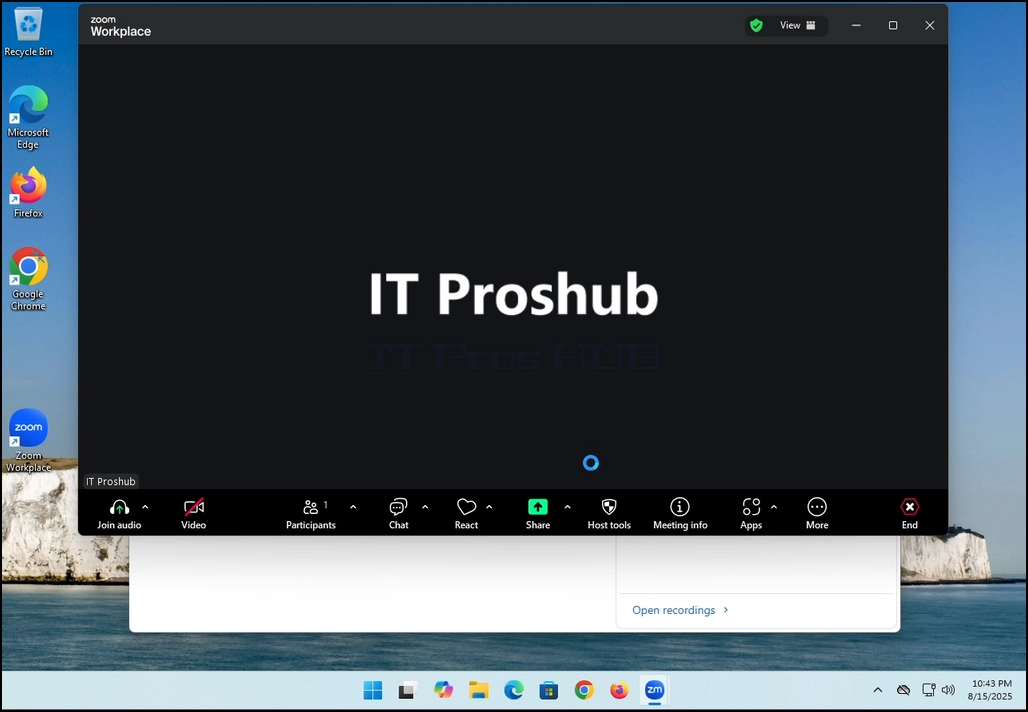
7. That's it! the new meeting is in progress. At this stage the meeting contains only the host which is IT Proshub in this article's case.
- التفاصيل
- كتب بواسطة: IT Pro
- المجموعة: How to Articles
- الزيارات: 5429
In this article we will demonstrate how to delete a stripped volume in Windows 11
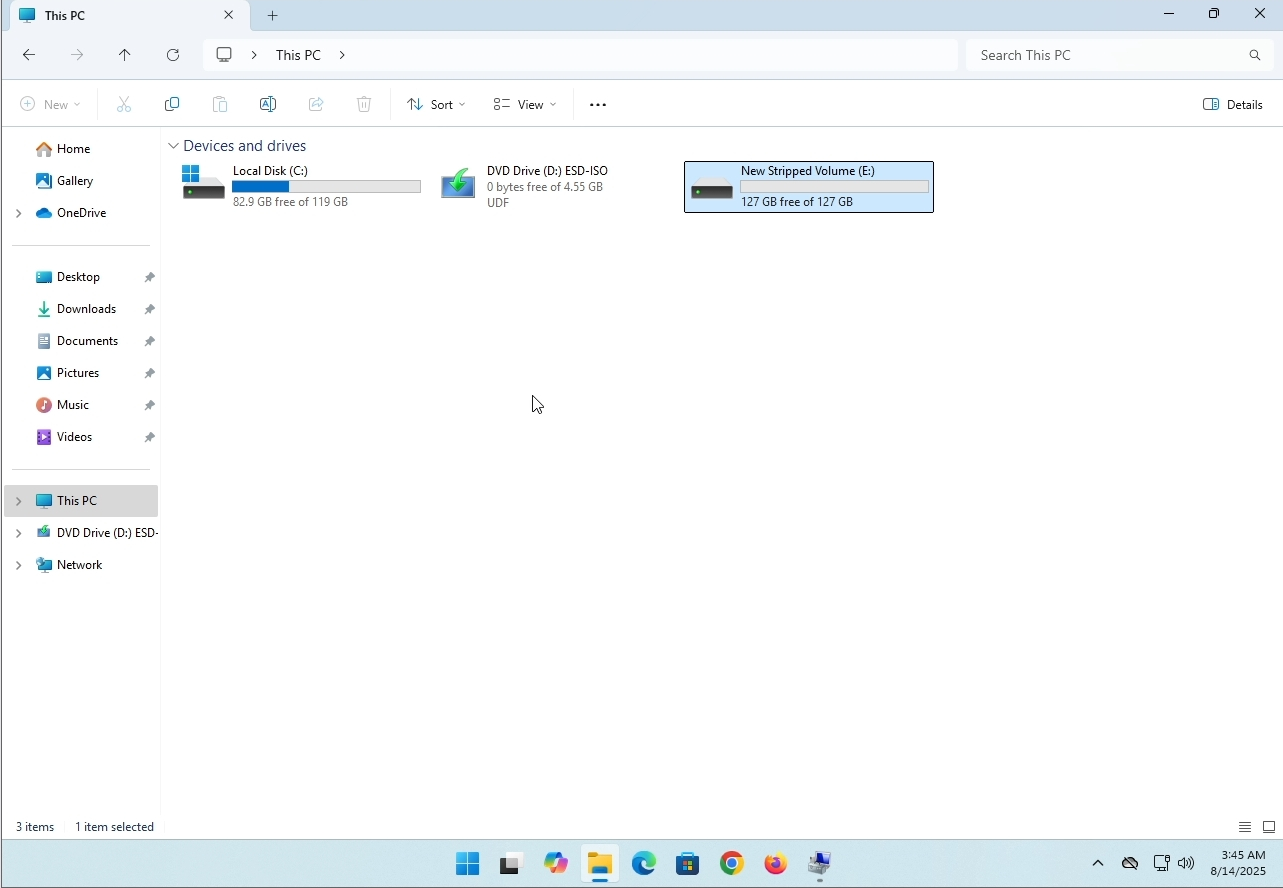
1. Make sure what is the stripped volume's drive letter is. In this case the drive letter is (E:):
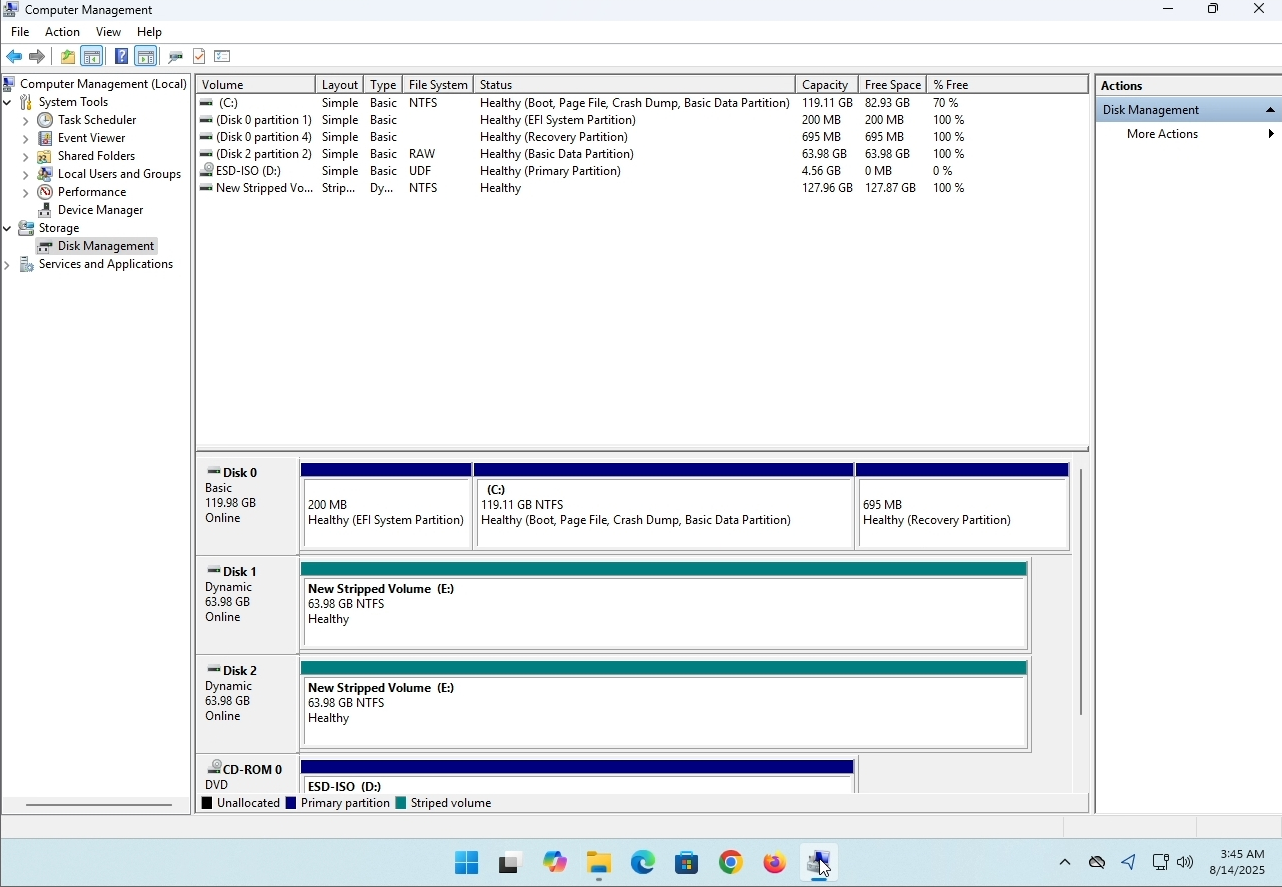
3. On the left pane. Look for Disk Management and click on it once.
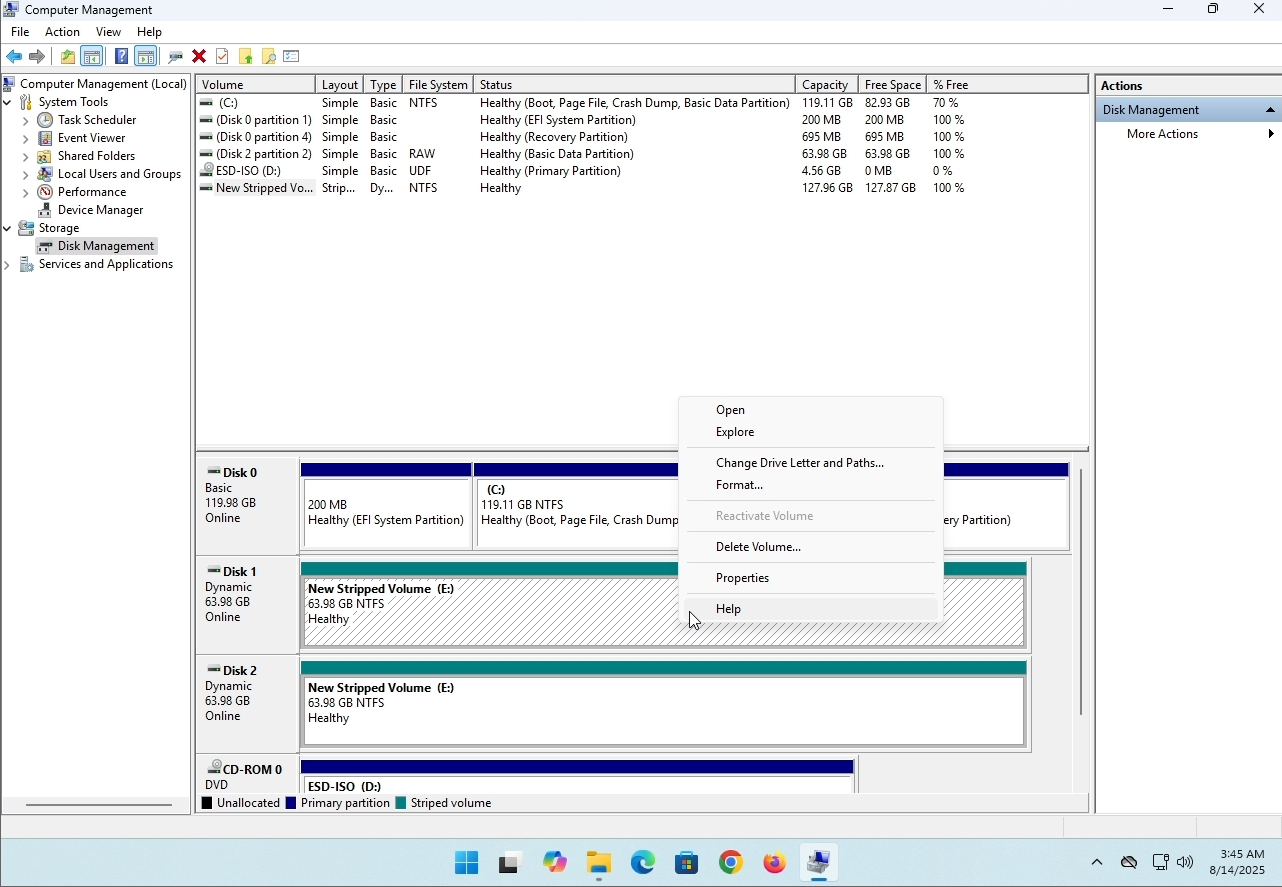
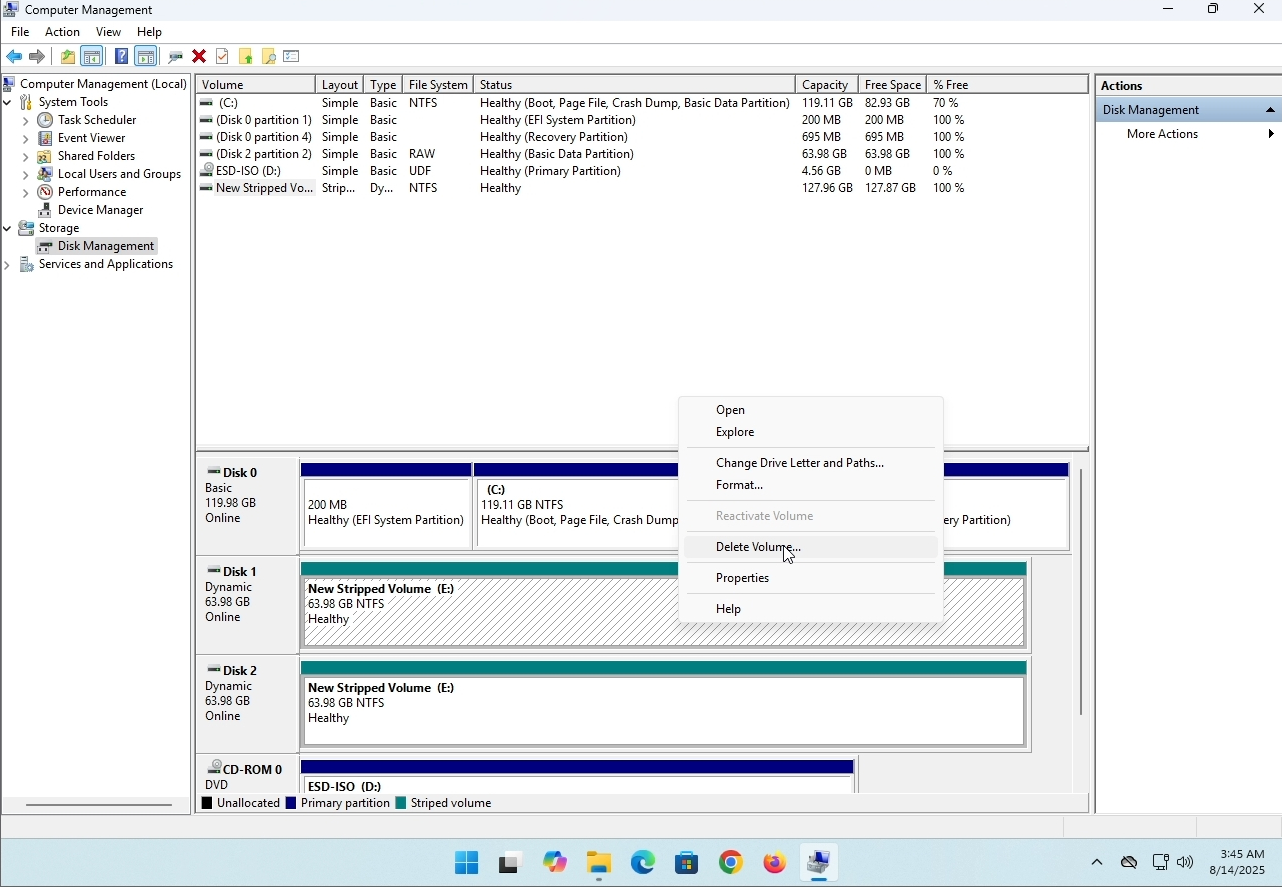
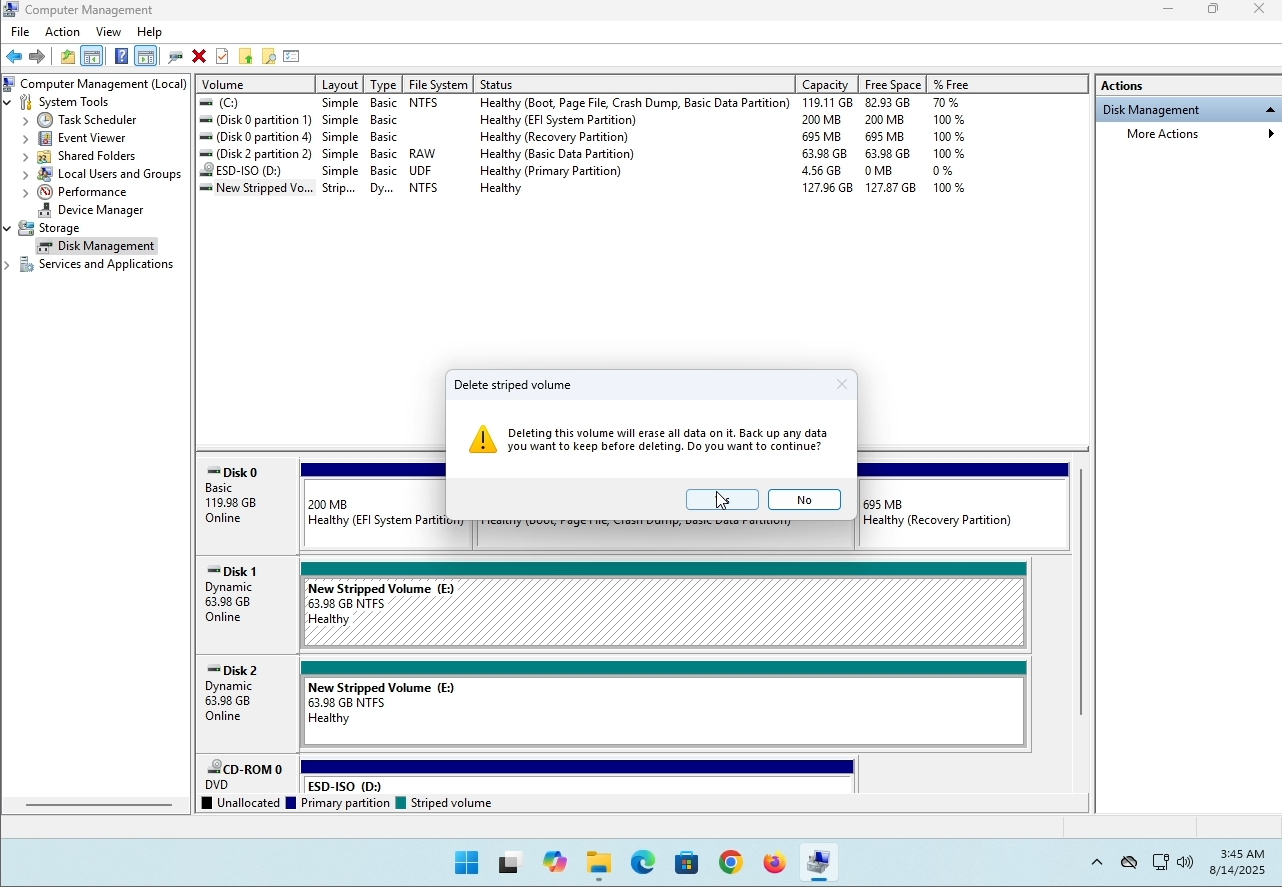
6. You will be shown a confirmation window. Click on Yes to confirm deleting the drive.
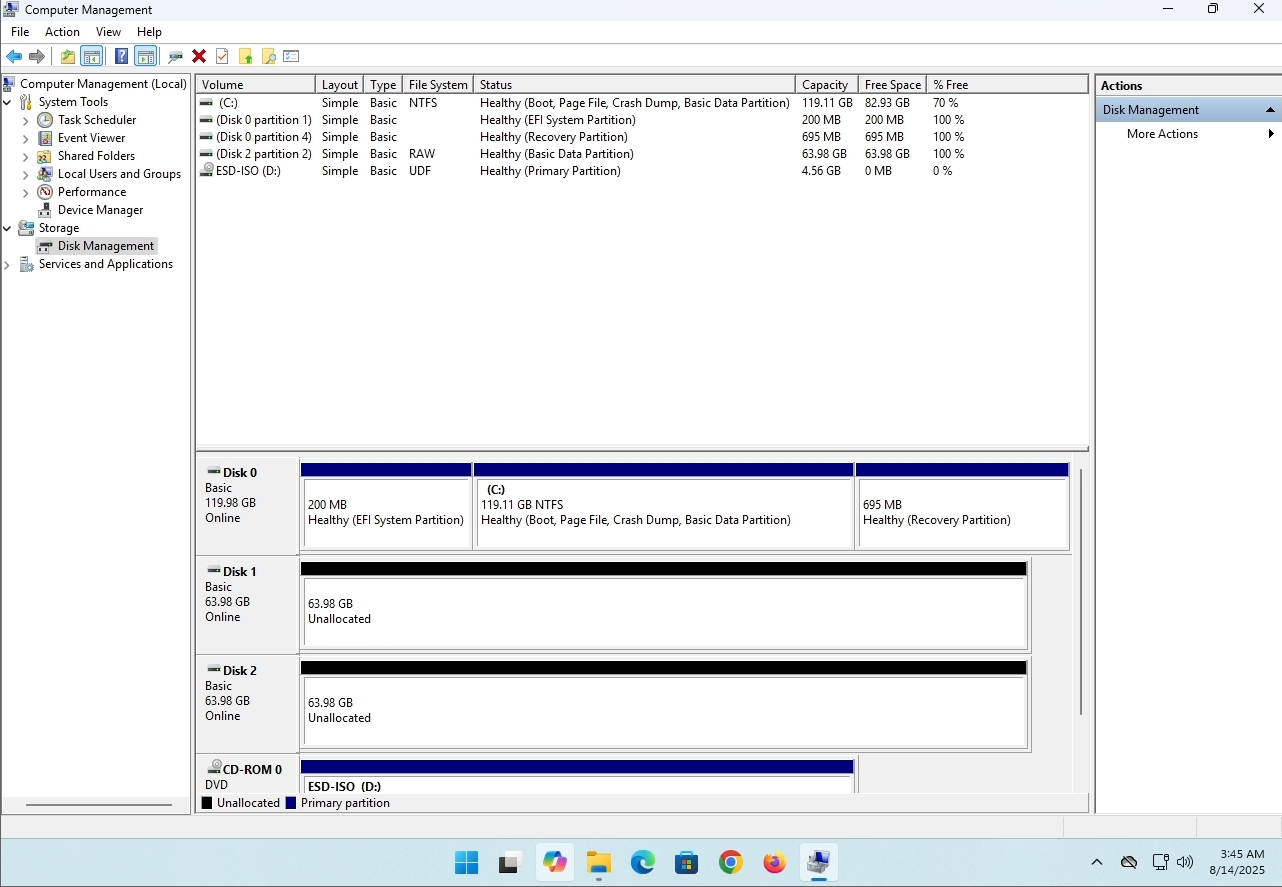
7. The drive is now deleted and the disks that were part of the stripped array are now unallocated.
- التفاصيل
- كتب بواسطة: IT Pro
- المجموعة: How to Articles
- الزيارات: 8229
مقدمة:
في هذه المقالة سوف ندرس ما إذا كان يمكن تثبيت Windows 11 على جهاز كمبيوتر لا يحتوي على شريحة TPM.
باختصار: لا.....
لا يمكن تثبيت Windows 11 على جهاز كمبيوتر دون الحد الأدنى من رقاقة الإصدار 2.0 من TPM.
فيما يلي توضيح لمحاولة تثبيت Windows 11 على هذا الكمبيوتر.
كان إصدار Windows الذي تمت محاولة تثبيته هو 24H2.
1. التمهيد في تثبيت Windows


2. تكوين اللغة

3. تكوين طريقة التثبيت

4. مرحلة مفتاح المنتج


5. اختيار ويندوز 11 برو


6. التحقق من مرحلة الكمبيوتر

7. مانع Block

الخلاصة:
ليس هناك الكثير لقوله هنا. كان علينا أن نرى ذلك لأنفسنا. هناك خطاب كبير حول هذا الموضوع ، ويبدو أنه يحمل الماء في هذه الحالة. من ناحية التثبيت - لا يمكن تثبيت Windows 11 على جهاز كمبيوتر أو نظام بدون شريحة الإصدار 2.0 من TPM.
هذا لا يعني أن Windows 11 لا يمكن تشغيله على النظام المذكور. لمزيد من المعلومات ، يرجى زيارة مقالتنا حول هذا الموضوع: https://itproshub.com/ar/windows/can-windows-11-run-on-a-computer-that-has-no-tpm-chip-at-all-decembet-2025
- التفاصيل
- كتب بواسطة: IT Pro
- المجموعة: How to Articles
- الزيارات: 7279
1. بدء تثبيت ثندربيرد بالنقر فوق ملف الإعداد الخاص به
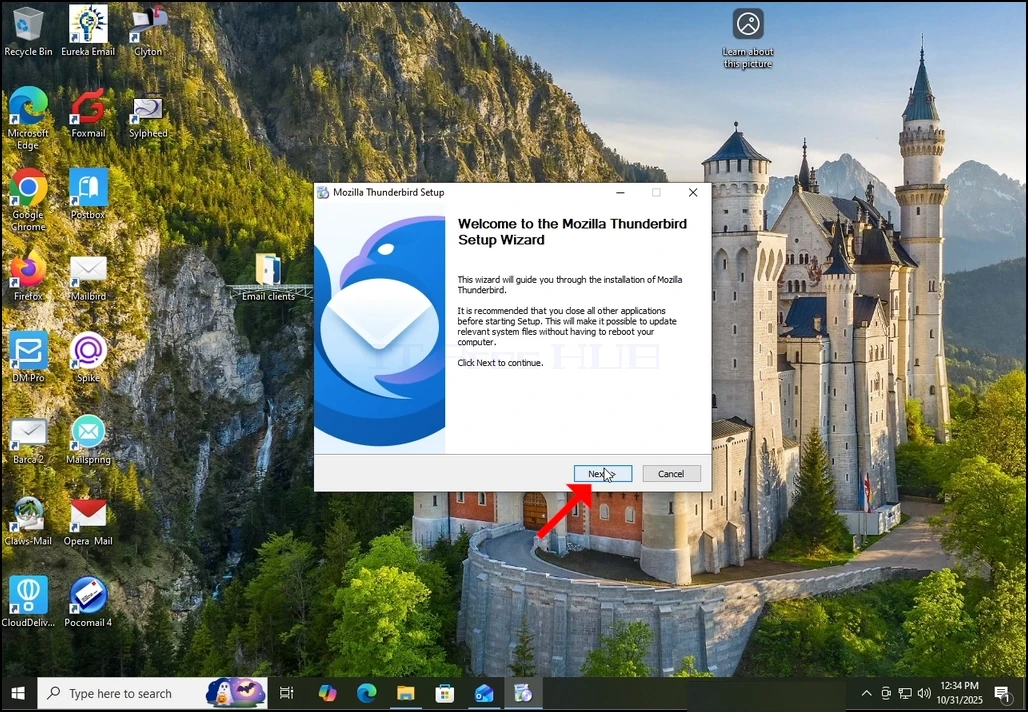
2. في شاشة الترحيب ، انقر فوق التالي.
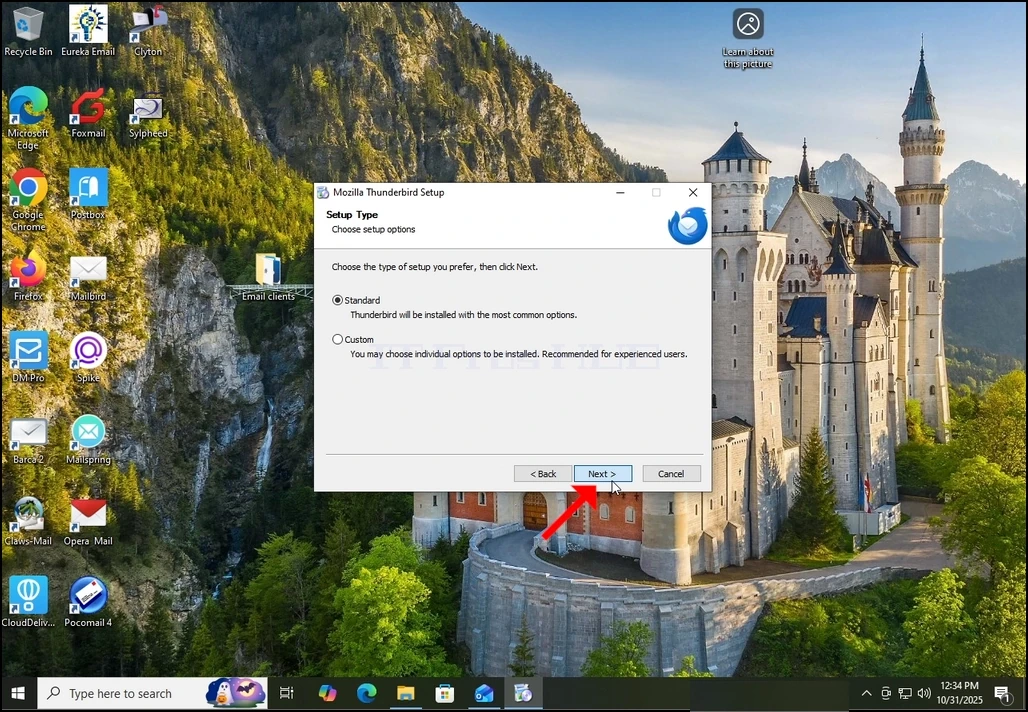
3. اختر الخيار القياسي وانقر فوق التالي.
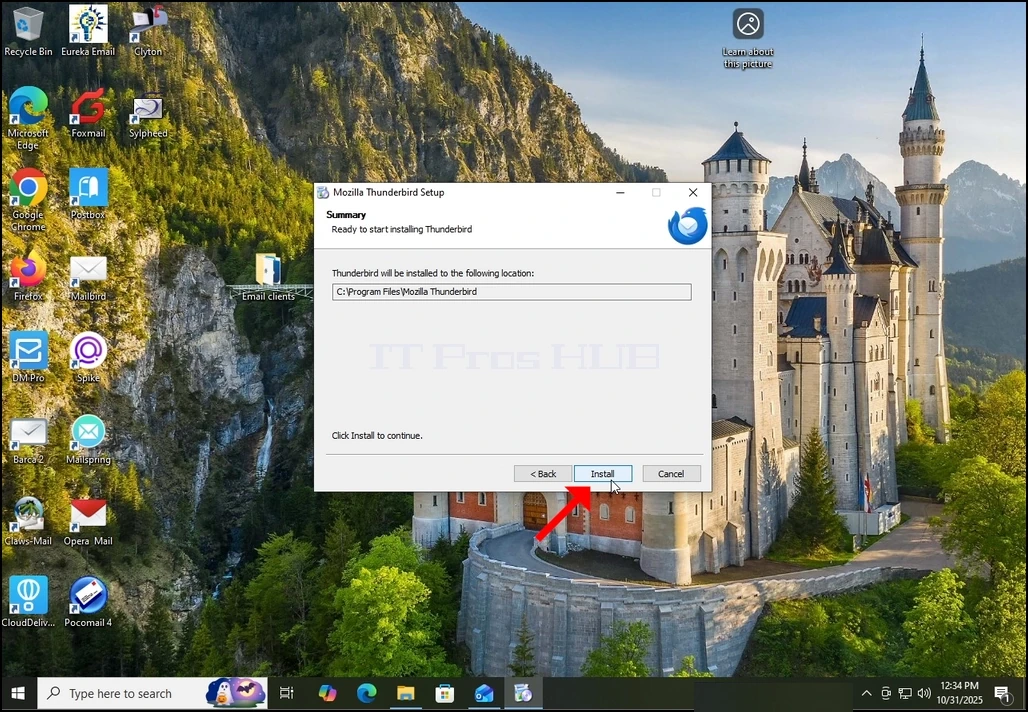
4. انقر على زر التثبيت.
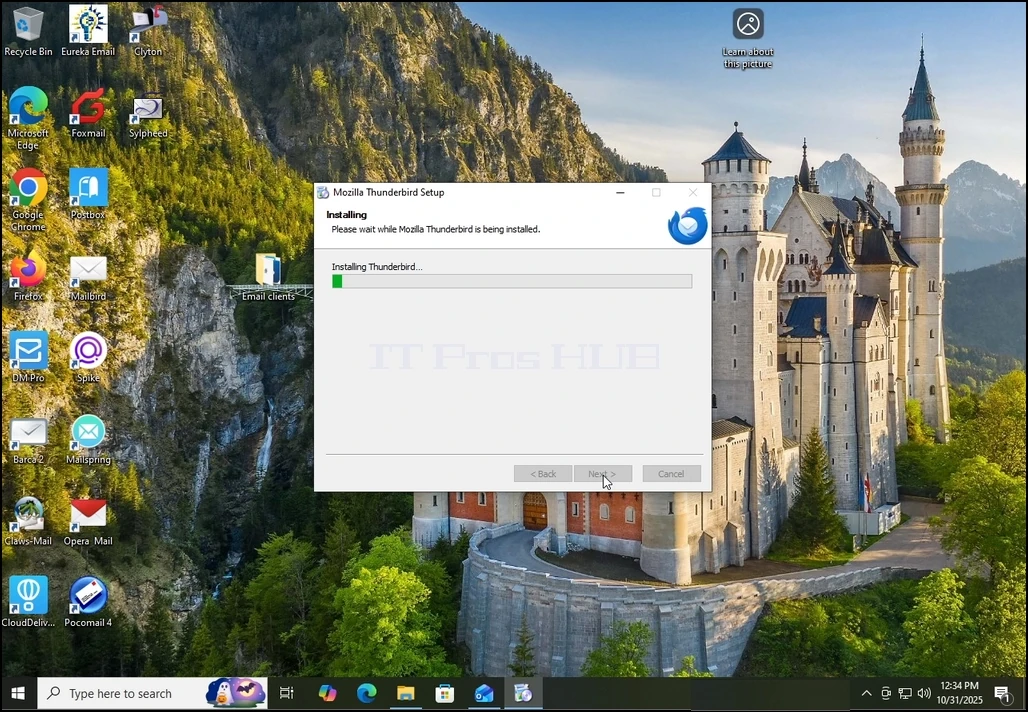
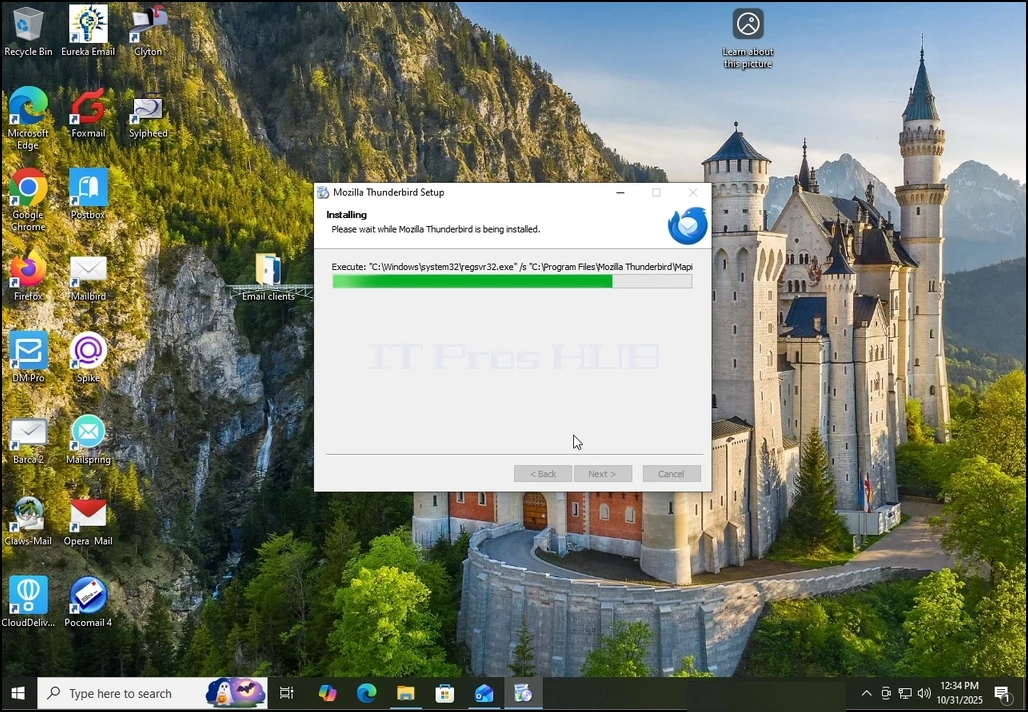
5. انتظر بصبر لعملية التثبيت لإنهاء
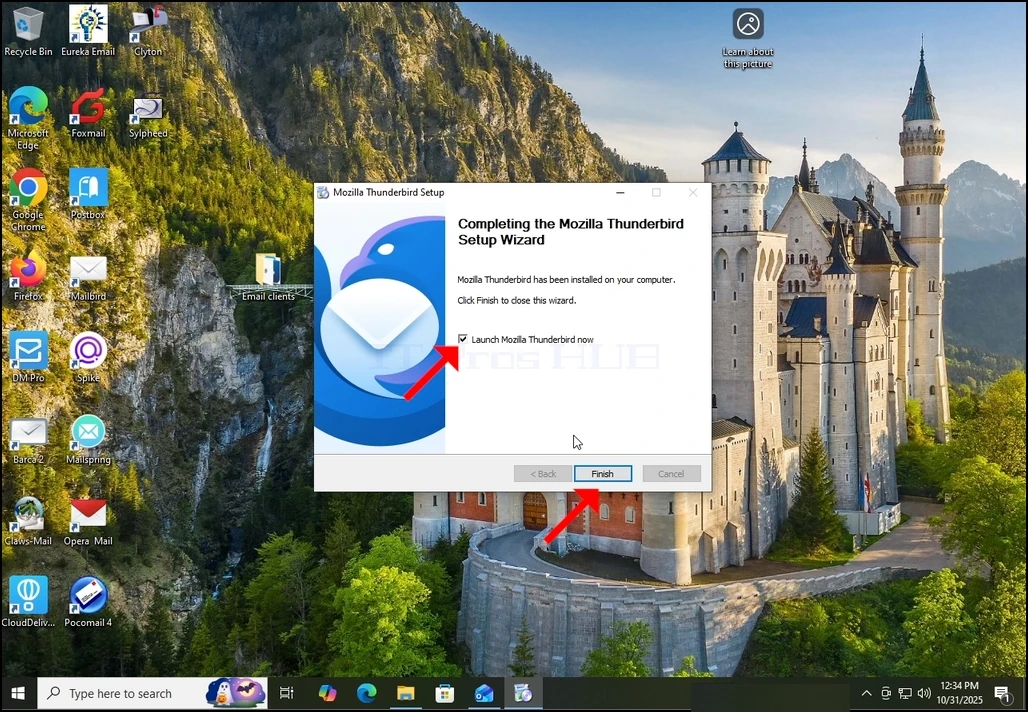
6. قم بإلغاء تحديد إطلاق Mozilla Thunderbird الآن واضغط على زر إنهاء
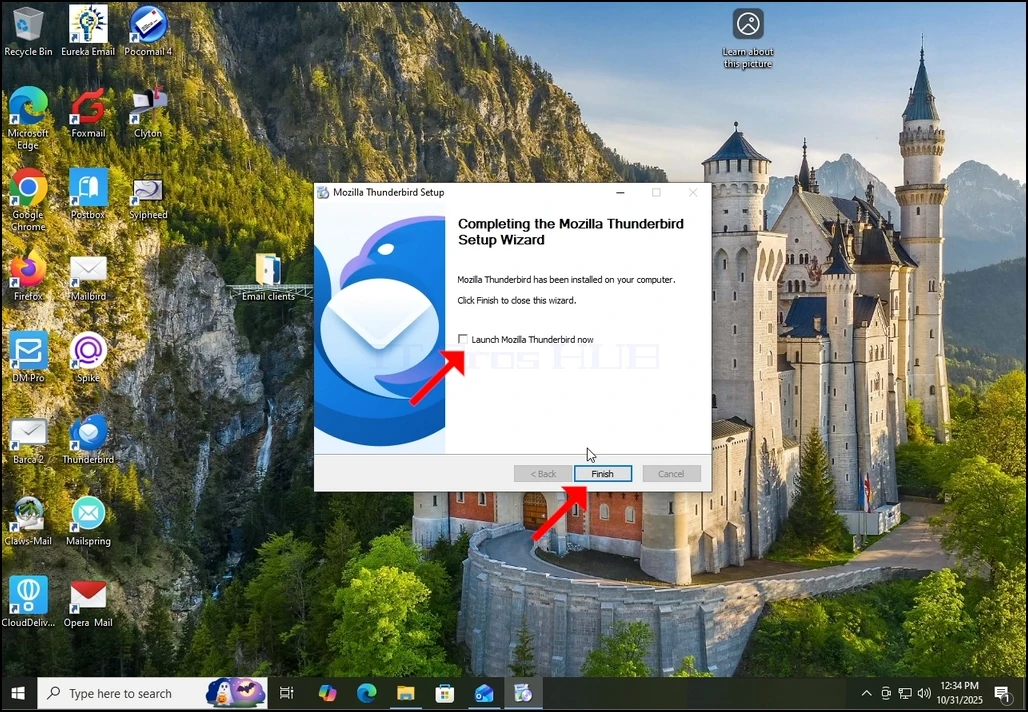
7. موزيلا ثندربيرد مثبت الآن!