



Windows 11 licensing looks deceptively simple until you’re the person who has to deploy it at scale, answer audit questions, troubleshoot activation failures after hardware changes, or explain to finance why “a Windows key” is not always interchangeable. For IT professionals, the differences between Retail, OEM, and Volume licensing directly affect imaging workflows, device lifecycle planning, reassignments, virtualization rights, compliance posture, and the total cost of ownership.
This guide breaks down Windows 11 license types in practical terms, focusing on the situations you actually face: new hardware rollouts, break-fix replacements, motherboard swaps, device transfers between users, M&A scenarios, mixed procurement sources, and the reality of hybrid identity environments.
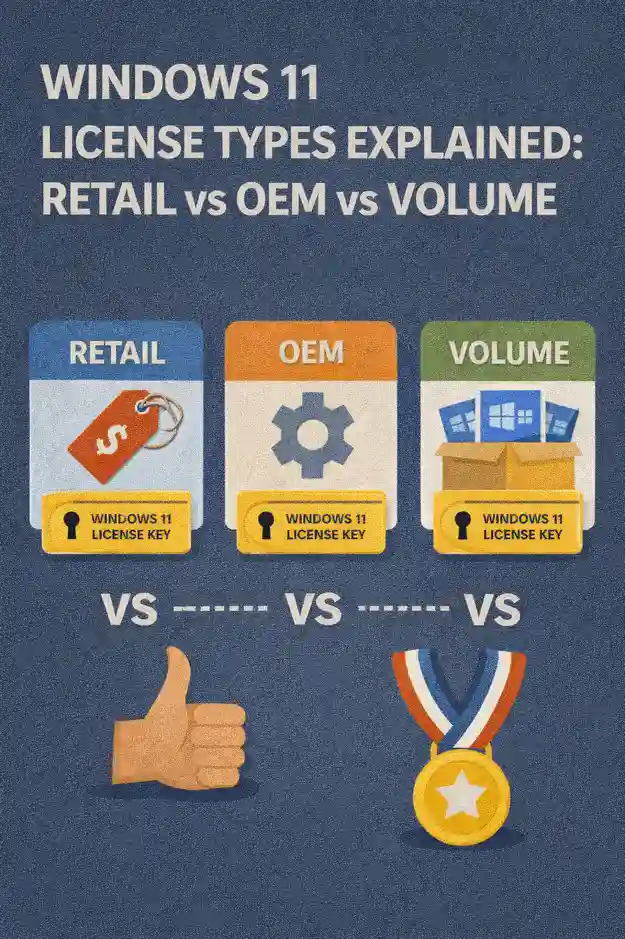
Why Windows 11 license type matters in real environments
License type determines who “owns” the license, how it can be moved, and what happens when the device changes. Those sound like legal details until you are reimaging 400 laptops, redeploying machines from one cost center to another, or replacing boards under warranty. The license type you choose influences:
Activation resilience after hardware change, whether a license can be reassigned to a new PC, how you handle device replacements, what keys you can safely store in documentation, whether you can use centralized activation methods, and how you respond when an auditor asks you to prove entitlements.
The three main license families
Most Windows 11 licensing discussions for endpoints land in three buckets:
Retail licenses are typically purchased as standalone licenses through consumer or business channels and are designed to be transferable under specific conditions. OEM licenses come preinstalled on devices from manufacturers or are sold as “system builder” licenses tied to the first device they’re activated on. Volume licenses are intended for organizations and are managed centrally, often paired with enterprise management and compliance processes.
While there are additional program-specific details and exceptions, thinking in these buckets helps you choose the right approach for procurement, deployment, and lifecycle operations.
Retail licenses
A Retail license is the closest thing to a “portable” Windows license. In practice, it’s the type you’ll see when a license is purchased independently of hardware, whether digitally or as a packaged product. For IT, Retail can be useful in small environments, special cases, and situations where flexibility is more valuable than lowest per-device cost.
Transferability and reassignment
The major operational advantage of Retail is reassignment. When a PC is retired, a Retail license can typically be moved to a replacement device. That flexibility becomes important when you have a rolling refresh, when you convert shared devices into dedicated devices, or when you’re building machines outside of standard OEM procurement streams.
The practical limitation is that Retail transfer still depends on compliance with the license terms and on activation behaving as expected. Activation can require revalidation if the hardware profile changes significantly, and the process may involve a user sign-in or activation troubleshooting depending on how the license was acquired and how it was first activated.
Operational pros
Retail can reduce friction when you must reassign licenses after a device failure, when you need to redeploy hardware between teams, or when procurement is fragmented across multiple small purchases. It can also serve as a clean “escape hatch” when you inherit devices with uncertain licensing and you need to normalize a small number of systems quickly.
Operational cons
Retail generally costs more per endpoint than OEM, and it doesn’t give you the centralized benefits you get with Volume licensing. In larger environments, managing activation and compliance proof device-by-device becomes inefficient. You also risk creating a mixed estate where some devices are transferable and others are not, complicating refresh and disposal planning.
OEM licenses
OEM is the most common Windows 11 licensing you’ll encounter because it is bundled with new hardware. If your organization buys laptops from major manufacturers, you are likely buying OEM licensing whether you explicitly track it or not.
What “tied to the device” actually means
The defining characteristic of OEM is that the license is associated with the first device it is activated on. In day-to-day IT terms, OEM is great for predictable, standardized procurement. You buy a device, it arrives licensed, and it stays licensed for its service life.
The complication shows up during edge cases: motherboard replacements, device swaps, or attempts to reuse old licenses on new hardware. Because OEM is designed around device identity, major hardware changes can trigger activation issues, and reusing the license on a different device is generally not aligned with the intent of OEM licensing.
Where OEM shines
OEM licensing pairs well with modern provisioning approaches because it minimizes per-device licensing steps during deployment. For standardized fleets, it simplifies procurement records: the device purchase itself generally implies the entitlement. That’s helpful when devices are bought in bulk and tracked in asset systems, and when the goal is to keep the estate consistent.
The lifecycle catch
When a device is retired, the OEM license typically retires with it. That affects how you budget refresh cycles because you can’t “carry” the license forward to replacement hardware the way you might with transferable licensing. For organizations that frequently redeploy hardware across teams, OEM can lead to stranded value if you are trying to treat Windows licensing as a reusable asset.
Volume licensing
Volume licensing exists because organizations need scalable, centralized ways to license Windows, deploy it consistently, and prove compliance. If you manage hundreds or thousands of endpoints, Volume licensing isn’t just about cost; it’s about reducing operational load and lowering audit risk.
Centralized activation models
A key advantage of Volume licensing is that activation can be managed centrally rather than relying on ad-hoc, per-device key handling. In enterprise environments, this matters because you need repeatable build processes, imaging pipelines, and predictable recovery when devices are reimaged or replaced.
From an IT operations perspective, centralized activation supports high-volume deployment patterns and reduces the chance that a random technician uses an incorrect key source or that keys leak into documentation where they don’t belong.
Compliance and entitlement clarity
Volume licensing is typically accompanied by clearer organizational records: agreements, entitlements, and structures that align with audits. Instead of trying to prove that a particular device’s license came from a specific purchase invoice, you can usually reference program entitlements and assignments in a more centralized way, depending on how your organization manages licensing documentation.
Where Volume fits best
Volume licensing is most beneficial when you operate at scale, when you have standardized deployment processes, when you rely on centralized device management, or when compliance requirements are more demanding. It’s also valuable in environments with frequent reimaging, VDI initiatives, or more complex organizational structures where license governance must be consistent across business units.
Retail vs OEM vs Volume: practical comparison for IT pros
Procurement and budgeting
OEM usually produces the simplest procurement story when endpoints are purchased as complete devices. The cost is bundled and predictable. Retail is usually easier for one-off needs but less ideal for standardized fleets. Volume typically becomes attractive when scale, governance, and centralized operations matter more than minimizing upfront effort.
Hardware refresh and break-fix events
Retail tends to provide the most flexibility during replacements because it can often be reassigned, while OEM tends to be least flexible because the license is generally associated with the original device. Volume is designed for organizations that need consistency through refresh cycles, particularly when combined with mature asset tracking and standardized build pipelines.
Imaging and reimaging workflows
If your team reimages devices frequently, the operational friction of managing individual keys becomes a real cost. OEM devices often activate smoothly when they return to the same licensed hardware identity, but edge cases appear when hardware changes. Retail can work, but it’s rarely optimal at scale. Volume licensing aligns best with repeatable imaging workflows because it is designed for centralized, consistent deployment.
Audit readiness
Audit readiness is less about which license is “best” and more about whether you can prove what you own and how it is assigned. OEM requires strong asset management so devices and purchase records stay linked. Retail requires careful tracking of purchases and transfers. Volume requires disciplined entitlement management and governance, but it is built for that reality.
Common activation and support scenarios
Motherboard replacement
Motherboard replacement is one of the most common “this should be simple” events that triggers license confusion. IT teams need a policy for documenting hardware repairs and validating activation outcomes afterward. OEM-licensed devices are most sensitive to major hardware identity changes. Retail licenses often handle reassignment more gracefully, but still may require reactivation steps. In Volume environments, your activation approach and entitlement structure influence how smoothly recovered devices return to compliance.
Device reassignment between users or departments
Moving a device between departments is usually easy from an OS perspective, but licensing and compliance are about tracking and control. OEM licensing is usually fine as long as the same device stays in service. Retail reassignment helps if you need to retire a device and preserve licensing value. Volume licensing supports structured reassignment models, especially when devices are reimaged and re-enrolled frequently.
Mergers, acquisitions, and inherited fleets
One of the fastest ways to accumulate licensing risk is to inherit endpoints with inconsistent procurement history. In these situations, the best approach is often to normalize licensing through a documented standard rather than attempting to untangle every historical purchase. Retail may be used tactically for a small number of exceptions, OEM is acceptable when hardware records are reliable, and Volume licensing becomes the long-term governance anchor for the combined environment.
Choosing the right license type by use case
Small offices with occasional hardware changes
If you manage a small fleet and the environment changes frequently, Retail can offer flexibility without requiring a full licensing program structure. OEM is still fine for standard purchases, but you’ll want a plan for replacements and repairs so you don’t get stuck trying to reuse licenses in ways that create compliance risk.
Standardized business fleets
For fleets purchased from major manufacturers, OEM is often the default and can be entirely appropriate when the devices are treated as single lifecycle units. Pair it with strong asset tracking, clear repair documentation, and consistent build standards. If your organization reimages frequently and needs centralized control, Volume licensing often reduces operational friction.
Enterprise deployments with compliance pressure
In enterprise environments, Volume licensing typically aligns best with deployment automation, governance, and audit readiness. The licensing model is designed to scale, and the operational patterns support consistent builds, standardized activation handling, and cleaner compliance reporting.
Best practices for IT teams managing Windows 11 licensing
Treat licensing as part of lifecycle management
Licensing should be tracked alongside asset inventory, repair events, and disposal processes. If you track devices but not the licensing implications of repairs and replacements, you’ll eventually end up with activation surprises and compliance uncertainty.
Standardize procurement channels
Mixed procurement sources are a common cause of mixed licensing types. Standardize where devices and licenses come from whenever possible. If exceptions are needed, document them and keep the exception list small. It’s easier to support a fleet with one dominant licensing model than to maintain policies for five different edge cases.
Document key events that change the device identity
Hardware changes like motherboard replacements should be recorded in your asset system, with the outcome of activation validated afterward. This is less about “fixing Windows” and more about preserving a clean audit trail that explains why a device’s activation state changed.
Separate activation troubleshooting from compliance decisions
Activation failures do not always mean a device is unlicensed, and successful activation does not always mean an environment is compliant. Build a process that distinguishes the technical problem from the governance problem. Your helpdesk can resolve activation issues while your licensing governance ensures entitlements are correct.
Key takeaways for Windows 11 licensing
Retail is best when you need flexibility and reassignment options, especially in smaller or more dynamic environments. OEM is ideal for standardized hardware purchases where the license stays with the device for its full lifecycle. Volume licensing is the operational and governance choice for organizations that need centralized control, scalable deployment, and cleaner compliance.
The best licensing strategy is the one that matches how your organization actually operates: how often you reimage, how frequently hardware changes, how strict compliance requirements are, and how mature your asset and documentation processes are. When licensing decisions align with lifecycle reality, activation issues shrink, audits become routine, and Windows 11 deployment stops being a licensing puzzle and becomes just another well-run IT service.


 12995
12995  IT Pro






















