
Tagline:HowtoInsertTableinMicrosoftWordFebruary+2
There is no translation available.
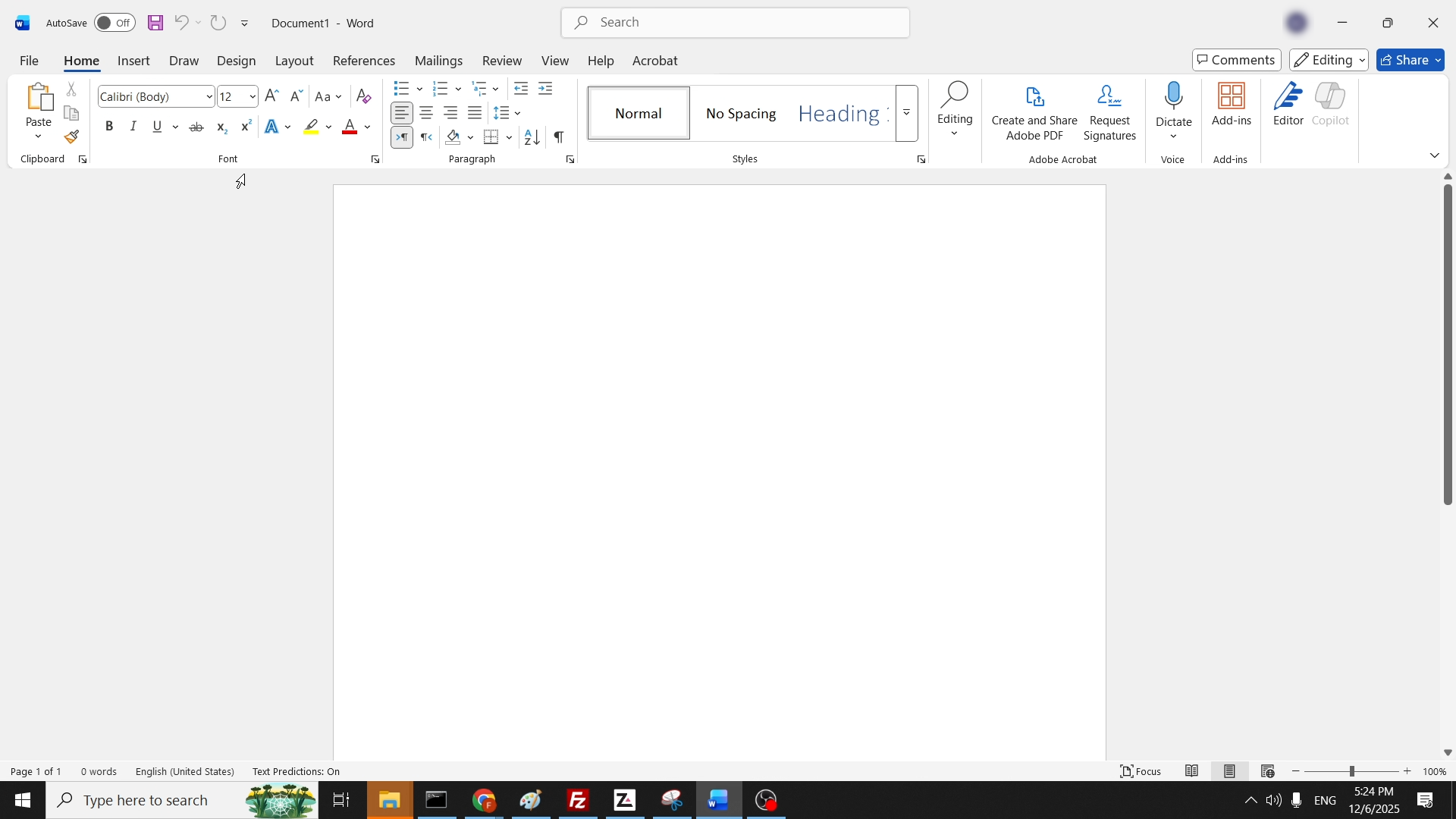
1. Open a Word document.
Login
JLOADING
|
Online:
1090 online | Members: 0 | Guests: 1090
|
Серада, чэрвеня 3, 2026
|
|
|
|
|
1. Open a Word document.

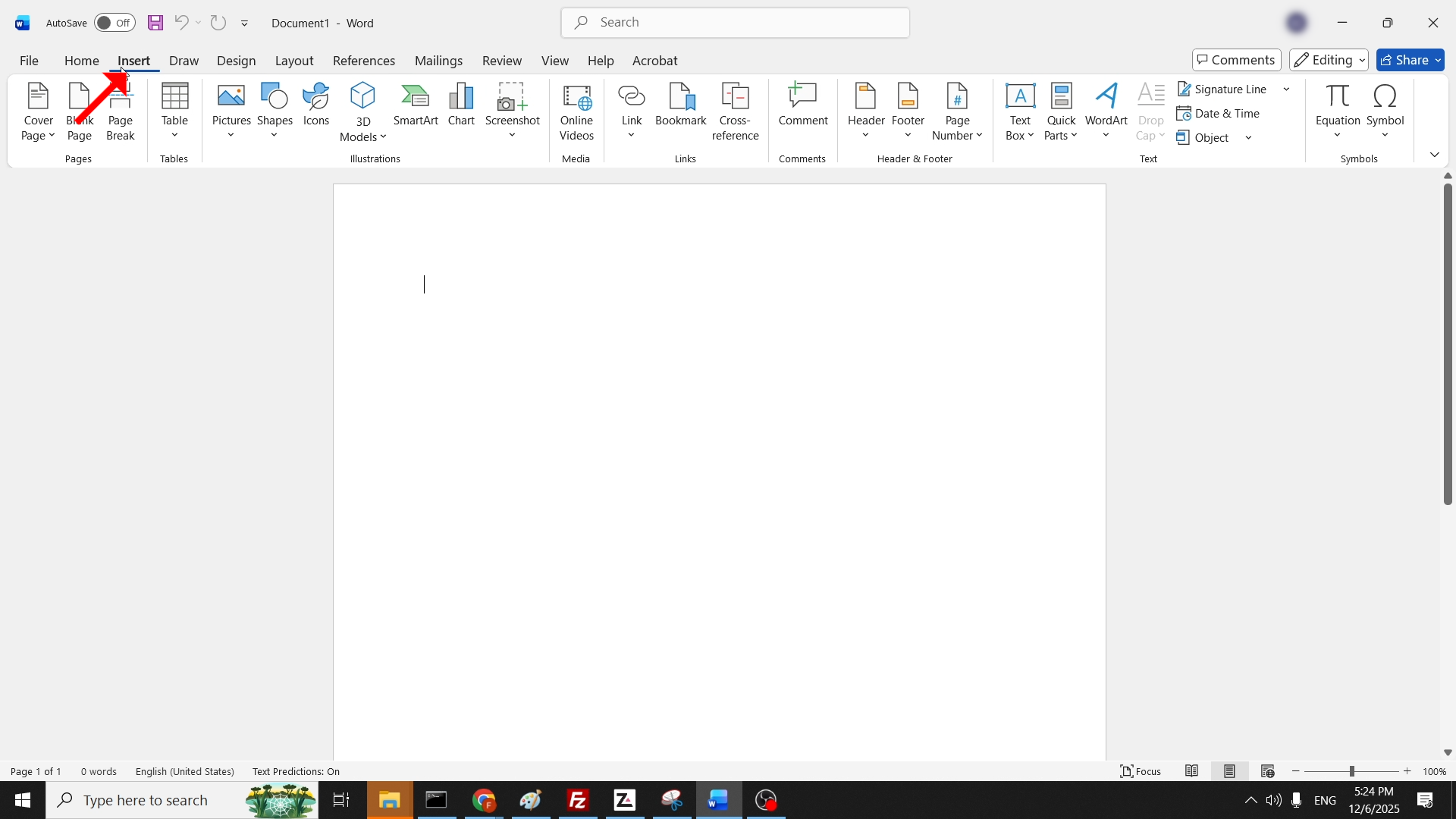
2. In the top menu ribbon, click on Insert:

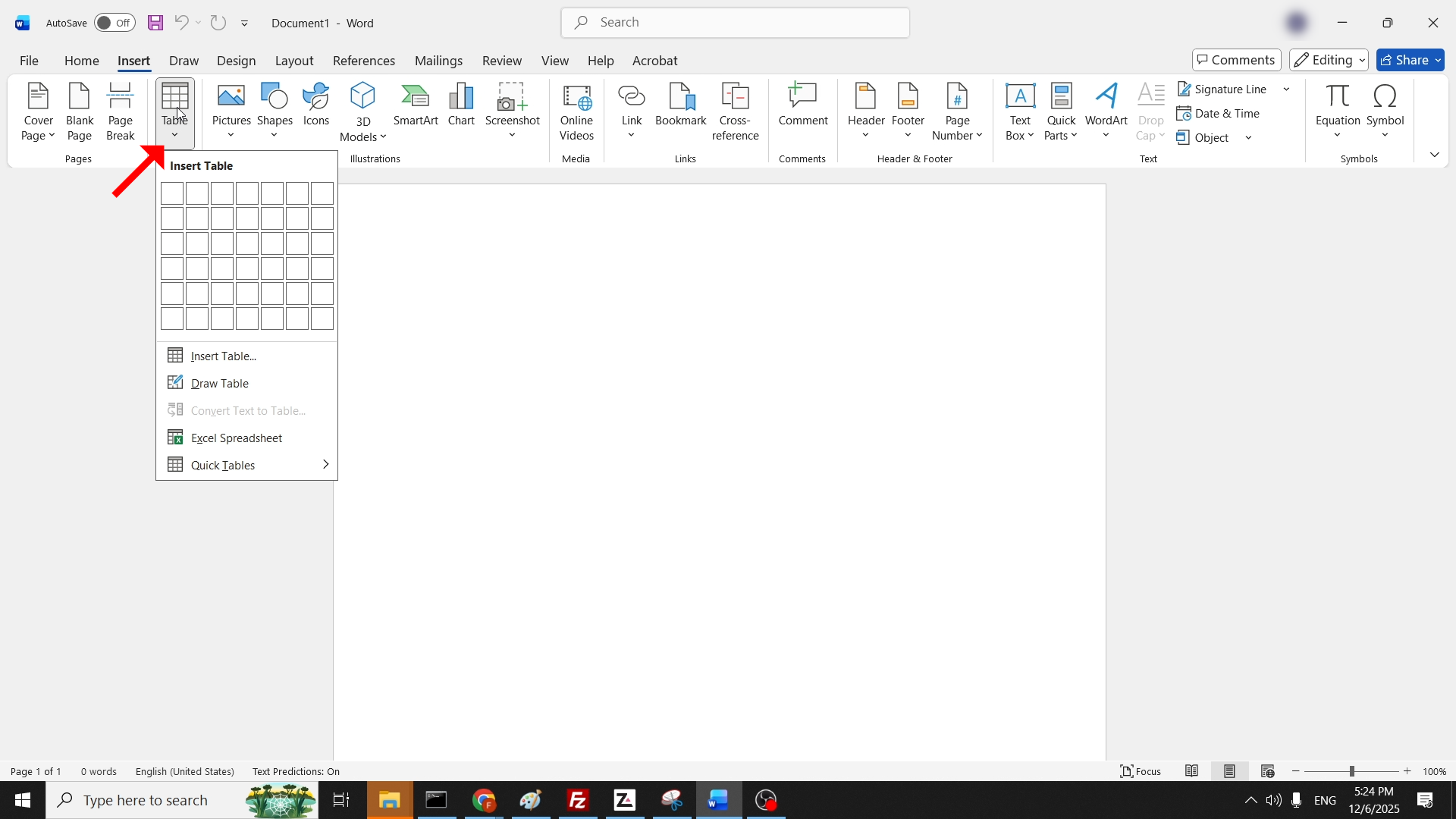
3. In the ribbon under Insert, look for the Table icon and click on it once to reveal a drop-down menu:

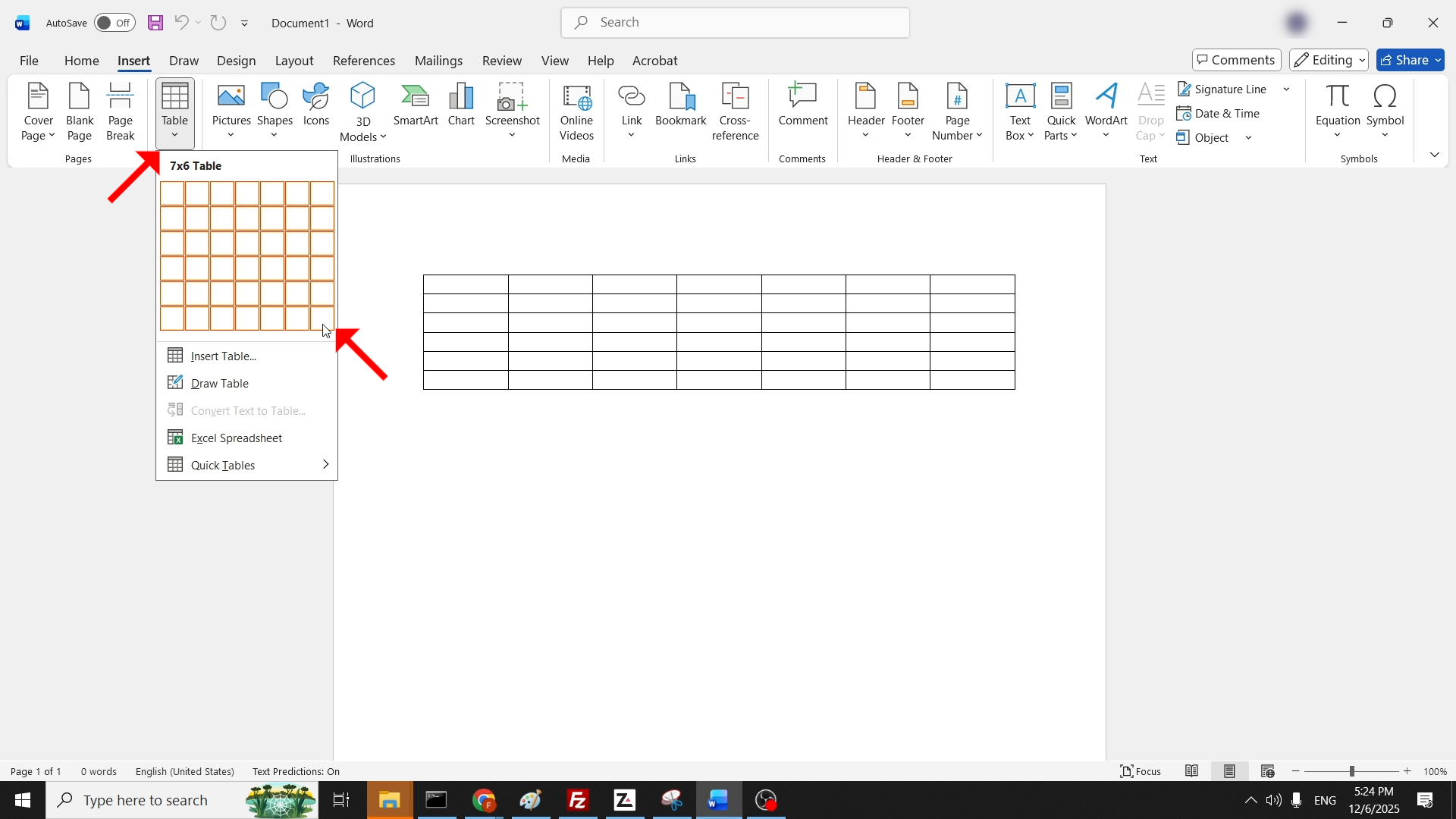
4. Using your mouse, hover your mouse cursor over the rows and columns in the drop-down menu. This will determine the number of rows and columns your future table is going to have:

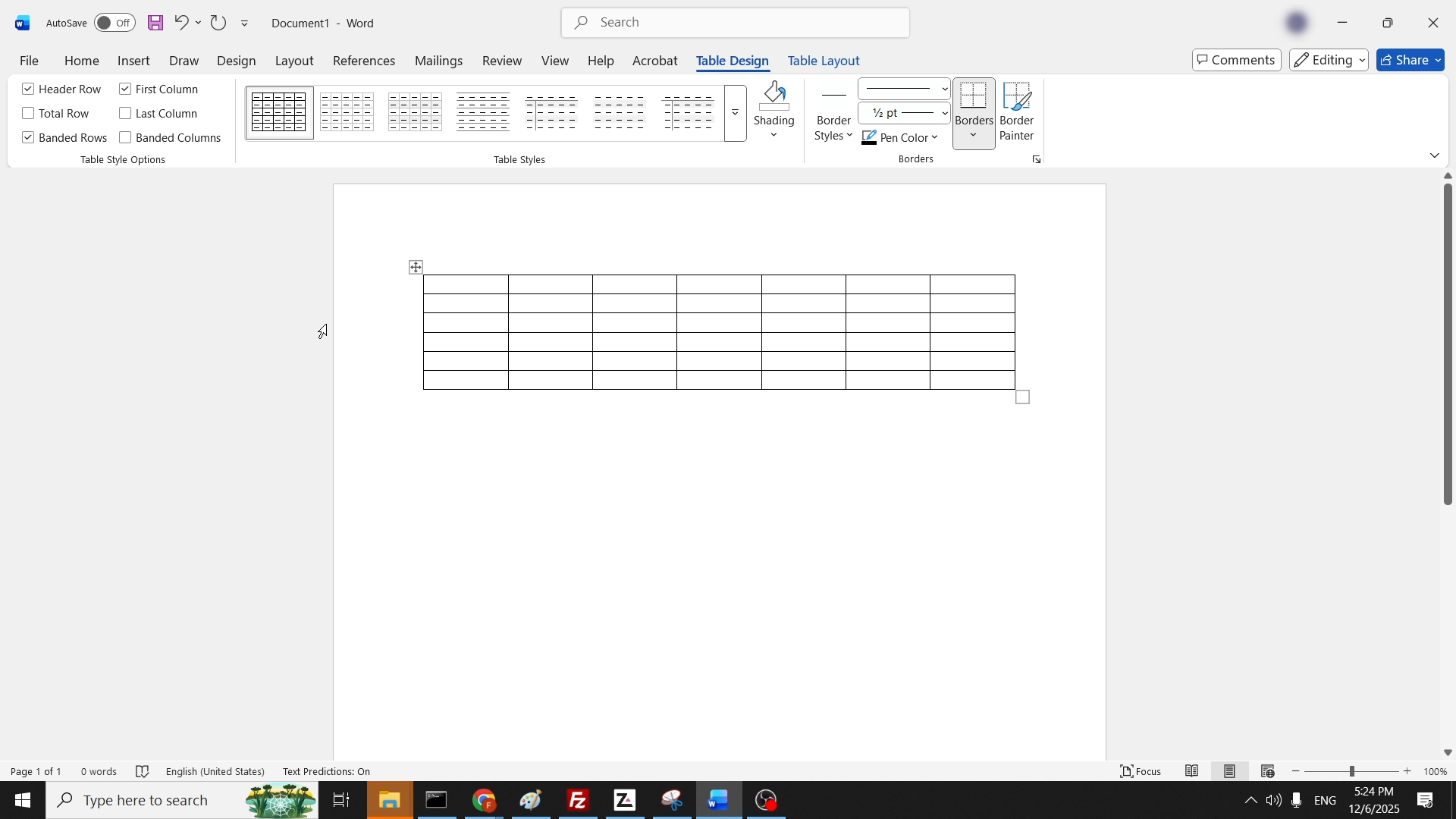
5. Once chosen, click on it once for the drop-down menu to disappear. Eventually you should be left with a table in your Word document as such:
