



готварски GenAI , използвани да звучат като ниша, нещо, запазено за високи работни станции, лаборатории, или офлайн полеви комплекти. През 2026 г. тя се превръща бързо в практична тема на предприятието, задвижвана от съвременните процесори, по-строга интеграция на OS и потребителски очаквания, че AI трябва да бъде незабавно като автоматично завършване.
За ИТ професионалисти, решението не е гот гол срещу облак в философски смисъл. Това е избор на дизайн и управление с измерими оперативни последици: какви данни напускат крайната точка, колко бързо потребителите получават резултати, колко жилави работни места са когато мрежите се провалят, и колко контрол организацията може реалистично да се наложи през хетерогенен флот.
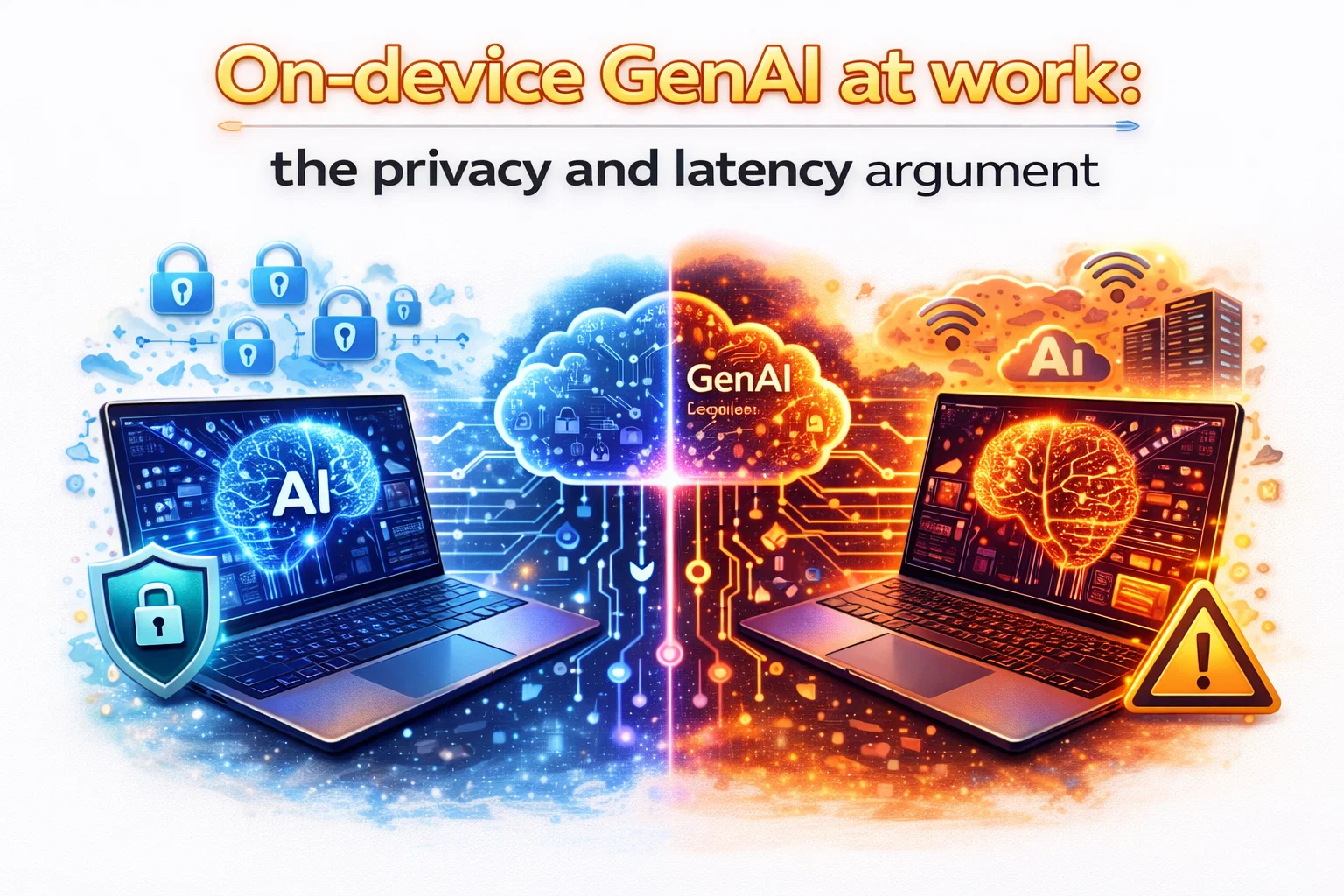
Тази статия се фокусира върху двата аргумента, които резонират най-много в околната среда на предприятиятаПоверителност както и закъснениеИ след това ги превръща в реалности на изпълнение: контрол на сигурността, обсерватория, политика, подкрепа и стандарти за възлагане на обществени поръчки.
Какво наистина означава това в контекста на предприятието?
GenAI на устройството означава, че поне част от работния поток на AI-генеративните се изпълнява локално върху крайната точка: бърза обработка, генериране на символи, вграждане, сумиране, пренаписване или извличане на контекста. Понякога целият тръбопровод е местен. Понякога това е хибрид: устройството изпълнява небрежни стъпки на място и призовава облачен модел за по-тежки поколение или по-дълбоки разсъждения.
От гледна точка на информационните технологии, най-важният въпрос не е - Дали е на - ...? кои части са на устройство, при какви условия и с какви механизми за управление? Един продукт може да се предлага на пазара и все още качва големи парчета от потребителско съдържание в услуга в зависимост от настройките, наличността на модела, или избор на качество.
Аргументът за поверителност: свеждането до минимум на движението на данни е намаляване на риска
При сигурността на предприятията, най-големите неуспехи започват с един от два модела: чувствителни данни преместени някъде, че не би трябвало да го, или акредитиви / токове, използвани, когато те са били ... Cloud-базираният GenAI не автоматично предизвиква нито един от проблемите, но увеличава броя на местата, където данните могат да се приземяват и броя на интеграциите, които трябва да бъдат управлявани.
Находчивостта на устройството променя това уравнение чрез намаляване изход от данните. Когато бързите, прикачени файлове и междинните представителства останат местни, често можете да намалите вероятността за случайно разкриване чрез погрешно конфигуриране, инциденти от страна на продавача или злоупотреба с неодобрени инструменти.
Накъде отиде този текст?
ИТ екипите редовно се занимават със ситуации, при които служителите поставят чувствително съдържание в потребителските инструменти на AI, тъй като то е бързо и достъпно. Дори когато корпоративната политика го забранява, триенето на одобрените работни процеси може да подтикне потребителите към сянката на ИИ.
На устройство GenAI може да се намали това изкушение, като се предлага санкционирана, ниска Фрикция опция, която не изисква изпращане на текст до външен доставчик за рутинни задачи. Това не може да се нарече победа за управлението. Колкото по-лесен е одобреният път, толкова по-малко трябва да разчиташ на наказателната политика.
Местната обработка поддържа по-строги модели на границите на данните
Организации с регулирани данни често разделят среди и идентичности: корпоративна мрежа срещу гост мрежа, управлявани крайни точки срещу BYOD, ограничени VDI басейни срещу общи офис устройства. Cloud GenAI все още може да се побере, но тя принуждава организацията да отговори на трудни въпроси за маршрутизиране, договори за продавачи, задържане, използване на обучение, и законно задържане.
Когато GenAI работи на местно ниво, можете да приложите по-проста граница: крайната точка е основното доверителен домейн. Позата за сигурност преминава към втвърдяване на крайната точка, локално криптиране и контролирани актуализации на модели, а не сложни споразумения за споделяне на данни.
Конфиденциалността не е само за ексфибрирането, но и за метаданните.
Дори ако съдържанието е криптирано в транзита и вашият продавач е реномиран, облачните работни потоци генерират метаданни: кой какво, кога, от кое устройство, и често контекстуални намеци за бизнес дейност. Някои организации са съгласни с това. Други не са, особено когато става въпрос за правен, конкурентен или геополитически натиск.
GenAI може да намали експозицията на метаданните чрез поддържане на рутинна помощ на местно и резервиране на облачни повиквания за изрично одобрени, одитирани сценарии.
Аргументът за латентността: го променя поведението на потребителя и дизайна на работния поток
Латентността не е суета метрични в производителност системи това променя това, което потребителите са готови да направят. Ако AI амнистията отнема 8... 20 секунди, потребителите го третират като отделна задача. Ако тя реагира за по-малко от секунда или две, тя става част от начина, по който мислят и работят: проект, редактиране, обобщаване, перифразиране, итерат.
На устройство GenAI може да премахне или намали зависимостта от мрежата, което означава по-малко непредвидими забавяния от Wi-Fi задръствания, VPN маршрутизация, SASE инспекция надморска височина, или регионално насищане на услуги. Тази надеждност е също толкова важна, колкото и скоростта.
Отсъствието е равно на приемането и приемането засяга риска
Когато одобрен AI е бавен или непоследователен, потребителите намират алтернативи. Поради това латентността се връща обратно в неприкосновеността на личния живот: карайки санкционирания път да реагира намалява употребата на AI в сянка, което намалява неконтролираната експозиция на данни.
За ИТ това означава, че работата е контрол на сигурността под прикритие. Един бърз, местен асистент може да се превърне в превантивна мярка.
Офлайн и ограничени мрежови среди са първокласни сценарии за предприятията
Множество отсечени мрежи, производствени подове с периодично покритие, защитени обекти с ограничен достъп, екипи в области с ненадеждни услуги и ръководители, пътуващи из регионите.
На устройство GenAI поддържа ключови възможности на разположение в тези условия: срещи бележки, бърза обобщаване, документи пренаписвания, превод помощи, или политика-свещ за изготвяне. Дори когато резултатите са по-малки или достатъчно добри, отколкото е възможно най-добре, тя е ценна.
Където на-нещо сияе и където не го прави
Една реалистична стратегия на предприятието признава, че всяко устройство и облак имат силни страни. Аргументът за устройство е най-силен, когато работното натоварване е: често, латентност-чувствителна, неприкосновеността на личния живот, или е необходимо в ограничени сценарии за свързаност.
Силни сценарии
Типичните случаи на използване на предприятия с висока стойност, които се ползват от местно производство или местна помощ от AI, включват:
- Изготвяне и пренаписване на вътрешни имейли, чат съобщения, или срещи последващи действия, където се появяват чувствителни имена, сделки, и подробности за проекта.
- Обобщаване на кратки документи, бележки и билети директно от местно съдържание, без качване на прикачени файлове към външна услуга.
- Запис и надписи на живо, плюс подобрения на срещите като потискане на шума и ефекти на камерата, които трябва да са в реално време.
- Местно извличане на малки излекувани ефрейтори (политика, runbooks, проектни документи) с строг контрол на достъпа и офлайн наличност.
- Developer подпомага функции вътре IDEs за обяснение на кода, обонятелни предложения, и местно търсене, особено в среди, които ограничават изходящия достъп.
Слаби сценарии
На устройството не е автоматично най-добрият избор за:
- Много големи задачи поколение изисква обширен контекст прозорци или дълбоки разсъждения в множество източници.
- Генериране на високо съдържание на вярност, където качеството трябва да съответства последователно на най-добрите гранични модели.
- Организационни сътрудници, които трябва да търсят в големи регистри на предприятия в реално време.
- Сценарии, изискващи централизирана сеч и eDiscovery на всеки бърз / изход по дизайн.
В тези случаи един облачен модел (често съчетан с характеристиките на управлението на предприятията) може да остане правилният инструмент, който организацията прилага със силен контрол и потребителско образование.
Реалности на сигурността: GenAI променя модела на заплахата, не го изтрива
Често срещано недоразумение е, че местният изкуствен интелект е безопасно. В действителност той измества фокуса към сигурността на крайните точки и целостта на веригата на доставка. Ако устройството е компрометирано, местната обработка все още може да пропуска данни, понякога по-тихо, защото работния поток остава в крайната точка.
Модел на почтеност и управление на актуализацията
Моделите се превръщат в активи, които трябва да бъдат управлявани: версии, подписани и актуализирани чрез контролирани канали. ИТ екипите трябва да се запитат как се доставят модели, как се валидират актуализациите и как се работи с rollbacks, ако актуализацията въвежда регресия или политически проблеми.
От гледна точка на сигурността, третира модели и runtimes като драйвери: те са привилегировани компоненти на практика, защото те влияят върху начина, по който се обработват данните и могат да разчитат на хардуерни ускорителни стекове.
Местната бърза и контекстна обработка трябва да се приведе в съответствие с DLP и контрола за достъп
Ако асистент на място може да чете местни файлове, да ги индексира или да генерира резюмета, той трябва да спазва правата за достъп на потребителя и на предприятието. Искате предсказуемо поведение: без индексиране на ограничени папки, без пропускане на профил, без да получавате достъп до несигурни места.
Целта не е да се блокира способността, а да се направи политика-осъзнат. Местният ИИ трябва да спазва същите граници, които налагате за търсене, криптиране и управление на документи.
Телеметрия и одитност: изберете умишлено
Облачните услуги могат да предоставят централизирани одиторски записи по подразбиране. Местните работни потоци могат да бъдат по-лични, но по-малко видими. ИТ екипите трябва да решат какво трябва да се регистрира, за кого и под каква правна основа. Отговорът ще се различава по сектори.
Един зрял подход е да се разделим. съдържание от събития: . . . . . . . . . При проектиране на стратегия за устройство, дефинирайте тези линии рано и ги прилагайте последователно.
Хибриден модел на предприятието: местен по подразбиране, облак по изключение
Най-практичен модел 2026 за много организации е хибриден дизайн, където:
- Рутинни, чувствителни към неприкосновеността на личния живот, чувствителни към латентност задачи се изпълняват по подразбиране.
- По-големи, организационни знания и висококачествени маршрути за генериране на контролирани от предприятията облачни услуги.
- Контролът на политиката решава кога са разрешени облачните повиквания и какви данни могат да бъдат включени.
Тази по-ниска скорост на движение на данните, по-малко изненади по време на мрежовите проблеми и по-добра поддръжка на потребителите. Тогава облакът става преднамерен, управляван ескалационен път, а не по подразбиране.
От съображения за изпълнение ИТ екипите не трябва да пренебрегват
Endpoint готовност: хардуер, драйвери и енергийни профили
GenAI живее или умира при консистенцията на флота. Ако половината крайни точки могат да работят на местния модел гладко и половината не могат, потребителският опит става фрагментиран и разходите за подкрепа нарастват.
Определи базова линия, която включва NTU способност, капацитет на паметта, ефективност на съхранение, и стратегия за обновяване на водача. Също така се потвърди, че вашите инструменти за сигурност не принуждават AI стека в бавни резервни части, които натиснете изчисляване на процесора.
Управление: асистентът се нуждае от полицейски парапети
Дори местните асистенти могат да произвеждат рискови изходи: случайно включване на поверителни данни, предложения за несигурни кодове или неточни резюмета, които влияят на решенията. Контролът Ви трябва да включва:
- Ясни указания за разрешени случаи на употреба и забранени категории данни.
- UI знаци, които показват дали дадена задача се изпълнява локално или чрез облачна услуга.
- Не се прилага
- Ролеви контроли: различни функции за общ персонал срещу регулирани роли.
Поддръжка: изграждане на нови книги за отстраняване на проблеми
Когато става въпрос за местен ИИ, проблемите с производителността винаги се появяват като очевидни шипове на процесора. Повратните точки могат да включват раздуване на паметта, топлинни ограничения, регресии на водача или функция, която тихо преминава към резервен режим на облаците.
Актуализирайте вашите Runbooks подкрепа, за да включите: проверка дали ускорението е активен, проверка на режима на функция, валидиране на версии на модела, и идентифициране на конфликти с инструменти за сигурност. Целта е да се намали мистериозното забавяне на билетите и да се направи поведението предсказуемо.
Измерване на успеха: какви резултати за проследяване
За да се оправдаят инвестициите и да се ръководи итерацията, се измерват резултатите в съответствие с поверителността и латентността:
- Намаляване на употребата на AI в сянка: по-малко попадения към блокирани сайтове за AI, по-малко инциденти на чувствително поведение на паста.
- Отговор на потребителя: време до първи резултат за общи спомагателни действия и функции за срещи.
- Намаляване на зависимостта от мрежата: по-малко въпроси за подкрепа, свързани с VPN, SASE маршрут, и регионална наличност на услуги.
- Показатели за съответствие на политиката: колко често се използва ескалация на облаците и дали тя съответства на одобрените сценарии.
- Поддръжка: обем на билетите, свързани с AI функции, и средно време за решаване, след като се разгърнат нови учебници.
Тези показатели поддържат разговора залегнал в реалността на предприятията: намаляване на риска, производителност и оперативна стабилност.
Крайният ред за ИТ през 2026 г.
Най-силният случай за GenAI по време на работа не е hyp-e... it. Когато можете да изпълнявате общи generative задачи на местно ниво, намалявате ненужното движение на данни и изрязвате мрежата като променлива за изпълнение. Това дава два резултата, които се интересуват от ИТ: по-добра стойка за поверителност както и по-предсказуем потребителски опит.
Въпреки това, местният AI не е го зададете и да го забравите ъпгрейд. Тя изисква готовност за постигане на предприемачество-клас, модел за актуализиране на управлението, ясни граници на политиката, както и подкрепа на книги, които отразяват нов вид работа на клиента.
Организации, които получават това право ще видите практическа промяна: AI помощ става стандартен капацитет, който работи дори когато мрежата не го прави, и чувствителни работни потоци получат по-безопасен път по подразбиране. В година, в която инструментирането на продуктивността става все по-под формата на ИИ, тази комбинация от личен живот и латентност е убедителен аргумент за изграждане на местна стратегия.


 12992
12992  IT Pro






















