



Разговорите за съхранение през 2026 г. все още са заседнали на една и съща стенография: по SSD срещу NVMe. В действителност, NVMe не е различен вид съхранение на флаш-акумулатор, NVMe е протокол и модел на интерфейс за достъп до флаш дискове над PCI Express, докато SSD по принцип се отнася до по-широката категория твърди дискове (включително SATA SSDs и NVMe SSDs). За ИТ специалистите това разграничение има значение, тъй като решението за покупка рядко се отнася до връхната последователност само по себе си. Става въпрос за предсказуема латентност, издръжливост, трайно представяне под топлина, надеждност на флота и натовареност.
Тази статия разкрива какво всъщност има значение при избора на модерни SSDs през 2026 г., с практически акцент върху TBW/издръжливост, DRAM и DRAM-без дизайни, разлики в генерирането на ПОИ, NAND типове, контролерно поведение, топлинни граници, както и показатели, които съответстват на реалните резултати в крайни точки, работни станции и сървърни флоти.
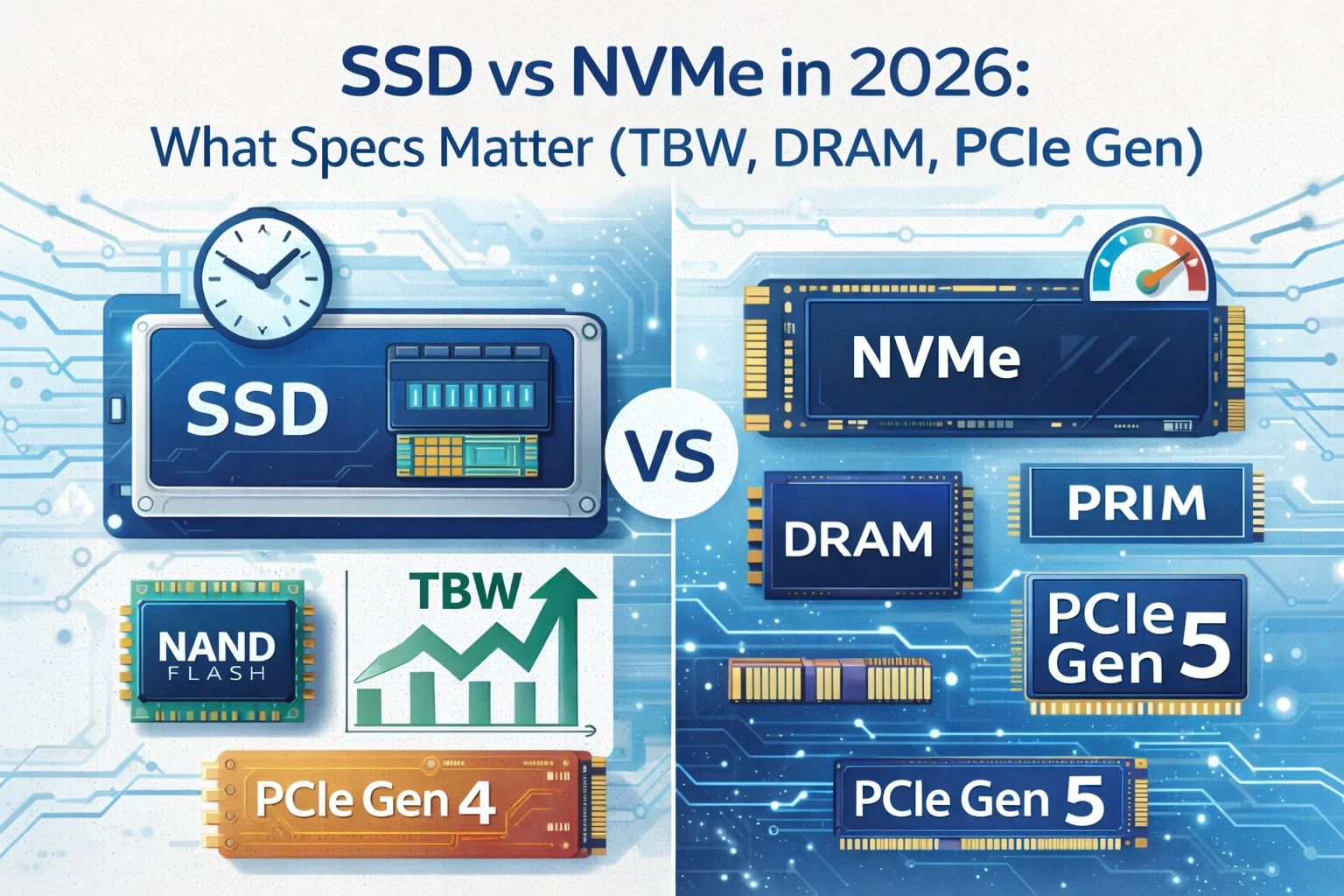
SSD срещу NVMe: Условията ИТ екипите трябва да използват
год. год. Можете да имате:
- SATA SSD M.2 SATA.
- NVMe SSD (M.2 / U.2 / E1.S / добавена карта): използва PCIe и командата NVMe създаден за паралелни опашки и ниска латентност.
През 2026 г. NVMe е по подразбиране за работни станции за изпълнение и повечето нови предприятия изгражда, докато SATA SSDs все още съществуват като разходно-ефективно съхранение на насипни товари, възможности за съвместимост на наследената платформа, както и достатъчно добри драйвери, където работното натоварване е леко, латентна толерантност е по-висока, или интерфейси са ограничени.
Ключът е: NVMe е латентност и обновяване на валутитеНе само ъпгрейд. Измереното подобрение идва от по-дълбоки опашки, намален софтуер в режийните граници, и по-добър паралелизъм, а не за неофициално.
Какво всъщност промени между SATA SSD и NVMe в производството
SATA SSDs все още могат да предоставят отличен потребителски опит за офис работни места и основното приложение хостинг. Но веднага след като мащабирате валутите (множество VMs, тежка компилация, база данни пише, големи пощенски кутии, крайна крайна точка EDR сканиране, създаване на съдържание, или трайно поглъщане), протоколът и автобусът се превръща в шината.
Най-често срещаните разлики в производството ИТ екипи наблюдават:
- Дълбочина на опашката: NVMe обработва паралелно I/O много по-ефективно при смесено натоварване.
- Последователност на честотата: NVMe обикновено доставя по-ниска средна латентност и по-стегната опашка латентност под налягане.
- Траен резултат: Зависи от NAND, дизайн на кешове, и термални NVMe печели често, но не автоматично.
- Термична чувствителност: Високият клас NVMe може да работи твърдо без достатъчно охлаждане.
- Ограничения на платформата: Някои системи споделят ПОИ алеи между M.2 слотове, Wi-Fi или чипсет връзка.
За ИТ професионалистите, най-най-добрият диск е този, който остава бърз и стабилен след първите 30 и 120 секунди на непрекъснато натоварване, а не този с най-висока рекламирана скорост на спукване.
Spec #1: TBW и E готварски номер
TWW (Terabytes Written) е рейтинг за издръжливост на производителя, който се доближава до това колко данни могат да бъдат написани преди шофирането се очаква да достигне своята обоснована граница на износване. За начинаещи, които можете да видите DWPD (Drive Writes per Day), което често е по-ясна мярка за планиране.
През 2026 г. планирането на издръжливостта трябва да бъде политическо решение, а не следа. Смесените работни места и съвременните инструменти за сигурност могат да усилят писането чрез сканиране, сеч, телеметрия, индексиране и виртуализация.
Практически насоки:
- Клиентски крайни точки: TBW обикновено е достатъчно, ако избягвате най-ниските QLC дискове за тежки потребители. Разработчици, създатели и тежки данни роли пишат значително повече от офис персонал.
- Работни станции: Изберете двигатели с по-силни TBW рейтинги и по-добре поддържани пише, особено за надраскване дискове, местни бази данни, и съдържание тръбопроводи.
- Сървъри и виртуализация: Помислете за DWPD-клас дискове със защита от загуба на мощност и валидирано фърмуер поведение. Най-бързият потребител NVMe... може бързо да се провали на изискванията за издръжливост и последователност.
TBW не е перфектен предсказател на провала, но е силен филтър за възлагане на обществени поръчки за невалидни и изпарения от модели, предназначени за постоянно налягане на писане.
IT операции най-добрата практика е да се стандартизиране на мониторинг база данни: трак хост пише, показатели за износване на задвижването, и SMART / NVMe здравни показатели в целия флот. Шофьорите рядко се провалят без предупреждение, когато телеметрията се събира и преразглежда последователно.
Spec #2: DRAM Cache . Защо все още не е възможно през 2026 г.
DRAM на SSD обикновено се използва за съхранение на таблиците за картиране (метаданни за Flash Translation Layer) и ускоряване на случаен достъп. DRAM-екипираните дискове често доставят:
- По-високи постоянни произволни показатели под налягане при смесено четене/написване
- По-стабилна латентност докато дискът се пълни
- По-добра последователност когато SLC кеша е изтощен
Дизайнът без DRAM все още може да бъде жизнеспособен, но те изискват по-внимателно регулиране на натоварването. Много съвременни DRAM-less NVMe дискове разчитат на HMB (Buffer памет на домакина), заемайки малка част от системата RAM. HMB може да помогне, но тя не е идентична с посветена на шофиране DRAM.
Какво ИТ екипите трябва да следят за:
- Без DRAM + QLC може да бъде в най-лошия случай комбинация за постоянно натоварване на запис и дългосрочна последователност, особено на почти пълни обеми.
- DRAM-без + TLC може да бъде добре за общи крайни точки офис, леки VDI, и чети-тежки случаи на употреба, като се приема, че устройството има компетентен контролер и достатъчно SLC кеширане.
- DRAM- оборудвани TLC остава безопасен избор за професионални работни станции и тежки мултифункционални крайни точки.
Ако управлявате среди, където опитът на потребителя трябва да остане стабилен при сканиране на фоновата сигурност или чести актуализации на софтуера, DRAM често си струва малката премия за разходите.
Spec # 3: PCIe Gen 4 vs Gen 5
Генерирането на ПОИ често се предлага на пазара като основен диференциатор: Ген 5 е два пъти Gen 4. Математиката е вярна за суровата връзка честотна лента, но реалният свят резултатите зависят от вашата натовареност и платформа.
През 2026 г. повечето ИТ екипи трябва да третират избора на ПОИ поколение по следния начин:
- PCIe Gen 4 NVMe: Отличен баланс на изпълнение, зрялост, топлинна енергия и разходи. Най-добрата стойност за стандартизацията на флота.
- PCIe Gen 5 NVMe: Най-доброто за ниша случаи, които се възползват от екстремни последователни чрез или високо устойчиво прехвърляне, и само когато можете да осигурите правилното охлаждане и платформа, която го поддържа чисто.
- съображения за споделяне на ПОИ в лентата за движение: Някои десктоп/лаптопи намаляват GPU лентите или деактивират портовете, когато има множество M.2 слотове. Платформата топология има значение колкото характеристиките на двигателя.
Работната реалност е топлинна: Gen 5 двигателите често работят по-горещо, и ефективността може да се срине под постоянен товар, ако устройството се задвижва. За IT професионалистите, лекото движение, което остава в своя пакет за изпълнение за дълги трансфери, често е по-добрият избор.
SLC кеш, TLC, QLC... Скритият тест
Много потребители SSDs рекламират отлични последователни скорости на запис, но тези скорости често представляват избухлив сценарий, докато пишете до SLC кеш (по-бърз режим на запис с помощта на част от NAND временно). След като кешът е пълен, скоростта на писане може да падне значително.
Това е от значение в професионални среди, където големи трансфери или устойчиви пише са нормални: изображения, архивиране постановка, събиране на трупи, компилатори, видео работни потоци, крайна точка телеметрия, VM снимки, и зачервяване на базата данни.
Практическо правило за избор на NAND:
- TLC обикновено е по-безопасен изход за професионалните работни места.
- QLC може да бъде разходно-ефективно за четене-тежки или архивна употреба, но може да се бори при устойчиви пише или високи нива на запълване.
Обществените поръчки в областта на информационните технологии следва да бъдат тествани извън пазарните показатели. Късият индикатор не е достатъчен. Потърсете прегледи или вътрешни изпитвания, които включват:
- Поведение на изчерпване на кеша
- Продължава да записва с течение на времето
- Изпълнение при висока скорост на движение (70.90% пълен)
- Температура и пулсиращ отговор
Controller and Firmware Quality
Два NVMe диска могат да споделят подобни заглавия и все още се държат много различно. Контролерът и фърмуерът определят как управлява устройството:
- Събиране на отпадъци и износване под товар
- По време на поддръжката
- Топлинно управление и тротилни криви
- Грешка корекция и поведение възстановяване
- Мощността преминава и събужда латентност
При операциите на предприятията падежът на администратора често е по-важен от максималната скорост. Задвижванията със стабилни фърмуер намаляват вероятността от нечетливи неуспехи, внезапно срутване на ефективността или непредсказуема латентност по време на поддръжката на прозорците.
При стандартизиране предпочитайте модели с:
- Доказано досие в реални флоти
- Изчистване на поддръжка на жизнения цикъл на фърмуера
- Последователно поведение при продължителна, смесена работа
За сървърите и критичните крайни точки, третирайте актуализациите на фърмуер като всяка друга актуализация на инфраструктурата: инсценирано пускане, валидиране на представителен хардуер и планове за връщане, когато е възможно.
Произволно изпълнение и периодичност: Спиране на свръхфокусирането на MB/s
Последователните скорости са лесни за пазаруване, защото произвеждат големи числа. Но много предприятия и професионални работни места са доминирани от малки произволни четения и пише.
Показателите, които корелират по-добре с реалния свят:
- Случайни IOPS (особено при реалистични дълбочини на опашката)
- Средна латентност при смесено четене/написване на товари
- Латентност на опашката (времето на най-лошия случай, което оказва въздействие върху съответствието на UX и SLO)
Ето защо две драйвери с подобна последователност може да се почувства драстично различно при ежедневна употреба. Дискът, който избягва латенси шипове по време на фоновото домакинство ще се чувства по-бързо и остава предсказуем през натоварени периоди.
Температура и throttling: Истинската причина High-End NVMe може да разочарова
Ефективността на NVMe е силно чувствителна към температурата. Модерните контролери ще се задвижват, за да защитят NAND и да поддържат надеждност, което може да намали производителността внезапно в постоянна натовареност.
Когато ИТ екипите бъдат изгорени:
- Тънки лаптопи с ограничен въздушен поток
- Настолни компютри с малка форма с подредени M.2 слотове
- Сървъри с лош въздушен поток напред-назад през M.2 възходящи устройства
- Workstations with почивен ден
Практически насоки за разполагане:
- Използвайте дънната платка или шасито се нагрява, когато има такива, но валидирайте контакта и дебелината на термалната подложка.
- Уверете се, че въздушния поток преминава през зоната NVMe, не само CPU/GPU зони.
- За двигателите от Gen 5 се счита охлаждането за задължително, а не по избор.
- Валидирайте трайното прехвърляне след достигане на работна температура.
При изпитванията за възлагане на обществени поръчки се провеждат постоянни пишат и смесени I/O работни места за достатъчно дълго време, за да достигнат термално стационарно състояние. Само пиковите показатели крият проблеми.
Защита на мощността, ПЛП и съображения за почтеност на данните
Потребителските NVMe дискове са построени за настолни компютри и лаптопи, където внезапната загуба на мощност е по-малка и данните често се възстановяват. Използването от клас сървър променя уравнението.
За обработка на товари, виртуализация, или запис-тежки бази данни, разгледа дискове с защита при загуба на мощност (PLP) и по-силни характеристики на траекторията на данните. PHP помага да се гарантира, че данните за полета се извършват безопасно по време на неочаквани събития на мощността.
Докато PLP е по-често срещана за SSD на предприятието, оперативната урок се прилага навсякъде: мач клас съхранение към рисков профил. Ако целостта на данните е критична, изборът на задвижване трябва да отразява тази реалност.
Сигурност и управление Характеристики IT Pros трябва да се провери
През 2026 г. съхранението може да бъде тема за съответствие и реагиране при инциденти, а не само тема за изпълнение. В зависимост от околната среда, валидирайте следното:
- Поддръжка на хардуерно криптиране и как се интегрира с вашия OS и мениджмънт стека
- Безопасно изтриване/ дезинфекциране на поведението подходящи за пенсиониране през целия жизнен цикъл
- Достъп до телеметрия за проследяване и прогнозиране на здравето
- Автентичност на фърмуера и процес на актуализиране (особено за контрол на веригата на доставка)
Охраната не е само за криптиране. Става дума и за предсказуемо поведение при грешни условия и възможността за постоянно одитиране на здравето и статута във флота.
Планиране на капацитета и свръхосвобождаване: Изпълнението зависи от свободното пространство
SSD се нуждаят от свободно пространство, за да поддържат ефективността. Докато се запълват дисковете, колекцията от боклук става по-скъпа и трайното представяне на писането може да падне рязко.
За ИТ специалистите най-простата политика е оперативна: да се поддържа буфер от свободно пространство и да се избегне използването на SSD-та близо до пълния капацитет на производствените работни места. Това е особено важно за QLC дискове и DRAM-без дизайни.
Практически стратегии:
- Наемане на допълнителен капацитет извън изискванията за крайни точки с тежки нужди.
- Оставете заглавната стая на обеми, използвани за надраскване, кеша, или чести изтегляния.
- По отношение на сървърите, разгледайте изрично пренареждането и подреждането на капацитета въз основа на класа на натоварване.
Целта е последователност: предсказуемо изпълнение на 18-ти месец на разполагане, не само първата седмица след образно изследване.
Как да се оцени Драйвери в IT тестване (без да се подмами от маркетинг)
Ако сте стандартизирани съхранение в един отдел или разполагане в обем, вътрешно валидиране може да предотврати скъпи изненади. Практическият ИТ-ориентиран подход за оценка включва:
- Кратки изпитвания на разрушаване за потвърждаване на основните показатели и откриване на външни фактори
- Трайни изпитвания за запис да наблюдава изтощение на кеша и стабилно състояние чрез
- Смесени изпитвания на случаен принцип на четене/написване за латентни шипове при типичен мултитаскинг
- Термични стационарни изпитвания за измерване на задушаването
- Изпитвания за пълно използване на задвижването за да видите изпълнение на високи нива на запълване
Инструментите, които обикновено се използват в лаборатории и пилотни групи, включват: Фио на Linux, както и NVMe телеметрични инструменти. На Windows комбинирайте инструментите на продавача и доверена диагностика, за да инспектирате здравните показатели и валидирайте фърмуер.
Когато анализирате резултатите, обърнете внимание на отклоненията и най-лошото поведение, не само най-добрия резултат. Най-бързото шофиране на чиста тестова пейка може да бъде най-малко стабилното шофиране в реално производство.
Практичен IT Spec Checklist за 2026 поръчки
При избора на драйвери за крайни точки, работни станции и инфраструктура, фокусирайте се върху кратък списък от спецификации, които карта на реални резултати. Следният контролен списък е полезна базова линия:
- Интерфейс: SATA за съвместимост и бюджет, NVMe за латентност и валута
- Генериране на ПОИ: Ген 4 като по подразбиране, ген 5 само когато охлаждането и натоварването го оправдават
- Тип NAND: TLC за професионални работни места, QLC за четене-тежки/напрежение, където налягането на писане е ниско
- DRAM срещу DRAM- без: DRAM предпочита за тежки смесени работни места и консистенция
- Издръжливост: TBW/DWPD се подравнява с очакваното писане и планиране на жизнения цикъл
- Траен резултат: Поведение след SLC кеша е изчерпан
- Топлинни: Характеристики на въртене в шасито и ограниченията на въздушния поток
- Телеметрия и управление: Здравни показатели и предвидими актуализации на фърмуера
- Гаранция: Времеви период и граници на издръжливост, които съответстват на вашия освежаващ цикъл
За ИТ целта на контролния списък е последователност. Искате предсказуеми места и по-малко специални случаи, които се държат по различен начин в рамките на една и съща политика.
Ръководство за използване на случая: Съвпадение на диска с работния товар
Решенията за съхранение стават по-лесни, когато ги свържете с натовареност реалност. Типично ръководство за 2026 среди:
Общи крайни точки за офиса се възползват от надеждни NVMe Gen 4 дискове с прилична издръжливост, дори ако те не са най-високото ниво на изпълнение. Основната цел е ниска латентност, бързо зареждане/логин и предсказуеми актуализации.
Разработки на лаптопи и инженерни работни станции са склонни да произвеждат високи обеми писане чрез конструкции, контейнери, локални бази данни, и инструменти. Любим TLC, по-силен TBW, и DRAM оборудвани модели за стабилност.
Създаване на съдържание и медийни работни потоци могат да се възползват от по-висока последователност на пропускане, но устойчивите писане и топлинна стабилност са истинските диференциатори. Двигателят, който се движи по време на дългия износ, е оперативно болезнен.
Виртуализация хостове и сървърни работни места изискват предвидима латентност, издръжливост и характеристики на целостта на данните. Потребителят NVMe може да работи за лаборатории и некритични работни места, но производствената инфраструктура заслужава качествени характеристики.
Складиране на насипи и архиви за четене може да оправдае SSD-базираните в QLC в някои случаи, особено когато моделите за достъп са предимно четения, а капацитетът за разход е приоритет.
Общи грешки IT екипите правят при закупуване на SSD
Няколко модела се появяват многократно в цикли за освежаване на съхранение:
- Купуване само на последователни проби: Големите MB/s номера изглеждат добре, но не гарантират ниска латентност или трайно изпълнение.
- Пренебрегване на ТБУ за ролите: Драйверите могат технически да работят, но се износват много по-бързо от опреснителния план.
- Използване на DRAM- без QLC навсякъде: Това може да бъде печалба на разходите и загуба на изпълнение/състояние по-късно.
- Неоценени термостати: Влаченето на NVMe превръща премиум драйверите в средни скорости под истинско натоварване.
- Пропускане на телеметрията: Без наблюдение, вие губите способността да замени драйвери активно.
Повечето от тези грешки не са технически неуспехи; те са несъответствия в обществените поръчки. А стандарт за съхранение може да бъде гол просто защото е разположен в грешните роли.
Най-добри оперативни практики за SSD флоти през 2026 г.
След като дисковете са избрани, дългосрочният успех е в действие. Обърни внимание на следните добри практики:
- Поддържане на фърмуера ток използване на инсценирани изпитвания и контролирани ролати.
- Монитор на здравните показатели (облекло, резервни блокове, брой грешки, температурни тенденции).
- Поддържане на свободно пространство на силно използвани обеми.
- Стандартизирайте няколко модела за опростяване на резервни части, изображения и очакванията за изпълнение.
- Валидни топлина в реално шасиНе само на открито.
- План за заместване на жизнения цикъл за високо написани роли преди гаранционни ръбове.
Един добре избран SSD стандарт намалява helpdesk шум, съкращава прозорците за поддръжка, и прави ефективността отстраняване на по-детерминистични в екипите.
Долната линия: Какво Specs Most за IT през 2026
През 2026 г. NVMe вече не е склад за луксозно изпълнение. Това е базовата линия за съвременни компютърни показатели, докато SATA SSD остава валиден вариант, когато съвместимостта и цената доминират. Най-важните спецификации за ИТ специалистите не са маркетинговите скорости.
Приоритетите за възлагане на обществени поръчки, които последователно дават най-добри резултати, са: издръжливост (TBW/DWPD), DRAM и поведение на кеш, поддържана ефективност след изчерпване на кеша, топлинна стабилност, и фърмуер/контролерски матуритет. Производството на ПОИ има значение, но само когато натоварването и платформата могат действително да се възползват без throtling.
Изберете драйв по начина, по който избирате даден компонент на инфраструктурата: подравнявайте спектралния лист с работното натоварване, утвърждавайте стабилното поведение, наблюдавайте здравните показатели и стандартизиране, когато е възможно. Този подход дава предсказуеми резултати, по-малко изненади и по-добра дългосрочна стойност в крайните точки и сървърните флоти.


 12985
12985  IT Pro






















