Tagline:КакдапроверимверсиятанаWindowsпостроим10+3
1. Отидете на Windows Desktop.
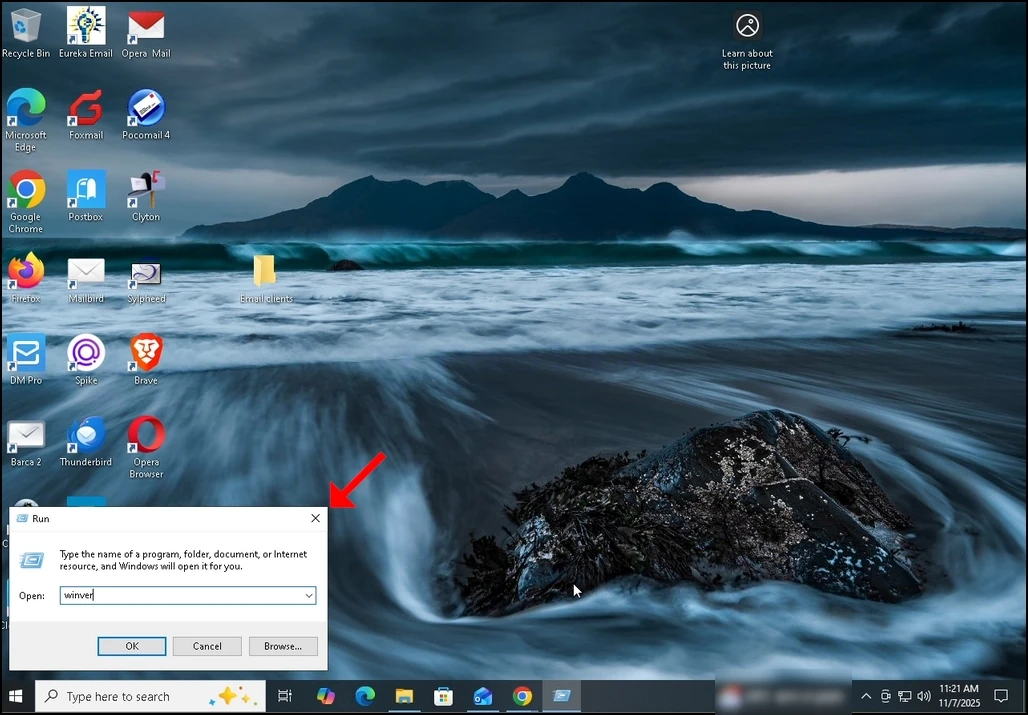
2. На клавиатурата кликнете Windows+R ключ комбинация и изчакайте за Run кутията да се появи.
3. След като се появи Run кутията, въведете Winver в текстовата кутия и натиснете клавиша Enter или кликнете върху бутона OK и изчакайте за прозорец Windows да изскочи
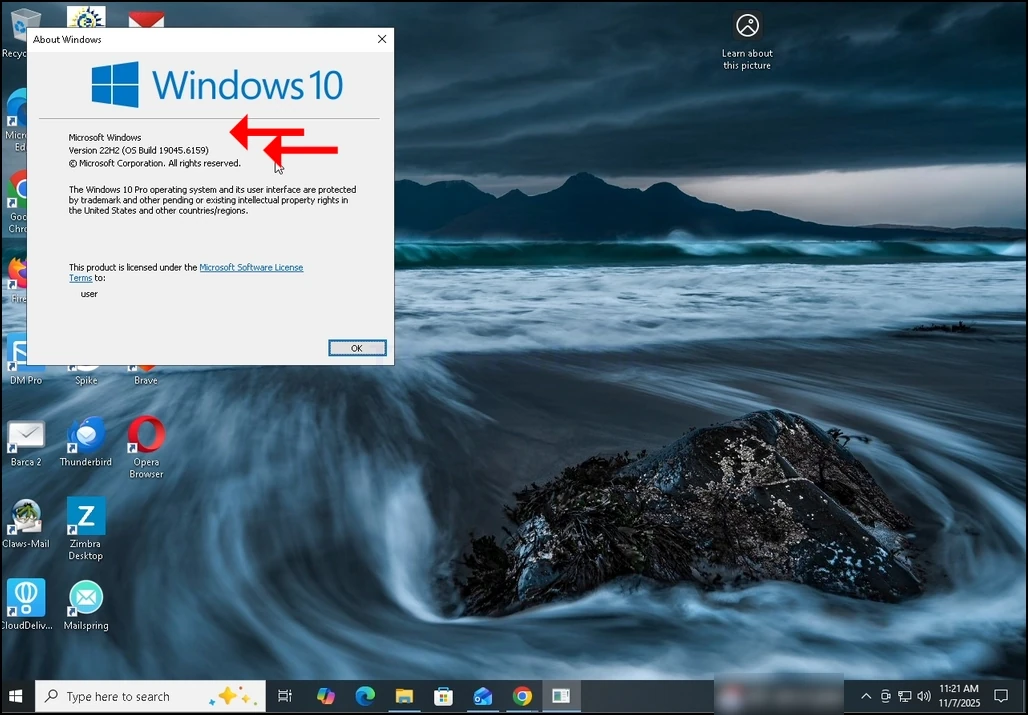
4. В прозореца за Windows, във второто изречение, Windows построена версия и ще бъде очевидна.
5. Видът на операционната система може да се види във втория параграф.
6. В тази статия, например, Windows го версия е 22H2 и нейното изграждане е 19045.6559 и видът на операционната система е Windows Pro.