



- Detalls
- Escrit per: IT Pro
- Categoria: Blog
- Visites: 3286
AI infrastructure in 2026 is pushing data centers into a new operational reality: far higher heat loads per rack, tighter mechanical and electrical tolerances, and a bigger gap between “it works on paper” and “it stays up in production.” For IT professionals, the shift isn’t just about buying faster accelerators. It’s about designing environments where cooling, power delivery, and resiliency are engineered as a single system—because at AI density levels, a small misalignment can turn into throttling, instability, or downtime.
This article focuses on what’s changing in 2026 and how to translate those changes into practical decisions for architecture, procurement, operations, and uptime planning—especially for teams running mixed fleets of traditional enterprise workloads and new GPU-heavy AI clusters.
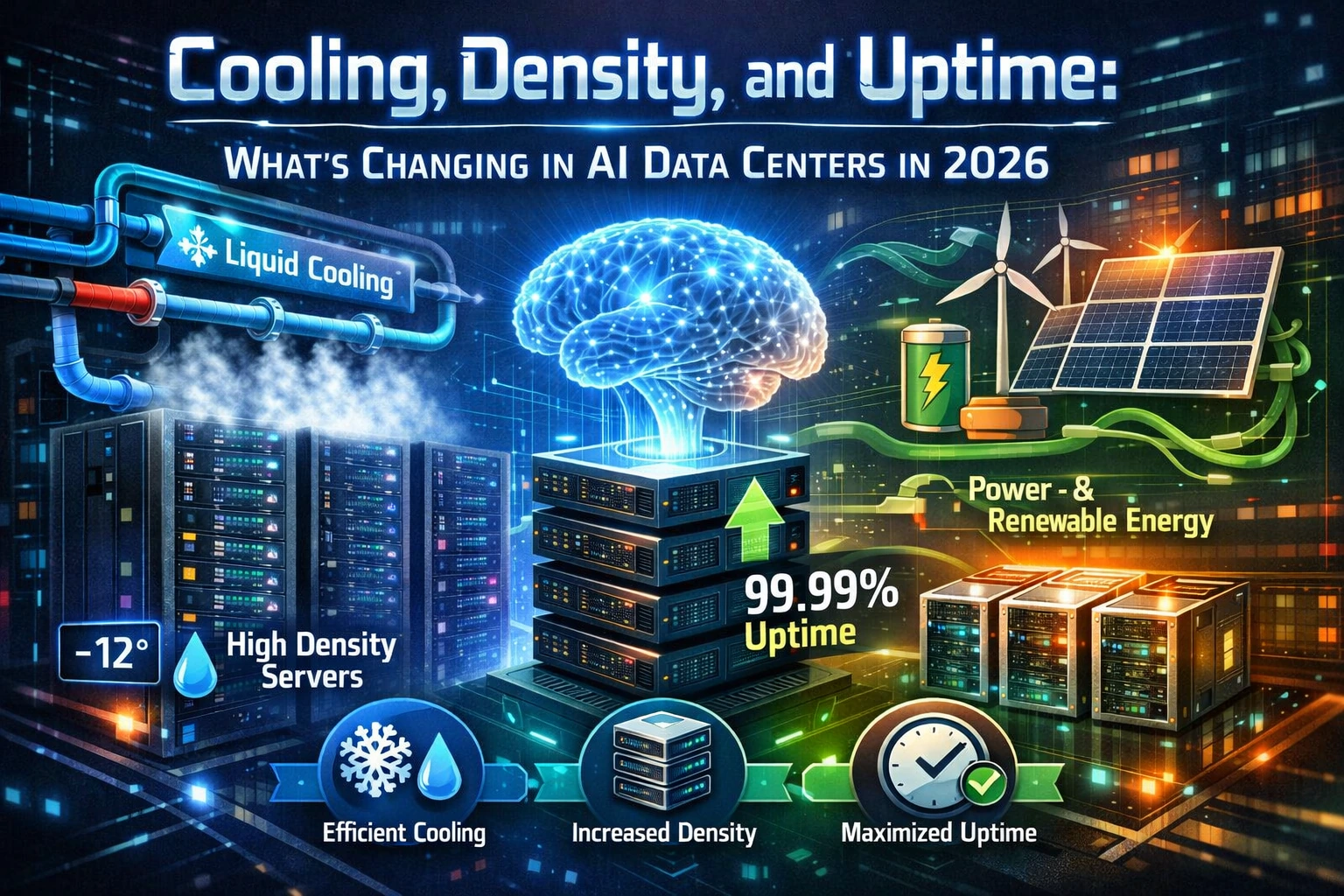
Key takeaway: in AI data centers, cooling is no longer a “facility problem,” density is no longer a “space problem,” and uptime is no longer a “redundancy checkbox.” These three forces now interact continuously, and the best operators are building workflows and controls that treat them as one discipline.
If you own application performance, SLAs, incident response, or capacity planning, you’re now part of the cooling conversation—whether you want to be or not.
Why cooling is the headline in 2026
AI training and inference clusters concentrate enormous compute into relatively small footprints. That concentration drives heat density upward, and heat density forces a choice: either keep power per rack low enough for conventional air-cooling to remain comfortable, or adopt liquid-assisted approaches that move heat away from silicon more directly. In 2026, more organizations are finding that “standard air” no longer matches the performance targets they’re paying for.
The operational symptom that IT teams see first is often not an obvious “cooling failure.” It shows up as intermittent performance variability, GPU throttling under sustained loads, unexplained job runtime drift, or increased hardware error rates during peaks. These are reliability signals as much as they are thermal signals.
- Sustained load behavior matters more than burst behavior: AI workloads run hot for long periods, stressing heat rejection and airflow management differently than spiky enterprise compute.
- Thermal headroom becomes a scheduling constraint: clusters may require workload placement rules tied to rack temperature, coolant temperature, or facility limits.
- Cooling choices affect uptime design: new pumps, valves, manifolds, and monitoring points add components that must be observed, maintained, and made fault-tolerant.
Air cooling isn’t “dead,” but its comfort zone is shrinking
Air cooling remains viable for many deployments, especially where densities are moderate or where inference loads are distributed. What’s changing in 2026 is that the margin for error is thinner. Hot-aisle containment, airflow uniformity, blanking, cable management, and pressure balancing are no longer “nice-to-haves.” They’re performance controls.
In high-density AI rooms, common air-cooling failure modes are often self-inflicted: poor containment discipline, leaky bypass air, underfloor obstructions, poorly tuned CRAC/CRAH controls, and uneven rack population that causes localized hotspots. Even when the overall room temperature looks fine, one stubborn hotspot can become an availability issue if it triggers repeated throttling or hardware instability.
What IT teams should insist on for air-cooled AI zones
- Per-rack temperature instrumentation, not just “room sensors.”
- Clear containment ownership and change control for panels, doors, and blanking.
- Operational thresholds tied to job scheduling, not only facility alarms.
- A documented airflow commissioning report after any major re-cabling or re-population.
Liquid cooling becomes mainstream operations, not a special project
Liquid cooling is not new, but in 2026 it is increasingly treated as standard infrastructure for dense AI clusters. The big change is cultural and operational: liquid cooling can’t live only with facilities or only with a vendor services team. It becomes part of the data center’s everyday “keep it running” practice, and IT must understand its failure domains and observability.
You’ll commonly encounter several patterns, often mixed within the same site:
- Direct-to-chip cold plates: coolant flows through plates attached to GPUs/CPUs, removing heat close to the source while the rest of the server may still use fans for secondary components.
- Rear-door heat exchangers: racks reject heat via a liquid-cooled rear door, reducing hot-aisle temperatures and easing airflow demands.
- Immersion cooling: entire systems are submerged in a dielectric fluid; strong for extreme density, but it changes service workflows, component compatibility, and vendor support boundaries.
- Hybrid approaches: liquid at the hottest chips, air for everything else—common as organizations transition without redesigning the whole building.
For uptime, the key question is not “is it liquid cooled?” but “where is the heat transfer boundary and what happens when something in that chain degrades?” You are adding a thermal supply chain: pumps, filtration, quick disconnects, sensors, leak detection, coolant chemistry, and maintenance cycles. That chain must be monitored and designed to fail safely.
Cooling design is now a performance contract
In traditional enterprise environments, cooling was often treated as a fixed envelope: keep the room within guidelines and let the servers handle the rest. AI changes that relationship. Thermal conditions now directly influence how much compute you actually receive for the power you buy.
This is why 2026 data center discussions increasingly include terms like “thermal budget,” “temperature deltas,” and “coolant supply temperatures” in the same meetings as “cluster utilization” and “job throughput.” It’s the same story: if cooling cannot hold stable conditions under sustained load, your expensive accelerators will deliver less work per hour.
Practical KPI shift for 2026
Add thermal stability metrics alongside uptime metrics. Track throttling events, sustained clock/throughput variance, and hardware error rates during peak periods. Correlate them with rack temperatures, coolant temperature, and facility events. This is how you turn “cooling is fine” into “performance is consistent.”
Density is changing how rooms are built and how clusters are cabled
AI density pressures don’t stop at cooling. They reshape the physical layout and the logical architecture of the environment. In many 2026 builds, the “unit of design” is not a rack. It’s a pod, a row, or a cluster block that includes compute, networking, and power distribution as an engineered module.
This is especially visible in networking. High-performance AI fabrics and large east-west traffic patterns drive cabling and switch placement decisions that are far more sensitive to distance, latency, and serviceability than classic north-south enterprise networks. As densities rise, cable bulk and airflow interference become physical risks as well as operational risks.
- Shorter cable runs and structured pathways: to reduce complexity, signal issues, and airflow disruption.
- Pre-defined failure domains: pods designed so a single electrical or cooling incident doesn’t cascade across the entire cluster.
- More attention to service clearances: dense racks with liquid manifolds and thick cabling demand realistic maintenance space.
Power delivery is colliding with grid reality
AI density forces a power conversation that used to be optional. More compute per square meter means more power per square meter, and that pushes every layer: utility feeds, transformers, switchgear, UPS systems, generators, and distribution inside the white space. In 2026, many sites are also dealing with longer lead times and more complex coordination with utilities.
For IT, the implication is direct: power constraints can become capacity constraints long before floor space does. “Do we have room for another cluster?” becomes “Do we have power headroom, cooling headroom, and maintainability headroom to run it without reducing resilience?”
Questions to bring to power planning meetings
- What is our real peak power profile under sustained AI load, not the average?
- Where are the bottlenecks: utility service, UPS capacity, generator runtime, or in-room distribution?
- What happens during failover events—do clusters ride through cleanly or do they reset?
- Are we validating power quality and transient behavior with the actual AI hardware installed?
Uptime strategy is shifting from “redundancy” to “recoverability”
Classic uptime conversations often focus on redundancy tiers and whether components are N+1 or 2N. In 2026 AI data centers, those choices still matter, but they’re not sufficient on their own. The operational question becomes: when something fails, how gracefully can the system degrade, and how quickly can you restore full service without destabilizing the cluster?
AI clusters have unique sensitivity to disturbances. A brief network interruption, a power event, or a thermal fluctuation can trigger job failures, re-queues, or expensive retraining time. Uptime isn’t only “the lights stayed on.” It is “the workload continued without costly disruption.”
- Concurrent maintainability becomes a front-line requirement: you need the ability to service power and cooling components without taking the cluster down or forcing risky operating modes.
- Fast fault isolation: identify whether an incident is localized (one rack, one CDU, one PDU) or systemic (facility-wide) before automated actions amplify the problem.
- Defined degradation modes: planned ways to temporarily reduce load, redistribute workloads, or cap power draw to stabilize the environment.
Observability expands into thermal and mechanical telemetry
You can’t operate what you can’t see. One of the most important 2026 shifts is that AI data centers increasingly integrate telemetry from IT and facilities into a shared operational picture. The boundary between “DCIM,” “BMS,” and “cluster monitoring” becomes blurred, because incidents often start in one domain and appear first in another.
Mature operators are correlating these layers:
- GPU/CPU performance counters, throttling flags, and error telemetry.
- Rack inlet/outlet temperatures and differential pressure signals.
- Coolant supply/return temperatures, flow rates, and pump health metrics.
- UPS events, power quality anomalies, and generator transfer events.
- Network fabric health tied to job failures and throughput variability.
The goal is not to drown in sensors. The goal is to create a small set of operational signals that predict instability before it becomes downtime. For IT teams, this often means building runbooks that explicitly include “thermal checks” and “cooling-chain checks” alongside the usual compute and network diagnostics.
Commissioning and validation are becoming continuous, not one-time
In dense AI environments, commissioning is not something you do once at go-live and then forget. Changes in rack population, cable routing, firmware, fan curves, coolant chemistry, and even job mix can alter the thermal and power behavior of the room. In 2026, many organizations are adopting “continuous commissioning” practices: periodic validation under realistic workloads and regular calibration of controls.
From an IT perspective, this is where performance engineering meets facilities engineering. Your stress tests and soak tests become part of facility validation. Likewise, facility events become part of your reliability testing. When you plan a major cluster expansion, the right approach is to validate the system as a whole—not only to rack the servers and hope the environment keeps up.
A practical “AI room validation” mindset
Treat major cluster changes like production releases. Require a pre-change thermal and power snapshot, a planned ramp-up period, and defined rollback or load-shedding actions if stability signals drift. This dramatically reduces the number of “mystery” incidents after expansions.
Operational risk moves to connectors, controls, and people
As cooling becomes more complex, many outages become less about a single catastrophic component failure and more about coordination: a control loop tuned poorly, a sensor misreading, an incorrect valve position after maintenance, a firmware mismatch that changes fan behavior, or a leak detection threshold set too aggressively. High-density AI data centers in 2026 are increasingly “systems of systems,” and uptime depends on operational discipline as much as hardware.
IT leaders can reduce this risk by formalizing cross-team workflows. If a facilities change can alter job throughput, it deserves change management and rollback planning. If an IT change can increase sustained power draw, it deserves a facility impact review. This is how you prevent silent drift toward instability.
- Unified incident response: shared war room process for thermal, power, network, and workload incidents.
- Cross-domain change control: facilities changes logged with the same seriousness as production IT changes.
- Standard maintenance windows: planned times for interventions on cooling chains and power paths, aligned with workload scheduling.
What this means for procurement and vendor conversations
In 2026, buying AI infrastructure is rarely a simple “server purchase.” It’s a decision about facility compatibility, serviceability, and operational maturity. Procurement and architecture reviews now routinely include questions that used to belong exclusively to data center engineering.
When evaluating AI platforms, focus on the real operational envelope:
- Thermal requirements and tolerances: expected behavior under sustained full load, and what telemetry is exposed for monitoring and automation.
- Cooling integration: how liquid connections are handled, service workflows, leak detection strategy, and who owns which parts of support.
- Power behavior: transient draw characteristics, power limiting options, and stability during UPS or generator transitions.
- Serviceability: real clearance requirements, time-to-repair expectations, and whether hot-swap actions introduce thermal or power shocks.
The strongest vendor conversations in 2026 are the ones that treat performance and uptime as a joint responsibility: the vendor provides validated operating guidance and telemetry, and the operator provides a monitored, controlled environment that matches those requirements. If either side treats the other as “someone else’s problem,” you get expensive surprises.
How to update your runbooks for AI-era density
Many IT teams discover that their existing runbooks are incomplete for AI operations. They may have strong procedures for network failures, hypervisor issues, storage latency, or application incidents—but weak coverage for the facility-linked failure modes that dense AI introduces.
Runbook upgrades that pay off immediately
- Add “throttling triage” steps that include rack inlet temps, coolant temps, and airflow integrity checks.
- Create a “safe load reduction” procedure to stabilize the room during thermal or power events.
- Define escalation paths that include facilities engineers early, not after hours of IT-only troubleshooting.
- Add post-incident correlation: job failures vs facility events vs environmental telemetry.
- Document maintenance effects: what changes during pump servicing, filter swaps, or control tuning.
The goal is to shorten time-to-diagnosis. In dense AI environments, the cost of slow diagnosis is high: workloads fail, queues back up, and instability spreads as systems attempt to compensate. A runbook that treats thermal and power as first-class signals is no longer optional.
Security and compliance are also evolving with AI facilities
As sites adopt more sensors, more remote monitoring, and more integrated facility controls, the attack surface grows. IT professionals should assume that building controls, DCIM platforms, and telemetry pipelines are part of the security scope. In 2026, mature teams are aligning facility systems with enterprise security patterns: segmented networks, strong authentication, audit logging, and controlled remote access for vendors.
Operationally, the biggest security risks come from convenience-driven exceptions: unmanaged remote access paths, shared credentials, and “temporary” integrations that become permanent. If uptime matters, secure operations matter. A compromised or unstable control environment can be just as disruptive as a failed power component.
The 2026 mindset: design for sustained reality, not ideal conditions
The defining change in AI data centers in 2026 is that optimization has shifted from peak theoretical capability to sustained operational delivery. Cooling must be stable under long hot runs. Density must be serviceable, not only space-efficient. Uptime must include recoverability, not only redundancy.
For IT professionals, the practical move is to treat the facility as part of the platform. When you plan AI capacity, include thermal and power headroom as explicit constraints. When you define SLAs, include performance stability metrics. When you run incidents, correlate across IT and facility telemetry. When you procure, demand validated operating envelopes and support boundaries.
In 2026, the winning AI data centers aren’t just the ones with the newest hardware. They’re the ones that can run that hardware at full value—consistently, safely, and predictably.
- Detalls
- Escrit per: IT Pro
- Categoria: Blog
- Visites: 2759
“On-device GenAI” used to sound like a niche capability—something reserved for high-end workstations, labs, or offline field kits. In 2026 it’s rapidly becoming a practical enterprise topic, driven by modern NPUs, tighter OS integration, and user expectations that AI assistance should be as immediate as autocomplete.
For IT professionals, the decision isn’t “local versus cloud” in a philosophical sense. It’s a design and governance choice with measurable operational consequences: what data leaves the endpoint, how quickly users get results, how resilient workflows are when networks fail, and how much control the organization can realistically enforce across a heterogeneous fleet.
This article focuses on the two arguments that resonate most in enterprise environments—privacy and latency—and then translates them into implementation realities: security controls, observability, policy, support, and procurement standards.
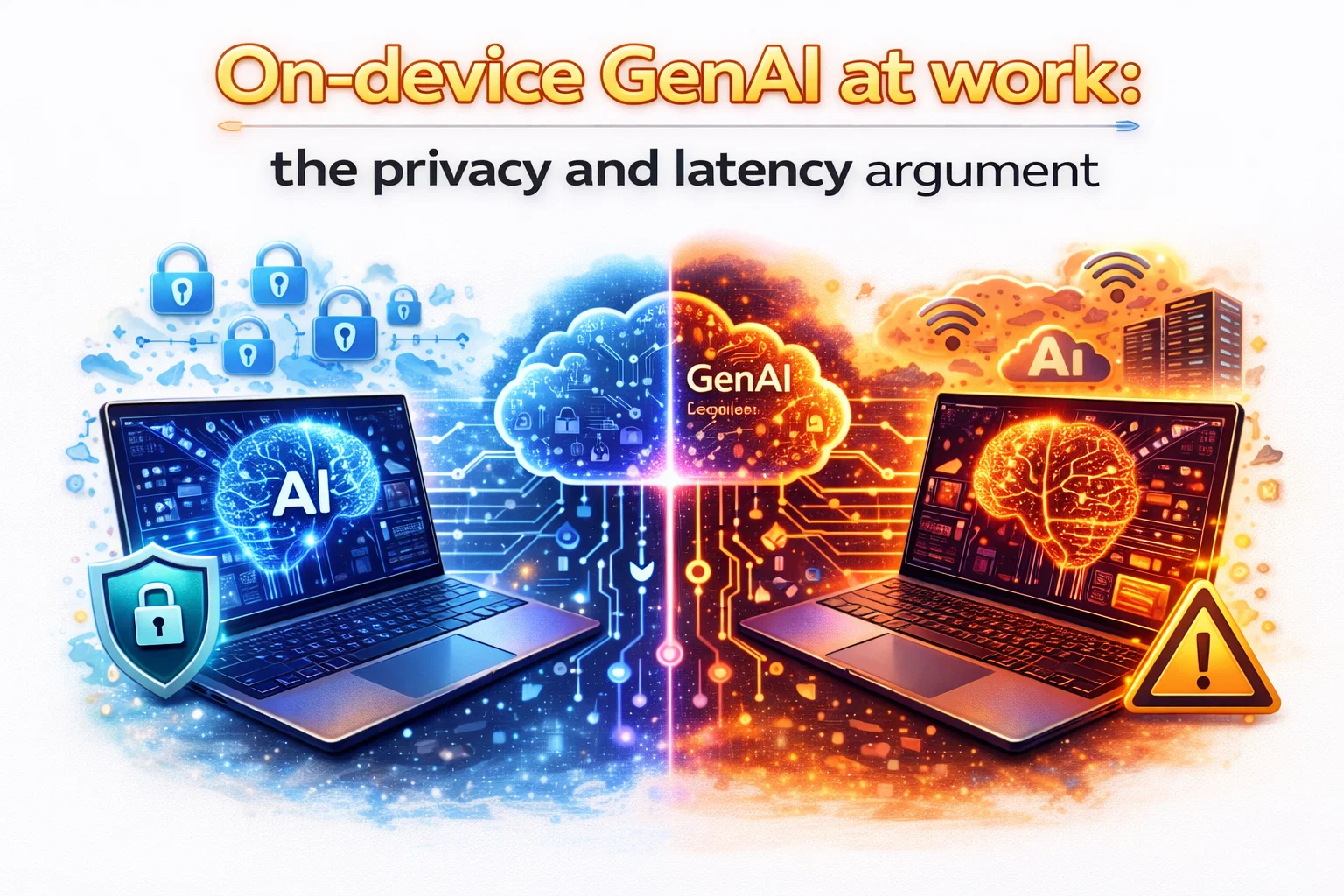
What “on-device GenAI” really means in an enterprise context
On-device GenAI means that at least part of the generative AI workflow executes locally on the endpoint: prompt handling, token generation, embeddings, summarization, rewriting, or context retrieval. Sometimes the entire pipeline is local. Sometimes it’s hybrid: the device performs lightweight steps locally and calls a cloud model for heavier generation or deeper reasoning.
From an IT standpoint, the most important question is not “Is it on-device?” but which parts are on-device, under what conditions, and with what controls? A product can market “local AI” and still upload large chunks of user content to a service depending on settings, model availability, or “quality mode” choices.
The privacy argument: minimizing data movement is risk reduction
In enterprise security, most large failures begin with one of two patterns: sensitive data moved somewhere it shouldn’t, or credentials/tokens used where they weren’t intended. Cloud-based GenAI does not automatically cause either problem, but it increases the number of places data can land and the number of integrations that must be governed.
On-device inference changes that equation by reducing data egress. When the prompt, attachments, and intermediate representations remain local, you can often lower the probability of accidental disclosure through misconfiguration, vendor-side incidents, or employee misuse of unapproved tools.
Enterprise pain point: “Where did that text go?”
IT teams routinely deal with situations where employees paste sensitive content into consumer AI tools because it’s fast and available. Even when corporate policy forbids it, the friction of approved workflows can push users toward shadow AI.
On-device GenAI can reduce this temptation by offering a sanctioned, low-friction option that does not require sending text to an external provider for routine tasks. That’s not just convenience—it’s a governance win. The easier the approved path is, the less you have to rely on punitive policy.
Local processing supports stricter data boundary models
Organizations with regulated data often separate environments and identities: corporate network vs. guest network, managed endpoints vs. BYOD, restricted VDI pools vs. general office devices. Cloud GenAI can still fit, but it forces the organization to answer hard questions about routing, vendor contracts, retention, training usage, and legal hold.
When GenAI runs locally, you can enforce a simpler boundary: the endpoint is the primary trust domain. The security posture shifts toward endpoint hardening, local encryption, and controlled model updates rather than complex data-sharing agreements.
Privacy is not only about exfiltration—it’s also about metadata
Even if content is encrypted in transit and your vendor is reputable, cloud workflows generate metadata: who prompted what, when, from which device, and often contextual hints about business activity. Some organizations are comfortable with that. Others are not—especially when legal, competitive, or geopolitical pressures are involved.
On-device GenAI can reduce metadata exposure by keeping routine assistance local and reserving cloud calls for explicitly approved, audited scenarios.
The latency argument: “instant” changes user behavior and workflow design
Latency isn’t a vanity metric in productivity systems—it changes what users are willing to do. If AI assistance takes 8–20 seconds, users treat it like a separate task. If it responds in under a second or two, it becomes part of how they think and work: draft, edit, summarize, rephrase, iterate.
On-device GenAI can remove or reduce network dependency, which means fewer unpredictable delays from Wi-Fi congestion, VPN routing, SASE inspection overhead, or regional service saturation. That reliability matters just as much as raw speed.
Latency equals adoption—and adoption affects risk
When approved AI is slow or inconsistent, users find alternatives. The latency argument therefore loops back into privacy: making the sanctioned path responsive reduces shadow AI usage, which reduces uncontrolled data exposure.
For IT, that means performance is a security control in disguise. A fast, local assistant can become a preventative measure.
Offline and constrained-network environments are first-class enterprise scenarios
Many “cloud-first” assumptions collapse in real environments: hospitals with segmented networks, manufacturing floors with intermittent coverage, secure sites with restricted outbound access, field teams in areas with unreliable service, and executives traveling across regions.
On-device GenAI keeps key capabilities available in those conditions: meeting notes, quick summarization, document rewrites, translation aids, or policy-aware drafting. Even when the results are smaller or “good enough” rather than “best possible,” the continuity is valuable.
Where on-device shines—and where it doesn’t
A realistic enterprise strategy recognizes that on-device and cloud each have strengths. The argument for on-device is strongest when the workload is: frequent, latency-sensitive, privacy-sensitive, or needed in constrained connectivity scenarios.
Strong fit scenarios
Typical high-value enterprise use cases that benefit from local generation or local AI assistance include:
- Drafting and rewriting internal emails, chat messages, or meeting follow-ups where sensitive names, deals, and project details appear.
- Summarizing short documents, notes, and tickets directly from local content without uploading attachments to an external service.
- Live transcription and captioning, plus meeting enhancements like noise suppression and camera effects that must be real-time.
- Local retrieval over small curated corpora (policies, runbooks, project docs) with strict access controls and offline availability.
- Developer assist features inside IDEs for code explanation, refactoring suggestions, and local search—especially in environments that restrict outbound access.
Weak fit scenarios
On-device is not automatically the best choice for:
- Very large generation tasks requiring extensive context windows or deep reasoning across multiple sources.
- High-fidelity content generation where quality must match top-tier frontier models consistently.
- Organization-wide knowledge assistants that must search across large enterprise repositories in real time.
- Scenarios demanding centralized logging and eDiscovery of every prompt/output by design.
In these cases, a cloud model (often paired with enterprise governance features) can remain the right tool—provided the organization implements strong controls and user education.
Security realities: on-device GenAI changes the threat model, it doesn’t erase it
A common misunderstanding is that local AI is “automatically safe.” In reality, it shifts the focus to endpoint security and supply chain integrity. If the device is compromised, local processing can still leak data—sometimes more quietly because the workflow stays inside the endpoint.
Model integrity and update governance
Models become assets that must be managed: versioned, signed, and updated through controlled channels. IT teams should ask how models are delivered, how updates are validated, and how rollbacks work if an update introduces regression or policy issues.
From a security perspective, treat models and runtimes like drivers: they are privileged components in practice because they influence how data is processed and may rely on hardware acceleration stacks.
Local prompt and context handling must align with DLP and access controls
If an on-device assistant can read local files, index them, or generate summaries, it must respect the user’s access rights and enterprise segmentation. You want predictable behavior: no indexing of restricted folders, no cross-profile leakage, no “helpful” caching in insecure locations.
The goal is not to block capability, but to make it policy-aware. Local AI should honor the same boundaries you enforce for search, encryption, and document management.
Telemetry and auditability: choose intentionally
Cloud services can provide centralized audit logs by default. Local workflows may be more private but less observable. IT teams should decide what needs to be logged, for whom, and under what legal basis. The answer will differ by sector.
A mature approach is to separate content from events: logging that “an AI summarization feature ran” may be useful, while logging the full prompt may be unacceptable. When designing an on-device strategy, define these lines early and enforce them consistently.
The enterprise hybrid model: local by default, cloud by exception
The most practical 2026 pattern for many organizations is a hybrid design where:
- Routine, privacy-sensitive, latency-sensitive tasks run locally by default.
- Larger, organization-wide knowledge and high-quality generation routes to enterprise-controlled cloud services.
- Policy controls decide when cloud calls are permitted and what data can be included.
This “local-first” stance gives IT a strong baseline: less data movement, fewer surprises during network issues, and better user responsiveness. Then cloud becomes a deliberate, governed escalation path rather than the default.
Implementation considerations IT teams should not ignore
Endpoint readiness: hardware, drivers, and power profiles
On-device GenAI lives or dies on fleet consistency. If half the endpoints can run the local model smoothly and half cannot, user experience becomes fragmented and support costs rise.
Define a baseline that includes NPU capability, memory capacity, storage performance, and driver update strategy. Also validate that your security tools do not force the AI stack into slow fallbacks that push compute to the CPU.
Governance: the “approved assistant” needs policy guardrails
Even local assistants can produce risky outputs: accidental inclusion of confidential data, insecure code suggestions, or inaccurate summaries that influence decisions. Your controls should include:
- Clear guidance on permitted use cases and prohibited data categories.
- UI cues that indicate whether a task is running locally or using a cloud service.
- Optional “redaction mode” for sensitive workflows, where the assistant avoids copying identifiers into outputs.
- Role-based controls: different features for general staff versus regulated roles.
Supportability: build new troubleshooting playbooks
When local AI is involved, performance issues won’t always show up as obvious CPU spikes. Bottlenecks may involve memory contention, thermal limits, driver regressions, or a feature silently switching to a cloud fallback mode.
Update your support runbooks to include: verifying whether acceleration is active, checking feature modes, validating model versions, and identifying conflicts with security tooling. The goal is to reduce “mystery slowness” tickets and make behavior predictable.
Measuring success: what outcomes to track
To justify investment and guide iteration, measure outcomes aligned with privacy and latency:
- Reduction in shadow AI usage: fewer hits to blocked consumer AI sites, fewer incidents of sensitive paste behavior.
- User-perceived responsiveness: time-to-first-result for common assistive actions and meeting features.
- Network dependency reduction: fewer support issues tied to VPN, SASE routing, and regional service availability.
- Policy compliance metrics: how often cloud escalation is used, and whether it aligns with approved scenarios.
- Supportability: ticket volume related to AI features, and mean time to resolve after new playbooks are deployed.
These metrics keep the conversation grounded in enterprise reality: risk reduction, productivity, and operational stability.
The bottom line for IT in 2026
The strongest case for on-device GenAI at work is not hype—it’s architecture. When you can perform common generative tasks locally, you reduce unnecessary data movement and cut out the network as a performance variable. That delivers two outcomes IT cares about: better privacy posture and more predictable user experience.
However, local AI is not a “set it and forget it” upgrade. It demands enterprise-grade endpoint readiness, model update governance, clear policy boundaries, and support playbooks that reflect a new kind of workload running on the client.
Organizations that get this right will see a practical shift: AI assistance becomes a standard capability that works even when the network doesn’t, and sensitive workflows gain a safer default path. In a year where productivity tooling is increasingly AI-shaped, that combination of privacy and latency is a compelling argument for building a local-first strategy.
- Detalls
- Escrit per: IT Pro
- Categoria: Blog
- Visites: 2770
“NPU TOPS” shows up everywhere in laptop specs now, and it’s easy to treat it like the GHz of the AI era: bigger number, better device. For IT professionals, that mindset can lead to noisy procurement decisions, mismatched user expectations, and fleets that look impressive on paper while under-delivering in real workflows.
TOPS can be useful, but only when you understand what it measures, what it ignores, and how it maps to the things businesses actually care about: battery life, responsiveness, security posture, manageability, and predictable performance across a mixed fleet.
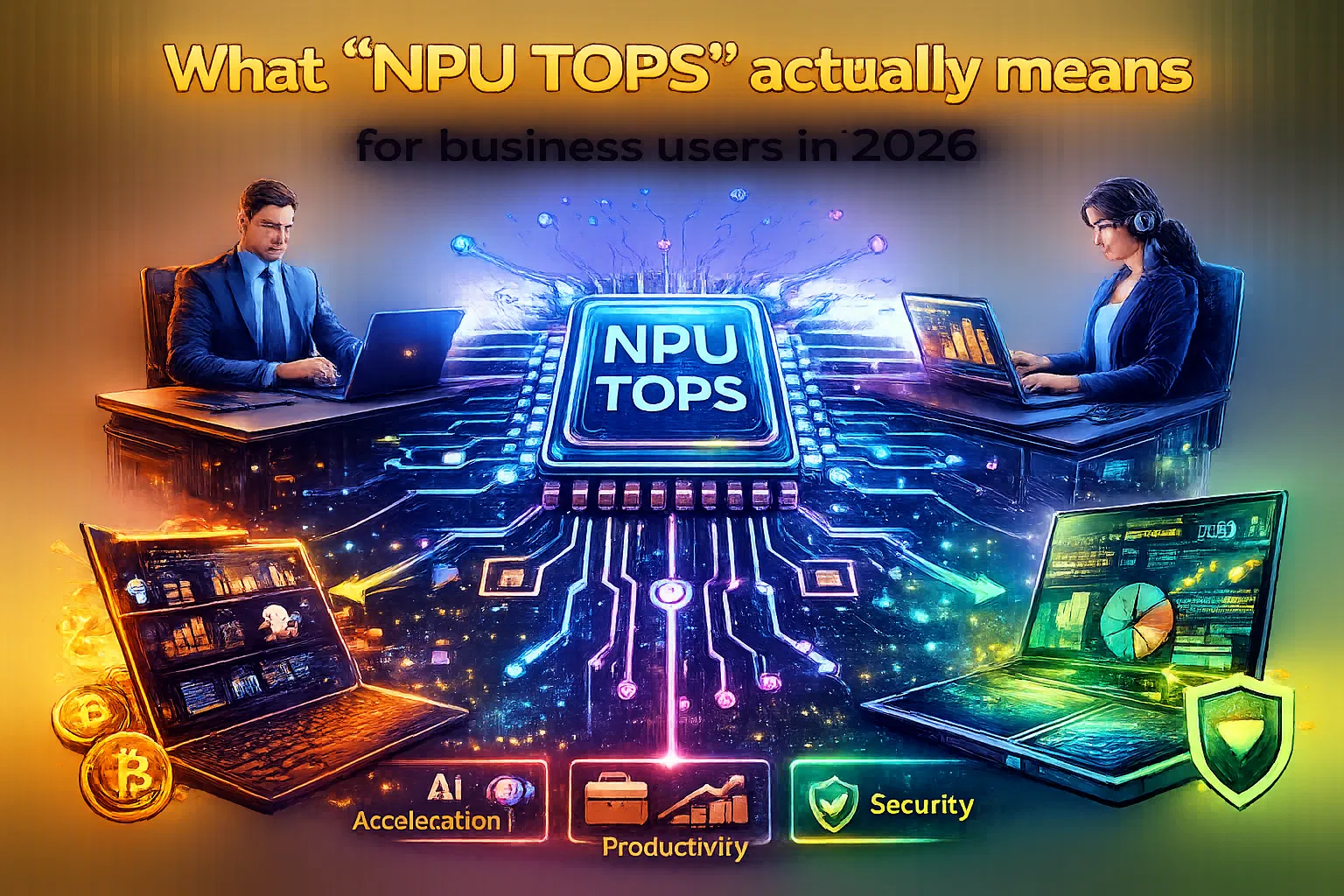
The quick definition: what TOPS is—and what it isn’t
TOPS stands for trillions of operations per second. In the NPU context, it’s typically quoted as a peak theoretical throughput figure: how many simple math operations the NPU can execute per second under ideal conditions.
The catch is that the word “operation” is slippery. Depending on the vendor and the benchmark methodology, an “operation” might be an integer add, a multiply-accumulate (MAC), a fused instruction, or something counted under assumptions like sparsity. The headline TOPS number also often reflects a best-case precision mode (commonly low-precision integer math) that many real workloads can’t always use end-to-end.
Think of NPU TOPS as a ceiling, not a guarantee. It’s a signal about potential capacity, not a promise of end-user experience.
Why business buyers should care about NPUs at all
NPUs matter in enterprise because they shift certain AI workloads from “cloud-only or GPU-only” to “always-on, local, power-efficient.” That changes both cost and risk.
- Battery-friendly inference: NPUs can run continuous or frequent inference tasks without the power draw of a GPU. For mobile employees, this can be the difference between “AI features are always available” and “AI features are disabled after lunch.”
- Privacy and data residency: Some AI tasks can stay on-device, reducing exposure of sensitive content and simplifying compliance conversations around what leaves the endpoint.
- Latency and offline workflows: On-device inference can keep common assistive features responsive even on poor networks or during travel and site work.
- Predictable per-seat cost: Offloading tasks locally can reduce dependency on per-query or per-seat cloud AI spend, especially for “always-on” scenarios.
The NPU is not replacing the CPU or GPU. It’s a third compute lane, optimized for a specific class of workloads: dense math over tensors, typically for inference and increasingly for light on-device personalization workflows.
The marketing trap: treating TOPS like a universal speed rating
IT procurement teams have seen this pattern before: a single synthetic number becomes a stand-in for a multi-dimensional experience. It happened with “up to” CPU turbo clocks, SSD sequential speeds, Wi-Fi peak rates, and camera megapixels. TOPS is heading the same way.
Two machines can advertise similar TOPS and feel very different in day-to-day AI features. That’s because user experience depends on much more than raw arithmetic throughput.
What you should ask before trusting a TOPS number
Precision: TOPS at which numeric format?
Many TOPS claims assume low-precision integer math (often INT8 or similar). That’s frequently valid for inference, but not universally. Some models, layers, or post-processing steps may require higher precision for acceptable accuracy or stability.
For IT, the key point is simple: TOPS is usually “best-case mode.” If your target applications don’t run fully in that mode, the realized throughput can be substantially lower.
Peak versus sustained: can it hold performance on battery?
Enterprise laptops spend a lot of time on battery, in warm bags, in conference rooms, and on docking stations with mixed thermals. A “peak TOPS” rating does not tell you how the NPU behaves after several minutes of continuous use, or under a realistic power profile.
Look for indicators of sustained performance and power efficiency. If your organization relies on always-on features (noise suppression, camera effects, transcription, background classification), stability matters more than short bursts.
Memory bandwidth and data movement: the silent limiter
AI workloads are not only math; they are also data movement. If the model weights and activations can’t be fed to the NPU efficiently, the NPU can sit idle while waiting on memory. This is one reason two devices with similar TOPS can show very different real-world inference times.
In practical terms, enterprise configurations (RAM capacity, memory channels, and how the platform shares memory between CPU/GPU/NPU) can have outsized impact on AI responsiveness—especially when users multitask heavily.
Software stack: does the NPU accelerate the apps you actually use?
TOPS doesn’t matter if the workload never reaches the NPU. The end-to-end path depends on drivers, runtimes, and framework support, and on whether vendors or ISVs have actually integrated acceleration for that NPU.
For IT teams, the practical question is: Which of our workflows is NPU-accelerated on this platform today? Not “in theory,” not “coming soon,” but in your tested image, with your security stack, with your target app versions.
Model compatibility: what runs locally, and at what quality?
Local AI features often rely on specific model architectures and sizes. Some endpoints may run smaller, optimized models locally and fall back to cloud for larger tasks. Others may offer multiple “quality tiers.”
IT should align expectations: local features can be excellent for certain tasks (real-time filters, summarization of small content, quick classification), while larger reasoning or generation workloads may still be more cost-effective in the cloud depending on your policy and budget.
A business-first interpretation of TOPS
If you’re translating NPU TOPS into business outcomes, treat it as one input into a broader capability profile. A higher TOPS rating can indicate a platform is more likely to handle multiple AI streams simultaneously (for example, camera effects plus transcription plus local classification) without stuttering. But the real question is how the device behaves under the combined load your users generate.
A helpful mental model for IT is to interpret TOPS as a rough indicator of headroom for on-device AI features, not a direct predictor of “how fast an assistant writes an email.” Headroom matters most when features run continuously or concurrently, and when you want those features to stay enabled by default across your fleet.
Common enterprise scenarios where NPU capacity actually shows up
Video conferencing at scale
Camera background effects, eye contact correction, noise suppression, voice isolation, and real-time transcription can stack up. In an enterprise environment, these features aren’t “nice-to-have”; they impact productivity, accessibility, and meeting quality.
Higher NPU headroom can reduce frame drops, audio artifacts, and thermal ramp, especially when users run meetings while screen-sharing and multitasking across multiple browser tabs and line-of-business apps.
Local content classification and policy tooling
Enterprises increasingly want on-device classification for sensitive workflows: quickly labeling content, detecting regulated data patterns, or enabling assistive search across local files with policy controls. When these features run locally, they can be faster and reduce cloud exposure, but they also rely on reliable on-device acceleration.
Accessibility and UX augmentation
Live captions, translation, and speech enhancement can be transformative for distributed teams. IT teams should consider these as part of inclusive workplace standards. An NPU with adequate headroom can keep these features responsive without punishing battery life.
Developer and analyst workflows
For some roles, on-device AI is less about “chat” and more about acceleration inside tools: code completion, test generation, documentation drafting, log clustering, or lightweight local retrieval over project repos. In these cases, the NPU’s value depends heavily on how the toolchain is integrated.
NPU TOPS versus GPU TOPS: why the comparison can mislead
You’ll sometimes see platforms advertise combined “AI TOPS” across CPU, GPU, and NPU. While that can communicate overall capability, it can also hide a critical operational detail: where the workload runs changes power, thermals, scheduling, and security boundaries.
- NPU: typically best for sustained inference at low power, ideal for always-on features.
- GPU: often best for high-throughput parallel workloads, but can consume more power and may conflict with graphics workloads.
- CPU: flexible and universal, but usually the least efficient for tensor-heavy inference compared to specialized units.
For fleet planning, treat NPU TOPS as its own category. A device with a capable GPU but weak NPU may still feel “AI-ready” in short demos, but it may not be the best fit for always-on enterprise features that need to remain enabled all day.
Security and compliance: what changes when AI runs on-device
On-device AI can reduce the amount of data sent off the endpoint, but it doesn’t automatically solve governance. It changes the control surface. IT teams should evaluate:
- Data boundaries: What content is processed locally? What content is sent to cloud services? Are these behaviors configurable via policy?
- Model update channels: How are models updated, signed, rolled back, and validated? Do updates respect change control windows?
- Telemetry: What telemetry is generated by AI features, where is it stored, and can it be constrained for regulated environments?
- Prompt and content handling: If local features index files or analyze documents, how does that interact with DLP, eDiscovery, and endpoint protections?
- Attack surface: AI runtimes and drivers become part of the endpoint stack. Ensure they fit your patching and vulnerability management program.
In other words, NPU TOPS is not only a performance discussion. It indirectly influences which features you can safely keep local versus which you choose to keep cloud-mediated for visibility and control.
Procurement in 2026: how IT should evaluate “AI-ready” laptops without getting fooled
If you’re building purchase standards or refresh guidance, the most practical approach is to translate NPU capability into testable requirements, not marketing thresholds. Consider building a small “AI acceptance suite” you can run on candidate devices.
Define the enterprise baseline by scenario, not by headline TOPS
Start with the workflows that matter to your organization and group them into profiles. Examples include meeting-heavy roles, mobile field roles, developers, and analysts. Then define what “good” means for each profile: responsiveness targets, battery impact, thermal comfort, and feature set.
Measure responsiveness under realistic load
Run conferencing plus typical multitasking. Observe whether AI features remain stable. Watch for throttling on battery. Pay attention to fan behavior. If your test lab can instrument power draw, compare “feature enabled” versus “feature disabled” runs.
Validate software compatibility in your managed image
Ensure your security agents, endpoint management tools, and hardening baselines do not break NPU acceleration or force fallbacks that shift workloads to CPU/GPU unexpectedly. AI features that behave well on a clean OEM image can behave differently under enterprise controls.
Ask vendors for the details behind the number
In RFPs or technical evaluations, push beyond the headline:
- What precision is the advertised TOPS measured at?
- Is the figure for NPU alone, or aggregated across CPU/GPU/NPU?
- Are there sustained throughput numbers under typical laptop power limits?
- Which runtimes and frameworks are supported, and what is the driver update cadence?
- What enterprise policy controls exist for on-device AI features and model updates?
Operational impact: what changes for endpoint management
As on-device AI becomes normal, IT operations will likely see new categories of tickets and new configuration questions. Planning ahead can keep your support organization from chasing ghosts.
New performance complaints won’t look like “high CPU”
Users may experience stutters in meetings or delayed captions without obvious CPU spikes, because the bottleneck may be NPU scheduling, memory contention, or thermal constraints. Your troubleshooting playbook should expand to include AI feature toggles and platform-specific diagnostics.
Patch management expands to AI runtimes and models
Drivers and runtimes become more business-critical. If a driver update changes which workloads hit the NPU, users may report changes in battery, heat, or feature behavior. Treat these updates with the same discipline as GPU drivers in creative orgs: staged rollout, monitoring, rollback plan.
Fleet heterogeneity becomes more visible
In mixed fleets, some users will have a smooth “AI-first” experience while others see limited or cloud-dependent features. That can create fairness issues and confusion unless you define clear standards and communicate which roles get which class of device and why.
A practical rule of thumb for IT professionals in 2026
Use NPU TOPS the way you use any single spec: as an early filter, not a final decision. Higher TOPS can correlate with better multitasking headroom for on-device AI features, but it does not replace validation of software support, sustained behavior, and manageability in your environment.
If you want a simple enterprise-ready interpretation, think in layers:
- Capability layer: Does the platform have enough NPU headroom to run the features we expect to be standard for our users?
- Enablement layer: Do our apps and OS features actually use the NPU reliably under our managed image?
- Operational layer: Can we patch, govern, audit, and support these features without surprises?
When those layers line up, TOPS becomes meaningful. When they don’t, it’s just a number that looks good in a spec sheet.
Procurement checklist you can copy into your standards doc
Below is a non-numbered checklist you can adapt for internal use when evaluating “AI PCs” and NPU claims:
- Confirm the precision mode behind the advertised NPU TOPS and whether it reflects your target workloads.
- Validate sustained behavior on battery during continuous conferencing plus multitasking.
- Test key enterprise apps and meeting tools in your managed image and verify NPU acceleration is actually used where expected.
- Review policy controls for on-device AI features, model updates, telemetry, and data boundaries.
- Confirm driver and runtime update cadence, enterprise support commitments, and rollback options.
- Document which user profiles benefit from higher NPU headroom and align device tiers accordingly.
In 2026, “NPU TOPS” is a useful part of the conversation—just not the whole conversation. IT teams that treat it as a capacity signal, validate the software path, and operationalize governance will get real value from on-device AI. Everyone else risks buying impressive specs that don’t translate into a better workday.
- Detalls
- Escrit per: IT Pro
- Categoria: Blog
- Visites: 3017
CES 2026 made one thing hard to ignore: the “AI PC” label is no longer a niche marketing badge—it’s turning into a baseline expectation for premium and business laptops alike. Vendors used the show to signal that next-generation client hardware will be designed around sustained on-device AI performance, not just peak CPU boosts. For IT teams, that changes how you evaluate endpoints: AI capability becomes a platform feature with security, manageability, network, storage, and lifecycle consequences—not just a nice-to-have for power users.
This article breaks down the practical trends that stood out at CES 2026 and translates them into decisions IT professionals will likely face across procurement, imaging, endpoint security, governance, and user support. The headline themes are consistent across OEMs: higher NPU performance targets, more aggressive power efficiency, new display-driven form factors, and connectivity assumptions (Wi-Fi 7, newer Bluetooth stacks, more USB4/Thunderbolt-class ports). Alongside those trends, vendors are also pushing new “work-anywhere” form factors that will force policy conversations about portability, privacy, and physical durability.

AI-first specs: what “AI-ready” really means in 2026 laptops
The most important hardware shift is that “AI performance” is being specified explicitly—most commonly through NPU throughput targets in TOPS. Microsoft’s Copilot+ PC guidance has reinforced a simple threshold that procurement teams can use as a coarse filter: many Windows AI experiences expect an NPU capable of 40+ TOPS. That does not mean every organization needs those features enabled, but it does mean the platform ecosystem (drivers, firmware, OS features, OEM utilities, and third-party apps) is increasingly designed around those assumptions.
CES 2026 announcements and reviews show that new client silicon is aiming above that floor. Intel’s Core Ultra Series 3 messaging at CES emphasized top SKUs with NPU performance up to 50 TOPS, paired with integrated graphics improvements and long battery life claims that reposition thin-and-light machines as more capable “all-day” endpoints. Independent coverage of Intel’s Panther Lake also framed it as a meaningful step forward in efficiency and integrated GPU capability—important because many enterprises want performance gains without expanding the operational risk of discrete GPUs in general-purpose fleets.
The practical IT takeaway: the “AI” line item on spec sheets is becoming multidimensional. It’s not just an NPU number. You’ll want to look at whether the platform can sustain NPU and GPU workloads on battery, what happens under corporate security stacks (EDR, DLP, browser isolation, VPN), and whether the OEM’s firmware and driver cadence is enterprise-friendly. A machine that posts a high TOPS figure but throttles under real policy loads will frustrate users and create support noise.
The new “minimum viable premium” configuration: memory, storage, and I/O
AI workflows—especially local inference, transcription, translation, summarization, and image/audio enhancements—push the platform in predictable ways: more memory, faster storage, and higher sustained I/O. This aligns with the Copilot+ PC hardware framing that pairs 40+ TOPS with modern baseline memory and storage expectations in the ecosystem discussion. Even if you keep most AI workloads in the cloud, users will run mixed workloads that cause memory pressure (multiple browsers, Teams/Zoom, local security agents, IDEs, and AI-assisted tools).
Storage trends are also becoming more explicit in business lines. Lenovo’s CES 2026 business portfolio notes PCIe Gen 5 SSD options in ThinkPad-class devices, which signals a broader shift toward faster client storage in premium tiers. Faster storage can improve everything from boot and patch cycles to developer builds and local dataset access, but it also increases the importance of thermal design and firmware stability—areas where enterprise validation matters.
On ports and expansion, OEM posts and press materials increasingly treat USB4 as normal rather than exotic, while many enterprise laptops keep legacy ports (USB-A, HDMI, sometimes RJ-45) because IT still values predictable docking and conference-room compatibility. The operational point here is that “dongle sprawl” remains a hidden cost. If you’re standardizing new models, align port expectations with your meeting-room hardware, field-worker kits, and docking strategy before you sign a volume deal.
Connectivity becomes an assumption: Wi-Fi 7, newer Bluetooth, and more cellular SKUs
CES 2026 messaging across OEMs treats Wi-Fi 7 as a mainstream “premium baseline” feature rather than a forward-looking bonus. Business press materials from major vendors include Wi-Fi 7 and newer Bluetooth versions (often Bluetooth 5.4) as standard talking points, and Windows ecosystem coverage at CES also highlighted Wi-Fi 7 as part of the new PC wave. This matters for IT because connectivity reliability increasingly determines user perception of “device quality,” even when the real bottleneck is the network edge.
The more strategic shift is that more business families are shipping with optional 5G/4G configurations. Lenovo’s CES 2026 business notes explicitly call out cellular options alongside Wi-Fi 7. In practice, that pushes IT toward clearer policies around eSIM provisioning, carrier management, roaming controls, and data-loss prevention outside the VPN. It also increases the importance of conditional access patterns that don’t assume “corporate Wi-Fi” as the primary trust boundary.
New form factors at CES 2026: more screens, more motion, more support tickets
CES has always been a playground for form-factor experimentation, but CES 2026 felt like a “second wave” of multi-screen and transformable designs—less concept art, more refined products. Dual-screen laptops, rollable display concepts, and even “PC built into a keyboard” designs were positioned as productivity solutions rather than novelty. The IT implication is straightforward: as these devices move from exec toys to fleet candidates, support teams inherit new failure modes (hinges, detachable keyboards, screen alignment, driver quirks, docking oddities, and more complex RMA scenarios).
Dual-screen laptops are the clearest example. Reviews of the 2026 ASUS Zenbook Duo highlight a more mature implementation, with refined hinge engineering and Wi-Fi 7/Bluetooth 5.4 support alongside new Intel silicon. Devices like this can genuinely improve workflows for developers, analysts, SOC operators, and mobile consultants who routinely juggle dashboards, terminals, tickets, docs, and chats. But dual-screen also forces policy decisions: do you treat the second panel as a display (and allow it under existing rules), or as a higher-risk surface for shoulder-surfing and data exposure?
Rollable displays are still largely concept territory, but Lenovo’s CES 2026 messaging around a “rollable” gaming concept underscores that mechanically dynamic screens are being explored seriously. Even if those don’t land in mainstream enterprise fleets immediately, the direction is clear: display real estate is becoming elastic, and OEMs are testing how far they can push portability without sacrificing usability. For IT, it’s worth preparing for the policy conversation early: screen expansion can change how users handle sensitive data in public spaces.
HP’s EliteBoard G1a announcement is another form-factor signal: vendors are experimenting with “repackaging” the PC to fit new work modes. A PC integrated into a keyboard-like device is an attempt to serve highly mobile roles and shared-desk environments with less clutter and faster setup. It also reopens practical questions about peripheral control, asset tagging, device loss, and how you handle “bring-your-own-display” scenarios without creating a compliance mess.
Security and manageability: AI-capable endpoints change the threat surface
AI-first hardware pushes security conversations in two directions at once. On one hand, the platform is adding silicon and firmware capabilities that can strengthen security baselines (TPM, secured-core positioning, stronger firmware resilience). On the other hand, on-device AI features can create new categories of sensitive data (derived summaries, embeddings, transcriptions, and cached context) that don’t map neatly to traditional DLP patterns. IT security has to treat AI features as data workflows—not just UI features.
Business-class announcements at CES 2026 repeatedly highlighted platform security posture. Lenovo’s ThinkPad messaging includes secured-core positioning and enterprise security features alongside connectivity upgrades. ASUS business laptop coverage also emphasizes security suites and firmware alignment themes for certain models. These are useful signals, but they’re not a substitute for your own validation: verify BIOS settings controllability, firmware update mechanisms, measured boot behavior, and how quickly critical UEFI fixes land across regions and SKUs.
The operational security questions your team should be ready to answer look like this:
- Where does AI-processed content live on the endpoint (temporary files, app caches, search indexes, model caches), and can your tooling discover and govern it?
- Can you disable or scope AI experiences by user group, device group, geography, or data classification?
- Do your EDR agents and browser isolation stacks behave predictably with heavy NPU/GPU use, or do they introduce throttling and false positives?
- How will you test and approve NPU and graphics drivers across the fleet without breaking productivity features that users come to expect?
A practical recommendation is to treat “AI capabilities” like any other high-impact platform feature: define a baseline configuration, a hardened configuration for sensitive roles, and a pilot configuration for experimentation. Then map each configuration to the management controls you actually have (MDM policies, endpoint security controls, identity conditional access, and application allow/deny rules).
Deployment and lifecycle: driver cadence, validation, and “AI feature drift”
IT teams already know the pain of graphics driver churn. AI-first laptops increase the stakes because NPU acceleration, integrated GPU improvements, and camera/audio AI effects are tightly coupled to driver and firmware quality. Microsoft’s Copilot+ PC guidance is a clue: the OS and feature set increasingly assume modern AI-capable hardware. That means features can “arrive” via OS updates and vendor software updates even if you didn’t plan for them, creating a form of feature drift that can surprise security and compliance teams.
To reduce surprises, align your lifecycle processes with the reality that OEM “utility layers” are becoming more influential. Many vendors now bundle AI features in their own control centers: noise cancellation, translation, summarization, camera enhancements, and performance profiles. These layers can change behavior across updates. When you certify a laptop model, include the OEM’s software stack in the validation scope, not just Windows and drivers.
Validation strategy that tends to work in the AI-first era:
- Maintain a small “canary ring” of devices that receive OEM driver/firmware updates early, with telemetry focused on stability, battery, conferencing, and security-agent performance.
- Track NPU and graphics driver versions explicitly in your asset inventory; treat them as first-class dependencies for user experience.
- Run standardized battery and thermals checks under a realistic enterprise load (EDR + VPN + collaboration + browser tabs + line-of-business apps).
- Define acceptance criteria for conferencing quality (mic processing latency, camera effects stability, CPU/NPU utilization under calls).
Silicon competition and what it means for standardization
CES 2026 also underscored how competitive the PC silicon market has become—especially around AI acceleration. Coverage of CES highlighted a broad ecosystem of Windows 11 innovation, and industry analysis discussed increasingly aggressive NPU targets in premium devices. For IT, the point isn’t to chase every chip generation. The point is to decide whether you’re standardizing on one platform per persona or allowing multiple architectures (for example, splitting fleets by performance tier, mobility tier, and developer tier).
If you allow multiple architectures, plan for the operational overhead up front: separate driver validation tracks, different firmware toolchains, and potential differences in virtualization support, security features, and application compatibility. If you keep a single standard, choose it based on your real constraints: battery life under policy load, conferencing stability, docking reliability, and the OEM’s enterprise support maturity.
Enterprise laptop design signals: thinner, lighter, but still “fleet friendly”
A common CES 2026 pattern is that business devices are trying to be both premium and practical: lighter weights, stronger materials, improved battery life, but still with enterprise expectations like port selection, durability messaging, and security posture. Lenovo’s ThinkPad materials discussion also leaned into responsible design and recycled materials—an area that increasingly matters for enterprise procurement frameworks and ESG reporting. Whether or not ESG is a top priority for your org, these material choices can also affect repairability and parts availability, so keep your service team in the loop when models change.
ASUS and other vendors also continue to position USB4 and Wi-Fi 7 as part of “modern productivity,” which suggests future fleets will assume high-throughput docks, faster external storage, and better wireless performance. If your office network and conference rooms haven’t kept pace, these new laptops can paradoxically make the environment feel worse: users notice that their brand-new device is capable of more than the infrastructure can deliver.
What IT should do next: an actionable evaluation checklist for CES 2026-class laptops
If you’re refreshing fleets in 2026, it’s worth updating your evaluation framework to account for AI-era realities. Below is a practical checklist you can adapt for RFPs and pilot programs, without turning the process into an endless benchmark contest.
Platform and performance under enterprise load
- Confirm NPU capability targets for the device class you’re buying, and whether your org plans to enable Copilot+ PC experiences broadly or selectively.
- Measure sustained battery life while running your real security and collaboration stack, not a clean consumer image.
- Validate thermals and throttling behavior during calls, screen sharing, and multi-app workloads.
Manageability and lifecycle
- Assess BIOS/UEFI manageability, firmware update tooling, and how quickly critical fixes propagate across regions.
- Track NPU and graphics driver versions as managed dependencies; validate update channels.
- Review the OEM’s AI utility stack and determine what must be installed, what can be removed, and what needs policy control.
Security and governance
- Decide how AI-generated artifacts (summaries, transcripts, local caches) are classified and governed.
- Validate that secured-core and TPM features align with your baseline, and that your endpoint security tools behave reliably on the new silicon.
- Define policy defaults for new AI features so OS and vendor updates don’t introduce surprise behaviors.
Connectivity and user experience
- Plan Wi-Fi 7 adoption as a coordinated endpoint + infrastructure effort; don’t treat it as “just a laptop spec.”
- Validate docking with your standard monitors, chargers, and conference-room peripherals.
- If you deploy cellular models, standardize provisioning workflows and data protection controls off-network.
The bottom line for IT professionals
CES 2026 didn’t just showcase faster laptops; it showcased a shift in what the industry considers a “modern client platform.” AI acceleration is increasingly a default expectation, Wi-Fi 7 is moving into mainstream premium tiers, and form factors are evolving to deliver more screen space and flexibility. The opportunity for IT is real: better battery life, more capable thin-and-lights, and local AI features that can improve productivity and accessibility.
The risk is equally real: more complex device designs, faster-moving feature sets, and new data-governance edge cases. The teams that will succeed are the ones that treat AI-first laptops as platforms to be governed—validated with real enterprise workloads, controlled with clear policies, and rolled out in rings—rather than as shiny hardware upgrades. CES 2026 is the signal; your pilot program is where the value (or the pain) will be decided.
- Detalls
- Escrit per: IT Pro
- Categoria: Blog
- Visites: 3020
Ransomware in 2026 is no longer a single “encrypt-and-demand” event. It has evolved into a business model powered by affiliates, automated tooling, data theft, extortion pressure, and relentless targeting of identity systems. For IT professionals, this changes the job from “remove malware and restore from backups” to “keep the business running while proving resilience under deliberate operational sabotage.”
The modern ransomware operator doesn’t rely on luck. They rely on repeatable access paths, cheap credential abuse, and high-value choke points such as Active Directory, virtualization platforms, cloud identity, privileged accounts, and managed endpoints. In 2026, the most painful incidents are not always the ones with the strongest encryption. They’re the ones that collapse authentication, disrupt recovery, and expose sensitive data at scale.
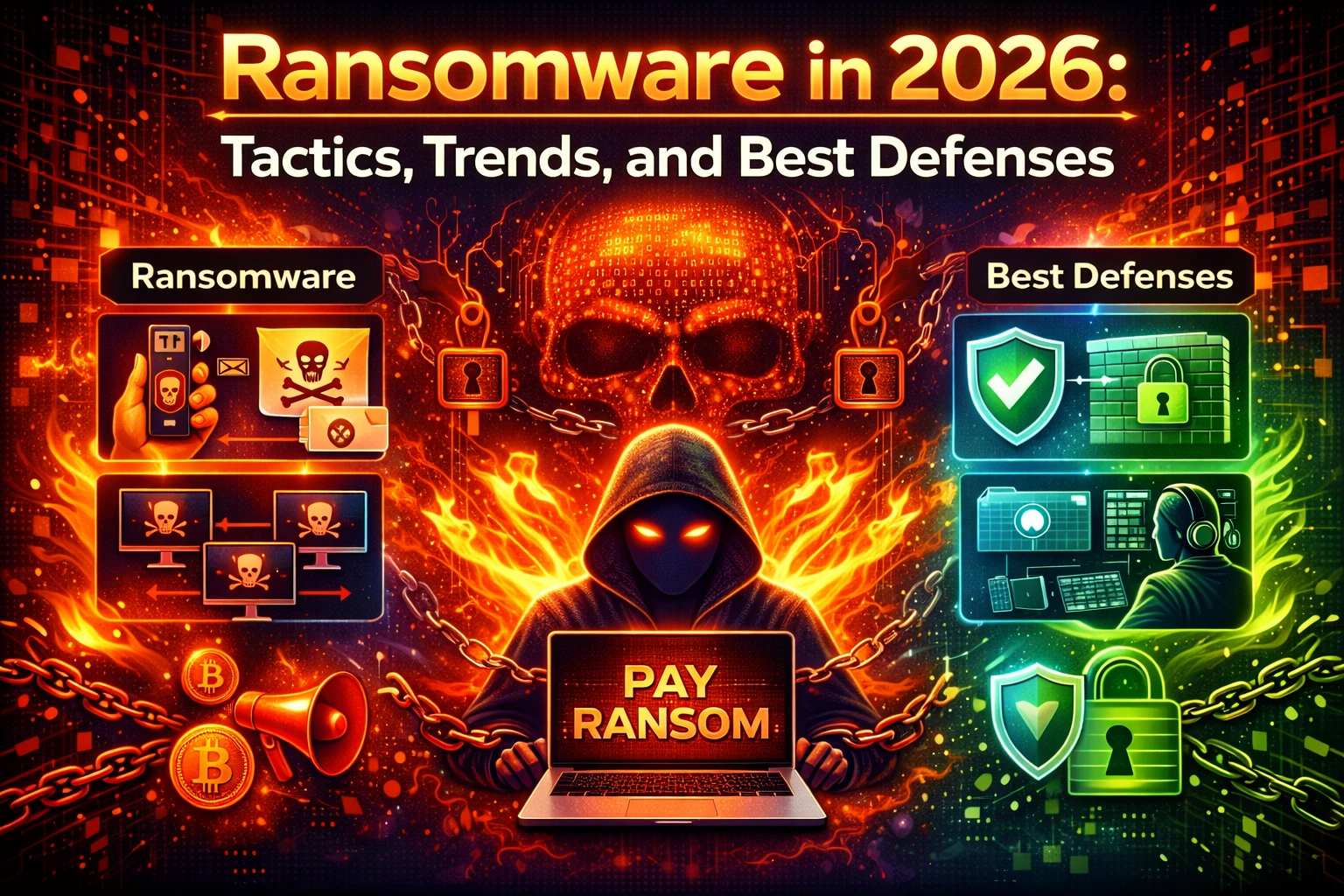
What Ransomware Really Looks Like in 2026
Today’s ransomware campaigns behave more like short, targeted military operations than random infections. Many attacks begin with identity compromise, escalate quietly, and trigger destructive actions only after the attacker has mapped the environment, validated access, and positioned for maximum leverage.
A typical 2026 incident blends multiple pressure tactics at once: encryption, data theft, extortion, and operational disruption. Some groups skip encryption entirely and go straight to “data hostage” plus public exposure threats. Others perform “partial encryption” to reduce detection while still causing significant downtime.
The core objective remains unchanged: force a payment by making recovery expensive, slow, and uncertain. The difference is that attackers are increasingly attacking your recovery pathways directly—your backups, your hypervisor hosts, your admin consoles, your MFA methods, and your ability to trust identity.
How Attackers Get In: The Access Market Keeps Expanding
In 2026, ransomware access is purchased, traded, and optimized. Many groups operate as “ransomware-as-a-service,” where affiliates specialize in intrusion and initial access, while core operators handle tooling, negotiations, and payment operations. This division of labor produces faster intrusions and wider targeting.
The highest-yield entry points remain frustratingly consistent, but the tooling around them has matured.
- Credential theft and reuse: password sprays, stolen cookies, infostealer logs, and reused VPN credentials.
- Phishing with identity bypass: MFA fatigue prompts, OAuth consent abuse, and malicious sign-in flows.
- External attack surface weaknesses: exposed management ports, outdated appliances, and misconfigured remote access.
- Third-party compromise: MSP access abuse, shared admin tooling, and supplier credential reuse across tenants.
- Cloud and SSO misconfigurations: weak conditional access, insufficient device trust, and over-permissioned apps.
The technical lesson is direct: ransomware is now identity-first. If your identity plane is weak, your environment is effectively unbounded for an attacker. The defense playbook must treat authentication, privileged access, and device trust as your first security perimeter.
The 2026 Playbook: Quiet Recon, Fast Privilege, Loud Impact
The most dangerous phase is not the encryption. It’s the time before it. Attackers now prioritize low-noise discovery, credential harvesting, and privilege escalation. If they can control the identity layer, they can “turn off” security and “turn on” disruption at will.
Common attacker behaviors seen in modern enterprise incidents include:
- Enumerating directory objects, trusts, and group policies to identify admin paths and deployment opportunities
- Targeting password vaults, remote monitoring agents, and jump servers for privileged reach
- Disabling endpoint protections through policy manipulation, safe mode, or tampering techniques
- Pivoting into virtualization and backup consoles to sabotage recovery infrastructure
- Staging exfiltration pipelines to cloud storage or attacker-controlled infrastructure
Once the attacker is ready, the “impact window” can be brutally short. Many organizations discover the breach only when endpoints begin encrypting, file shares fail, or critical systems become unavailable. That gap between initial compromise and operational impact is where defense either succeeds quietly or fails catastrophically.
Trends That Matter Most: What’s Changing in 2026
Ransomware keeps changing because defenders keep improving. In response, attackers are optimizing for persistence, speed, and coercion. Several trends are shaping the reality of ransomware defense in 2026.
Identity Attacks Are the Main Event
Attackers are shifting effort toward identity infrastructure because it produces compounding returns. If they compromise SSO, directory services, or conditional access policies, they can pivot to endpoints, servers, SaaS data, and admin tooling with fewer obstacles. The fastest breach-to-impact timelines often start with an identity compromise.
Backup Sabotage Is Standard Operating Procedure
Backups remain one of the most reliable ransomware countermeasures, so attackers actively hunt them. In 2026, it’s common to see attempts to delete restore points, encrypt backup repositories, or compromise backup management accounts. If the attacker can slow restoration by even a day, their leverage multiplies.
Exfiltration-First Extortion is Normalized
Many groups treat data theft as the primary payload and encryption as optional. This shifts incident response from a “restore and move on” posture into a privacy, legal, and reputational event. It also changes the internal communications problem: you must know what was accessed, what was copied, and what remains at risk.
More Attacks Are Built to Evade Traditional Detection
Attackers increasingly live off the land, blending into normal administrative tooling: PowerShell, WMI, remote execution, valid RDP sessions, and automation frameworks. Many environments still over-trust admin tools and under-monitor their misuse. In ransomware defense, “benign admin behavior” is the new camouflage.
Best Defenses in 2026: Practical Controls That Actually Reduce Impact
The best ransomware defense is not a single product. It’s a layered operational design that assumes breach and makes takeover difficult, noisy, and expensive. The goal is to reduce time-to-detection and time-to-containment while ensuring that restoration is possible even under pressure.
Build an Identity-Resilient Environment
Identity is where ransomware wins. Hardening identity reduces compromise probability and shrinks attacker blast radius.
- Enforce phishing-resistant MFA for privileged roles and high-risk access paths where possible
- Use conditional access with device compliance, geo-risk logic, and session controls
- Minimize standing admin privileges using just-in-time elevation and strong approval workflows
- Separate admin accounts from daily productivity identities and protect them with stricter policies
- Monitor identity anomalies such as unusual sign-ins, impossible travel, mass token grants, or consent spikes
If your organization relies on a single identity authority without resilience planning, the worst-case event is not just endpoint encryption. It’s losing the ability to authenticate users and administrators during recovery.
Segment Networks for Containment, Not Just Compliance
Flat networks are a ransomware amplifier. Segmentation must be designed to slow lateral movement and contain outbreaks.
- Separate user endpoints from server networks and limit east-west traffic to explicit needs
- Restrict admin protocols so management traffic only flows from hardened jump hosts
- Protect identity infrastructure and backup systems with dedicated, heavily restricted zones
- Disable unnecessary legacy protocols and reduce unbounded SMB and RDP exposure
- Apply micro-segmentation where feasible to keep an endpoint infection from becoming a datacenter event
The goal isn’t perfection. The goal is to prevent one compromised workstation from becoming an enterprise-wide shutdown.
Treat Backups Like Critical Infrastructure
In 2026, backup strategy must assume attackers will target backups. Your backups should be both durable and defensible.
- Use immutable storage and protected retention policies that resist deletion or tampering
- Isolate backup credentials so compromised admin accounts cannot automatically destroy recovery paths
- Test restoration under pressure with realistic time objectives and real system dependencies
- Maintain offline or logically isolated copies for worst-case scenarios
- Monitor backup operations for unusual deletion attempts, retention changes, and failed jobs
A backup that cannot be restored quickly is not a backup plan. It’s a compliance artifact. Ransomware forces you to prove recovery, not claim it.
Endpoint Protection Must Include Behavior, Not Only Signatures
Modern ransomware frequently uses legitimate tooling and “normal-looking” admin operations. In 2026, endpoint security must detect suspicious behaviors and block destructive actions before impact.
- Enable tamper protection and enforce strong policy controls for critical endpoints
- Use attack surface reduction rules or equivalent hardening controls
- Block common ransomware staging patterns such as suspicious mass file modifications
- Detect credential dumping attempts and abnormal privilege escalations
- Log endpoint events centrally and correlate them with identity telemetry
Endpoint defenses must be paired with response automation. Detecting ransomware quickly is good. Containing it fast is better. Automated isolation, credential invalidation, and containment actions can remove minutes that attackers rely on.
Monitoring That Works: What to Alert On Without Drowning
Ransomware incidents rarely come out of nowhere. The signals exist, but they’re often lost in volume. A stronger strategy is to monitor for a small set of high-confidence events that indicate escalation or imminent impact.
Examples of ransomware-relevant monitoring signals include:
- Unusual authentication patterns for privileged accounts, especially outside of normal admin windows
- Mass account lockouts or password changes that correlate with suspicious sign-in attempts
- Creation of new admin accounts, sudden group membership changes, or privilege expansion
- Backup retention changes, repository deletions, or large waves of failed backup jobs
- Remote execution spikes across endpoints or abnormal service creation on many systems
- Rapid file modification bursts across network shares or sensitive repositories
The value isn’t in collecting more logs. It’s in choosing the few alerts that catch the attacker before the business impact phase begins.
Incident Response in 2026: Containment is Everything
Once ransomware triggers, response becomes a race. If encryption is spreading, every minute matters. If data theft is the main payload, evidence preservation and access containment are just as critical as restoring systems.
A resilient response posture focuses on practical outcomes:
- Stop propagation quickly: isolate endpoints, disable compromised accounts, contain network paths
- Protect identity systems: restrict admin sessions, rotate privileged credentials, lock down SSO and tokens
- Preserve evidence: keep key logs, images, and identity records to support forensics and decisions
- Validate restoration safety: ensure rebuilt systems aren’t reinfected through compromised accounts or tools
- Communicate with clarity: align IT, security, legal, and leadership with a shared operational plan
In practice, the hardest part is often credential confidence. If attackers had access to privileged identities, you must assume persistence until proven otherwise. This is why identity controls and recovery planning are inseparable.
Hardening That Pays Off: Small Changes With Big Ransomware Value
Many ransomware reductions come from operational hygiene that is not glamorous but is extremely effective. These are the controls that shrink your attack surface and make escalation harder.
- Patch internet-facing systems aggressively and track exposure continuously
- Remove unused services and reduce open ports, especially on admin networks
- Limit local admin privileges and control credential caching where possible
- Adopt application control for critical servers and specialized workstations
- Restrict scripting where feasible and enforce stronger execution policies
- Make logging reliable, centralized, and retained long enough to support investigations
Ransomware loves environments where “everything works everywhere.” Your goal is the opposite: make access purposeful, constrained, and auditable.
A Simple Ransomware-Resilience Model for IT Teams
If you want a mental model that holds up under real incidents, focus on resilience as a system rather than a checklist. A strong ransomware posture answers three uncomfortable questions with confidence.
Can you detect an intrusion before encryption or extortion begins? Can you contain an attacker without losing identity control? Can you restore critical services quickly even if backups are targeted?
When those answers are “yes,” ransomware becomes an incident you can manage. When the answers are “maybe,” ransomware becomes a business disruption with uncertain recovery and extreme pressure.
The Bottom Line for 2026
Ransomware in 2026 is identity-driven, operationally disruptive, and designed to defeat recovery—not just encrypt data. The best defenses are built from layered controls that reduce access opportunities, limit lateral movement, harden privileged identities, and protect backups as critical infrastructure.
For IT professionals, the target is not “perfect prevention.” The target is an environment where compromise is detected fast, containment is decisive, and recovery is realistic even when attackers fight back. In that model, ransomware becomes survivable, predictable, and far less profitable for adversaries.


 10545
10545  IT Pro






















