



- Details
- Geschrieben von: IT Pro
- Kategorie: Blog
- Zugriffe: 3194
For IT professionals, the “iPhone vs Android” debate in 2026 isn’t really about which phone takes better photos or which UI feels nicer. The real differences show up where fleets, identities, data, and compliance intersect: enrollment, policy enforcement, patching cadence, secure access, app control, logging, and how all of that behaves in the hands of users who will absolutely find the edge cases. In mature environments, both platforms can be managed well. The gap is in how consistently each platform behaves under policy, how quickly it receives security updates across the installed base, and how predictable it is when you integrate it into Zero Trust access and conditional authentication.
This article looks at the practical differences that still matter in 2026, with the assumption that you’re balancing user experience against security posture, operational overhead, and integration complexity.
The Debate Has Moved: It’s Now About Operational Predictability
A decade ago, “iPhone vs Android” was a feature checklist. In 2026, the conversation is about predictability. Predictability means your controls work the same way across devices, OS versions, and hardware models. It means a policy you deploy on Monday doesn’t have to be “translated” into five vendor-specific implementations by Friday. It also means a vulnerability announcement doesn’t trigger a long tail of unpatched devices sitting on older OS builds because the update path depends on carrier approvals or OEM schedules.
The practical difference is this: iPhone environments tend to be more uniform in OS rollout and policy behavior, while Android environments can be more flexible and diverse, but often require more attention to device mix, vendor timelines, and configuration drift.
Identity, Conditional Access, and the “Trust Signal” Problem
In Zero Trust designs, mobile devices are no longer “just endpoints.” They’re also identity brokers and token vaults: handling MFA prompts, passkeys, device certificates, and authenticator flows that gate access to cloud apps and internal resources. In 2026, most organizations treat device health and compliance as a first-class trust signal: if the device is out of compliance, the session is downgraded or blocked.
The real difference is how reliably each platform can deliver those signals to your IdP and enforcement stack. iPhone deployments are often simpler to baseline: fewer hardware permutations, clearer OS update story, fewer OEM overlays, and fewer moving parts in “what counts as compliant.” Android can be equally strong, especially in well-defined enterprise programs and curated device catalogs, but becomes harder when BYOD expands and the fleet becomes a long tail of models with mixed security patch levels.
If you’re building policies that depend on attestation, posture checks, or device-integrity signals, ask a blunt operational question: How many devices in our Android fleet are on the minimum supported patch level within 30 days of release? Then ask the same for iPhone. That delta, not the marketing claims, is where your security model either holds or leaks.
Patch Cadence and the Long Tail: Risk Isn’t “Android,” It’s Fragmentation
“Android is insecure” is a lazy take. The more accurate statement is: fragmentation increases operational risk. In 2026, Android security is excellent on modern devices with timely updates and strong hardware-backed security. The problem is the fleet reality: a mix of vendors, models, carriers, and regional SKUs. Security patch cadence, OS version availability, and even feature parity can vary.
iPhone environments typically have a tighter distribution around current OS versions. For security teams, that matters because it reduces the “long tail” of devices that can’t be upgraded quickly. In incident response, time is a resource. If you have to account for ten OS trains and multiple vendor-specific behaviors, your response gets slower and your certainty drops.
For IT, the actionable angle is procurement and policy design. If you allow Android broadly, define a supported device catalog that has demonstrated update commitments. If you allow Android as pure BYOD, accept that you’re trading fleet uniformity for user choice, and mitigate with tighter conditional access, app-level controls, and stronger data boundaries.
MDM/EMM Reality: The Same Checkbox Doesn’t Always Mean the Same Result
On paper, modern MDM/EMM suites can manage both platforms: enforce passcode complexity, configure Wi-Fi/VPN, deploy certificates, restrict sharing, manage apps, and control OS update behavior to some degree. In practice, the reliability of those controls depends on how the OS exposes management APIs and how consistent the platform is.
iPhone management is often about choosing the right enrollment model (corporate-owned vs BYOD), then applying policies that behave consistently across devices. Android management can be highly capable, particularly on corporate-owned devices with strong enterprise features, but requires more attention to device model support, OEM variations, and user workarounds.
In 2026, the operational question to ask your team is not “Can we set the policy?” but “Can we prove it stays set?” That’s the difference between a compliance checkbox and a control you can defend during an audit.
Data Boundaries: Containerization vs Platform-First Separation
BYOD remains common, and BYOD always introduces the same tension: you need to protect corporate data without treating personal devices like corporate property. In 2026, most organizations lean on a mix of app-level protection, work profiles/containers, and conditional access rather than full device control.
Android’s “work profile” concept can be very compelling for BYOD because it offers a clear separation between personal and work apps and data. iPhone approaches often emphasize managed apps, managed accounts, and data sharing restrictions that keep work data inside approved apps. Both can work well. The real difference is how your users experience it and how reliably the boundary prevents data leakage into unmanaged channels.
If your organization relies heavily on collaboration apps, file sharing, and messaging, your risk often comes from “copy/paste,” “open in,” personal cloud backups, and third-party keyboards. The platform difference that matters is the one that lets you implement controls with the fewest exceptions and the least user friction.
Secure Access: VPN Is No Longer the Default
In 2026, full-tunnel VPN on mobile is increasingly the exception rather than the rule. App-specific VPN, per-app routing, private access brokers, and identity-aware proxies are more common because they reduce blast radius and simplify policy. Mobile access is now mostly about session control and least privilege, not about putting the phone “on the LAN.”
The difference between iPhone and Android here tends to be less philosophical and more practical: the ease of configuring certificate-based auth, the stability of VPN profiles, and the consistency of behavior across the fleet. If your access stack depends on device certificates, modern crypto, and tight posture signals, the platform that is easier to standardize will reduce ticket volume and reduce “mystery failures.”
App Ecosystems: Control, Supply Chain Risk, and Shadow IT
App risk in 2026 is less about “malware” in the old sense and more about supply chain risk, excessive permissions, risky SDKs, and data exfiltration through perfectly legitimate-looking apps. IT teams increasingly adopt allowlists, private app catalogs, and app risk scoring—especially for devices that access sensitive systems.
iPhone environments often benefit from a more centralized distribution story and a user base that is accustomed to fewer installation paths. Android environments, depending on policy, can present more pathways to install apps and more variability in how apps behave across devices. That doesn’t mean Android is unmanageable; it means you should be deliberate about what installation sources are permitted and how you monitor app behavior.
For high-sensitivity orgs, the most practical strategy is simple: treat mobile apps like third-party SaaS. Define your approved set, verify their data handling, enforce managed configurations where possible, and monitor for drift.
Privacy and Telemetry: What You Can See, What You Should See
IT pros often get pulled into privacy debates, especially with BYOD. In reality, privacy is a design problem: decide what telemetry is necessary for security, make it transparent, and minimize collection wherever possible. The platform choice can affect how much you can collect, how you collect it, and how comfortable users feel.
The practical difference is that some organizations find it easier to maintain a “minimal visibility but strong control over work data” posture on one platform compared to the other, depending on the MDM model used and the organization’s appetite for device-level enforcement. Your best posture is the one your users will accept—because rejected policy becomes noncompliance, and noncompliance becomes risk.
Hardware Security: Strong on Both, Different Failure Modes
Hardware-backed security, secure enclaves, trusted execution, and strong biometric systems are common on modern iPhones and flagship Android devices in 2026. The differences aren’t about whether secure hardware exists—they do. The differences are about failure modes: what happens in the long tail of cheaper devices, how OEMs implement features, and how consistently the platform delivers secure defaults.
For IT, the key is to align device tier to data tier. If users access sensitive data, don’t treat “any phone” as equivalent. Set minimum hardware and OS requirements, enforce encryption, require biometrics and strong unlock methods, and use attestation signals to block risky states.
Messaging and Collaboration: The Hidden Platform Lock-In
Many organizations underestimate how much “platform choice” is influenced by collaboration habits: group chats, file sharing, calendar workflows, and how users move content between apps. In 2026, the sharpest edge cases show up in cross-platform groups and external collaboration—where a small UX difference becomes a support issue repeated thousands of times.
The IT-friendly approach is to standardize on cross-platform collaboration tools, define official channels for corporate data, and restrict data sharing into unmanaged apps. The platform that produces fewer support tickets for everyday collaboration will “win” in the real world, regardless of spec sheets.
Developer and Automation Angle: Shortcuts, Scripting, and Enterprise Workflows
IT teams increasingly automate mobile workflows: onboarding, profile delivery, certificate rotation, VPN configuration, passwordless enrollment, and device compliance remediation. The platform difference that matters is the one that supports automation with fewer “special cases.”
If your environment uses device certificates, SSO flows, and managed app configs, test at scale. Lab success is not fleet success. A handful of “works on my phone” approvals can turn into an operational mess when the fleet includes multiple OS versions and vendors.
Supportability: Tickets, Troubleshooting, and Remote Help
The day-to-day cost of a platform is measured in ticket volume and time-to-resolution. In 2026, the most common mobile tickets are still boring and still expensive: enrollment failures, MFA prompts not arriving, certificate issues, Wi-Fi and VPN misconfigurations, app crashes after OS updates, and “I can’t access this file anymore.”
iPhone fleets often simplify troubleshooting because fewer device permutations exist and OS update behavior is more consistent. Android fleets can be efficient too, especially if you standardize on a small set of models and manage them tightly. Problems appear when “Android” becomes a catch-all category including devices that behave differently under the same policy.
A practical trick: measure your top ten mobile ticket categories and see which platform dominates each category. Let that data, not team preference, guide your standardization and procurement.
Security Posture: The Real Question Is How You Enforce “Good Enough”
Most organizations don’t need “perfect” mobile security. They need good enough, consistently enforced. The platform debate becomes meaningful when you define what “good enough” means for your threat model: strong unlock, encryption, rapid patching, device integrity signals, managed apps for sensitive data, restricted data movement, and clear offboarding.
The platform that helps you meet those requirements with the least operational friction will win in practice. Sometimes that’s iPhone, because uniformity reduces exceptions. Sometimes it’s Android, because enterprise containerization and device variety can fit certain environments better. The answer is often not “either/or” but “which one is our default, and what are our strict requirements for the other.”
Procurement Strategy: Standardize Where It Matters, Flex Where It Doesn’t
In 2026, a strong mobile strategy often looks like this: choose a default platform for most users, keep the supported model list short, and define a stricter posture for higher-risk roles. Then allow flexibility only where it doesn’t undermine your controls.
If you support both platforms broadly, you’re choosing complexity. That’s fine—many orgs do it successfully—but treat it as a decision with real cost. Budget time for platform-specific testing, policy tuning, and user education. The biggest failures happen when leadership says “support everything” while resourcing the program like a single-platform deployment.
Practical Recommendations for IT Pros in 2026
Start with a written baseline that you can defend: minimum OS level, maximum patch age, encryption required, biometrics required, device integrity required, and a clear model for BYOD vs corporate-owned devices. Then make your identity layer do the heavy lifting: conditional access tied to compliance and risk. Keep corporate data in managed apps, restrict data movement, and make offboarding predictable.
For Android, treat device selection as security selection. Build a supported catalog with known update behavior, and avoid turning BYOD into an unbounded fleet. For iPhone, leverage the uniformity: keep OS updates current, reduce exceptions, and take advantage of consistent policy behavior to simplify operations.
Most importantly, measure outcomes: patch compliance rates, enrollment success rates, ticket volume, mean time to resolve, and incidents tied to mobile posture. In 2026, the platform that delivers the best outcomes for your organization isn’t the one with the loudest fanbase—it’s the one that gives you the strongest security and the lowest operational drag at the same time.
Conclusion: The Real Differences Are in Fleet Management, Not Features
iPhone and Android are both mature platforms in 2026. The real differences live in how your fleet behaves at scale: the consistency of updates, the reliability of management controls, the practicality of data boundaries, and the effort required to keep devices compliant without making users miserable.
If you’re choosing a standard, choose the platform that best supports your operational reality. If you’re supporting both, design your policies around measurable outcomes and clear minimums—because in mobile, security is rarely about what’s possible in theory. It’s about what stays true across thousands of devices, every day, under pressure.
- Details
- Geschrieben von: IT Pro
- Kategorie: Blog
- Zugriffe: 3005
In 2026, the “little plastic SIM card” is no longer the default assumption. eSIM has moved from a premium feature to a baseline expectation across phones, tablets, laptops, hotspots, and an expanding range of IoT endpoints. For IT professionals, this isn’t just a hardware footnote. It changes procurement workflows, device onboarding, carrier management, roaming strategies, zero-trust assumptions, incident response, and even how you inventory “who is connected to what” in an organization.
eSIM sounds simple on paper: a programmable subscriber identity embedded in the device that can be provisioned remotely. In practice, it rewires multiple enterprise processes that were quietly held together by the physicality of removable SIMs. The shift is subtle when you’re managing ten devices, and very real when you’re managing hundreds or thousands across regions and carriers.
Why 2026 Feels Like the Tipping Point
eSIM has been around for years, but 2026 is where the “exceptions list” finally shrinks. The device landscape has matured: consumer and enterprise buyers now expect multi-profile support, smoother carrier onboarding, and self-service activation that doesn’t require waiting for a delivery. At the same time, organizations are more distributed than ever, and shipping physical SIMs to remote workers or global teams is increasingly inefficient.
For enterprises, the business case is compelling:
- Faster device deployment for remote hires and distributed offices
- Reduced logistics overhead for spare SIM inventory and shipping
- More flexible carrier strategy, including regional breakouts and backup connectivity
- Better alignment with modern UEM/MDM workflows, where “remote-first” is the baseline
But the tipping point is not only convenience. It’s also about control. eSIM pushes cellular identity management closer to the software layer, which means it becomes more automatable and more auditable. That can be good news for IT—if you treat it as a managed capability rather than a user-driven perk.
eSIM Basics, Without the Marketing Gloss
A traditional SIM is a removable secure element that stores subscriber credentials. With eSIM, those credentials live in an embedded secure element and can be updated over the air. Devices can hold multiple eSIM profiles, and users (or admins) can switch between them depending on policy, region, or cost.
From an IT perspective, the key differences are operational:
- No physical swap to change carriers or numbers in most scenarios
- Remote provisioning becomes a standard onboarding step for cellular devices
- Multiple profiles create new policy questions: which profile is “corporate,” which is “personal,” and who controls switching
- Identity becomes software-managed, so governance matters more than ever
What Changes for Enterprise Mobility Teams
If your organization already has mature mobile device management, eSIM can look like a natural evolution. But even mature shops often have “SIM-era” habits baked into their processes: shared SIM drawers, last-minute replacements, travel SIM policies, and informal swaps during incidents. eSIM changes those patterns.
The biggest practical shift is that cellular connectivity becomes part of digital onboarding rather than physical kitting. The “new employee laptop + phone” workflow can include carrier activation steps that are triggered by enrollment, compliance state, or zero-touch setup milestones.
Expect to revisit:
- Asset inventory: mapping device identifiers and cellular profiles to users, departments, and cost centers
- Joiner/mover/leaver flows: reclaiming numbers and disabling profiles without needing hardware back
- Spare strategy: “spare SIMs” becomes “spare profiles” and emergency provisioning playbooks
- Regional carrier models: using different carriers by country without physically handling SIM stock
Security: The Threat Model Shifts (But Doesn’t Disappear)
It’s tempting to assume eSIM is automatically “more secure” because it’s embedded and harder to remove. That’s partially true for certain attack classes, but security is more nuanced in 2026 because attackers adapt to the management layer.
Here’s what generally improves:
- Reduced SIM theft and swap-by-physical-access: an attacker can’t simply pop the SIM into another device in many scenarios
- Less casual SIM tampering: accidental or user-driven swapping becomes less common
- Stronger alignment with device security: cellular identity is tied more tightly to the device’s secure element
And here’s what becomes more important:
- Provisioning controls: who can add a profile, when, and via which authentication factors
- Carrier account security: if a carrier portal or admin console is compromised, profile-level abuse becomes feasible
- User experience traps: phishing and social engineering can target “activation” flows and QR codes
- Multi-profile ambiguity: the wrong profile can be active at the wrong time, breaking policy assumptions and audit trails
In practical terms, the “SIM swap” risk doesn’t vanish—it evolves. Traditional SIM swap fraud often exploited carrier support workflows and weak identity verification. eSIM keeps carriers in the loop, which means your security posture still depends on carrier account governance, multi-factor authentication, and least-privilege administration. For enterprise-managed lines, tighten carrier portal controls as aggressively as you harden MDM.
Identity and Access: Treat Cellular Like an Enterprise Credential
In many environments, cellular connectivity is treated as “just network,” not as a credential. That’s a mistake when devices can change profiles quickly and connectivity is used to reach management services, VPN gateways, and SaaS endpoints.
A useful mental model is: an eSIM profile is an enterprise-issued identity token for network access. It should be governed with similar rigor to certificates, managed Wi-Fi credentials, and device compliance checks.
That means aligning eSIM strategy with:
- Conditional access: requiring device compliance for access to sensitive resources, regardless of transport
- Zero trust networking: assuming the cellular network is not inherently trusted
- Device attestation: ensuring enrolled endpoints meet baseline integrity requirements before provisioning profiles
- Logging and correlation: mapping profile activity to device identity and user identity for investigations
MDM/UEM Operations: eSIM as a First-Class Lifecycle Component
If you’re running a modern UEM stack, the operational goal is straightforward: eSIM should be provisioned, audited, and removed through policy-driven workflows that match your risk model.
In practice, enterprises tend to fall into two patterns in 2026:
IT-managed cellular profiles: Corporate-owned devices receive profiles automatically during enrollment. Users have limited ability to add, remove, or switch profiles without policy approval.
User-assisted provisioning: IT provides activation instructions (often through a secure portal), and the user completes the provisioning steps, sometimes with a compliance gate in the UEM system.
Both can work, but they lead to different support loads. IT-managed provisioning reduces inconsistencies but requires strong integrations and a clean operating model with carriers. User-assisted models are easier to roll out quickly but tend to produce “help desk friction” unless instructions are extremely clear and the exception handling is well-designed.
In either model, plan for:
- Profile state drift: users switch lines for travel or cost, and suddenly corporate data rides over an unintended carrier
- Support playbooks: troubleshooting “no service,” “activation failed,” and “profile stuck” scenarios
- Deprovisioning certainty: ensuring leavers lose corporate connectivity even if the device goes offline
- Compliance gating: only provision eSIM when device posture meets policy (encryption, OS version, screen lock, etc.)
Procurement and Carrier Management: The Real Work Moves Upstream
With physical SIMs, a lot of complexity lived at the edge: shipping, swapping, and local fixes. With eSIM, complexity shifts upstream into carrier relationships and admin portals. The “paperwork” becomes the operational backbone.
Practical questions IT teams are asking in 2026 include:
- How fast can we provision a new line for a device in a different country?
- Can we enforce corporate profile activation through automation, or is it manual?
- What does number porting look like when the profile is embedded?
- Do we get reliable logs for profile issuance, changes, and revocations?
- How do we handle emergency carrier failover without creating billing chaos?
For many enterprises, the biggest win is carrier agility: the ability to maintain a preferred carrier per region and still allow corporate devices to be activated quickly without physical handling. The biggest risk is inconsistent carrier administration, where provisioning permissions sprawl across too many admins and too many disconnected portals.
Treat carrier portal access like a privileged system:
- Enforce MFA and strong identity proofing for carrier administrators
- Use least privilege roles for provisioning vs billing vs reporting
- Centralize auditing and review access regularly
- Document escalation paths for fraud and emergency lockouts
Roaming and Travel: From “Buy a SIM” to “Policy-Based Connectivity”
Business travel used to mean one of three approaches: pay roaming, buy a local SIM, or issue a travel SIM. eSIM changes that menu. In 2026, it’s increasingly normal for a traveler to carry multiple profiles, with corporate policy deciding what is allowed.
That’s good news for IT because it can reduce risky user behavior like buying unknown SIMs at kiosks or using poorly controlled hotspot devices. But it also means you need a clear stance on multi-profile usage:
- Are users allowed to add personal travel profiles to corporate devices?
- If they do, do you require that corporate data stays on the corporate profile?
- Do you mandate VPN for all traffic when roaming?
- How do you handle countries with special telecom restrictions or compliance requirements?
A pragmatic approach is to define a “travel connectivity policy” that includes:
- Approved regional carriers or eSIM providers
- Rules for profile switching and data usage alerts
- Security requirements when outside the home region (VPN enforcement, DNS policies, app restrictions)
- Support procedures for travelers who lose service at critical times
IoT and Fleet Devices: eSIM at Scale (and at the Edge)
eSIM’s biggest enterprise impact may not be phones at all. It’s fleets. Kiosks, point-of-sale devices, rugged handhelds, sensors, trackers, and industrial equipment increasingly ship with embedded cellular identity options designed for remote provisioning. That’s a game-changer when devices are deployed in places you can’t easily visit—construction sites, retail branches, vehicles, or remote facilities.
For IT and OT teams, eSIM can enable:
- Mass provisioning during deployment waves
- Carrier switching when coverage is poor or costs change
- Regional optimization for multi-country fleets without a logistics burden
- Remote recovery when devices need connectivity restored after resets or replacements
But it also amplifies the need for clean inventory and lifecycle control. When an IoT device is decommissioned, you must be able to revoke its connectivity reliably, update ownership mapping, and prevent “ghost lines” from continuing to bill quietly for months.
BYOD and Dual-Use Devices: The Policy Minefield
eSIM makes it easier to blur the line between personal and corporate connectivity, especially on devices that support multiple profiles seamlessly. In BYOD environments, that can be both an advantage and a risk.
The advantage is flexibility: a user can keep their personal line and add a corporate line without carrying two phones. The risk is governance: if corporate policies assume that “corporate line equals corporate usage,” you may discover that the device frequently switches profiles, or that corporate data rides over personal connectivity.
Clear policy beats technical hope. In 2026, BYOD programs should explicitly define:
- Whether corporate eSIM profiles are allowed on personal devices at all
- What level of device management is required to carry a corporate profile
- What happens when the user leaves the organization
- How you handle legal discovery, privacy boundaries, and support responsibilities
In many cases, organizations end up segmenting their approach:
- Full corporate ownership for high-risk roles where strict management is required
- Hybrid models for knowledge workers, with managed apps and conditional access
- Light-touch policies for contractors, using app-level controls rather than device-level provisioning
Incident Response: When Connectivity Is a Switch You Can Flip
One of the understated benefits of eSIM is incident response speed. When a device is lost, compromised, or associated with suspicious activity, connectivity can become part of the containment strategy.
With physical SIMs, you might suspend a line, but the process can be slow and often involves human workflows. With eSIM and modern carrier tooling, the ideal state is faster:
- Revoke or suspend the corporate profile quickly
- Trigger UEM actions: lock, wipe, remove corporate apps, revoke tokens
- Preserve logs that correlate profile identifiers with user identity and device identity
- Reissue a profile to a replacement device without shipping anything
The best IR outcomes happen when your carrier and UEM workflows are aligned. If your SOC can disable an endpoint’s corporate connectivity as a standard playbook step, you reduce the window where compromised devices can exfiltrate data or reconnect repeatedly.
Troubleshooting in the eSIM Era: New Failure Modes
eSIM eliminates some problems and introduces others. Help desk teams in 2026 frequently see issues that are less “hardware broken” and more “state mismatch” between device, carrier, and provisioning workflow.
Common eSIM-era pain points include:
- Activation failures caused by timing, incomplete enrollment, or carrier-side account constraints
- Profile download problems due to captive portals, restricted networks, or OS-level glitches
- Wrong profile active leading to unexpected costs, blocked services, or missing access to corporate resources
- Stale profiles left on devices after role changes or device reassignment
To reduce ticket volume, invest in:
- Simple, visual onboarding guides embedded in your internal portal
- Standardized escalation procedures with carriers for stuck provisioning states
- Clear internal rules on profile switching and what support will cover
- Self-service diagnostics: “Is the device compliant? Which profile is active? Is corporate VPN required?”
Cost Management: eSIM Makes Switching Easy, Billing Messy
Flexibility has a cost. When users can switch profiles quickly, it’s easy for billing to drift away from policy. Shadow lines, duplicated plans, unused profiles, and roaming surprises can still happen—sometimes more easily— if governance is loose.
IT teams should work closely with finance and procurement to build a billing model that matches eSIM realities:
- Automated reconciliation between device inventory and active lines
- Clear ownership mapping of profiles to departments and cost centers
- Offboarding verification to ensure lines are truly deactivated
- Roaming guardrails using alerts, caps, or approved profiles for travel
In mature environments, eSIM enables smarter cost strategies:
- Regional carriers for better rates and coverage, rather than one “global” plan
- Secondary profiles for failover that are only enabled when needed
- Data-first plans for tablets and laptops that align with actual usage patterns
Laptops and Always-Connected Work: Cellular Becomes Normal Again
Always-connected laptops have been “almost there” for years, often held back by cost, inconsistent carrier support, and the friction of provisioning. eSIM reduces friction and makes it more realistic for organizations to deploy cellular-enabled laptops for specific roles.
For IT, the question becomes: where does cellular add measurable value?
- Field service and on-call roles where uptime matters and Wi-Fi isn’t reliable
- Executives and frequent travelers who need predictable connectivity
- Incident responders who may need out-of-band access during outages
- Pop-up sites and temporary offices that need connectivity fast
The best deployments treat cellular as a managed transport option, not a replacement for secure networking. Always-on connectivity should still be governed by device compliance, strong endpoint security, and consistent access controls.
Privacy and Compliance: Who Owns the Line, Who Owns the Data?
When corporate profiles live alongside personal profiles, organizations must be careful about privacy boundaries, especially in regions with strict employee privacy laws. eSIM doesn’t change legal obligations, but it changes the mechanics of how lines are assigned and reclaimed.
Compliance teams and IT should align on:
- What metadata is logged by carriers and how it is retained
- How logs are used in investigations and what approvals are required
- How offboarding is handled without collecting unnecessary personal data
- How to manage cross-border telecom constraints and data residency expectations
For many organizations, the simplest approach is clear separation:
- Corporate-owned devices carry corporate profiles under corporate management
- BYOD devices use app-level controls and conditional access rather than deep carrier-level provisioning
- High-risk environments minimize dual-use ambiguity by issuing dedicated corporate hardware
What About iSIM and the Next Step After eSIM?
If eSIM is the end of the plastic SIM, iSIM hints at the next evolution: integrating subscriber identity functionality more tightly into device hardware, sometimes directly into a system-on-chip architecture. The enterprise implication is the same theme: connectivity identity is moving deeper into managed, embedded, software-governed territory.
For most IT teams in 2026, the immediate priority isn’t chasing iSIM. It’s getting eSIM governance right: inventory, provisioning controls, carrier portal security, offboarding reliability, and operational playbooks. If you can do that well, iSIM becomes a smaller incremental shift rather than another disruptive change.
Practical Recommendations for IT Pros in 2026
eSIM is now mainstream enough that a “wait and see” stance becomes costly. The goal isn’t to chase novelty, but to standardize how your organization handles cellular identity in a world where SIM cards are no longer physical objects you can control with a drawer and a spreadsheet.
A pragmatic eSIM readiness checklist includes:
- Define ownership: which devices and roles get corporate profiles, and under what management model
- Harden carrier administration: MFA, least privilege, auditing, and documented escalation paths
- Integrate with UEM workflows: provisioning tied to enrollment and compliance, with clean deprovisioning
- Write support playbooks: activation failures, profile drift, travel scenarios, and emergency recovery
- Build billing reconciliation: continuous matching of active lines to active assets and owners
- Train teams: help desk, SOC, and procurement all need a shared understanding of the new model
The organizations that benefit most from eSIM in 2026 are the ones that treat it as a managed capability, not a convenience feature. When done well, eSIM reduces friction, improves agility, and supports remote-first operations without increasing security risk. When done casually, it can turn into a multi-profile mess where costs drift, audits are incomplete, and incident response becomes slower than it should be.
The Bottom Line
The end of the physical SIM card isn’t just a consumer story—it’s an enterprise operations story. eSIM everywhere means cellular identity becomes easier to deploy, easier to change, and potentially easier to govern. It also means the old “physical control” assumptions no longer apply. In 2026, IT professionals who modernize their provisioning, security, and lifecycle workflows around eSIM will gain speed and resilience. Those who don’t may discover that the tiny SIM card they stopped thinking about has quietly become a major source of complexity—just in a new form.
- Details
- Geschrieben von: IT Pro
- Kategorie: Blog
- Zugriffe: 4852
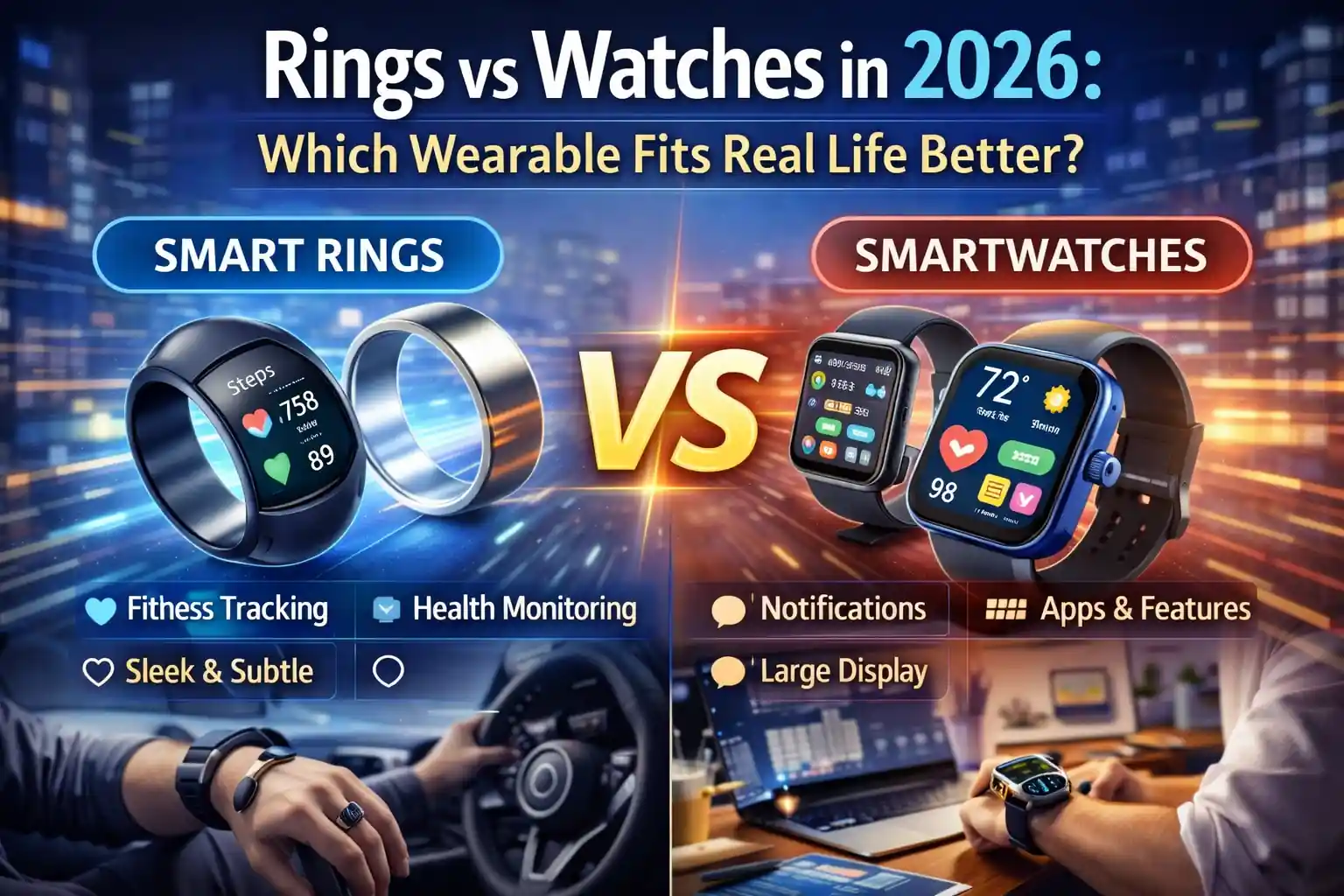
In 2026, “wearable” no longer means “smartwatch.” Smart rings have matured from niche sleep trackers into credible, always-on sensors you can forget you’re wearing. Smartwatches, meanwhile, keep expanding into mini end-user endpoints: notifications, safety features, identity-adjacent workflows, and (in some orgs) a legitimate productivity surface.
For IT professionals, the right question isn’t which device is “better.” It’s which form factor fits real life under real constraints: battery habits, shift work, gloves, hygiene rules, on-call noise, security posture, privacy expectations, and how much device management you’re willing (or allowed) to do.
What Changed by 2026: Rings Got Serious, Watches Got Broader
Rings gained credibility by staying focused: passive health signals, better battery, and fewer “gadgety” interactions that demand attention. Recent announcements show rings edging into features that used to be watch-only, like haptic alerts and longer-horizon cardiovascular trend insights (positioned as wellness trends rather than clinical measurements). :contentReference[oaicite:0]{index=0}
Watches, at the same time, are becoming more “platform” than “tracker.” Safety and health features have continued to expand, including sleep apnea notifications and fall detection on supported Apple Watch models, plus an ongoing push toward proactive, pattern-based insights rather than just step counting. :contentReference[oaicite:1]{index=1}
Vendors are also leaning into AI-flavored health analytics across wearables, including cognitive health-style initiatives announced for future Galaxy wearables. Even when framed as non-diagnostic “early warning” tooling, this trend matters for policy and communications because employees may assume medical certainty where none exists. :contentReference[oaicite:2]{index=2}
The Form Factor Reality: Finger vs Wrist
Rings fit real life when you want health telemetry to fade into the background. A ring can be “always on” without feeling like a tiny smartphone. That matters for IT pros who already live in alert fatigue: the last thing you need is another buzzing screen competing with your incident channel.
Watches fit real life when you want a controllable interface: glanceable notifications, quick actions, safety tooling, and (depending on platform) integrations that can reduce phone dependence for certain tasks. The wrist is a better place for interaction, but it’s also a worse place for “forget it’s there” wearability—especially with long shifts, PPE, or strict hygiene environments.
In practice, the form factor tends to decide the winner long before specs do. If the device must be invisible and low-maintenance, rings have the advantage. If the device must communicate and coordinate, watches stay ahead.
Battery and Charging: The “Human Factors” IT Pros Can’t Ignore
Battery life is policy, not a spec. The best wearable is the one your users will actually keep charged without thinking. Rings generally win here: for example, Samsung has marketed Galaxy Ring battery life up to about a week depending on size and usage, and RingConn has marketed multi-day battery life (often around the 10–12 day range for certain models). :contentReference[oaicite:3]{index=3}
Watches usually demand more frequent charging, especially if the screen, notifications, workouts, and cellular features are heavily used. That doesn’t make them worse; it just makes them a different habit. If your user base already charges nightly (like a phone), a watch can fit. If you’re supporting field techs who forget chargers in trucks, rings tend to survive reality better.
From an enterprise perspective, battery life also affects incident risk. A wearable that dies midday can quietly break safety workflows, health prompts, or “I need to be reachable” expectations. With watches, you mitigate that with training, spares, or charging routines. With rings, you usually mitigate it by selecting models with longer battery and designing expectations around passive data—not time-critical alerts.
Signal Quality: What Rings Typically Do Better (and Why)
Rings tend to excel at sleep and recovery-style insights because they’re comfortable overnight and keep skin contact stable. Several ring platforms emphasize temperature sensing, blood oxygen-related metrics, and continuous nighttime tracking as core strengths (for example, Oura highlights SpO₂ sensing and temperature sensor arrays in its Gen 3 lineage). :contentReference[oaicite:4]{index=4}
In plain terms: the best wearable health data often comes from the device you’ll wear while you’re unconscious. IT pros who do on-call rotations, overnight maintenance, or travel-heavy work frequently care more about sleep debt and recovery than they care about rep counts.
The trade-off is that rings usually avoid rich interaction. They’re sensors first. Some newer devices add haptics, but rings still aren’t trying to become “a second screen on your body.” :contentReference[oaicite:5]{index=5}
Workflow and Responsiveness: Where Watches Still Dominate
Watches win the moment you need real-time responsiveness: notifications, quick triage, safety prompts, timers, on-call escalation, and “I can’t pull out my phone right now” moments. They also carry more mature safety features in mainstream ecosystems, such as fall detection and sleep apnea notifications on supported models. :contentReference[oaicite:6]{index=6}
For IT, this can translate into practical advantages:
- On-call noise reduction: a watch can deliver the right alert at the right time without waking the entire household via phone speaker.
- Hands-busy environments: server rooms, ladders, carts, badge-controlled doors, or field repairs where unlocking a phone is awkward.
- Safety posture: some orgs value fall/crash detection-style features for lone workers or frequent drivers. :contentReference[oaicite:7]{index=7}
The watch advantage is not just “more features.” It’s that watches can shape behavior in the moment. Rings usually shape behavior later, through trends and summaries.
Enterprise Reality: Management, Policy, and the “Shadow Wearable” Problem
If you’re thinking like an IT pro, you can’t ignore device management. Watches (especially in Apple’s ecosystem) have clearer enterprise stories because they can be deployed and managed in relation to a managed phone. Apple’s deployment guidance notes that an Apple Watch can enroll with a device management service like the iPhone it’s paired with, enabling actions such as configuring settings, retrieving device information, and locking/erasing the watch. :contentReference[oaicite:8]{index=8}
That’s a big difference from rings, which are frequently “shadow wearables”: personally owned, consumer-managed devices that still ingest sensitive biometrics and sometimes share them into broader health platforms. On Android, Health Connect is explicitly designed as a central way for users to manage health app connections and data sharing across apps. :contentReference[oaicite:9]{index=9}
On iOS, HealthKit similarly emphasizes user permission and fine-grained control for sharing health data, reflecting how sensitive this category is by design. :contentReference[oaicite:10]{index=10}
Privacy and Compliance: Who Owns the Data, and Who Gets Blamed?
Wearables create data that looks harmless until it isn’t. Sleep patterns can imply shift schedules. Recovery metrics can imply stress, illness, or chronic conditions. Location-adjacent activity patterns can imply travel and routines. Even if your organization never collects this data, employees may sync it to platforms that interact with corporate identity or corporate devices.
This is why the “fit real life” question becomes a governance question:
- BYOD boundaries: If the watch is paired to a managed phone, your policies must be crystal-clear about what the org can and cannot see or control.
- Wellness programs: If HR offers incentives, be explicit about voluntariness, data scope, retention, and who has access.
- Medical inference risk: Vendors increasingly frame features as “notifications” or “trend insights,” not diagnoses—your internal messaging should mirror that. :contentReference[oaicite:11]{index=11}
If you do nothing else, ensure policies acknowledge health-data platforms and user-consent models. Both Apple’s HealthKit guidance and Google’s Health Connect guidance emphasize user control and permissions, and that’s a useful baseline for internal education. :contentReference[oaicite:12]{index=12}
Security and Risk: The Subtle Differences IT Pros Notice
Most rings are “data pipes”: BLE connections to a phone app, cloud sync, and dashboards. Most watches are “endpoints”: they run apps, hold tokens, and can participate in more complex workflows. Endpoints can be managed, but they also expand the attack surface.
Key security considerations tend to break like this:
- Rings: lower interaction surface, fewer apps, often longer battery; risk concentrates around companion apps, accounts, and cloud storage.
- Watches: richer OS, notifications, sometimes cellular independence; risk expands to OS updates, app permissions, and device loss scenarios—balanced by stronger enterprise tooling in some ecosystems. :contentReference[oaicite:13]{index=13}
There’s also supply-chain and vendor risk. The smart ring market has seen notable IP disputes and import-ban style outcomes in the U.S., which can impact availability and procurement plans. If you’re standardizing a ring for an employee program, you need a contingency plan the same way you would for any hardware dependency. :contentReference[oaicite:14]{index=14}
Which Fits Real Life Better? Practical Scenarios for IT Professionals
The simplest way to decide is to map wearables to the friction points in your daily and organizational reality.
Rings tend to fit better when:
- You want sleep and recovery insights without adding another interactive device demanding attention. :contentReference[oaicite:15]{index=15}
- You need battery life that survives travel, field work, or inconsistent charging habits. :contentReference[oaicite:16]{index=16}
- Your workplace discourages wrist-worn devices (gloves, infection control, snag hazards, or “no screens” zones).
- You care more about trends than about real-time prompts.
Watches tend to fit better when:
- You want quick visibility into on-call alerts, calendars, and messages without living on your phone.
- Safety features matter for lone work, commuting, or high-mobility roles (fall detection and similar features can be a meaningful layer). :contentReference[oaicite:17]{index=17}
- You need an enterprise-friendly management story, especially in environments that already manage phones via MDM and want adjacent controls on the wearable. :contentReference[oaicite:18]{index=18}
- You can support frequent charging and the training overhead that comes with a richer endpoint.
A Real-World IT Take: The “Two-Device” Strategy Is Often the Honest Answer
In many IT lives, the best setup is not either/or. It’s ring plus watch—used differently.
A ring handles the background signals: sleep, recovery, long-term trends, and “quiet” metrics that improve how you operate over weeks. A watch handles the foreground: real-time alerts, quick interactions, and safety features. This split also helps with focus: you can keep the watch on during working hours and rely on the ring at night, reducing notification fatigue while preserving continuity in health data.
If budget or simplicity forces one device, the decision should align to your dominant pain point: fatigue and recovery vs responsiveness and workflow.
Deployment Guidance: If You’re Standardizing Wearables at Work
If your organization is considering wearables for wellness, safety, or productivity, treat them like any other endpoint category: define the outcome, define the data boundary, and design for failure modes.
- Start with the phone reality: Watches often inherit management posture from the paired phone; your wearable plan is usually a phone plan in disguise. :contentReference[oaicite:19]{index=19}
- Document data flows in plain language: Explain how health platforms rely on user permissions and what users control. :contentReference[oaicite:20]{index=20}
- Design for charging failure: If a safety outcome depends on a watch, require a charging routine and define what “non-compliance” means.
- Procurement contingency: Have alternates if a ring model becomes unavailable due to market or legal shifts. :contentReference[oaicite:21]{index=21}
Bottom Line: The Best Wearable Is the One That Disappears
Rings fit real life better when you want durable, low-maintenance health sensing that doesn’t become another attention sink. Watches fit real life better when you need a managed, interactive surface that helps you act in the moment and can plug into safety and productivity workflows.
For IT professionals, the “winner” is the device that disappears into your routine. A ring disappears by being quiet, comfortable, and long-lived between charges. A watch disappears by becoming genuinely useful—delivering the right alert at the right time and staying governable in your environment. If you choose based on those realities rather than marketing categories, you’ll end up with a wearable that actually gets worn.
- Details
- Geschrieben von: IT Pro
- Kategorie: Blog
- Zugriffe: 4429
Wi-Fi 7 laptops are easy to buy in 2026. Actually experiencing “Wi-Fi 7 speed” in the real world is harder. Most of the time, the client device is not the limiting factor—your access point capabilities, channel planning, regulatory domain, backhaul, interference profile, and even application behavior determine whether those headline numbers show up anywhere outside a lab. For IT professionals, the practical question isn’t “Is Wi-Fi 7 fast?” It’s “Under what conditions do my users and workloads benefit enough to justify the upgrade cycle?”
This article focuses on the scenarios where Wi-Fi 7 laptops deliver measurable improvements, the blockers that keep you stuck at Wi-Fi 6/6E performance, and how to build an environment where the new client radios can stretch their legs.

What “Wi-Fi 7 Speed” Really Means in 2026
Wi-Fi 7 (802.11be) raises peak throughput in several ways: wider channels, higher modulation, better multi-user handling, and—most importantly for real environments—Multi-Link Operation (MLO). But your laptop rarely gets a perfect, clean channel, maximum width, and ideal signal-to-noise ratio. So “seeing the speed” is less about the theoretical PHY rate and more about whether your environment allows high-efficiency links to stay stable long enough for applications to benefit.
In practical terms, the largest improvements IT teams report from modern Wi-Fi are typically one of these:
- Higher sustained throughput at the same distance compared to older clients, especially on clean spectrum.
- Lower latency variance (jitter) and fewer “micro-stalls” under contention, which users feel as snappier apps and calls.
- Better resilience when one band is congested, thanks to smarter link behavior and multi-band strategies.
- More consistent performance in dense offices where airtime efficiency matters more than peak speed.
The Big Reality Check: Your AP and Backhaul Decide the Outcome
A Wi-Fi 7 laptop connected to a Wi-Fi 6 access point will behave like a Wi-Fi 6 client. A Wi-Fi 7 laptop connected to a Wi-Fi 7 access point still won’t magically exceed what your wired uplink, switching, and WAN can deliver. The “speed” people expect—multi-gig, wire-like throughput—usually requires a full chain that is aligned end-to-end.
The most common bottlenecks that hide Wi-Fi 7 benefits in enterprise and SMB environments include:
- Access points still on Wi-Fi 6/6E or configured conservatively for stability.
- Single-gig uplinks to APs, or PoE budgets that force reduced radio capability.
- Legacy switching that can’t deliver multi-gig to the edge without redesign.
- WAN constraints that dwarf any wireless improvement for cloud-first workloads.
- RF environments where wide channels are impractical due to interference and co-channel contention.
If you want users to “actually see it,” treat Wi-Fi 7 as a system upgrade, not a client refresh.
When Wi-Fi 7 Laptops Will Feel Faster to Users
Users don’t celebrate PHY rates. They notice responsiveness, smooth video calls, faster downloads, and fewer stalls. The best real-world moments for Wi-Fi 7 laptops in 2026 are the ones where the wireless link was previously “good enough” but inconsistent.
High-quality 6 GHz coverage with clean spectrum
If your organization has deployed 6 GHz effectively—good AP density, smart channel planning, and modern client mix—Wi-Fi 7 laptops can sustain higher throughput and maintain better link quality under load. Clean 6 GHz spectrum is where you’re most likely to observe “wow” throughput, especially at short-to-medium range with line-of-sight or minimal attenuation.
Dense offices where contention is the real enemy
In many corporate environments, the problem isn’t raw speed; it’s too many devices sharing airtime. Wi-Fi 7’s efficiency features help most when dozens of clients are active and the network is juggling interactive traffic (calls, VDI, web apps) alongside background transfers (sync, updates, backups). Here, improvements show up as fewer retransmissions, lower jitter, and more consistent application experience.
Workloads that burst hard on local networks
If users regularly move large files to on-prem NAS, media servers, or local build systems, Wi-Fi 7 can be meaningful—provided the wired side is multi-gig and the RF design supports higher throughput. This is one of the clearest “felt” upgrades because it’s measurable in task completion time.
Latency-sensitive collaboration and voice/video
Wi-Fi 7 improvements can reduce latency variance in the right conditions. Users experience that as fewer call glitches, fewer “robot voice” moments, and less video freeze. This isn’t guaranteed by the logo on the laptop; it’s the result of RF health, QoS discipline, and bandwidth headroom.
When You Won’t See the Speed
Many 2026 deployments will still fail to showcase Wi-Fi 7 performance because the environment forces the laptop into “polite” configurations. The laptop might support the newest features, but it will prioritize stability and compatibility.
- 2.4 GHz and 5 GHz congestion: If most clients stay on crowded bands, Wi-Fi 7 doesn’t overcome physics and contention.
- Wide channels aren’t feasible: In many buildings, using very wide channels increases overlap and reduces overall capacity.
- Distance and attenuation: At longer range, higher modulation levels drop quickly; “speed” collapses into “stability mode.”
- Single-gig edge: If AP uplinks are 1 GbE, you can’t deliver multi-gig real throughput to clients no matter how modern the radio is.
- WAN-limited workflows: For SaaS-heavy organizations, internet bandwidth and latency dominate user experience.
- Power and thermals: Laptops may downshift radios under thermal or power constraints, especially on battery.
Multi-Link Operation: The Feature That Matters More Than Peak Throughput
MLO is often described as “using multiple bands at once.” The practical IT takeaway is more nuanced: MLO can improve reliability and reduce latency spikes by allowing the system to steer traffic across links more intelligently. It’s not just about stacking bandwidth; it’s about avoiding the worst moments of congestion or interference.
In environments where 5 GHz can be noisy while 6 GHz is clean (or vice versa), MLO can smooth performance in ways that users actually notice. But you only get those benefits when:
- The access point and client both support compatible MLO modes.
- Your RF design provides usable coverage on the participating bands.
- Network policy and security do not force clients into restricted band behavior.
- Drivers and firmware are mature enough to behave predictably at scale.
For IT operations, MLO can be more valuable than an occasional “speed test hero number,” because stability and jitter reduction have outsized impact on collaboration, VDI, and real-time apps.
The 6 GHz Factor in 2026: Coverage, Policy, and Practicality
6 GHz is where Wi-Fi feels “fresh” again—more channels, less legacy clutter, and often better performance in modern deployments. The challenge is that 6 GHz behaves differently in buildings. Penetration through walls and obstacles can be weaker than 5 GHz, which means you need careful AP placement and sometimes higher density to maintain the experience users expect.
In 2026, many organizations are still in a mixed phase:
- Some sites have 6 GHz designed in from day one and perform exceptionally well.
- Some sites added 6 GHz opportunistically and discovered coverage gaps and roaming edge cases.
- Some sites avoid aggressive 6 GHz usage due to regulatory constraints, tooling maturity, or operational risk.
Wi-Fi 7 laptops show their best in organizations that treat 6 GHz as a first-class layer with its own design, measurement, and remediation plan.
Hardware Specs on Laptops: What’s Worth Caring About
When you’re standardizing laptop fleets or approving procurement options, it’s tempting to chase the biggest spec line on the datasheet. In practice, a few aspects matter more than marketing labels:
- Radio configuration and antennas: Implementation quality can matter as much as the Wi-Fi generation.
- Driver and firmware maturity: Early client stacks can behave inconsistently under enterprise security and roaming conditions.
- 6 GHz support and policy behavior: Confirm how the client behaves with your auth methods, roaming, and band steering.
- Power management behavior: Some laptops are aggressive about saving power on battery, affecting throughput and latency.
- Compatibility with your AP vendor features: Interop is usually fine, but “fine” isn’t the same as optimal.
The more standardized your environment, the more you can benefit from validating a smaller set of laptop models thoroughly and pushing known-good drivers through your management pipeline.
Designing for “Actually Seeing the Speed”
If the goal is real performance—not just a certification checkbox—your Wi-Fi 7 rollout should be approached like any other capacity and reliability project: define target outcomes, measure baselines, and validate under realistic load.
Start with use cases, not peak numbers
Identify the groups that benefit first: engineering teams moving artifacts, media teams moving large assets, executives on nonstop calls, VDI-heavy departments, and conference-room-heavy floors. These are where better Wi-Fi shows up as fewer tickets and fewer “it feels slow” complaints.
Validate wired readiness at the edge
Multi-gig switching to APs matters if you’re serious about high throughput. Also confirm PoE capability and budgets, because higher-performing AP modes can be constrained if power delivery is marginal. This is a classic silent killer: everything looks “installed,” but the AP is running below its best profile.
Treat 6 GHz as a coverage project
Walk-test and survey with the bands users will actually use. If users roam into 6 GHz dead zones, you’ll see sticky client behavior, retransmissions, and the perception that “new Wi-Fi is worse.” Where 6 GHz is a priority, plan for it deliberately.
Measure latency and jitter, not only throughput
In 2026, many user complaints map to jitter and brief stalls rather than raw bandwidth. Instrument performance with metrics that represent the user experience: application response times, call quality indicators, packet loss, retransmissions, and roaming events. A network can pass a speed test and still feel bad if latency variance is high.
Security and Policy: Don’t Let Controls Accidentally Cripple Performance
Enterprise Wi-Fi is rarely “open highway.” Authentication methods, encryption, segmentation, and inspection all add overhead and sometimes influence how clients roam or choose bands. In well-designed networks this is manageable, but upgrades can expose configuration debt.
When you introduce Wi-Fi 7 laptops into mixed environments, watch for:
- Inconsistent roaming due to mismatched SSID design or band steering policy.
- Driver quirks with advanced security settings that create intermittent drops or reduced performance.
- Guest networks that don’t provide 6 GHz access even when corporate networks do, causing confusing user comparisons.
- Overly aggressive inspection that increases latency on interactive apps.
The best approach is controlled pilot groups with clearly defined success criteria, combined with a rollback plan for driver updates and policy changes.
Procurement Guidance for IT Teams Standardizing Fleets
Buying Wi-Fi 7 laptops in 2026 is reasonable if you’re already refreshing hardware. The question is whether to pay extra for premium Wi-Fi configurations across the board or target them to roles and sites that can utilize them immediately.
A pragmatic strategy looks like this:
- Standardize Wi-Fi 7 for new purchases where the price delta is small and driver support is proven.
- Prioritize Wi-Fi 7 for users who rely on stable real-time collaboration, VDI, or frequent large transfers.
- Align laptop refresh with AP and switching refresh in sites planned for 6 GHz-first design.
- Maintain a validated driver/firmware baseline and update policy, rather than letting every model drift.
This avoids the worst outcome: paying for high-end clients while the network design keeps them operating like last year’s hardware.
The Bottom Line: The Speed Shows Up When the Environment Earns It
Wi-Fi 7 laptops in 2026 are capable, and in the right conditions they can deliver impressive throughput and more consistent user experience. But “actually seeing the speed” depends on end-to-end readiness: modern APs configured for performance, a wired edge that isn’t stuck at 1 GbE, thoughtful 6 GHz coverage planning, and operational discipline around drivers and policy.
If you’re deploying Wi-Fi 7 simply because laptops now ship with it, you’ll get incremental improvements and better future-proofing. If you want users to feel the upgrade—fewer stalls, smoother calls, faster local transfers—design for it deliberately, measure the experience, and treat Wi-Fi 7 as a full-stack project rather than a logo on a spec sheet.
- Details
- Geschrieben von: IT Pro
- Kategorie: Blog
- Zugriffe: 4131
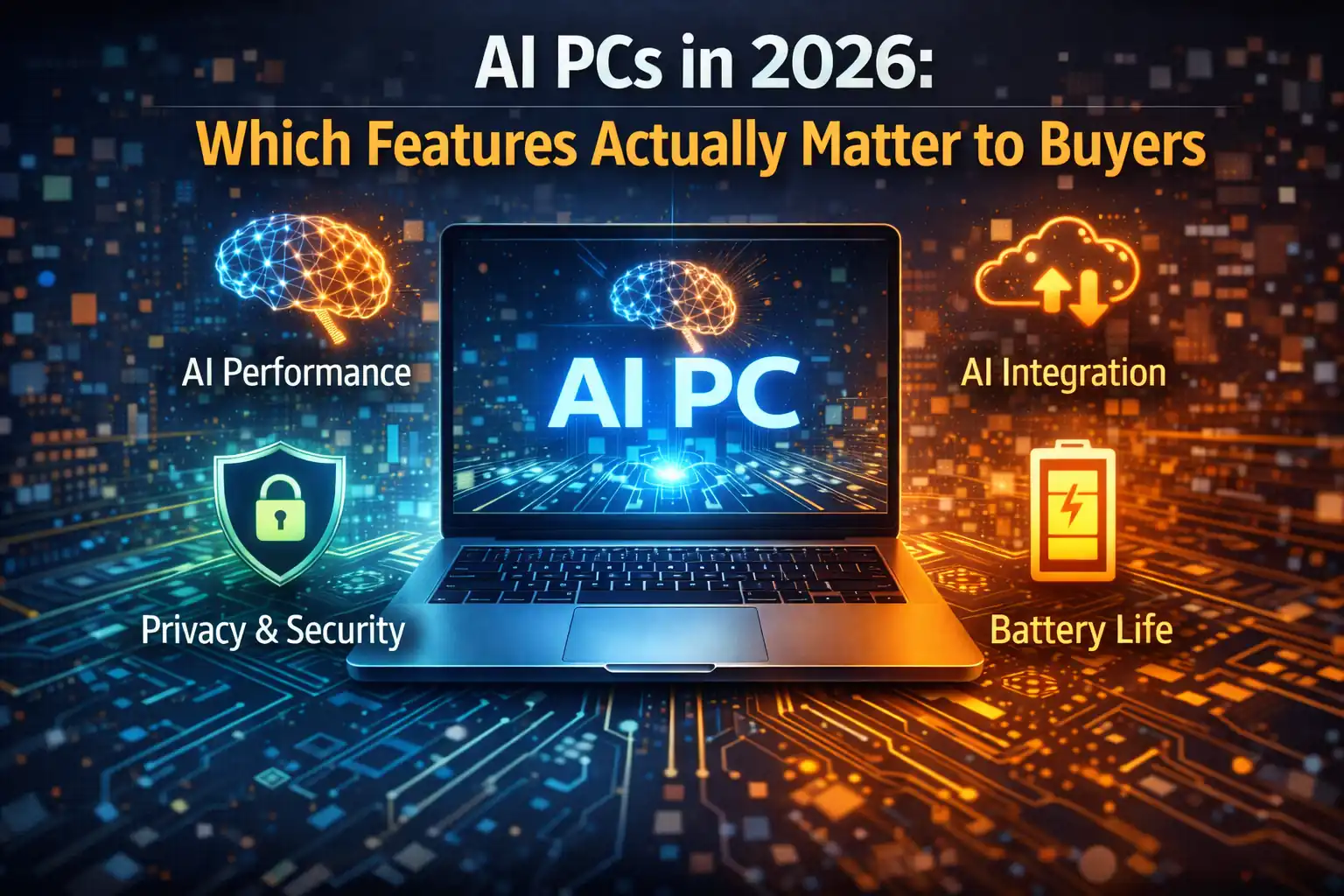
“AI PC” is everywhere in 2026, but buyers don’t purchase buzzwords. They purchase outcomes: better meetings, faster creation workflows, smoother multitasking, stronger security, and lower operational friction. For IT professionals, the challenge is separating meaningful, durable capabilities from features that demo well and disappoint at scale. The practical question isn’t whether an endpoint has AI acceleration; it’s whether the right AI features improve productivity, reduce support load, and fit enterprise governance without creating new reliability or privacy problems.
The market has matured enough that most mainstream platforms can claim AI capability, but the buyer experience varies widely depending on software support, driver maturity, model execution paths, and how the device behaves under sustained workloads. In other words, “AI PC” is less about a sticker and more about a complete system: compute engines, memory, thermals, microphones/cameras, OS integration, and enterprise controls.
The Core Buyer Reality in 2026
Most buyers—especially business users—are not asking for a local language model because it sounds cool. They want meetings that stop wasting time, documents that are easier to produce, and a device that stays responsive while those enhancements run. If AI features degrade battery life, spike fan noise, or trigger UI lag, the “AI PC” becomes a support ticket generator. If the features are reliable, fast, and private enough to be trusted, they become something users quietly depend on every day.
That’s why the features that matter most in 2026 have three common traits. They deliver value repeatedly, not just during a demo. They run with predictable performance under realistic conditions. And they respect privacy boundaries—either by keeping sensitive processing on-device or by offering enterprise-grade controls over what leaves the endpoint.
Meetings and Communication: The Most Universal ROI
The fastest path to measurable productivity gains is still communication. In 2026, AI features around audio, video, and conferencing often produce the most consistent benefit across job roles. Buyers notice them immediately because they reduce friction in every call, every day. IT notices them because they can lower the “can you hear me?” support churn and improve remote-work reliability.
Features that tend to matter include high-quality noise suppression that doesn’t distort voices, echo cancellation that handles difficult rooms, automatic gain control that stabilizes volume, and camera enhancements that work without breaking low-light scenes. Real-time background blur is no longer special; what matters is whether it is stable, artifact-free, and doesn’t spike CPU usage during long calls.
Transcription and live captions can be genuinely valuable, but the buyer priority is accuracy and governance. If captions lag, mistranscribe names and terms, or fail under accents and multilingual conversations, trust drops quickly. For enterprise buyers, the deciding factors are where the audio and transcripts are processed and stored, how long they persist, and whether users can opt in or out based on policy.
On-Device Assistance: Useful When It’s Predictable and Contained
A recurring theme in 2026 is “ambient help”: drafting, summarizing, rewriting, searching, and acting on content across applications. Buyers like the idea, but they only keep using it when the experience is fast and the boundaries are clear. When assistance feels slow, inconsistent, or invasive, users disable it or work around it.
The on-device angle matters because it can reduce latency and improve privacy for certain tasks—especially short-form summarization, language cleanup, and lightweight classification. However, the practical differentiator is not a theoretical ability to run a model locally. It’s whether the OS and key apps expose these functions in ways that fit real workflows. If users have to copy-paste into a separate tool, adoption stays low. If the assistance is embedded where work happens, adoption becomes natural.
IT should evaluate not only capability but also policy hooks: can you restrict which data sources the assistant can access, control logging, and enforce data loss prevention rules? Buyers increasingly treat “AI assistance” like any other productivity feature—something that must align with compliance, audit, and acceptable use.
Security Features: The Quiet Differentiator Buyers Don’t Advertise
Some of the most important “AI PC” features are not flashy. They improve endpoint security posture by analyzing patterns locally, detecting anomalies earlier, and automating low-level hygiene tasks. Buyers may not use the phrase “AI security,” but they absolutely care about fewer incidents, faster response, and less user disruption.
The features that matter tend to be the ones that reduce risk without creating false positives. Local phishing and malicious-content signals can be useful when combined with central policies, but the buyer focus is reliability: if a feature blocks legitimate work too often, it will be turned off. Behavioral detection that runs efficiently on the endpoint can help, but only if it integrates with existing EDR workflows and reporting rather than becoming a parallel security universe.
For IT professionals, the procurement question becomes: does the AI capability improve security outcomes without adding unmanageable telemetry, vendor lock-in, or opaque decision-making? Buyers want explainability and control, not just claims of “smart detection.”
Battery Life and Thermals: The Make-or-Break Buyer Experience
AI features that reduce battery life are self-defeating. In 2026, buyers are far more sensitive to sustained background compute, especially on laptops. A device can have impressive AI demos and still be rejected if it runs hot, spins fans under light usage, or drains faster than the previous generation.
This is where the “AI PC” platform matters as a system. Efficient on-device acceleration is only valuable if the device can sustain it within a realistic thermal envelope. Buyers care whether AI-enhanced conferencing can run for hours without throttling, whether background features stay truly low-power, and whether performance remains stable across a typical workday.
For IT, this also affects fleet predictability. If a certain driver version causes higher idle power draw due to AI services, you’ll see higher support costs and more battery-related complaints. The “feature that matters” is often not a user-facing toggle—it’s stable power behavior under enterprise deployment conditions.
File and Content Workflow Acceleration: Valuable for Specific Roles
Buyers in content-heavy roles care about AI features that reduce repetitive work. That might mean fast image cleanup, background removal, upscaling, transcription-to-document conversion, or consistent formatting and rewriting within office suites. These benefits are real, but they are role-specific. For a general knowledge-worker fleet, meeting features often outperform creative features in overall impact. For marketing, design, media, and communications teams, AI-assisted creation tools can be a major differentiator.
What matters to these buyers is not the presence of a tool, but how well it integrates into existing workflows. If a feature requires a cloud round-trip, it may be unacceptable for sensitive materials or high-volume editing. If it runs locally but forces a proprietary file format or breaks existing pipelines, adoption stalls.
IT’s evaluation lens should include export fidelity, plugin compatibility, driver stability, and performance under sustained use. Creative users will tolerate complexity, but they will not tolerate unpredictable crashes or quality regressions.
Search, Recall, and “Find Anything”: Only Matters When It’s Trustworthy
Many AI PC narratives revolve around enhanced search: finding settings, finding files, summarizing documents, and recalling information across a device. Buyers do value this—when it works. But trust is the gating factor. If recall features surface sensitive information unexpectedly or if the indexing behavior is unclear, enterprise adoption becomes difficult.
The features that matter here are governance features: clear user consent, transparent indexing rules, the ability to exclude locations and content types, and a predictable retention model. Buyers also care about responsiveness: search must feel instant, and results must be relevant enough that users choose it over manual navigation.
For IT professionals, this category is also tied to risk management. Any feature that “sees everything” needs a clear story for encryption, access control, and auditability. If those are weak, the feature becomes a liability—even if it’s impressive in demos.
The Hardware Truth: NPU Specs Don’t Matter If Software Can’t Use Them
Buyers will hear about NPU performance numbers, but in 2026 the practical differentiator is still software compatibility. If the device’s AI stack doesn’t support the models and operators your organization cares about, the workload falls back to CPU or GPU—often invisibly. That can turn an “efficient AI laptop” into a warm, noisy laptop with reduced battery life.
What matters to IT is the end-to-end platform: driver maturity, OS integration, runtime stability, and tooling. The most buyer-relevant feature is not a peak NPU metric; it’s consistent acceleration for the workloads users actually run. That consistency can be validated through pilot programs and representative workloads far more effectively than through spec sheet comparison.
Buyers should also care about memory and bandwidth. AI features are frequently constrained by data movement rather than compute. If the system has insufficient memory headroom or a weak storage subsystem, “AI acceleration” can still feel slow because the pipeline is starved.
Manageability: The Features IT Buyers Quietly Demand
Enterprise buyers rarely choose a platform purely for end-user features. They choose it because it can be managed, secured, updated, and supported predictably. In 2026, AI introduces new manageability requirements: model updates, feature toggles, policy controls, and telemetry governance.
The features that matter include the ability to enable or disable AI components by policy, control what data is processed locally versus remotely, and manage updates without breaking compatibility. Buyers also care about clear logging. When a user complains that “the AI feature stopped working,” support needs a way to determine whether the cause is a permissions change, a driver update, a model update, or a resource constraint.
Another quietly important feature is rollback safety. If an AI runtime update causes instability, IT needs a clean path back to a known good state. Platforms that treat AI components as opaque and unmanageable will create operational friction that cancels out productivity gains.
Privacy: Buyers Want Choices, Not Assumptions
In 2026, privacy is not a niche concern. Buyers want to know where data is processed, whether content leaves the device, and what is retained. For consumer buyers, the priority may be “don’t surprise me.” For enterprise buyers, the priority becomes policy enforceability and compliance alignment.
The features that matter include explicit consent controls, clear explanations for what data is used for which feature, local processing options for sensitive workloads, and predictable retention. If an AI feature requires cloud processing, buyers want it labeled as such and controllable. If it runs locally, buyers want assurance that local logs and caches won’t become a security gap.
IT professionals should treat privacy as a deployment property. A platform that cannot clearly answer “what data goes where” will slow adoption—even if the features are compelling.
Reliability: The Feature That Determines Long-Term Adoption
Buyers may be attracted by new AI capabilities, but they stick with features that are reliable. Reliability means the feature works after an update, works without special configuration, and behaves predictably across different networks, peripherals, and environments.
For meeting enhancements, reliability means no sudden quality collapses when CPU load increases. For transcription, reliability means not losing content. For assistance tools, reliability means stable integration and consistent response times. For security signals, reliability means low false positives and transparent handling.
From an IT lens, reliability is also about vendor cadence. If the platform’s AI features depend on frequent updates, you need confidence that those updates will be enterprise-friendly: staged, documented, and reversible. The buyer who values reliability will choose a slightly less flashy platform that behaves predictably over a more impressive one that changes weekly.
How IT Pros Should Evaluate AI PCs in 2026
The best evaluation approach is workload-first. Start by identifying your organization’s most common productivity pain points. For many environments, that’s meetings and communication. For others, it’s document throughput and language support. For creative and engineering teams, it’s local acceleration and tool stability. Build a short list of candidate devices and test them with real applications, real conferencing setups, real peripherals, and real policies.
During evaluation, watch for silent fallbacks. If a feature claims to be accelerated but ends up hammering the CPU, you’ll see it in heat, fan noise, and battery drain. Also test under stress: run a typical workload mix, not just the AI feature in isolation. The buyer experience is shaped by contention and thermals, not a single benchmark run.
Finally, evaluate manageability as seriously as performance. If the AI stack can’t be controlled, audited, and updated safely, it becomes a long-term operational risk. If it can, then the features that matter become sustainable value rather than temporary excitement.
Which Features Actually Matter Most to Buyers
Across most organizations, the features that matter most in 2026 are the ones that improve everyday communication, reduce repetitive work, and stay out of the way. High-quality audio and video enhancement, reliable captions and transcription with clear governance, and embedded assistance that speeds up routine writing and summarization tend to deliver the broadest impact. For specialized teams, content creation acceleration and local experimentation capabilities can be equally important.
But the most important “feature” is often not visible on a marketing slide. It is the platform’s ability to deliver these capabilities predictably: stable drivers, consistent power behavior, clear privacy controls, and enterprise manageability. Buyers will forgive a feature that is missing. They won’t forgive a feature that creates support tickets.
AI PCs in 2026 are best evaluated as productivity platforms, not novelty machines. When the right features are chosen and governed well, they can reduce friction across the workday. When chosen for hype, they become another layer of complexity. The organizations that win are the ones that treat AI features like any other enterprise capability: define value, validate in pilots, deploy with policy, and monitor for long-term reliability.


 10471
10471  IT Pro






















