



- Details
- Written by: IT Pro
- Category: Blog
- Hits: 7073
China’s IT landscape continues to evolve at an unprecedented pace, with December 2025 marking yet another milestone in its journey toward technological self-reliance, global competitiveness, and digital infrastructure expansion. As geopolitical factors, supply chain transitions, and domestic innovation continue to reshape the sector, IT professionals around the world are watching China’s technology ecosystem closely. The country’s advancements span semiconductors, AI, cloud computing, cybersecurity, telecommunications, and enterprise software—each area contributing to a rapidly diversifying and increasingly self-sustaining technology environment.
This review provides an overview of the major developments defining China’s IT sector as of late 2025, offering insights relevant to enterprise strategists, infrastructure architects, and global technology leaders.
Semiconductor Industry Developments
Despite enduring heavy export restrictions, China’s semiconductor industry has continued to push forward with domestic fabrication technology. Local foundries have expanded production capacity for mature nodes such as 28nm, 14nm, and 7nm, primarily serving automotive, IoT, and industrial markets. Although China still faces challenges reaching sub-5nm performance parity with global leaders, government-backed initiatives and state-owned enterprises have accelerated investment in EUV alternatives, lithography tooling, and domestic supply chain resilience.
Enterprises dependent on imported chips continue diversifying sourcing strategies, while local vendors attempt to close capability gaps through rapid iteration, talent acquisition, and partnerships with emerging semiconductor ecosystems in Southeast Asia and the Middle East.
Artificial Intelligence and Machine Learning Growth
AI remains China’s strongest and fastest-growing IT domain. In 2025, Chinese companies expanded AI adoption across public and private sectors, with increased deployment of large language models, autonomous logistics platforms, AI-enhanced manufacturing, and nationwide smart-city frameworks. Domestic companies continue to develop generative AI models trained entirely on Chinese data compliance standards, supporting government requirements related to data sovereignty and content regulation.
Local cloud providers have enhanced AI-as-a-Service platforms offering training, inference, model tuning, and distributed compute. The intense competition among cloud giants has reduced GPU training costs domestically, driving broader enterprise adoption of AI-driven analytics and automation.
Cloud Computing and Data Center Expansion
China’s cloud computing market remains one of the fastest growing globally, with hyperscale data centers expanding aggressively to support AI workloads, enterprise SaaS adoption, and cross-region data storage requirements. Domestic providers have implemented new energy-efficient cooling systems and renewable energy commitments to meet environmental regulations introduced in late 2024.
Hybrid and multi-cloud strategies continue to gain traction, with enterprises combining on-premises infrastructure with domestic public cloud providers. Regulatory requirements still restrict the use of foreign cloud vendors in most industries, reinforcing the dominance of national providers and shaping the architecture of enterprise systems.
Telecommunications and 5G/6G Progress
China remains a global leader in telecommunications infrastructure deployment. By December 2025, nationwide 5G coverage has expanded into rural and remote regions, enabling IoT adoption in agriculture, mining, transportation, and energy sectors. Edge computing nodes have proliferated to support ultra-low latency applications, including industrial robotics, autonomous vehicles, and real-time analytics.
Research and early testing for 6G technologies continue across government and private institutions, with a focus on terahertz spectrum usage, integrated sensing and communication, and satellite-based connectivity. These advancements are expected to shape China’s strategic digital ambitions through the next decade.
Cybersecurity and Regulatory Compliance
China’s cybersecurity landscape remains tightly governed by comprehensive regulations, including data localization laws, critical infrastructure protection requirements, and strict oversight of cross-border data transfers. Enterprises operating in China must navigate a complex compliance framework that influences system design, storage architecture, and application deployment.
Cybersecurity companies have seen increased demand for intrusion detection, endpoint defense, threat intelligence, and compliance automation tools. The rise in domestic ransomware threats and state-sponsored cyber activity across the region continues to pressure organizations to strengthen incident response capabilities and adopt zero-trust security models.
Enterprise Software and Digital Transformation
Chinese enterprises continue accelerating digital transformation initiatives. The shift toward cloud-native architecture, containerization, DevOps adoption, and microservices has become mainstream across industries. Domestic software vendors have expanded ERP, CRM, HRM, and supply chain solutions tailored to local regulatory demands and business practices.
Foreign enterprise platforms remain partially restricted in sensitive sectors but continue to see adoption among multinational corporations operating in the country. However, many IT teams in China are strategically replacing foreign software with domestic equivalents to ensure compliance, reduce geopolitical risk, and improve integration with local cloud ecosystems.
Consumer Technology and Hardware Market Trends
China’s consumer IT sector remains highly competitive, with strong innovation in smartphones, wearables, PCs, and IoT devices. Hardware vendors continue developing custom chipsets, AI accelerators, and edge computing processors to differentiate performance and maintain independence from foreign semiconductor suppliers.
Smart home ecosystems have expanded significantly, leveraging local AI engines and private cloud services to ensure data sovereignty. Consumer PC sales have increasingly integrated AI-optimized hardware and specialized Windows and Linux builds tailored for productivity, gaming, and domestic cloud ecosystems.
The Global Impact of China’s IT Strategy
China’s IT policies and technological advancements continue to influence global supply chains, cybersecurity strategies, telecommunications standards, and competitive dynamics within the semiconductor and AI industries. For global IT professionals, understanding China’s IT direction is essential to forecasting procurement challenges, evaluating vendor risk, and anticipating shifts in regional infrastructure development.
As China prioritizes self-reliance and rapid innovation across all layers of its technology stack, international organizations must adapt their risk models, sourcing plans, and compliance frameworks to remain resilient in an increasingly fragmented technological landscape.
Conclusion
December 2025 highlights a Chinese IT ecosystem that is rapidly maturing and expanding, driven by state-backed innovation, massive domestic demand, and ongoing geopolitical pressures. From AI acceleration and semiconductor development to advanced telecommunications and enterprise software adoption, China’s technology sector is becoming increasingly independent and globally influential. For IT professionals worldwide, staying informed about China’s evolving capabilities and regulatory environment will be essential for strategic planning, risk assessment, and infrastructure decision-making throughout 2026 and beyond.
- Details
- Written by: IT Pro
- Category: Blog
- Hits: 7447
As enterprises and IT departments continue migrating to Windows 11, one recurring concern from both users and administrators is a noticeable change in system performance. While Windows 11 introduces meaningful optimizations—especially for modern hardware—many environments report slowdowns, increased memory consumption, and altered CPU behavior after upgrading from Windows 10. These differences stem from deeper architectural changes in how Windows 11 manages system resources, prioritizes workloads, and enforces security policies.
To effectively deploy, diagnose, and tune Windows 11 across organizational device fleets, IT professionals must understand how the operating system handles RAM allocation, CPU scheduling, and background task orchestration under its new design principles.

Modern RAM Management and Increased Memory Overhead
Windows 11 uses more RAM than Windows 10 by design. The OS introduces a reworked visual subsystem, enhanced security layers, redesigned UI frameworks, and background components tied to cloud services and Microsoft’s AI-assisted features. These systems increase baseline memory consumption even before user workloads begin.
Windows 11 also makes heavier use of memory compression to reduce paging activity. While this improves responsiveness in low-memory scenarios, it does require CPU cycles to compress and decompress pages. On older or lower-end hardware, this process can contribute to perceived sluggishness, especially when combined with heavier background tasks or large application footprints.
In addition, the modernized window manager and updated graphics pipeline rely more heavily on GPU-backed memory buffers, further increasing system RAM usage in environments with limited video memory.
CPU Scheduling Prioritizes Foreground Responsiveness Over Raw Throughput
Windows 11’s redesigned CPU scheduler is optimized for a user-first experience, not necessarily raw computational throughput. This can create scenarios where background workloads—such as antivirus scans, virtual machines, or rendering jobs—experience reduced performance compared to Windows 10.
The scheduler heavily prioritizes:
• Foreground application responsiveness
• Reduced input latency
• Enhanced support for hybrid architectures (such as Intel’s P-core/E-core designs)
For hybrid CPUs, Windows 11 integrates thread scheduling frameworks that steer high-intensity or latency-sensitive tasks toward performance cores while offloading light tasks to efficiency cores. While beneficial for battery-powered and mobile systems, this behavior can create suboptimal performance patterns on desktops running specialized workloads or multithreaded enterprise applications not yet optimized for hybrid CPUs.
Security Features That Consume System Resources
Windows 11 enables several heavy security features by default that directly influence CPU, RAM, and I/O behavior. Virtualization-Based Security (VBS), Hypervisor-Protected Code Integrity (HVCI), and Memory Integrity all add overhead, particularly on systems lacking modern virtualization extensions or with limited CPU capacity.
These features isolate kernel memory, enforce secure code execution, and protect against advanced attacks—but the trade-off is increased CPU scheduling complexity and elevated memory consumption. Many organizations report measurable performance improvements when these features are disabled, though doing so must be evaluated against security and compliance risk.
Background Task Changes and Cloud Integration Load
Windows 11 introduces an expanded background services model built around Microsoft’s cloud ecosystem. Features such as Widgets, Microsoft Teams integration, OneDrive auto-sync, and Microsoft account-backed activity services add continuous background processing.
Even when idle, Windows 11 may run:
• Cloud sync operations
• Content indexing
• AI-enhanced recommendations
• App preloading processes
• Telemetry and diagnostics tasks
While many of these services improve the user experience, they can also generate periods of elevated disk usage, network activity, and CPU consumption—especially noticeable on machines with HDDs or slower SSDs.
Impact on Virtual Machines and Development Workloads
Developers, IT administrators, and power users running virtual machines often experience performance drops on Windows 11. Hyper-V interacts differently with CPU scheduling under VBS-enabled environments, and virtualization workloads often see a reduction in available compute resources. Nested virtualization also incurs additional overhead under Windows 11’s strengthened hypervisor model.
For organizations leveraging local development environments or containerized workloads, these effects may necessitate disabling certain security features or allocating more RAM and CPU resources to maintain stable performance.
Disk and Storage Performance Changes
Windows 11 integrates updated storage stack components, including improved NVMe handling and revised caching algorithms. While beneficial on high-performance SSDs, these changes have mixed results on older SATA SSDs and HDDs. Systems may experience:
• Longer boot times
• Higher disk usage during background optimization
• Degraded performance under heavy multitasking
This is often compounded by additional background indexing and cloud-driven file synchronization.
Balancing Performance and Security in Enterprise Deployments
Many performance complaints stem from the cumulative effect of security enhancements, modern UI demands, background synchronization, and new scheduling priorities. For IT professionals, achieving optimal performance requires carefully balancing these elements.
Strategies include:
• Auditing and disabling unnecessary startup services
• Evaluating the performance impact of VBS and HVCI
• Ensuring devices meet or exceed recommended hardware specifications
• Updating BIOS, microcode, and chipset drivers for hybrid CPU support
• Implementing endpoint monitoring to identify resource bottlenecks
Fine-tuning these components can dramatically improve Windows 11 performance without sacrificing necessary security posture.
Conclusion
Windows 11 introduces a more sophisticated resource management framework that prioritizes security, responsiveness, and hybrid CPU optimization. While these advancements benefit modern hardware, they can create performance challenges for older systems or specialized enterprise workloads. By understanding how Windows 11 allocates RAM, schedules CPU tasks, and manages background processes, IT professionals can make informed decisions that optimize performance, maintain stability, and support smooth organizational adoption.
- Details
- Written by: IT Pro
- Category: Blog
- Hits: 6667
For many organizations, the transition from Windows 10 to Windows 11 brings improved security, modernized UI elements, and tighter integration with cloud services. However, the upgrade also exposes a critical pain point: driver compatibility. As IT teams push Windows 11 across diverse hardware fleets, they frequently encounter issues ranging from malfunctioning peripherals to outright device failures. These disruptions are rarely due to a single root cause; instead, they stem from architectural changes, stricter security requirements, and an evolving driver ecosystem that prioritizes modern hardware.
Understanding why Windows 11 struggles with older drivers is essential for IT professionals who must maintain operational continuity, minimize downtime, and plan hardware refreshes strategically.
The Shift Toward Modern Driver Architecture
Windows 11 continues Microsoft’s effort to modernize the Windows driver model. Legacy drivers built on older frameworks—especially Windows Display Driver Model (WDDM) versions predating Windows 10—may fail to load correctly. Many of these older drivers rely on deprecated functions that are no longer supported or are restricted for security reasons.
The operating system expects drivers to conform to newer standards such as DCH-compliant driver packages, pushing hardware manufacturers to repackage or redesign drivers. Devices lacking vendor support or written with outdated architectures often break during or after the upgrade.
Security Hardening and Kernel-Level Restrictions
One of the defining goals of Windows 11 is strengthening endpoint security. The OS enforces more stringent kernel protections, including Virtualization-Based Security (VBS), Hypervisor-Protected Code Integrity (HVCI), and memory isolation mechanisms. While these protections mitigate modern attack vectors, they also block older kernel-mode drivers that do not meet modern code-signing and compliance requirements.
Unsigned or legacy-signed drivers that functioned under Windows 10 may be rejected completely, leaving older devices non-functional until updated drivers are found—if they exist at all.
Obsolete Hardware and Vendor Abandonment
A major contributor to driver-related failures is simple abandonment. Many hardware vendors stop producing updated drivers once a device reaches end-of-life status, often after only a few years. Printers, scanners, webcams, industrial devices, and consumer peripherals fall into this category frequently.
Windows 10 maintained broad backward compatibility, allowing many aging devices to function through generic drivers or compatibility layers. Windows 11 enforces compatibility far more strictly, which means unsupported hardware often loses features or stops working entirely. This is especially problematic for organizations operating legacy equipment that cannot be replaced immediately.
Trouble with Graphics and Display Drivers
Graphics drivers represent one of the most common problem areas in Windows 11 upgrades. Systems using older GPUs—particularly pre-2016 NVIDIA, AMD, and Intel models—may encounter broken display output, missing resolution options, sluggish performance, or instability.
This is due to the OS requiring newer WDDM versions that many older graphics cards cannot support. Even when basic display functionality works, advanced features like hardware acceleration, multiple monitors, or HDR frequently fail or degrade.
Networking and Wireless Adapter Failures
Network drivers also see significant disruption after upgrading to Windows 11. Legacy Wi-Fi adapters, Ethernet controllers, and Bluetooth modules may lose connectivity or exhibit intermittent failures. In many cases, Windows 11 replaces existing drivers with generic substitutes that lack full functionality or power management optimizations.
This can lead to unstable VPN connections, reduced throughput, or compatibility issues with enterprise authentication protocols such as 802.1X. For IT environments reliant on consistent connectivity, these failures can cause widespread productivity bottlenecks.
Peripheral Devices Losing Feature Support
Even when older peripherals continue to function at a basic level under Windows 11, advanced features often stop working. Multifunction printers may lose scanning capabilities, audio interfaces may drop channel support, and specialty hardware such as biometric devices, card readers, or medical tools may become partially or fully incompatible.
These failures typically stem from missing vendor-specific drivers that were never updated for Windows 11 or rely on outdated APIs. Organizations in regulated or equipment-dependent industries feel this impact most strongly, as they cannot simply replace hardware without substantial operational planning.
The Limits of Windows Update Driver Delivery
Microsoft relies heavily on Windows Update to deliver drivers, particularly for devices without dedicated vendor management tools. While convenient, this model introduces risks. Windows Update may push generic or mismatched drivers during or after an upgrade, overwriting stable vendor-provided versions. This often leads to performance drops, audio issues, peripheral disconnection, or system instability.
IT professionals must therefore implement strict driver management policies to prevent unwanted updates, especially for mission-critical or legacy hardware.
BIOS and Firmware Dependencies
Many Windows 11-compatible drivers require updated firmware to function correctly. Systems that have outdated BIOS versions may fail during driver installation or exhibit unpredictable behavior. Firmware-level dependencies are especially common among storage controllers, USB subsystems, TPM components, and integrated GPUs.
Ensuring stable operation frequently requires coordinated updates of BIOS, chipset drivers, and OS-level components—a process that becomes complex when dealing with large or geographically dispersed device fleets.
Impact on IT Operations and Lifecycle Planning
Driver issues significantly increase support overhead during Windows 11 migrations. IT teams often face:
• Increased helpdesk tickets after deployment
• Unexpected hardware replacement costs
• Extended compatibility testing cycles
• Challenges maintaining consistent endpoint baselines
Organizations with tighter budgets or specialized equipment encounter the most severe disruptions. These issues underscore the importance of strategic lifecycle planning, vendor communication, and proactive compatibility assessments.
Conclusion
Windows 11 introduces meaningful architectural and security advancements, but these improvements come with substantial trade-offs for older hardware. Driver incompatibilities are among the most disruptive challenges IT professionals face, often forcing difficult decisions about hardware replacement, extended testing, or alternative OS support strategies. By understanding the root causes of these failures and implementing a structured migration plan, organizations can reduce disruption and maintain a stable, secure operating environment as they transition into the Windows 11 era.
- Details
- Written by: IT Pro
- Category: Blog
- Hits: 6043
The rollout of Windows 11 introduced one of the most controversial hardware shifts in Microsoft’s operating system history: the mandatory requirement for Trusted Platform Module (TPM) 2.0. While the intention behind this requirement is rooted in strengthening endpoint security, the practical impact has been significant, particularly for organizations managing large, diverse fleets of devices. Even as adoption climbs, the TPM mandate continues to block millions of otherwise functional machines, creating operational challenges, budget pressures, and long-term planning concerns for IT professionals.
Understanding the Security Rationale Behind TPM 2.0
TPM 2.0 is not new to enterprise environments. It serves as the backbone of critical security features such as BitLocker Drive Encryption, Windows Hello, Secure Boot, and platform integrity checks. Microsoft’s decision to enforce TPM 2.0 for Windows 11 aligns with broader industry trends toward hardware-rooted security, ensuring cryptographic keys and authentication processes remain isolated from the operating system. This architecture mitigates firmware-level attacks, credential theft, and tampering attempts—risks that have grown more sophisticated in recent years.
While the rationale is technically sound, the enforcement has remained a major adoption hurdle, especially for organizations that maintain long hardware refresh cycles or operate specialized systems that cannot be easily replaced.
Why TPM 2.0 Is Still Blocking Millions of Devices
Even several years after Windows 11’s introduction, a surprising percentage of PCs in corporate and education environments remain incompatible due to missing TPM 2.0 modules or disabled firmware-level support in BIOS. Many systems produced before 2018 shipped with TPM 1.2 or lacked a discrete TPM module entirely. Others support TPM 2.0 through firmware but require a manual BIOS update—a process that is impractical at scale for distributed device fleets.
This gap has created a significant compatibility divide, leaving organizations in a difficult position: continue running Windows 10 on aging hardware or accelerate expensive refresh cycles earlier than planned.
The Firmware TPM Challenge
Most modern systems rely on firmware TPM (fTPM) rather than a dedicated hardware chip. Although fTPM meets Microsoft’s requirements, it introduces new complications. Some devices exhibit performance stutters, delays during boot, or instability tied to fTPM operations. BIOS updates from OEMs have mitigated these problems on many models, but they persist on certain AMD-based systems and embedded hardware, complicating upgrade decisions.
Organizations with mixed hardware vendors must often validate compatibility model-by-model, significantly increasing the testing burden before broad deployment.
The Impact on Device Refurbishment and Secondary Markets
The TPM requirement has disrupted device reuse across education, public-sector, and low-budget environments. Devices that remain powerful enough for modern workloads—but lack TPM 2.0—are often forced into early retirement, contributing to e-waste and limiting availability of refurbished systems. This also affects global markets where older enterprise hardware traditionally flows after replacement cycles.
IT departments that previously relied on multi-generation device lifecycles must now reconsider long-term sustainability and hardware depreciation strategies.
Upgrade Workarounds and Their Risks
Unofficial methods exist to bypass TPM checks during Windows 11 installations, including registry modifications and unsupported deployment scripts. While these approaches enable the OS to run on non-compliant hardware, they introduce serious operational risks. Unsupported installations may:
• Fail to receive critical updates
• Experience unpredictable crashes or driver issues
• Fall outside of vendor support agreements
• Cause compliance concerns in regulated industries
For IT professionals, relying on unsupported deployment paths is rarely advisable outside of isolated test environments or short-term, low-risk endpoints.
The Cost of Compliance: Budget and Procurement Pressures
As Windows 10 approaches its end of support, organizations must confront the financial impact of the TPM 2.0 requirement. Large-scale fleet replacements can strain budgets, especially in sectors with thin margins or fixed procurement cycles. Many IT leaders must also navigate supply chain delays, fluctuating component availability, and vendor pricing inconsistencies when planning mass hardware refreshes.
For enterprises with tens of thousands of endpoints, the budgetary implications can be substantial, making staged migrations and hybrid upgrade strategies essential.
Specialized Hardware and Industrial System Constraints
Industrial equipment, medical devices, and point-of-sale terminals often rely on embedded PCs not easily upgraded or replaced. These systems may run customized firmware or use proprietary components that do not support TPM 2.0. Upgrading such devices risks disrupting critical infrastructure or violating certification requirements.
In many cases, Windows 11 simply cannot be adopted until vendors update their hardware platforms, leaving organizations dependent on extended support programs or alternative operating system strategies.
Planning for Windows 11 in a Mixed-Compatibility Environment
Most enterprise environments will operate with a mixture of compliant and non-compliant devices for several years. IT departments must therefore adopt flexible strategies such as:
• Maintaining hybrid Windows 10/11 environments
• Prioritizing high-risk or high-value endpoints for upgrade
• Using device attestation metrics to classify upgrade readiness
• Coordinating BIOS updates and TPM enablement during maintenance cycles
Effective planning minimizes disruption while maintaining compliance and security posture.
Looking Ahead: The Long-Term Implications
TPM 2.0 is likely only the beginning of a broader shift toward hardware-anchored security across desktop and mobile platforms. Future Windows releases may introduce even stricter requirements, pushing organizations toward zero-trust architectures and deeper hardware-software integration. For IT leaders, understanding these trends is essential for building sustainable endpoint strategies that prioritize both security and operational efficiency.
Conclusion
Despite its security advantages, TPM 2.0 remains a significant adoption roadblock for millions of devices worldwide. For IT professionals, the challenge is to balance the long-term benefits of stronger security with the immediate impact on hardware lifecycles, budgets, and deployment planning. As the Windows 10 end-of-life deadline approaches, organizations must evaluate their hardware inventories, refine their migration strategies, and prepare for a future where hardware-based security is not optional, but foundational to the entire Windows ecosystem.
- Details
- Written by: IT Pro
- Category: Blog
- Hits: 6238
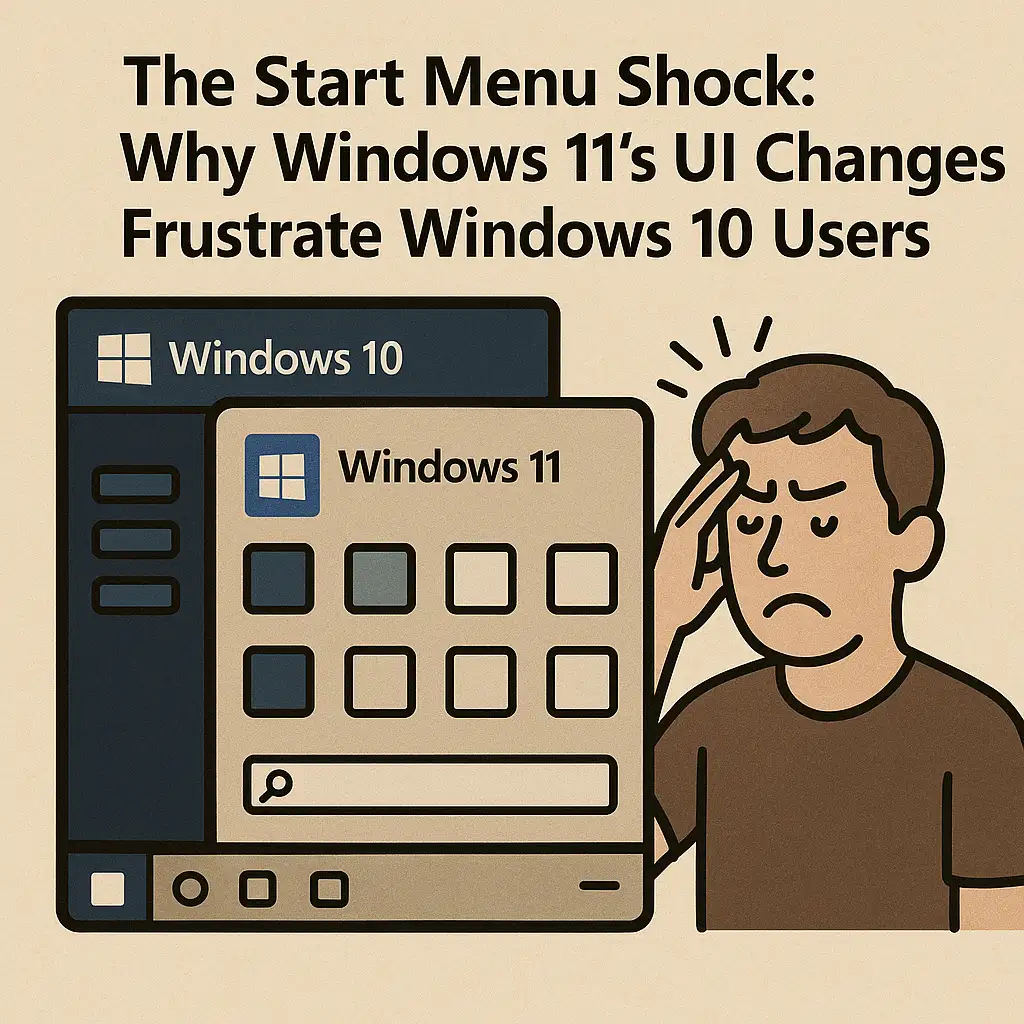
As organizations continue evaluating or initiating migrations from Windows 10 to Windows 11, one of the most visible and disruptive shifts users encounter is the redesigned Start Menu. For IT professionals managing user expectations, rollout strategies, and helpdesk load, the frustration surrounding this UI overhaul is not just an aesthetic complaint—it reflects deeper workflow disruptions, productivity concerns, and compatibility issues with enterprise configurations. Understanding these pain points is essential for planning a smooth transition and mitigating user resistance.
The Loss of Familiar Structure
Windows 10 users are accustomed to a predictable, grid-based Start Menu containing tiles, folders, and a well-organized navigation structure. Windows 11 replaces this with a simplified, centered layout emphasizing pinned apps and machine-learned recommendations. While visually cleaner, the change removes the hierarchical organizational system many enterprises relied on. Users who depended on custom Start layouts—particularly in controlled environments such as education, healthcare, and retail—find themselves struggling to adapt, often reporting that essential apps feel “buried” or less accessible.
Reduced Customization Options
IT teams have long used Start Menu customization to standardize desktop experiences, guide users toward approved software, and enforce compliance. Windows 11 significantly limits these capabilities. Live Tiles are gone, grouping options are reduced, and customization controls available through Group Policy or MDM solutions are more constrained compared to Windows 10. The inability to deeply tailor the Start Menu forces organizations to rethink long-standing UX strategies and complicates the transition for departments with highly structured workflows.
The Impact of Centered Alignment
Centered app alignment, while aesthetically modern, poses challenges for users who have worked with left-aligned Start buttons for decades. Muscle memory is a major factor in user productivity, and this redesign interrupts established habits. Although Windows 11 allows reverting to a left-aligned taskbar, many users express frustration with the additional steps required to replicate their previous workflow. For enterprise environments with thousands of endpoints, this contributes to a spike in helpdesk tickets during the first weeks of deployment.
Disruptions to Search and Navigation
Search behavior in Windows 11 is another area where changes to the Start Menu lead to friction. While Windows Search has improved in indexing speed and relevance, the separation of Search into a standalone UI component introduces an additional cognitive step for users accustomed to integrated search within the Start Menu itself. The new interface also displays more cloud-based and Microsoft-promoted results, which some organizations consider unnecessary clutter, especially in security-focused environments with controlled access policies.
Enterprise Start Menu Deployment Complexities
Windows 10 allowed IT teams to deploy highly curated Start Menu layouts through XML-based configuration files. In Windows 11, Microsoft has shifted the deployment model, creating compatibility hurdles for administrators relying on existing tooling. Partial layout controls, inconsistencies between Intune and Group Policy behavior, and limited pinning capabilities complicate the creation of a standardized user experience. These shortcomings require additional planning, testing, and in some cases the introduction of third-party tools to regain previous levels of control.
The Removal of Live Tiles
While not universally loved, Live Tiles served important functions in many environments. Real-time updates to calendars, mail, weather, and dashboards enabled some users to monitor critical information at a glance. Their removal in Windows 11 eliminates a feature set that had become integrated into the daily workflow of certain departments. Users now must rely on widgets, which function differently, are less customizable, and are positioned outside the Start Menu area—forcing behavior changes and increasing interface fragmentation.
Start Menu Recommendations and Privacy Concerns
Windows 11’s Start Menu introduces recommended content—recent files, suggested actions, and cloud-driven insights. Although useful for personal productivity, this feature raises concerns in enterprise environments that emphasize privacy, data governance, or strict separation of local and cloud workflows. IT teams often disable recommendations through policy, but users may initially find the unpredictability of the suggestions distracting or intrusive, further contributing to negative perceptions of the new UI.
Workflow Interruptions and Helpdesk Impact
Across organizations that have already transitioned to Windows 11, support teams consistently report an uptick in user tickets related to navigation, missing shortcuts, taskbar behavior, and confusion around the reorganized UI. These issues are not technically complex, but they collectively reflect a broader challenge: Windows 11 changes many interaction patterns that were stable for over a decade. This retraining burden can slow adoption, create frustration, and reduce early-stage productivity until users adjust to the new environment.
Adapting UI Expectations to the New Ecosystem
For IT professionals, addressing Windows 11 Start Menu friction is not just about providing training resources. It involves understanding how the new interface fits into Microsoft’s broader ecosystem of cloud services, telemetry, AI-driven UX, and hardware modernization. Over time, organizations may choose to reshape their standard operating environments to align with evolving Microsoft design principles. Until then, empathetic change management and careful endpoint configuration remain essential to easing the transition.
Conclusion
The Start Menu redesign in Windows 11 represents one of the most disruptive UX shifts since the introduction of the Windows 8 interface. For users deeply rooted in Windows 10’s layout and workflow, the changes can feel abrupt and counterintuitive, resulting in resistance and productivity dips. By understanding the sources of frustration and proactively addressing customization gaps, IT professionals can better prepare users and ensure a more seamless migration experience. With appropriate guidance and policies, the new Start Menu can eventually become a familiar and efficient component of the Windows 11 environment.


 11916
11916  IT Pro






















