



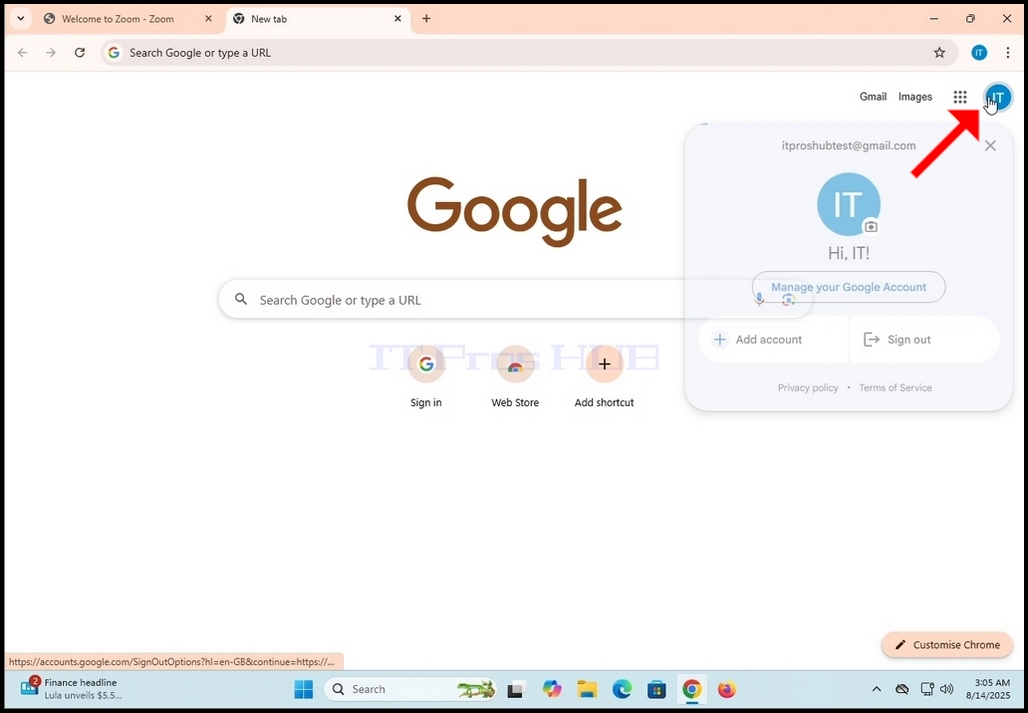
1. Iya ekhasini lasekhaya le-Google (noma yiliphi elinye ikhasi le-Google elibonisa isithonjana sezinhlamvu zokuqala ze-akhawunti yakho ye-Google) bese uchofoza isithonjana esibonisa sezinhlamvu zokuqala ze-akhawunti yakho ye-Google. Kufanele sibe ekhoneni eliphezulu kwesokudla kwesikrini.
2. Linda ukuthi kuvele imenyu encane.
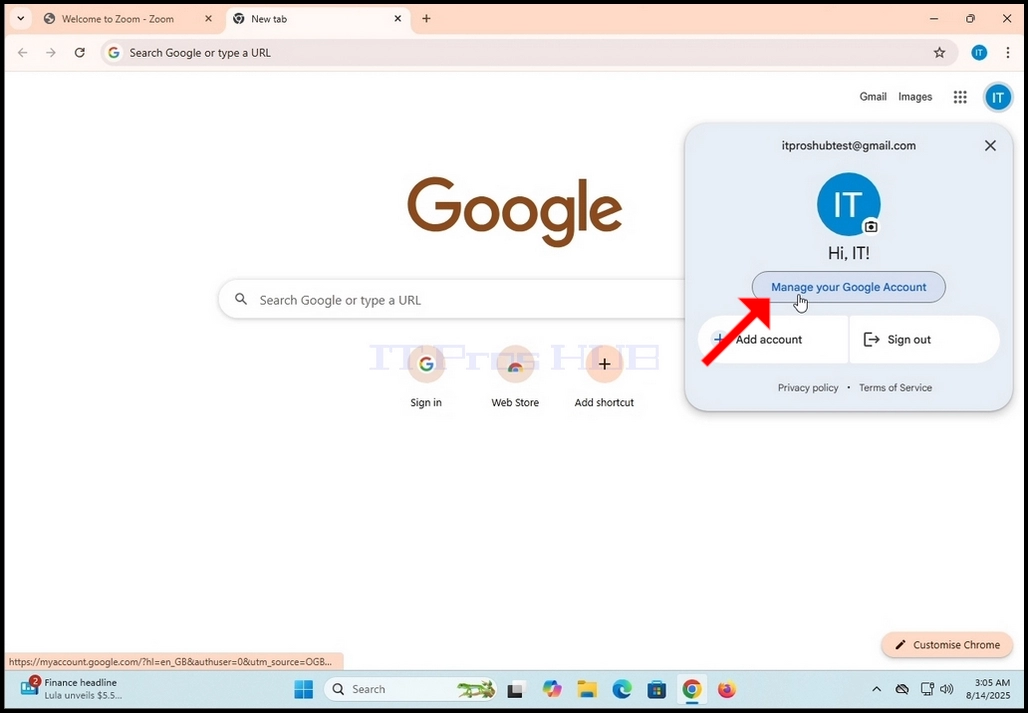
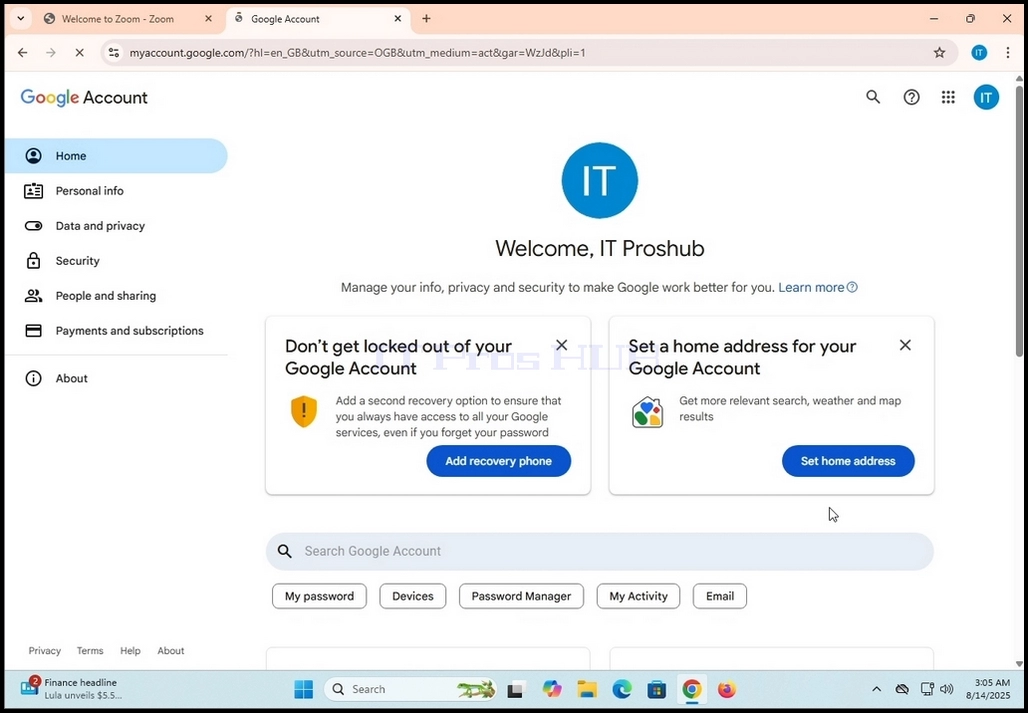
3. Kuleyo menyu, bheka inkinobho ethi Phatha i-Akhawunti yakho ye-Google bese uchofoza kuyo eyodwa. Linda ikhasi lokuphathwa kwe-Akhawunti ye-Google ukuthi lilayishe
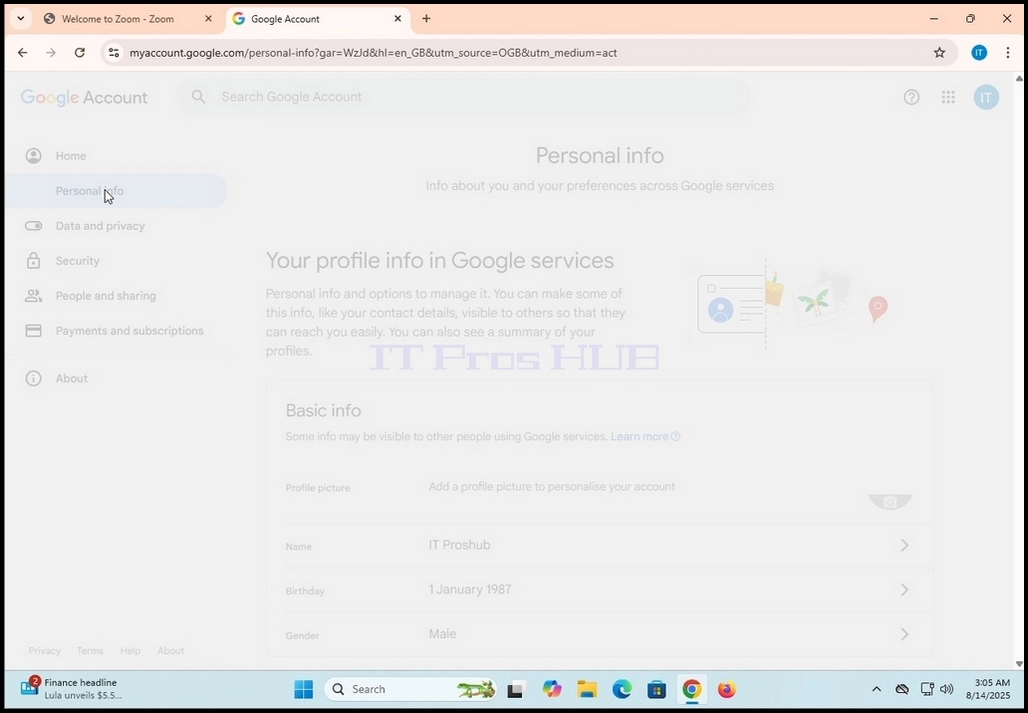
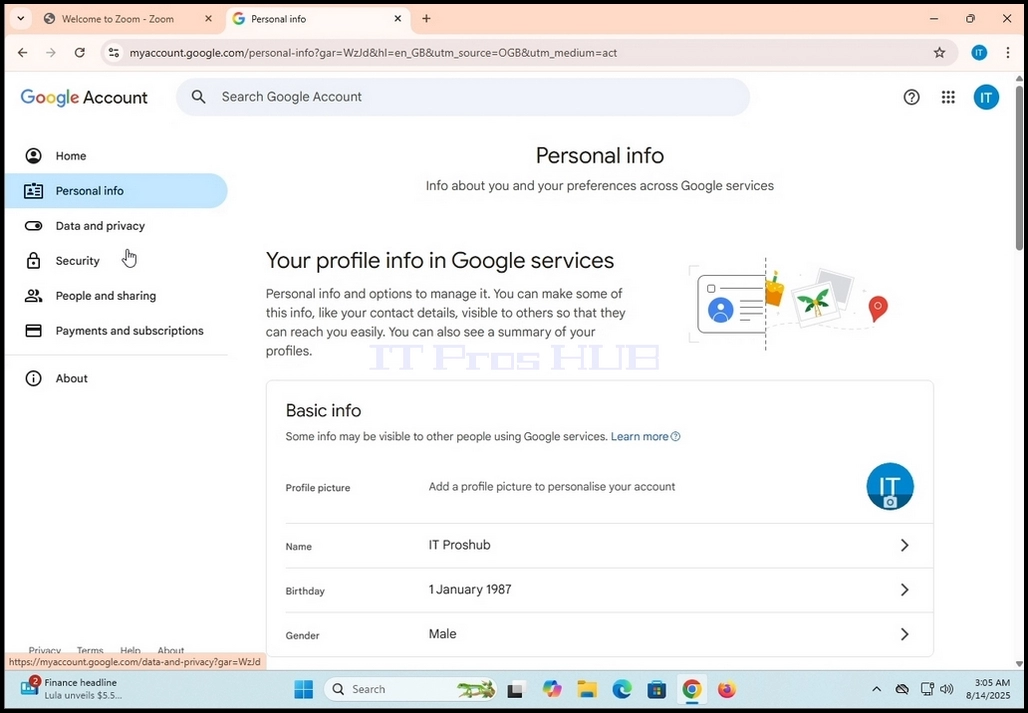
4. Ngemva kokuthi ikhasilokuphathwa kwe-akhawunti ye-Google selilayishiwe, iya kumenyu yesobunxele bese ubheka umusho Wolwazi Lomuntu Siqu. Chofoza kuyo kanye bese ulinda ikhasi Ulwazi Lomuntu Siqu ukuthi lilayishe.
5. Ekhasini elisha Ulwazi Lomuntu Siqu, skrola phansi ikhasi uze uthole Izintandokazi ezijwayelekile zewebhu kufasitelana lesobunxele. Ngaphansi kwalelo bhokisi, kufanele ubone inkinobho ethi Ulimi eduze kwesithonjana esincane se-globe. Chofoza kuyo kanye. Linda ikhasi elithi Ulimi ukuthi lilayishe.
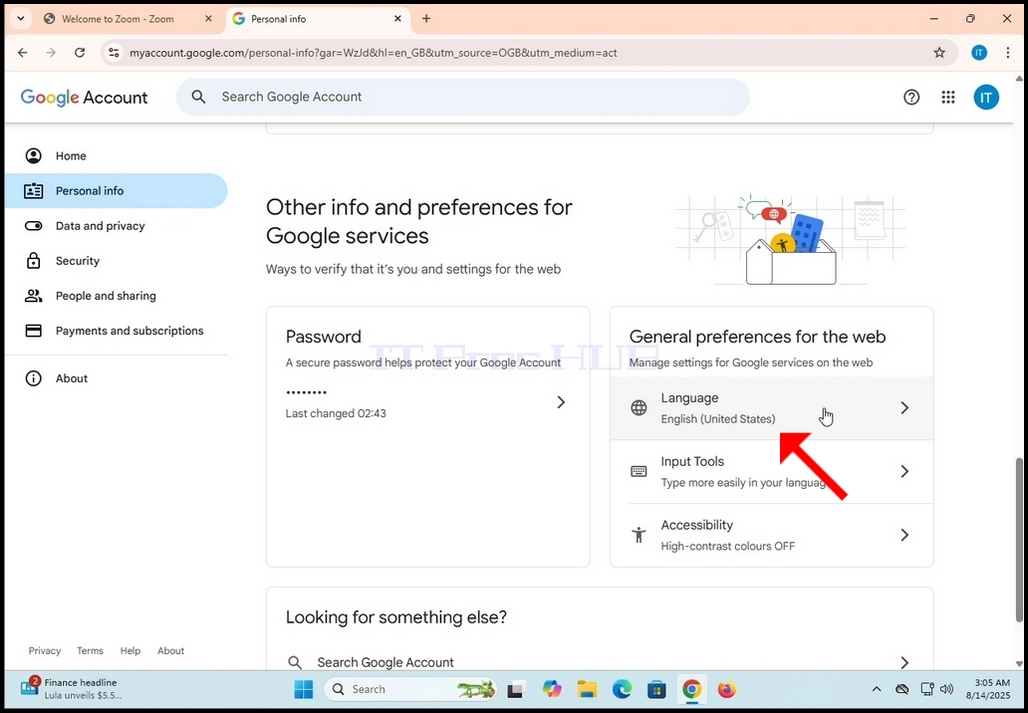
6. Ekhasini Lolimi, ngaphansi kwebhokisi elithi Ulimi Oluthandwayo, funa inkinobho ethi + Engeza olunye ulimi bese uchofoza kuyo kanye.
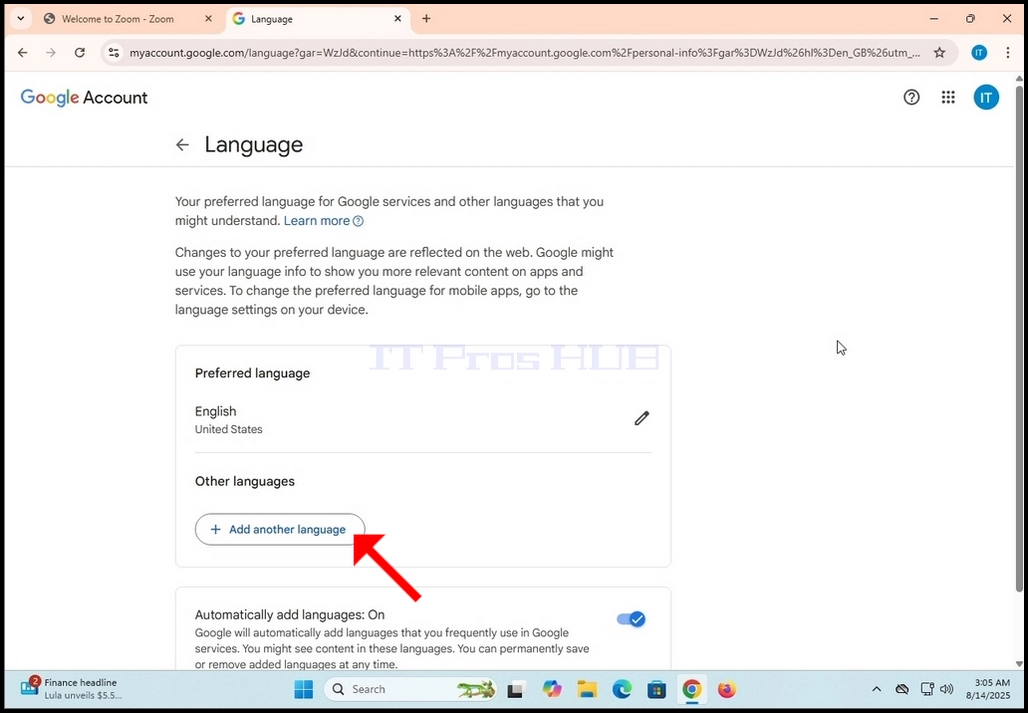
7. Ekhasini elilandelayo, khetha ulimi olwengeziwe ongathanda ukulifaka ku-akhawunti yakho ye-Google.